



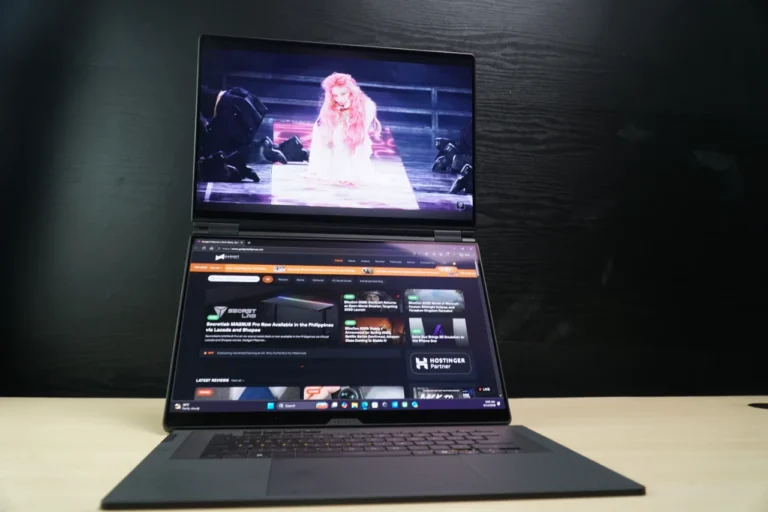
Gaming laptops have come a long way from simply being portable versions of desktop PCs. As performance continues to improve, manufacturers are finding new ways to make laptops more versatile without sacrificing the hardware needed to run demanding games and workloads. ASUS takes the ROG Zephyrus Duoto another level with the addition of a second full-sized ROG Nebula OLED displays in an already high-end gaming laptop.
Best, Desktop-class level Hardware
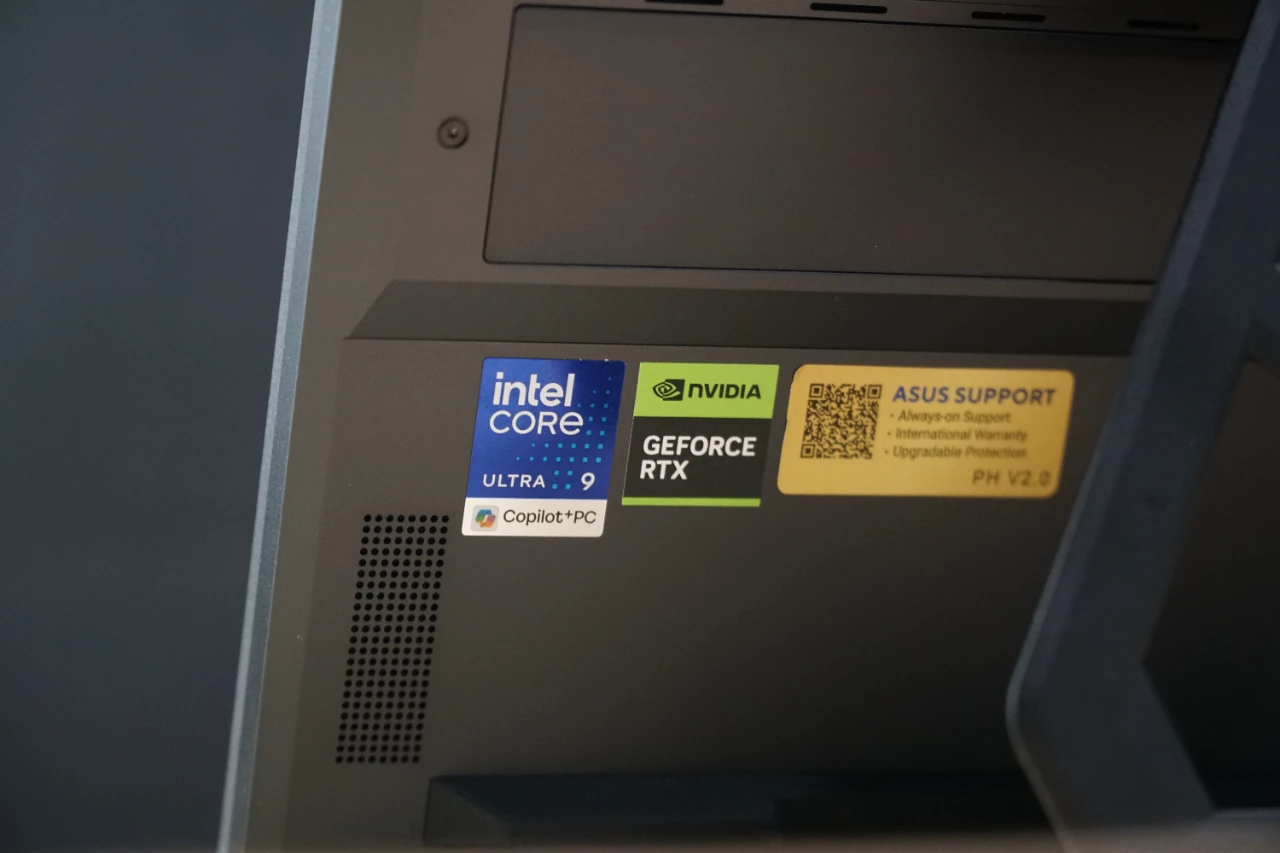
The ASUS ROGZephyrus Duo, as its name suggests, Duo it all with its desktop-class level components. You have an Intel Core Ultra 9 386H processor, 64GB of LPDDR5X memory, an RTX 5090 Laptop GPU, and a 2TB NVMe SSD as its core specs. It’s basically the best that you could get in a gaming laptop.
Its spec can easily handle all types of workload whether it be gaming, productivity and AI. The ROG Zephyrus Duo’s flagship CPU and GPU combination can easily run any game title at max settings with extra performance to spare with NVIDIA DLSS. The 64GB LPDDR5X Memory is more than enough for your 4K 10-bit RAW timeline scrubbing, let alone your tabs and spreadsheets. Lastly, the 24GB GDDR7 VRAM enables local AI utilization, especially agentic AI with a large enough context window to spare after loading models such as Qwen3.8-27B Q4, replacing your online chatbots.
Two 3K ROG NEBULA OLED Displays
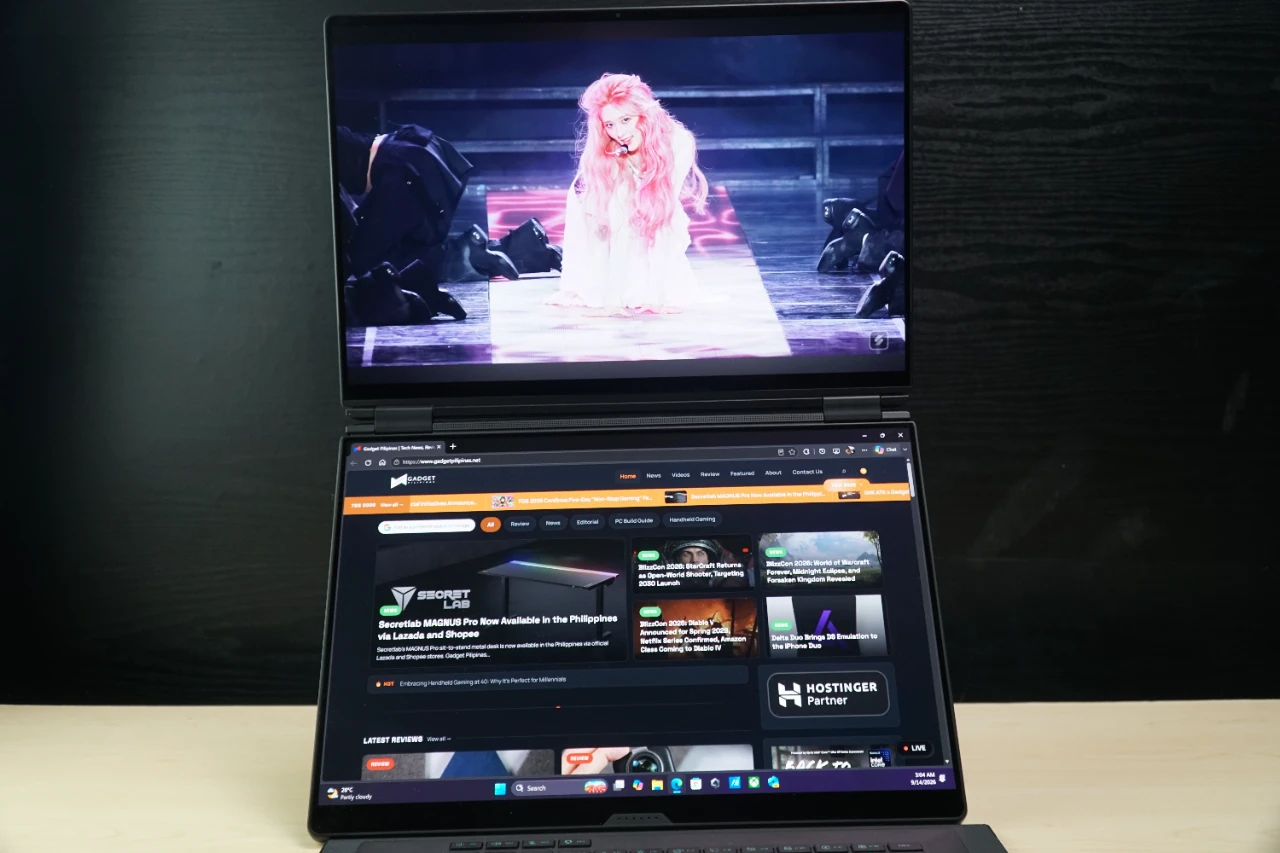
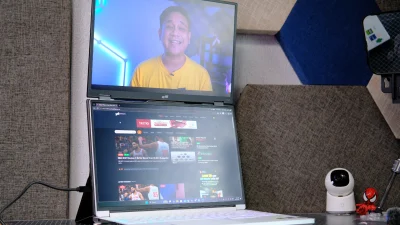
The more interesting part of the ROG Zephyrus Duo is, of course, the display setup. Instead of pairing a main screen with a smaller secondary panel, ASUS uses two full-sized 16:10 3K OLED displays, effectively turning the laptop into a portable dual-monitor setup, finally going all out and learning from their past implementations where the second screen was lower-specced. The second screen is larger than the typical secondary display found on dual-screen laptops, giving the Duo substantially more usable space when both panels are active.
Both displays run at 120Hz and have a 0.2ms response time, while offering 100% DCI-P3 coverage and Delta E < 1 color accuracy. The panels are also touch-enabled, with HDR support and NVIDIA G-SYNC available on the main display. That combination makes the displays useful outside gaming, particularly when color accuracy matters for photo and video work.
A triple-A game can occupy the primary display while Discord, a browser, streaming controls, or monitoring tools remain visible on the second screen. For creators, the second panel can hold a timeline, tool palette, reference material, or other controls without taking space away from the main canvas. It’s essentially the same idea that makes dual-screen laptops useful for productivity, but the higher-end hardware and gaming-focused display specifications make the ROG Zephyrus Duo a much more capable machine for workloads that demand GPU performance or AI inference.
Five Modes, One Laptop
ASUS designed the ROG Zephyrus Duo around five operating modes that change how the two screens are positioned and used. The sturdy built-in flip stand and the detachable bluetooth keyboard enables versatility and improved ergonomics that boost productivity.
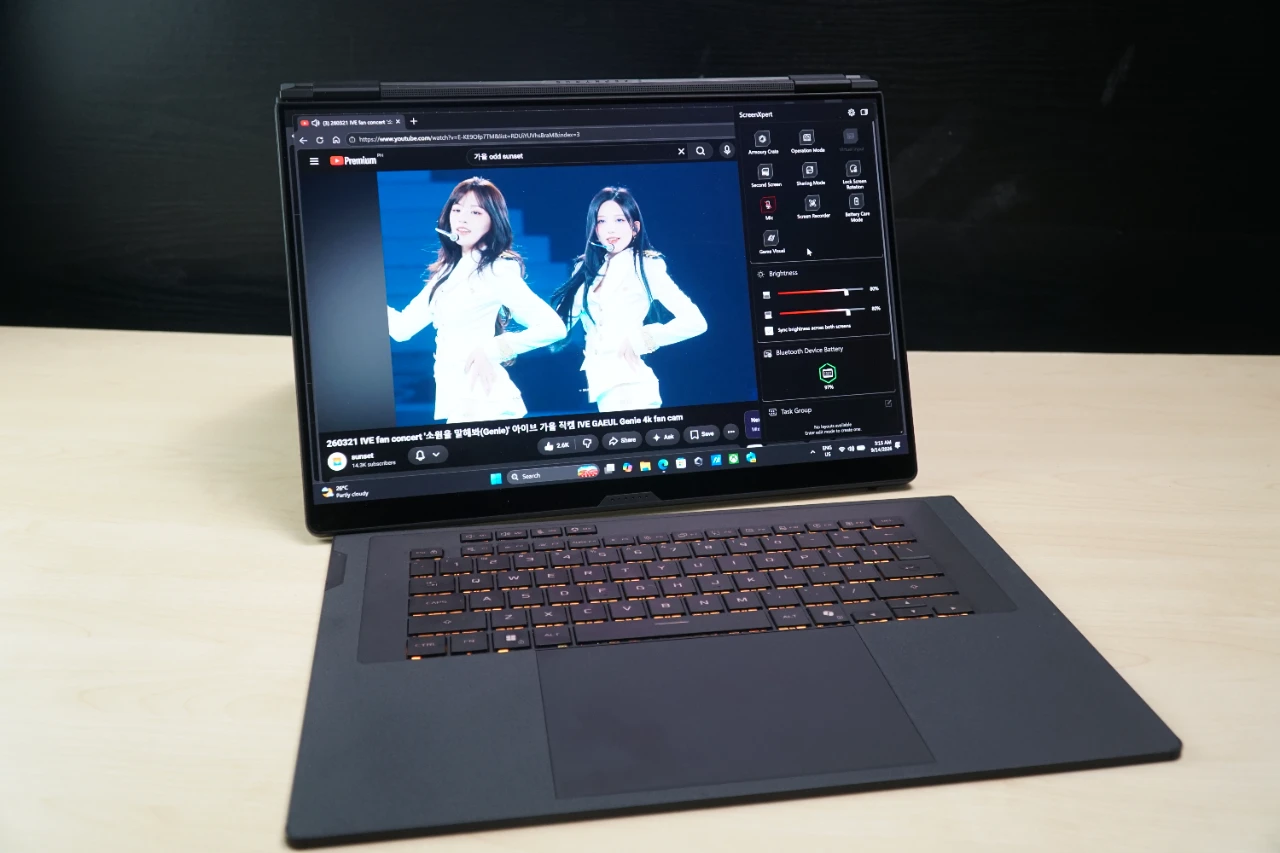
Laptop Mode keeps the Duo closest to a conventional laptop, with the wireless keyboard positioned normally over the lower display. It’s the base, sleeper aesthetic making it look like your typical ROG Strix SCAR laptop at first glance. This is useful when the second screen is not needed where you only need to do a quick task, while the keyboard automatically charges in this configuration via the POGO pins. Moreover, the keyboard can also be charged via the USB Type-C port on the side.
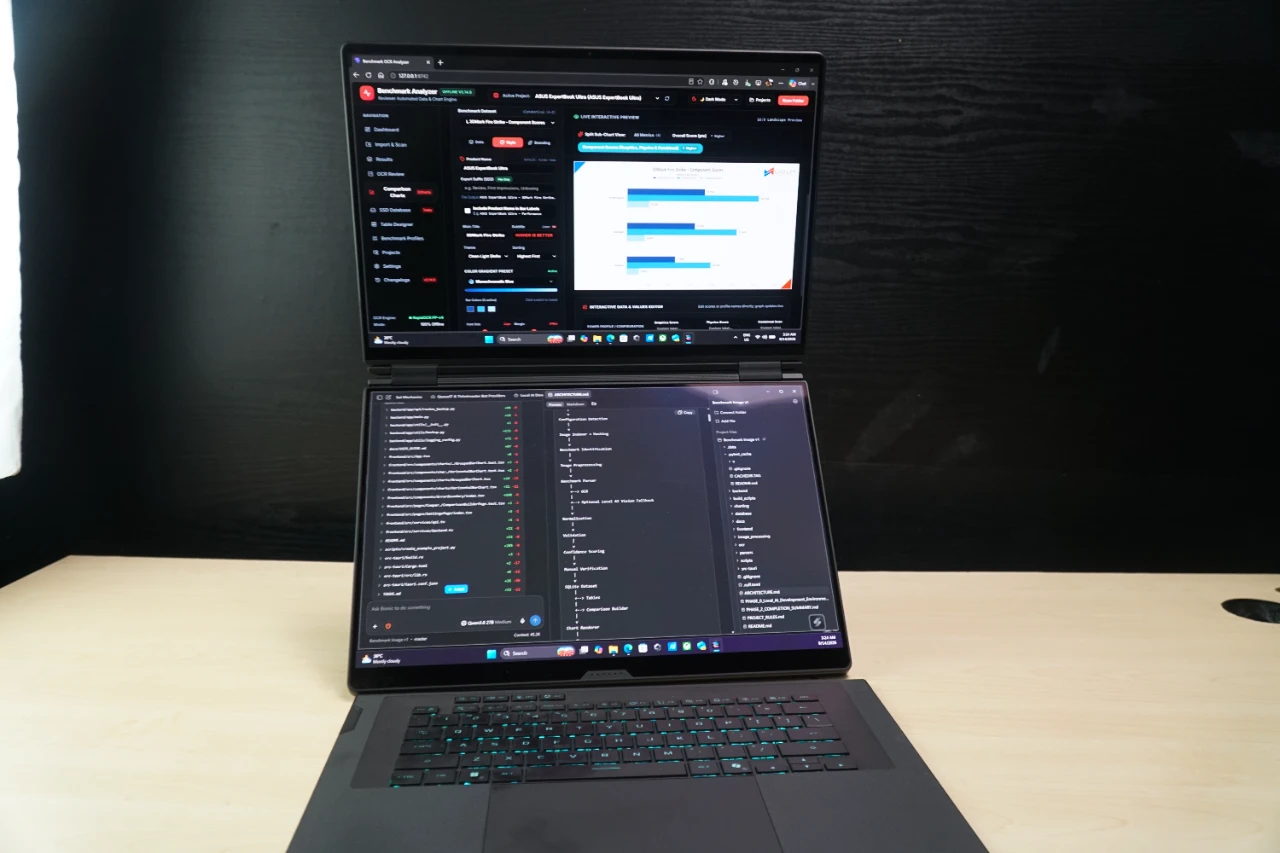
Dual-Screen Mode is where the Duo concept really comes together and makes the Zephyrus Duo shine. Both displays can be used simultaneously, giving you more than a 21-inch workspace and allowing multiple applications to remain visible without constantly switching between windows. For gaming, this can mean keeping the game on the primary panel while using the secondary display for Discord, monitoring, or streaming tools.I personally have my second screen do a split between Discord and Facebook for an easy alt-tab when I die or simply having a quick glance if anything comes up.
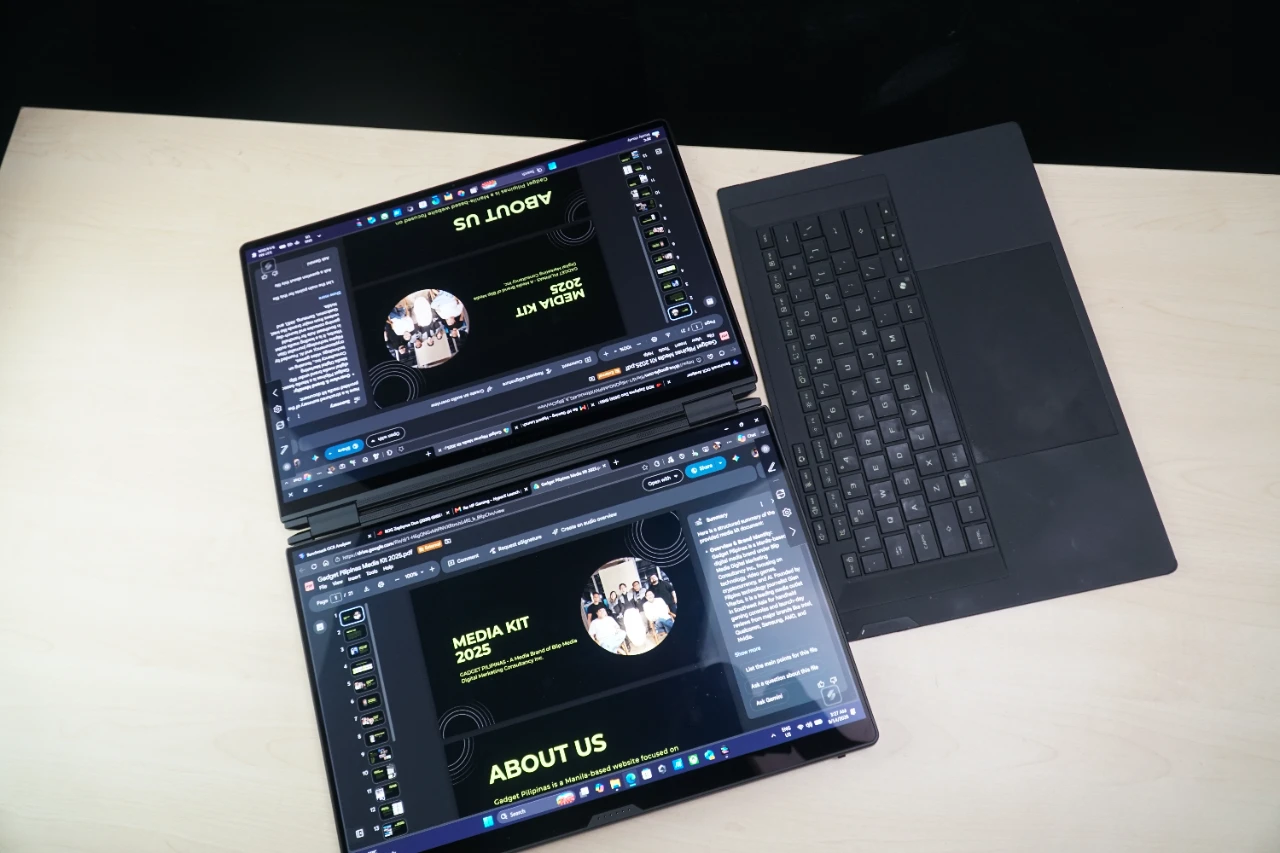
Sharing Mode lays the displays flat, making it easier to show content to someone sitting across from you or have a more ergonomic screen-sharing session with Tent Mode which turns the Duo into an A-frame configuration. I personally like Tent Mode better, especially with more intimate meeting setups. Moreover, Tent Mode also enables multiplayer gameplay without having to scooch over one side especially as more players or spectators are involved.


Tent Mode Bonus: With the powerful specs of the ASUS ROG Zephyrus Duo you could allocate half of its specs to a Virtual Machine setup, split the screens, and have different input devices for each one to make them Zephyrus Solos for two-users. One can game while the other does light work – but this is setup requires a dedicated article.
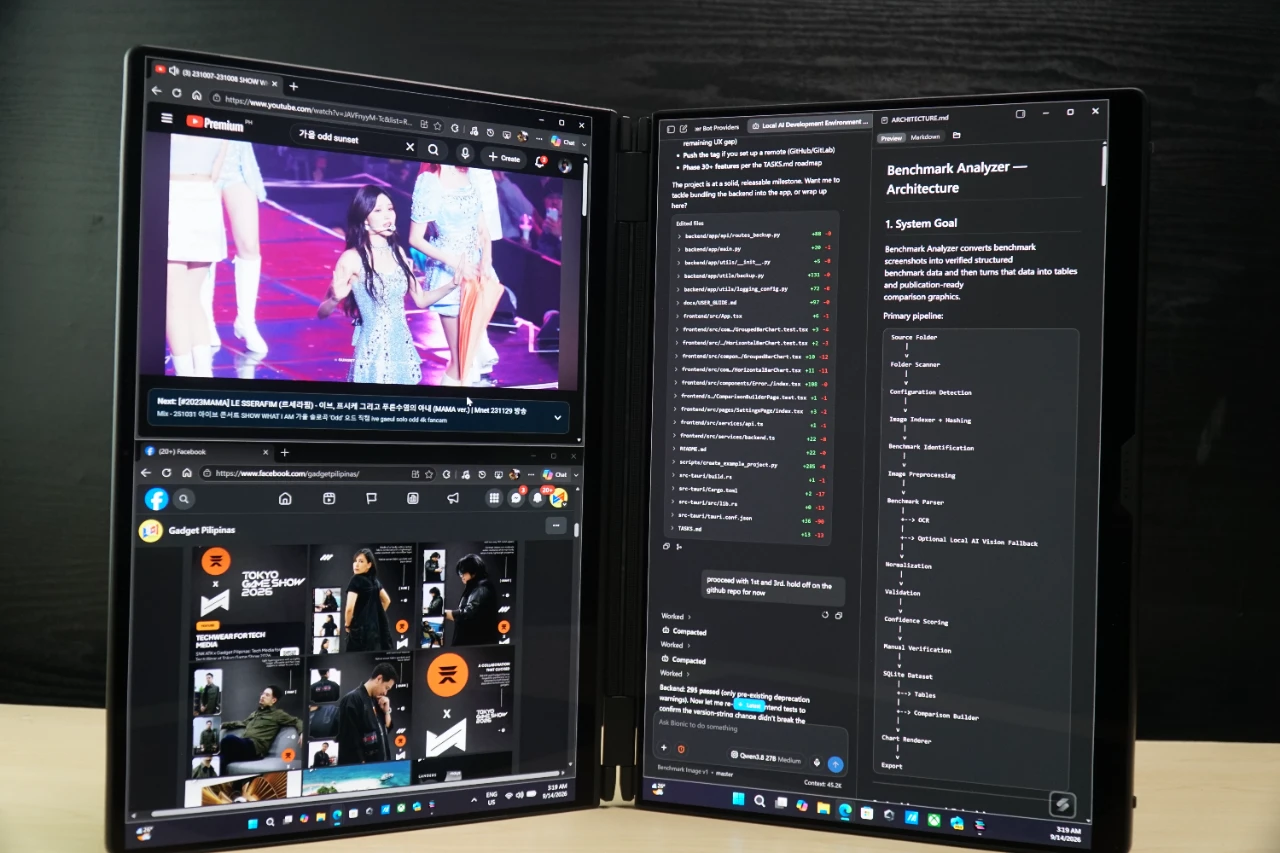
Book Mode places both displays vertically for additional screen height and is surprisingly where I spent most of my time with the ROG Zephyrus Duo. Book Mode enables a larger vertical screen real estate which is ideal for coding, email threads, discord chats and quad-window workflows. It’s also the most ergonomic setup due to the natural V-shape for an optimal dual angle compared to Dual-Screen Mode.
A Seamless Experience Thanks to Cooling and Connectivity
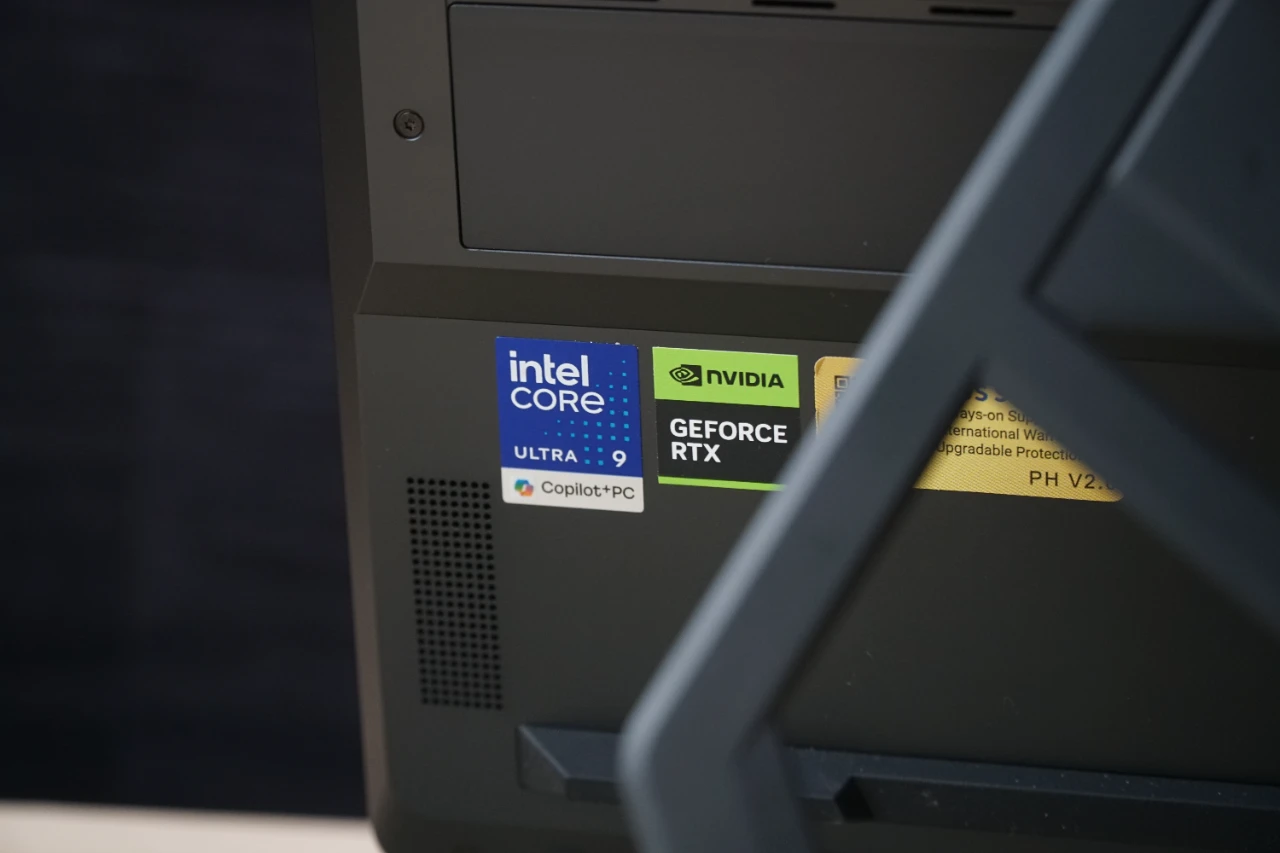
Packing a Core Ultra 9 processor and RTX 5090 Laptop GPU into a dual-screen chassis generates a lot of heat in such a relatively compact form factor which you could definitely feel. The ROG Zephyrus Duo uses ASUS’ ROG Intelligent Cooling system, combining liquid metal on the CPU, a custom vapor chamber, redesigned dual fans, and a Graphite Nano-Insulated Film positioned between the motherboard and display panel.
The design also includes a 90Wh battery and support for up to 100W USB Type-C charging. Connectivity is similarly geared toward making the Duo capable of serving as a primary workstation, with HDMI 2.1, two USB 3.2 Gen 2 Type-A ports, dual Thunderbolt 4 ports, an SD card reader, and Wi-Fi 7.
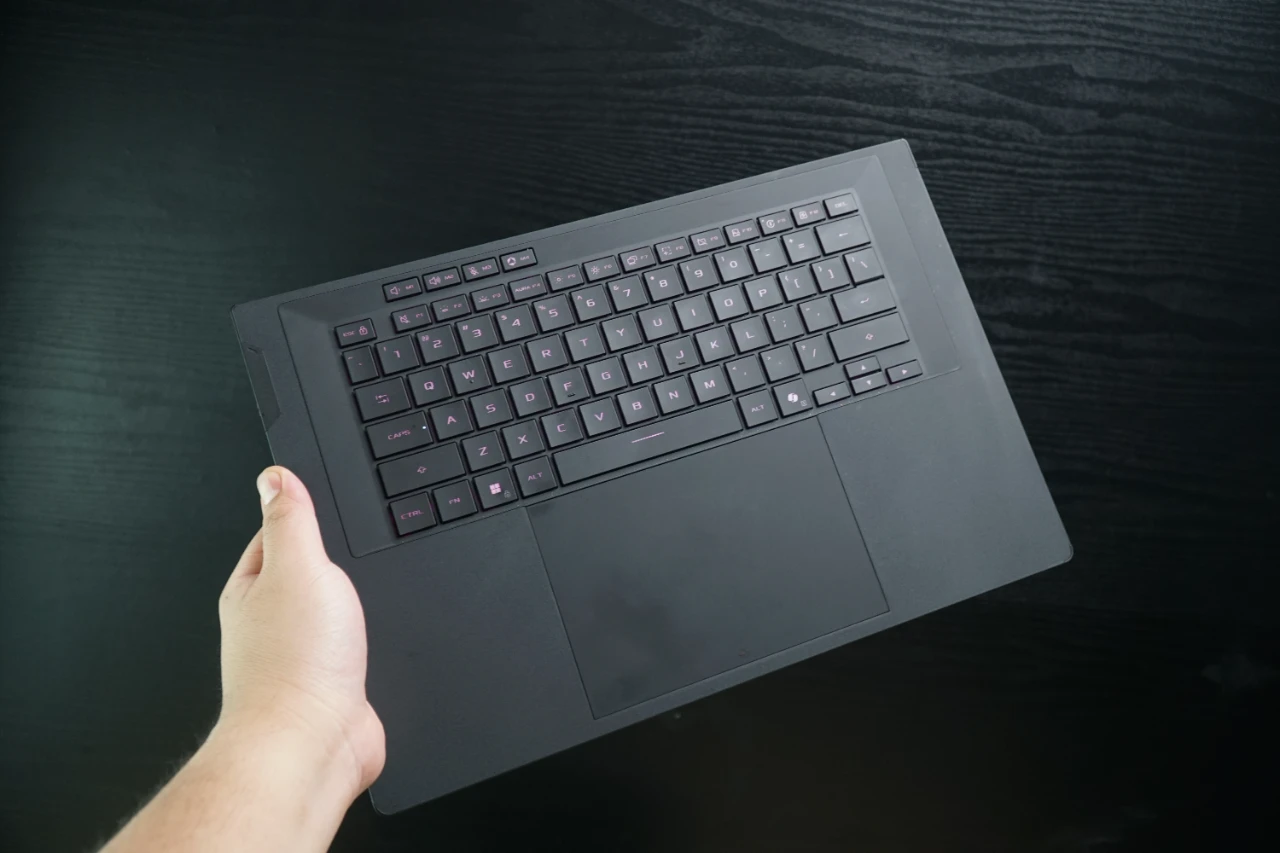
The wireless keyboard also plays an important role in the overall design. At just 5.1mm thick, it retains 1.7mm of key travel and can be detached when switching between the different modes. This makes the Duo more flexible than a conventional laptop, especially when the screens need to be positioned differently.
A Gaming Laptop That Does More Than Game
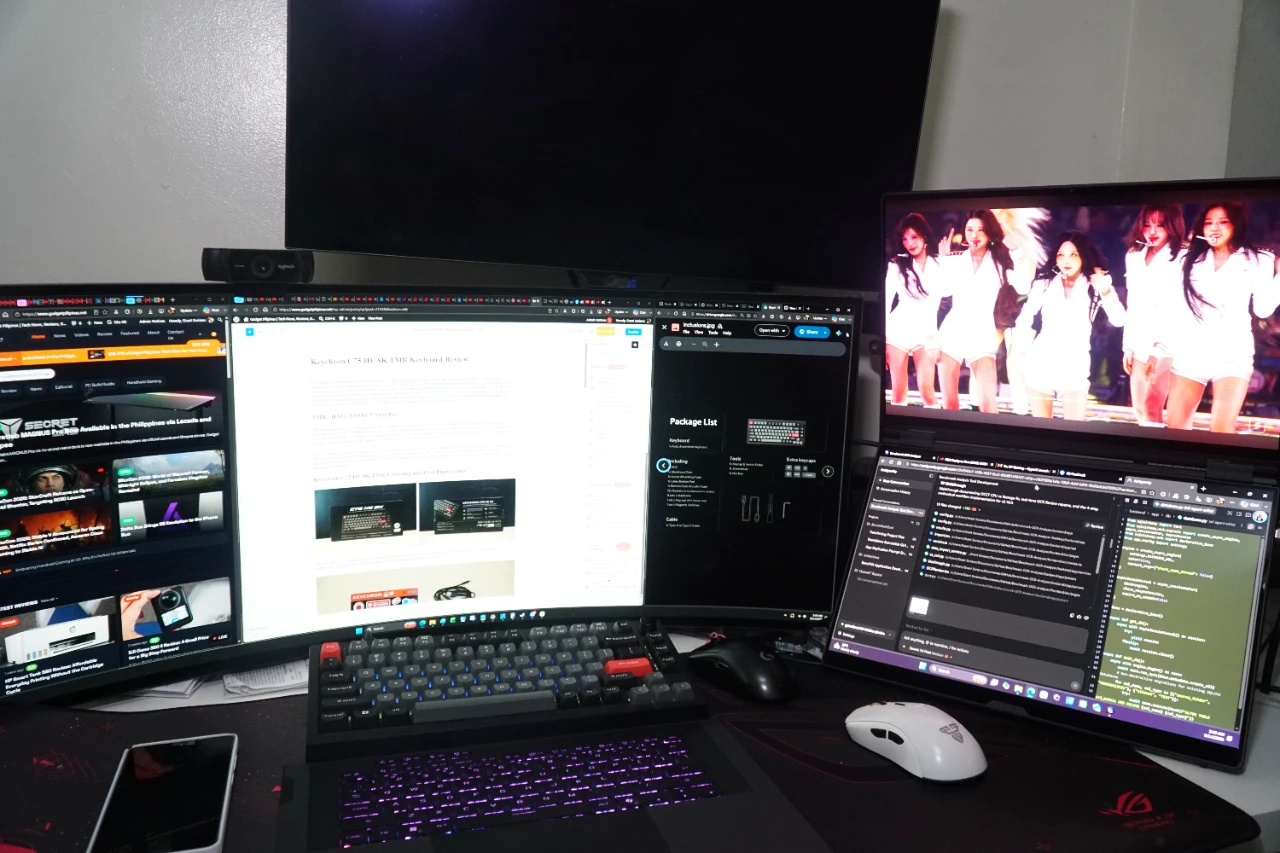
The ROG Zephyrus Duo is an interesting proposition because its biggest feature is not necessarily its locked into a single paper-spec such as the RTX 5090 or its Core Ultra 9 processor. Every part of the components and design enable it to do more than just gaming on a dual-screen setup.
Gaming is an obvious use case, particularly when the second screen can handle chat, guides, streaming controls, or other applications. But the 2-screen configuration also lends itself to editing, coding, research, content creation, and multitasking where having two full-sized displays can make a meaningful difference in quality of life and multi-tasking.
Dual-screen laptops have always had a bit of a novelty factor starting from thin and lights like the Zenbook Duo and even the half-screen lowercase Duo variants. Packing flagship specs in all-aspects make it a jack of all trades that appeals to different industry professionals and enthusiasts. Add the very optimized five operating modes and you have a much broader range of use cases than any other dual-screen laptop in the market.
Where to Buy ASUS ROG Zephyrus Duo
For anyone looking for an ASUS ROG Laptop Philippines option that can handle gaming, streaming, creative work, and productivity from a single machine, the ASUS ROG Zephyrus Duo 2026 is one of the more unconventional options in the lineup. It is not trying to replace your desktop setup by simply making a laptop more powerful. Instead, it takes the concept of a mobile workstation and asks a more interesting question: what if the second monitor was already built into the laptop?
ASUS also includes a number of extras with the Philippine configuration, including an ROG Universal Backpack, ROG Gladius III Gaming Mouse, ASUS Pen 3.0, three months of Xbox Game Pass for PC, an Office 2024 Home lifetime license, one year of Microsoft 365 Basic with 100GB cloud storage, and a three-month Google AI Pro bundle. The package also includes ASUS’ No. 1 Quality and Service benefits, including up to three years of international and local warranty, up to six free device-cleaning claims, one year of local accidental damage protection, and up to a 14-day return policy.
Given the rising prices across the PC industry, those considering a flagship Dual Screen Gaming Laptop may want to check the current availability while the configuration is still offered. The latest ASUS ROG Zephyrus Duo Specs, product information, and purchase options are available through the official ROG product page and ASUS’ authorized retailers.

Grant Soriano
Grant is a Financial Management graduate from UST. His passion for gadgets and tech crossed him over in the industry where he could apply his knowledge as an enthusiast and in-depth analytic skills as a Finance Major. His passion allows him to earn at the same time help Gadget Pilipinas' readers in making smart, value-based decisions and purchases with his reviews and guides.
View all articles →