


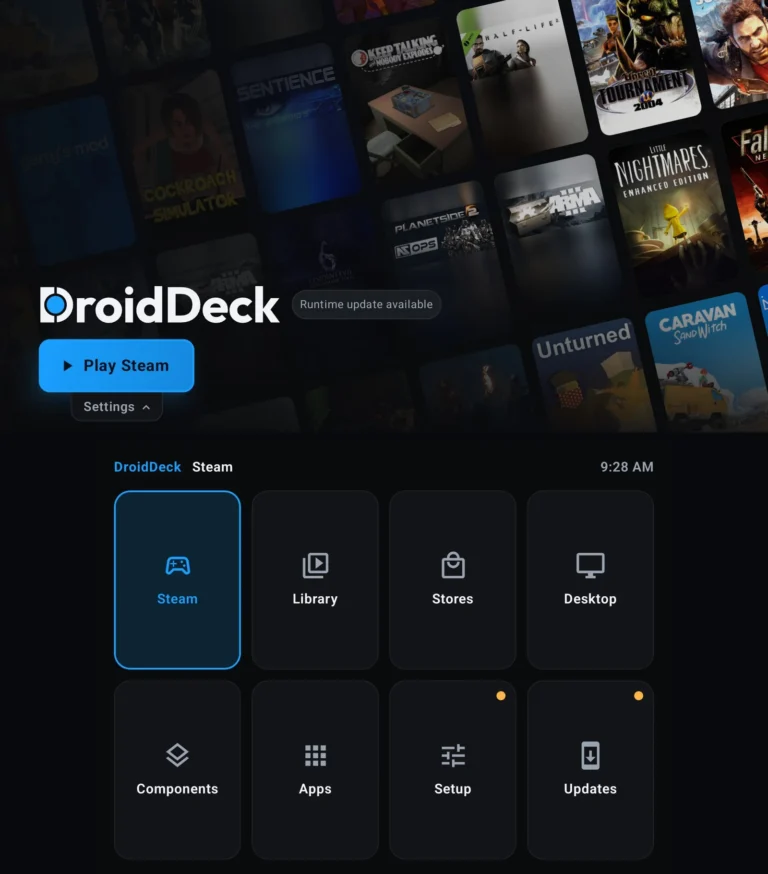
DroidDeck has shipped DroidDeck 0.6.7, and this is less a point update than a rebuild of how the app handles the games you already own. The headline change is a single Library that folds every connected store into one grid, with installed and uninstalled games sitting side by side.
The notes cover more ground than a version bump usually does: a merged library, Xbox Cloud Gaming, Battle.net as a store, a full Ubuntu desktop, working second screens on dual-screen handhelds, and a sleep fix that outranks every feature here.
DroidDeck 0.6.7 puts every store in one Library
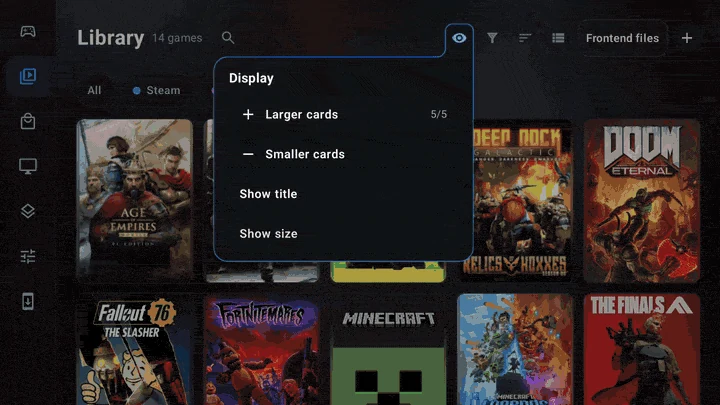
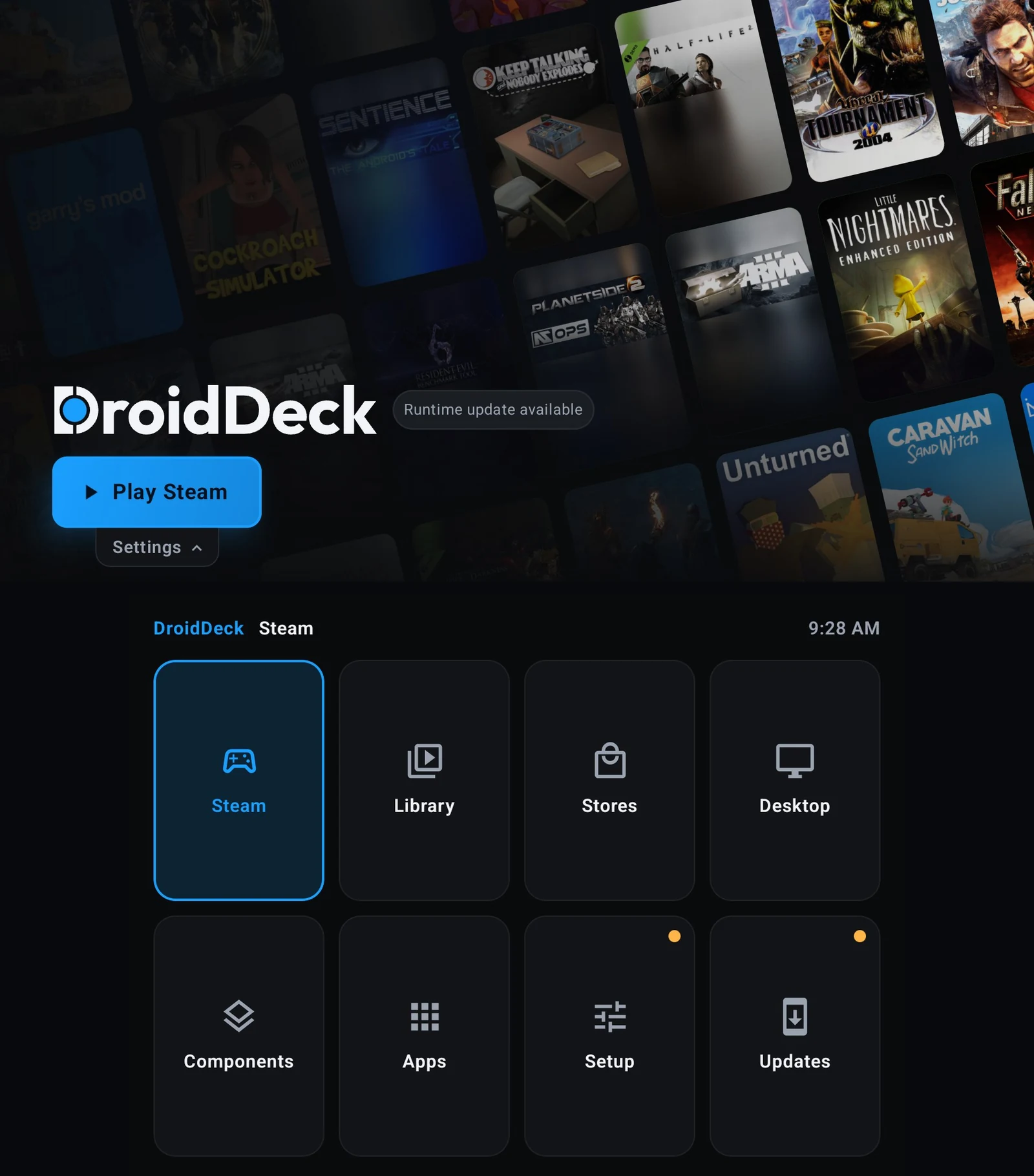
Previously the app kept game libraries and store libraries in separate places. DroidDeck 0.6.7 merges them, and every source now shares one game page design. The Library shows what you have installed and, in the same grid, what you own in each store you are signed in to, split into Installed and Not installed.
Source chips for Steam, GOG, Epic, Amazon, Xbox, itch, and Added filter the list, with the shoulder buttons switching between them. A Filter menu beside Sort toggles between Installed only and All owned games. Stores becomes purely a place to sign in and manage accounts.
Game pages were rebuilt too. Art becomes the backdrop, with frosted capsules for Install and Play, Metacritic and HowLongToBeat scores beside them, and a full-width tab bar. On the narrower 4:3 layout, secondary options collapse into a More menu. Resource links cover PCGamingWiki, guides, ProtonDB and Steam Cloud, and all of it works with a controller.
Sleep that finally sleeps
The most consequential fix in this release is power behavior. In overnight testing, a game left suspended lost only 2 percent of battery. That is a different order of magnitude from what these handhelds used to do, and it changes whether leaving a session open is reasonable.
The causes were found and closed. The microphone is released before a session freezes, so the device can actually suspend, where an AYN Thor previously held the audio-input wake lock for nine hours with a flat 120 mA draw. Controller rumble stops when the device sleeps, and Steam logs are no longer re-read after every stop. There is also a new Pause button that holds a session deliberately.
Xbox Cloud Gaming arrives
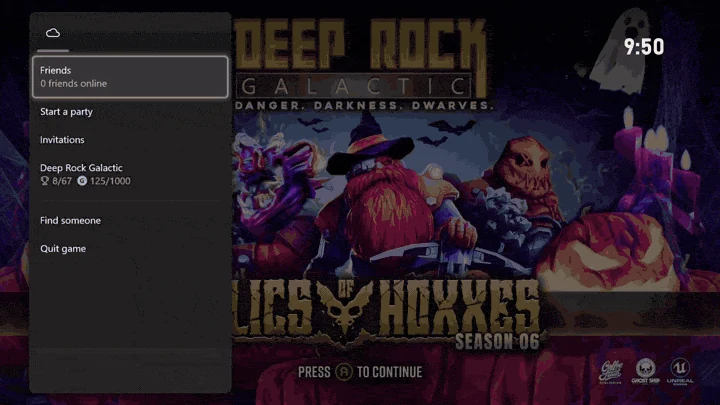
Xbox Cloud Gaming is now built in. Games stream directly from their store page or from the Games tab, and you do not have to install anything to play. The default is the web player, with an opt-in native player on Android 10 and above that runs DroidDeck’s own frame generation, offering DD-FG at 2x and LSFG at 2x, 3x and 4x, with a frame-rate target anywhere from 10 to 165 fps.
The Xbox library gains a Cloud filter alongside All, Owned and Game Pass. The in-stream menu carries screen effects, quality settings, and a performance overlay showing fps, ping, bitrate and decode time.
Battle.net becomes a proper store
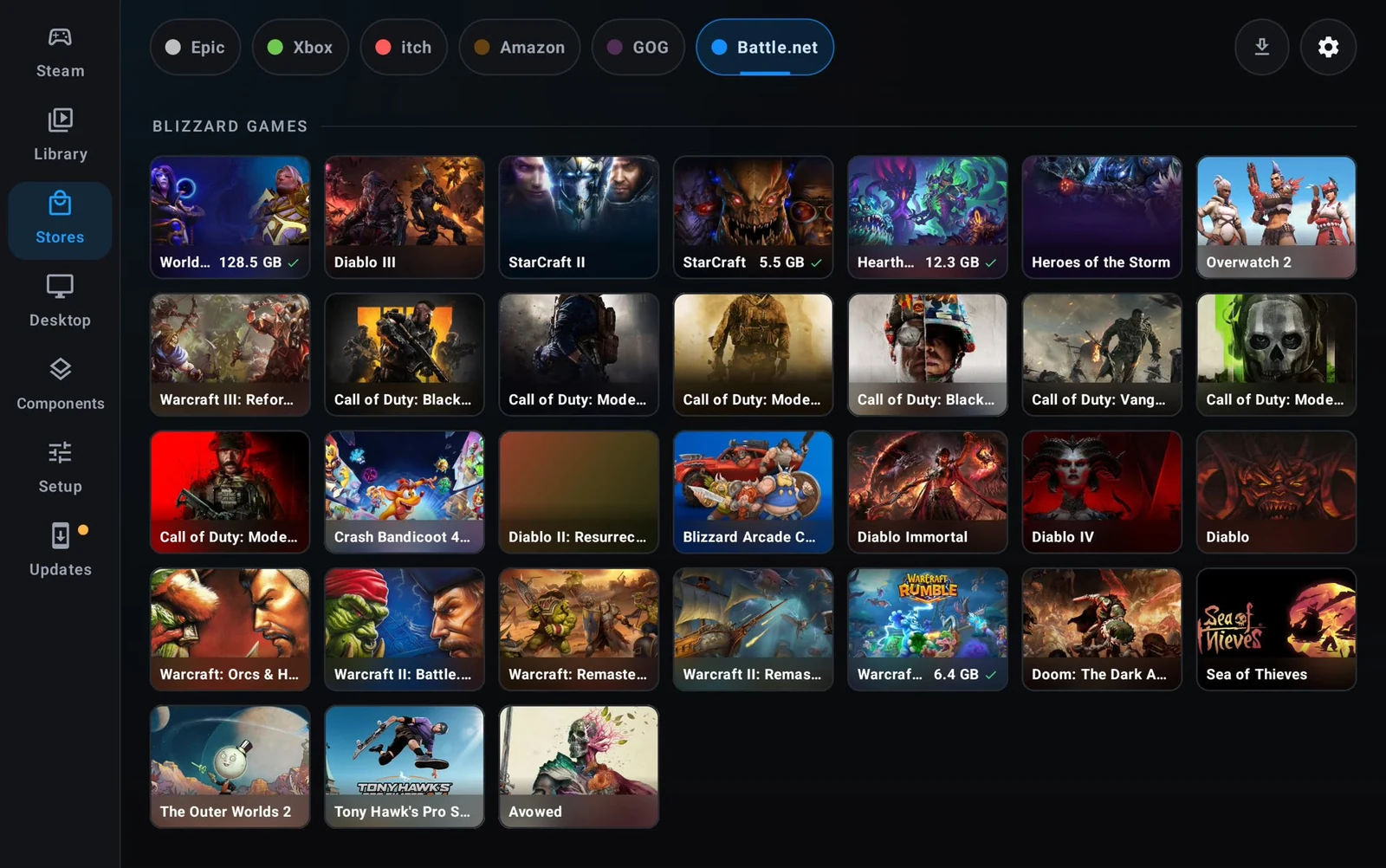
Battle.net now runs as a store rather than a bolted-on client. It launches Blizzard’s real client in its own Proton prefix, surfaces its games in the Library, Steam and the desktop, and applies the memory options that Diablo IV and Diablo II: Resurrected need on an 11GB phone.
Games install straight from Stores with a location picker, downloads land in the Downloads tab, and pause, resume, update and uninstall work without babysitting a Battle.net window.
GOG and itch.io get real attention
Installed GOG games now check for updates automatically, with depot updates, repair that reuses verified chunks, Galaxy delta patches, recovery journals, and standalone patches run through Proton. Saves, prefixes, shortcuts and settings survive all of it.
The itch.io store is substantially larger. The Store tab browses by sort and price with paging and a disk cache, filters by platform and tag, and offers a version picker at install time. Collections filter the Library, and installed games are checked for updates that stage into a separate folder before replacing anything.
A desktop, a second screen, and portrait mode
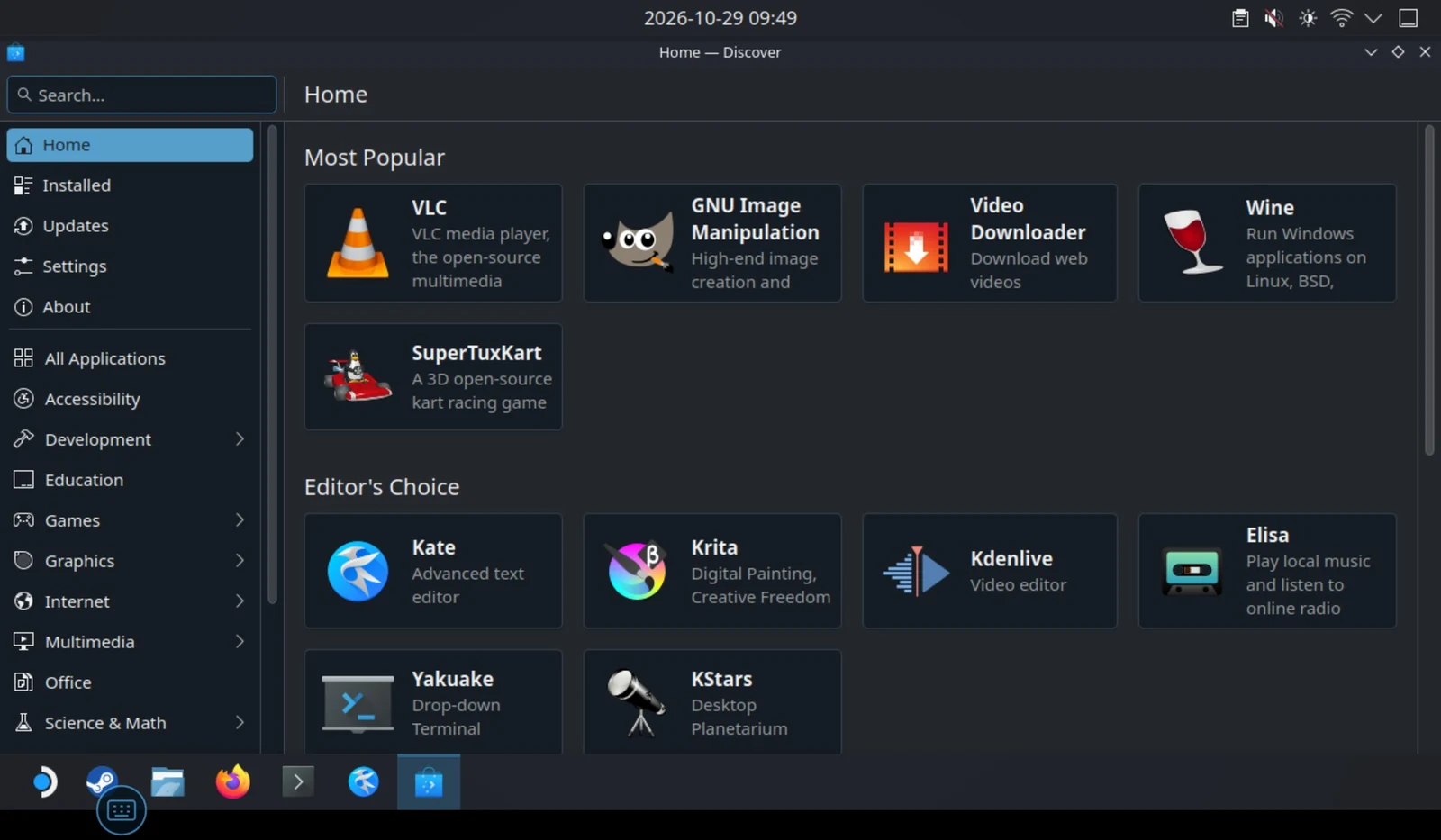
The Linux runtime moves to Ubuntu 26.04 LTS, with Kubuntu’s Plasma desktop as a separate download that adds only the files it needs. sudo, apt and Discover work, and apt, Flatpak and Snap are all available. Packages and sources you add survive a runtime update, while DroidDeck’s Mesa, KWin and gamescope are held so a full upgrade cannot replace them. Tapping a text field on the desktop opens the Android keyboard, and ~/Downloads and ~/Documents map to Android’s own folders.
Dual-screen handhelds finally use both panels. On a Retroid Pocket Duo or an AYN Thor, the launcher’s sections move to a menu on the bottom screen with L2 and R2 switching them, and text fields type on the bottom while the top updates live. In a session, the trackpad and keyboard open on the bottom screen, and a Bottom screen menu opens the in-game menu there so the game keeps the entire top screen. Steam’s text fields now open the Android keyboard on the bottom panel instead of covering the game.
Portrait mode works in two independent places: the launcher can follow rotation or stay portrait with navigation along the bottom edge, and sessions can do the same. Controls below the game places a landscape game above the touch controls on portrait phones. The Apps page is now a full launcher home with search, filters, sorting, folders, widgets, hidden apps, and work-profile apps.
HUD, Proton, and the numbers
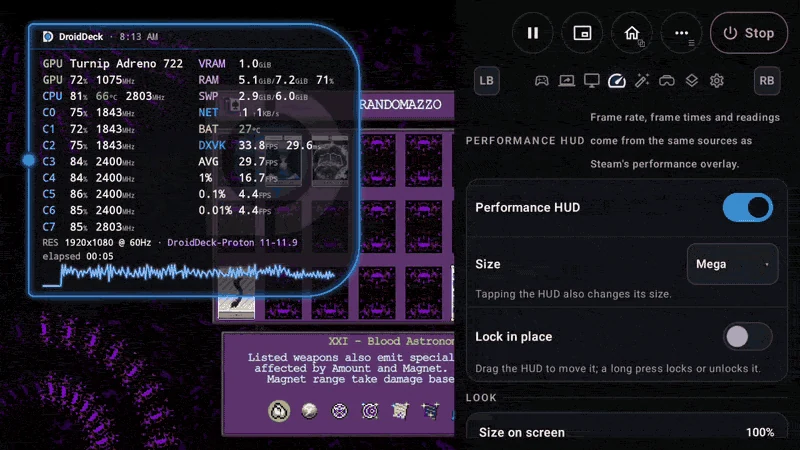
DroidDeck HUD is a new custom overlay meant to complement MangoHud. Tapping cycles through Full, Tiles, Pill, Minimal and Mega, dragging moves it, and long-pressing locks it. Its settings page sets size, opacity, colors, readouts, and Celsius or Fahrenheit, and exports a diagnostics report. It reads the same figures as MangoHud, so the two agree.
DroidDeck-Proton is now the default Proton, downloaded once during runtime setup and kept current, with each update replacing the older build without losing prefixes, game profiles or pinned choices. Other installed Proton builds update themselves while the device sits idle on an unmetered connection. The release also claims lower power draw when you cap the frame rate, and reduced heat.
On the community side, the project credits 28 people who sent 210 pull requests since 0.6.0, with 15 of them first-time contributors and 68 percent of the pull requests coming from outside the core team. The APK is 76MB, downloads include variants for benchmarks, and DroidDeck remains fully open source with no ads and no telemetry. The main APK has already passed 10,900 downloads.
We covered DroidDeck when it first brought SteamOS to Android handhelds back in early October. DroidDeck 0.6.7 is a much larger step than that first look suggested, particularly on the power side, where a 2 percent overnight drain decides whether a handheld gets picked up again tomorrow.

Gadget Pilipinas
Founded in 2009 by Gian Viterbo, Gadget Pilipinas is one of Philippines’ top sources for news, tutorials, reviews and tips about the latest trends in technology, gadgets, games, social and digital media and cyber culture.
View all articles →Related News
 Jackery Products Now Available at BLADE Auto Center
 Public Discord Server Messages to Be Searchable Soon

 Xiaomi TV S Mini LED 2026 Series Arrives in PH