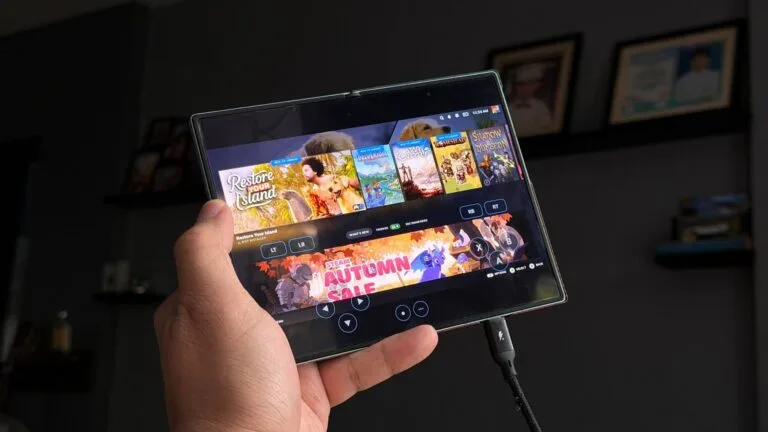
Running your Steam library on a phone has meant emulation layers, workarounds and a lot of patience. DroidDeck, an open source project that appeared on GitHub on 24 September, takes a different route: it runs Valve’s own Steam client in Big Picture mode on Adreno Android devices, and plays Windows games through Valve’s ARM64 Proton.
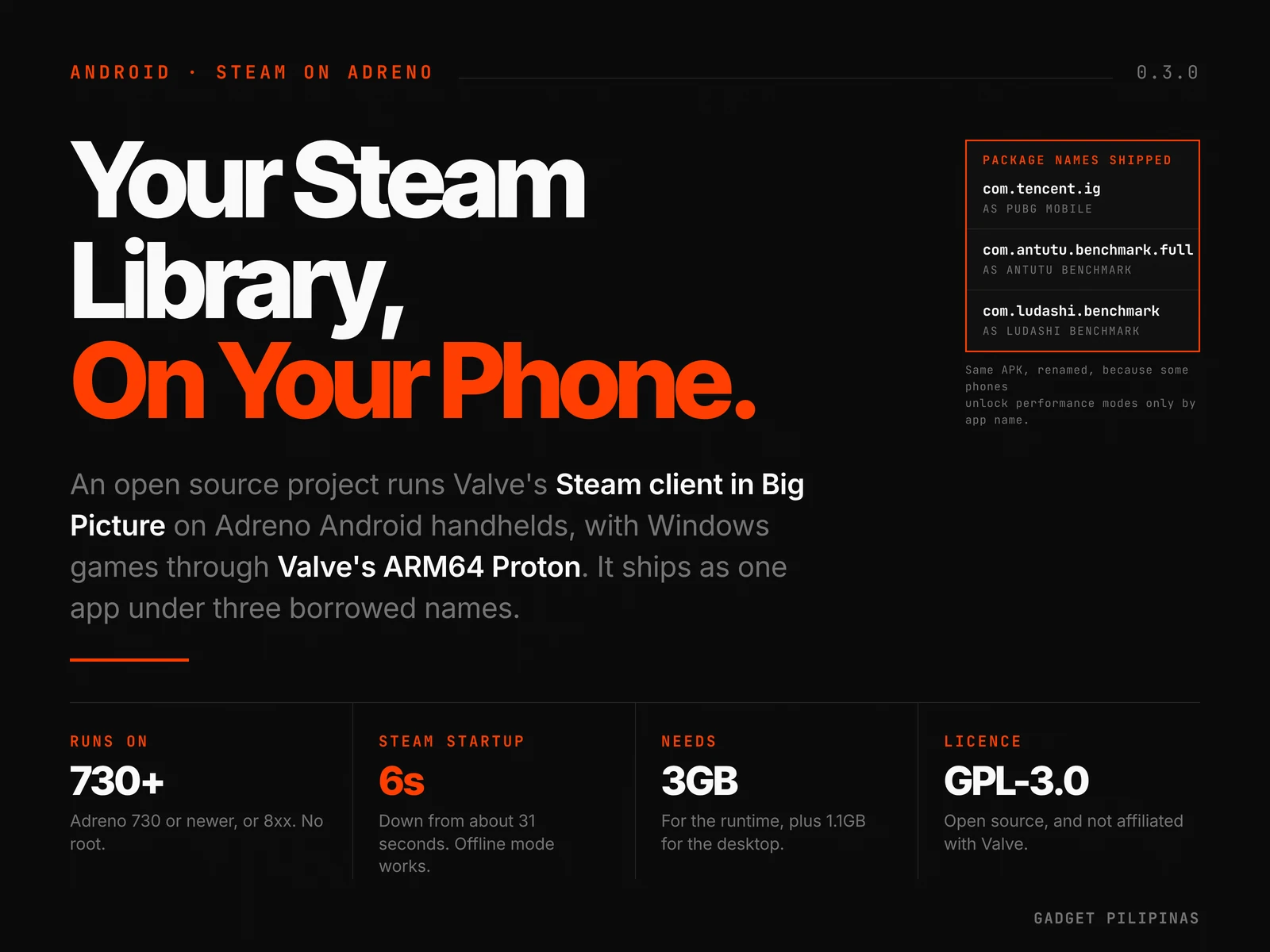
The project published its 0.3.0 release on 2 October, and it has drawn a fast following: 622 stars in nine days, with the code pushed as recently as 3 October. It is licensed GPL-3.0 and states plainly that it is not affiliated with Valve.
What DroidDeck actually is
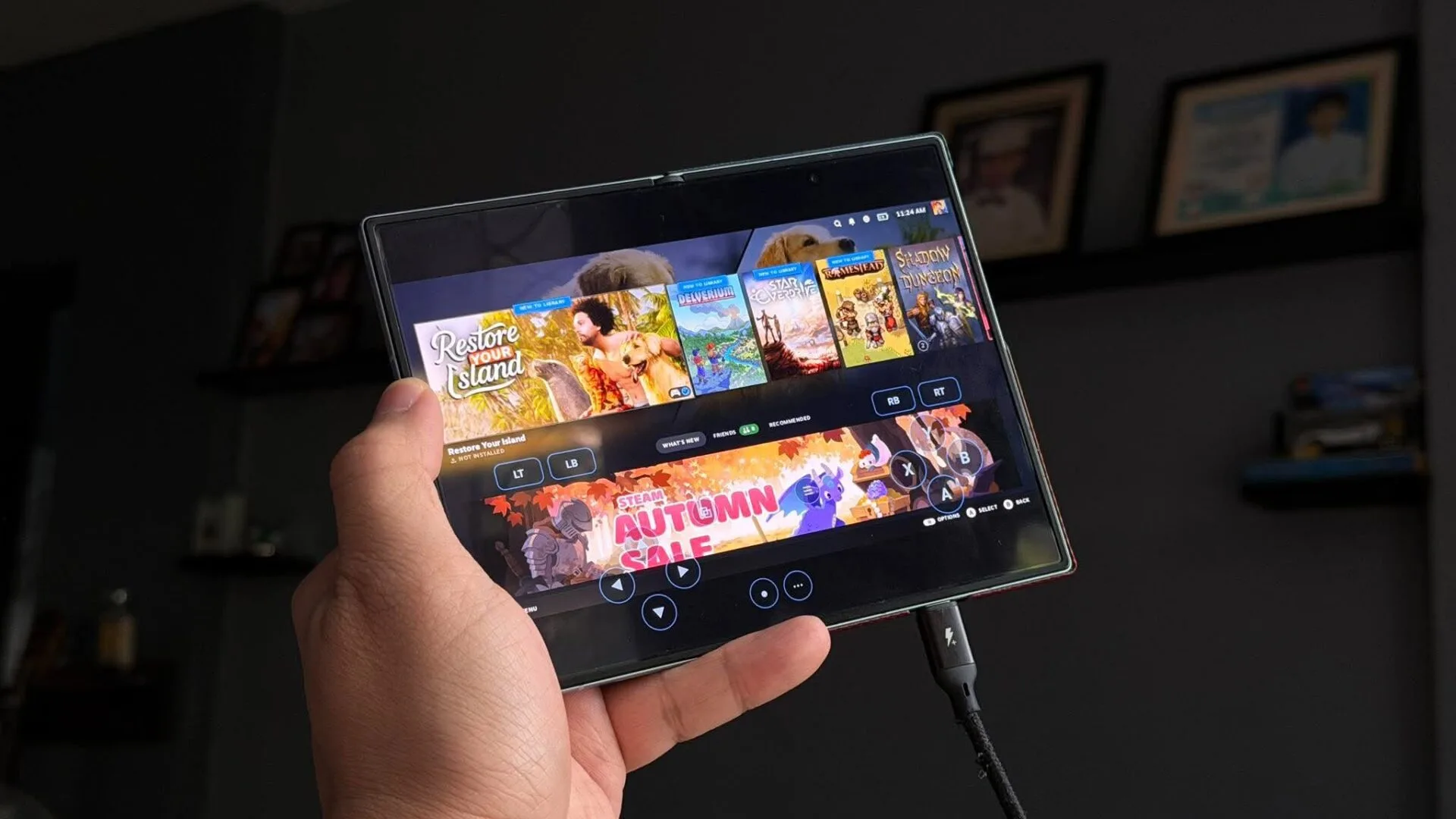
This is not an emulator, and it is not a streaming client. DroidDeck boots a Linux runtime on the device, installs Steam into it, and presents the Steam Deck’s own interface, including the Quick Access Menu, the performance overlay and per-game controls. The Deck mode is always on, which the release notes say is deliberate so that Steam stops offering a downgrade.
Underneath sits Proton, Valve’s compatibility layer for running Windows games on Linux, here in its ARM64 form. That is the same broad approach SteamOS uses, repointed at a phone’s hardware.
The same app, shipped under three fake names
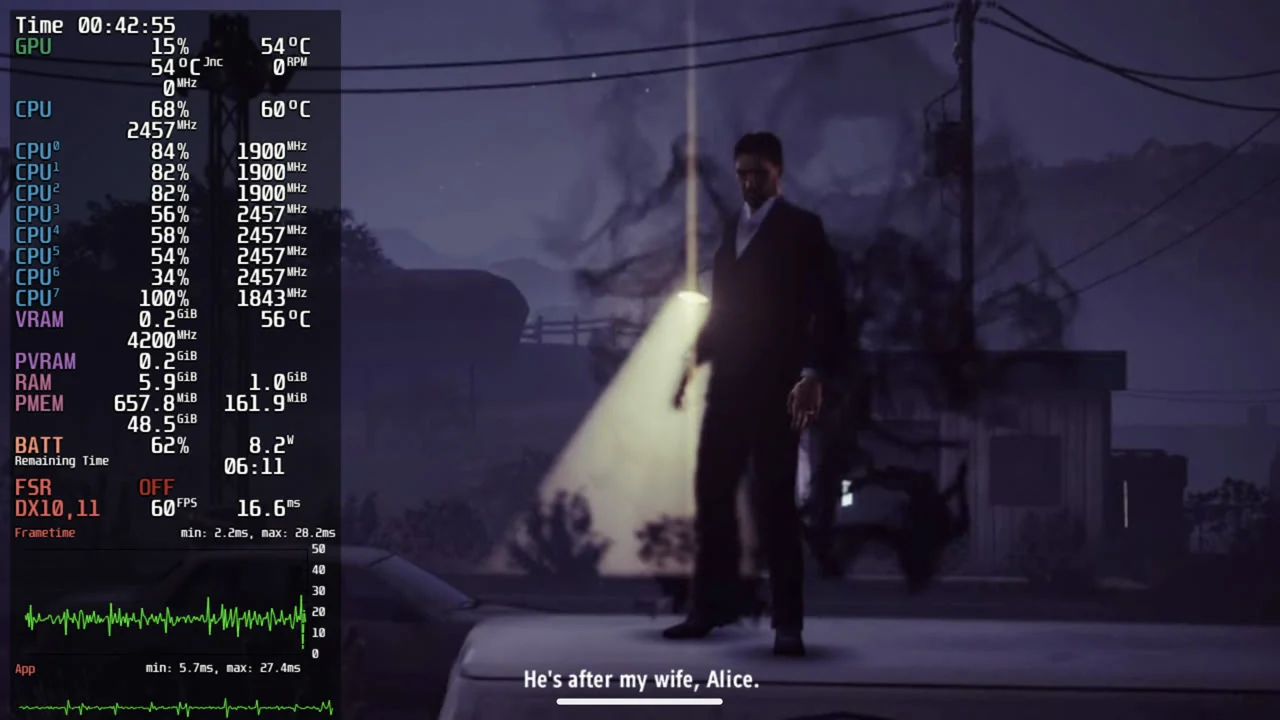
The most unusual detail in the project is how it distributes itself. Version 0.3.0 ships as four APK files, three of which carry the package names of other software entirely: com.tencent.ig, com.antutu.benchmark.full and com.ludashi.benchmark.
Those are the package identifiers for PUBG Mobile, AnTuTu Benchmark and Ludashi Benchmark. A file in the repository, tools/release/variants.txt, explains why: the builds are identical apart from the package name in the manifest, because some phones grant their performance modes only to apps with certain names. The file states that each variant installs beside the others as its own app with its own data.
It is a way around a vendor gate rather than a way around a licence. The naming does mean you should read the file names carefully when you download, because none of the four is the game or benchmark it appears to be.
Battery life, frame generation and driver swapping
Version 0.3.0 adds the features that make the setup usable rather than merely possible. Steam’s own startup time drops from about 31 seconds to about 6, which the notes say is what makes Offline mode work. The Quick Access Menu now reports battery life and time to full.
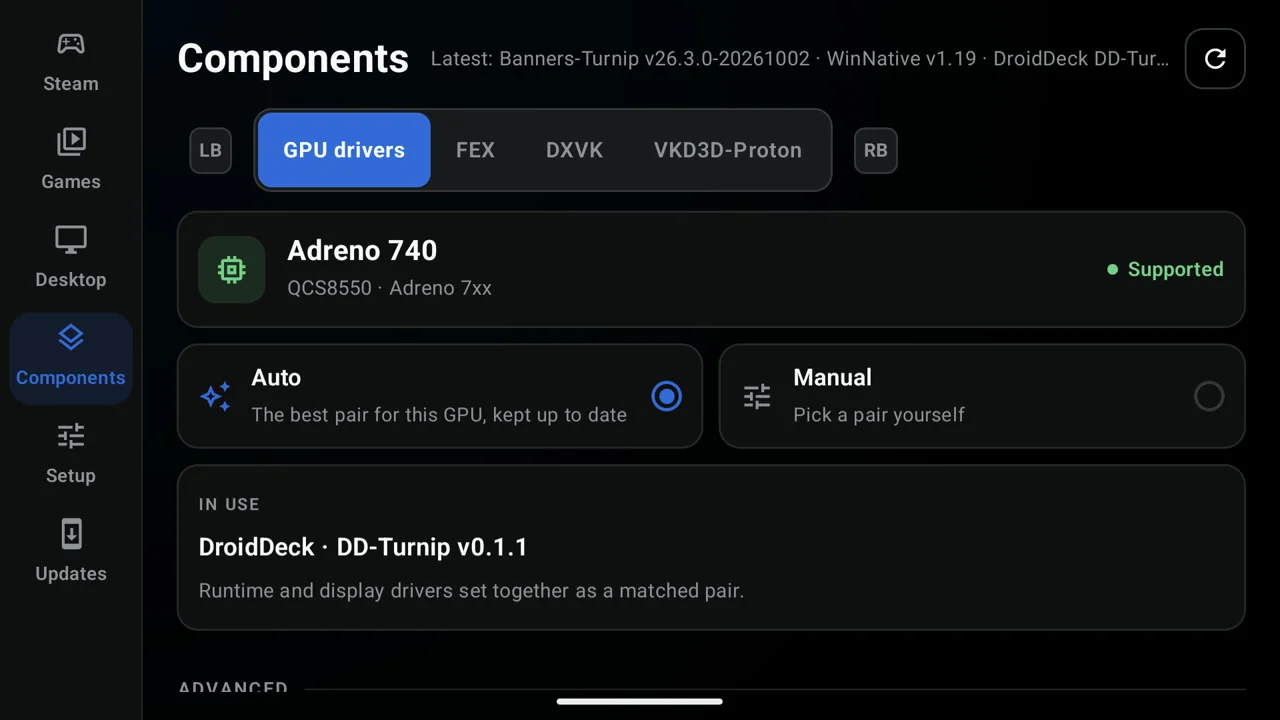
A GPU drivers tab detects the device’s Adreno GPU and keeps a matched pair of runtime and display drivers installed, including the project’s own DD-Turnip builds, with a Manual option for choosing a pair yourself. Setup warns when a GPU is untested.
There is also frame generation. DroidDeck takes Lossless Scaling from your own Steam library, following the lsfg-vk work and a port by contributor maxjivi05, and adds 60, 90 and 120 frames per second targets. It ships none of that software’s shaders and requires you to own the app.
Which hardware it runs on
Requirements are stated precisely and are narrower than the pitch suggests. You need Android 9 or newer on an Adreno device at 730 or newer, or in the 8xx range. Mali, Xclipse, PowerVR and Adreno 710 are called out as unsupported. No root is required.
Budget about 3 GB for the Linux runtime, plus 1.1 GB for the desktop and emulators. One setup step is unavoidable: you have to turn off Restrict child processes in Developer options before Steam will launch. On Android 12 and 13, where that option may not exist, the first launch offers a Fix it for me button that automates the work.
Controls, and the second screen
In a Steam session the client reads your controller as a Steam Deck controller, complete with a real Quick Access button and the device’s gyro, and games receive Steam Input’s virtual pads so existing layouts carry over. On a dual-screen handheld, the second display can act as the Deck’s back grips and trackpads. An Xbox 360 controller option covers games running with Steam Input off.
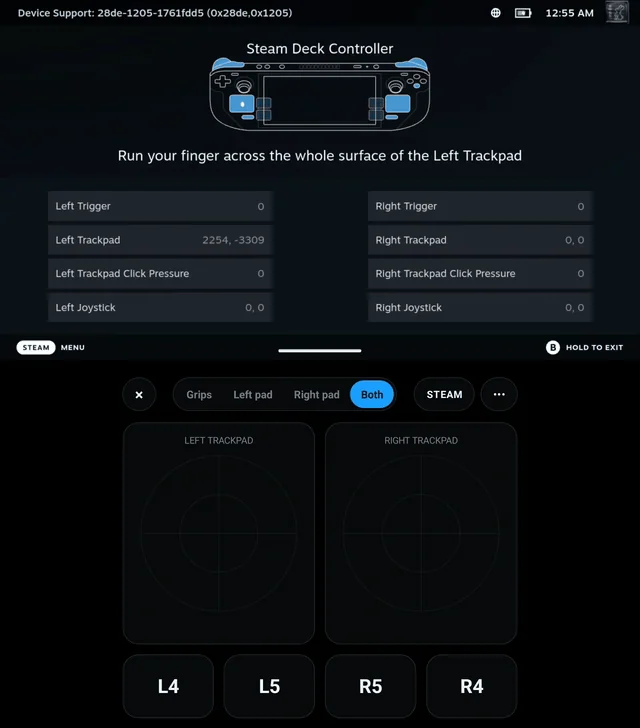
Touch input is handled too, so the client is navigable on a phone with no controller attached, and the on-screen sticks hide when idle and reappear where you touch.
Linux apps, and what is still rough
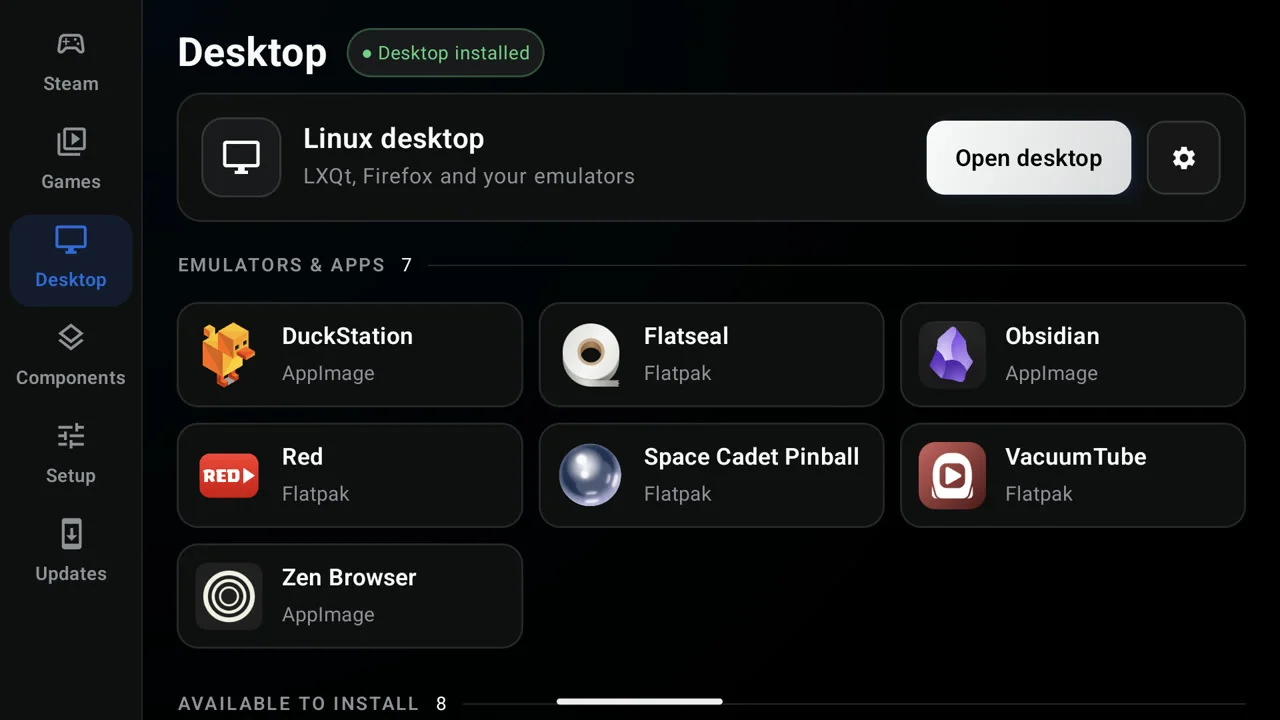
Turn on the Flathub Store and you can install ARM64 Linux apps and games that launch full screen from the front end. The Desktop page also takes your own additions: a script, an AppImage, the newest ARM64 AppImage from a GitHub repository, or a Flatpak ID. Updates install inside the app across Stable, Preview and per-pull-request test channels.
The limitations are documented rather than glossed. The project’s README says compatibility and performance vary by device and that hardware validation is limited. Desktop compositing runs on software rendering. Firefox sandboxing is reduced under proot. Session logs land in Download/DroidDeck/ for troubleshooting.
There is also a security consideration worth stating before anyone experiments. Disabling Restrict child processes removes an Android isolation boundary, the software runs a full Linux runtime outside the Play Store, and the fake package names exist specifically to change how the device’s own software classifies the app. That is a reasonable arrangement on a spare device and a poor one on the phone holding your banking apps.
Why it matters in the Philippines
Gaming phones are a serious category here, with Adreno-based Snapdragon hardware in flagship devices from iQOO, REDMAGIC, ROG and TECNO. DroidDeck points that hardware at a library most owners already have rather than at a new storefront. If it matures, the pitch to a Filipino buyer changes shape: the games you own on Steam become a reason to keep the phone, not just a reason to buy a handheld.
It also arrives alongside a wave of Android emulation and launcher projects for retro and Windows games, a space we have covered before with the Konkr Pocket Block, the AYN Thor and emulator apps for Android. DroidDeck differs by not emulating the games at all; it runs Valve’s client and Valve’s compatibility layer and lives with the consequences.
There is no stand-alone website, and the README warns explicitly against download links on sites claiming to be the DroidDeck team. The only official sources are the GitHub repository and the project’s Discord server.

Giancarlo Viterbo
Giancarlo Viterbo is a Filipino Technology Journalist, blogger and Editor of gadgetpilipinas.net, He is also a Geek, Dad and a Husband. He knows a lot about washing the dishes, doing some errands and following instructions from his boss on his day job. Follow him on twitter: @gianviterbo and @gadgetpilipinas.
View all articles →Related News


 The OPPO 10.10 Sale Starts October 3