




At this year’s WWDC, Apple gave a preview for a new set of child safety features designed to help parents better manage what their children can see, who they can contact, and when they can use apps.
New Controls for Families

The updates build on its existing parental controls with a simpler setup experience, a recommended set of essential apps, Ask to Browse, Time Allowances, and a redesigned Screen Time experience. The goal? Make it easier for parents to create safer and more enriching digital experiences for children.
Sumbul Desai, Apple’s vice president of Health and Fitness, said the company’s approach is based on the idea that every child is unique. She said Apple builds simple tools grounded in expert guidance so parents can tailor their children’s digital journey and establish age-based protections.
Child Accounts and App Access
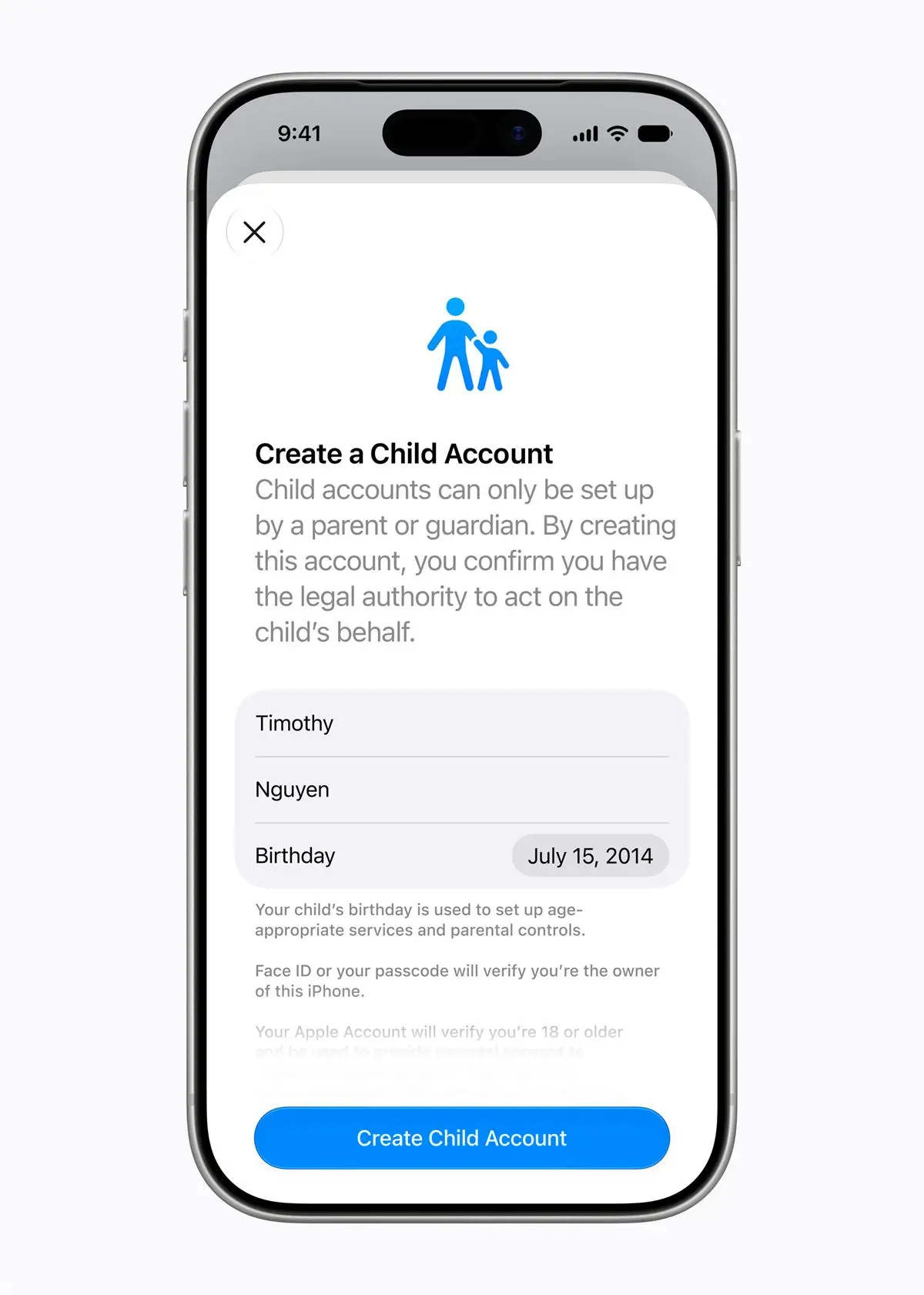
Creating a child account applies system safeguards tailored to a child’s age. These include limits on adult websites, age-appropriate media access, and age-based restrictions in the App Store. Parents are guided through the process when setting up a new device for a child, and a child account is required for children under 16 and available up to age 18.
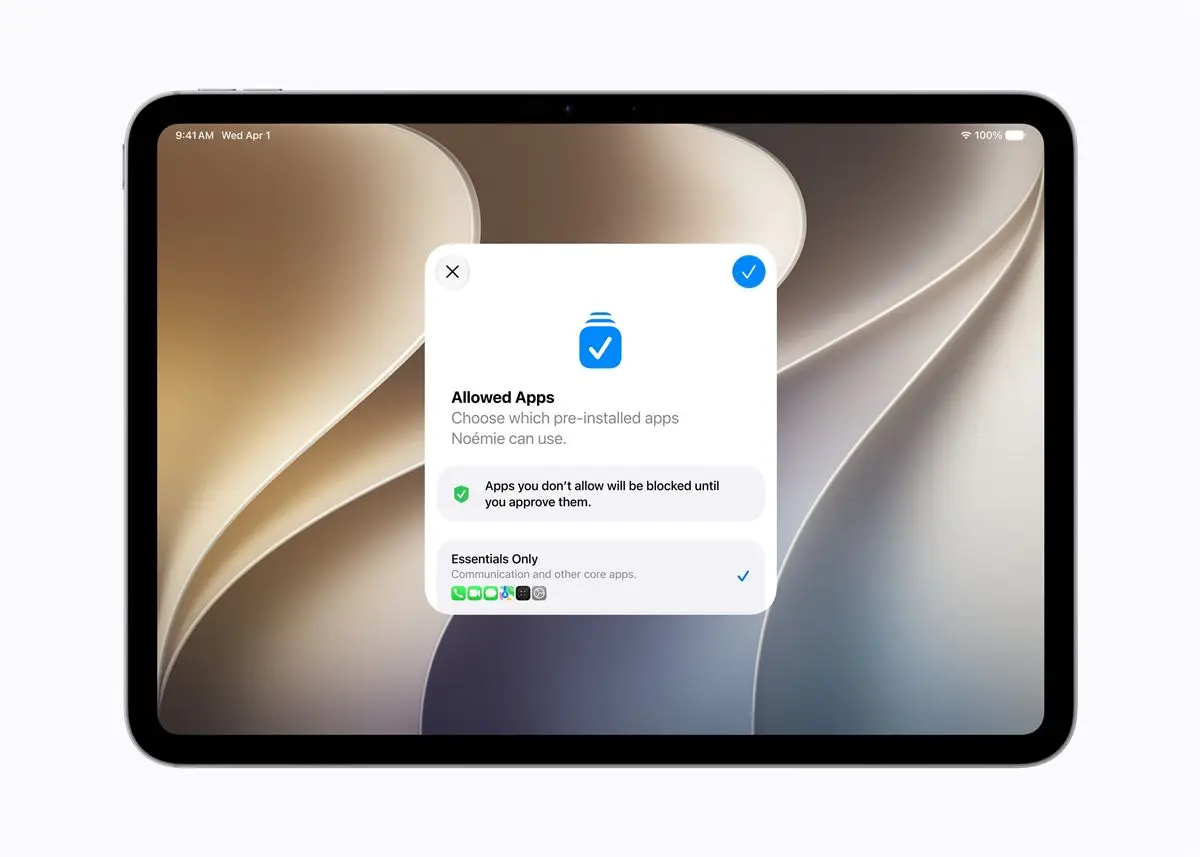
Once a child account is created, parents can then decide which apps are available on the device. Families may begin with only a few essential apps, a curated set, or only the apps they consider appropriate. They can then add more apps over time while maintaining control of the device experience.
Ask to Buy, which lets parents approve app downloads, whether free or paid, as well as in-app purchases, gets a new Ask to Browse feature that extends that control to web access in Safari, requiring children to ask permission before opening a new website. Apple said the feature works across iPhone, iPad, and Mac.
Communication and Content Safety
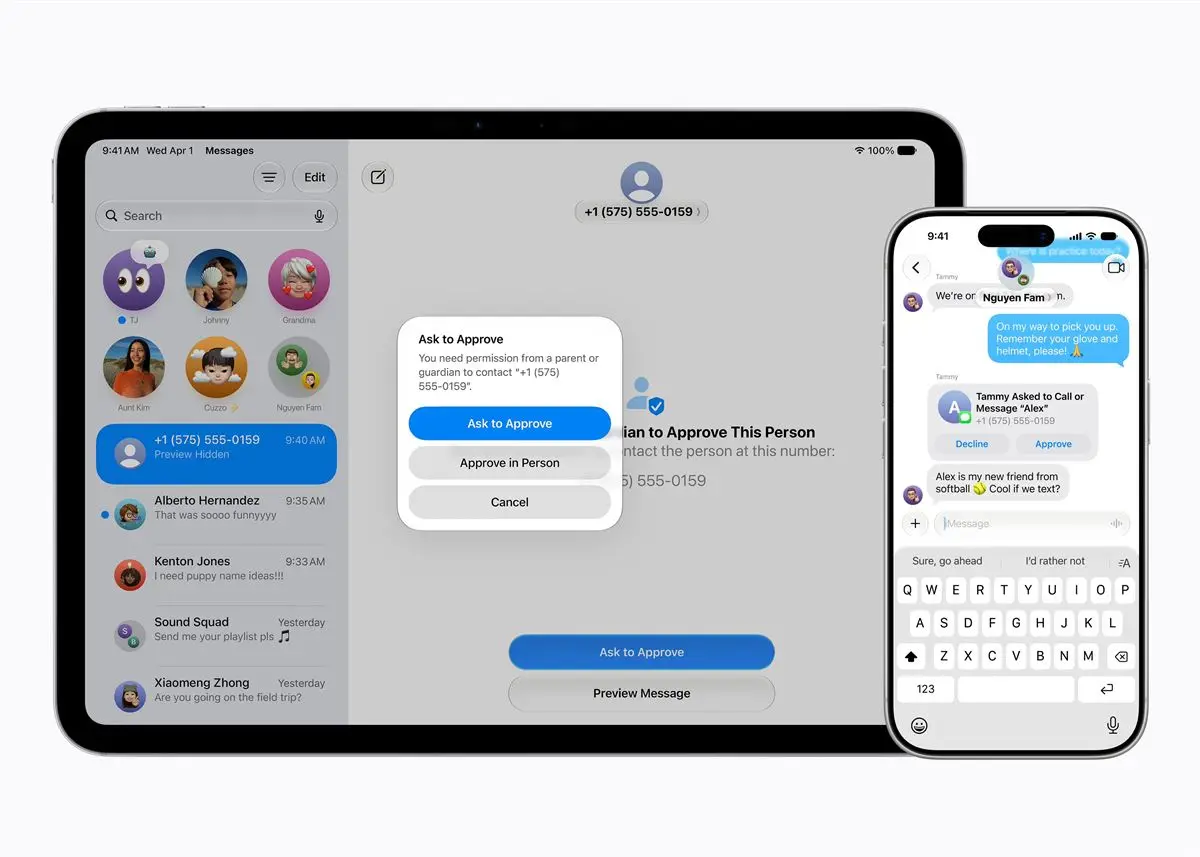
Parents can manage who children communicate with through Messages, FaceTime, and Phone. If kids want to contact new people, parents can require approval before the connection is allowed. This gives families more oversight over communication at the earliest stage.
Communication Safety already blurs nudity when detected in Messages and FaceTime calls for users under 18. The tool will now also intervene to block gore or violent content when detected in shared images or videos as part of a broader effort to reduce exposure to harmful material.
Time Limits and Screen Time
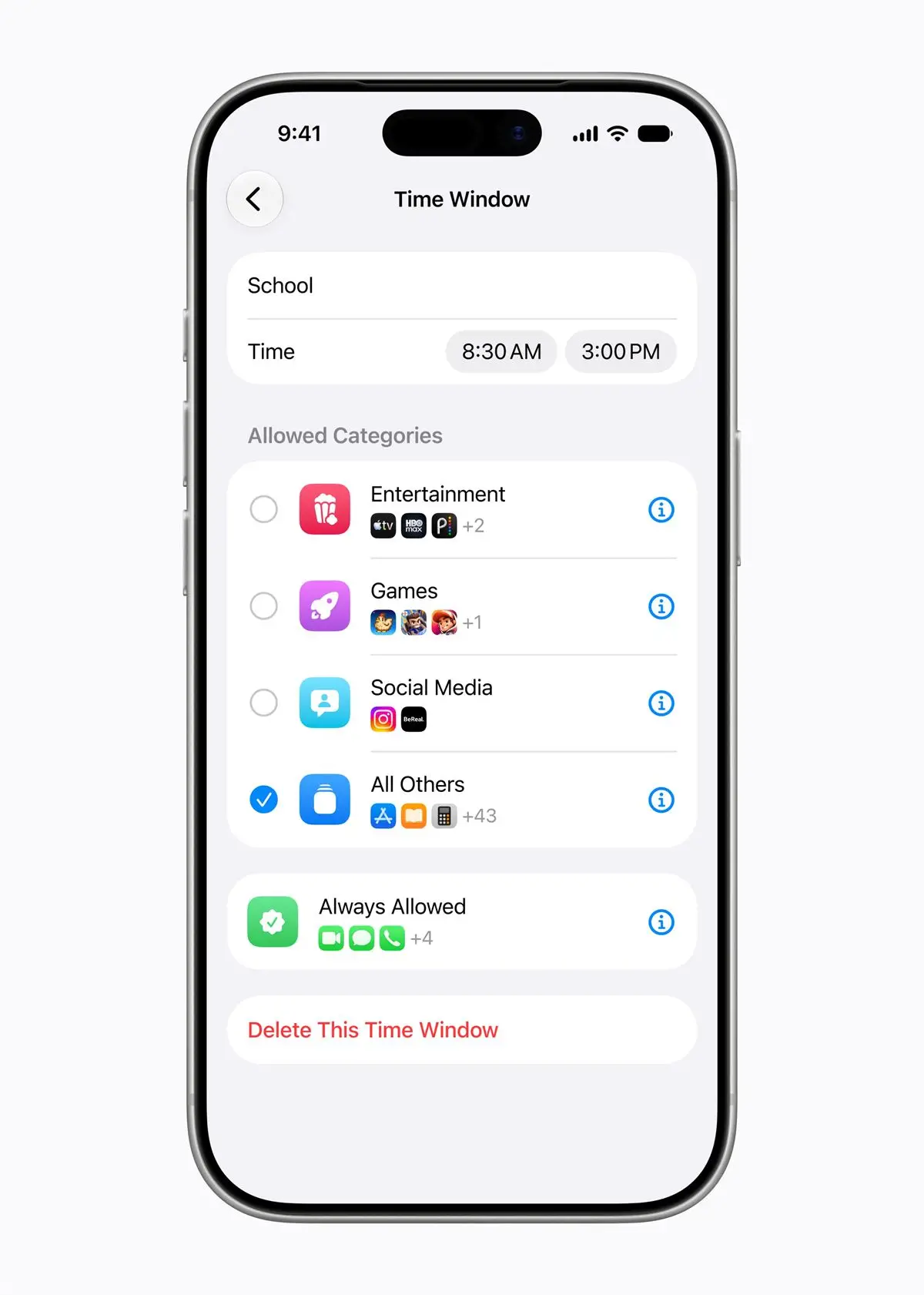
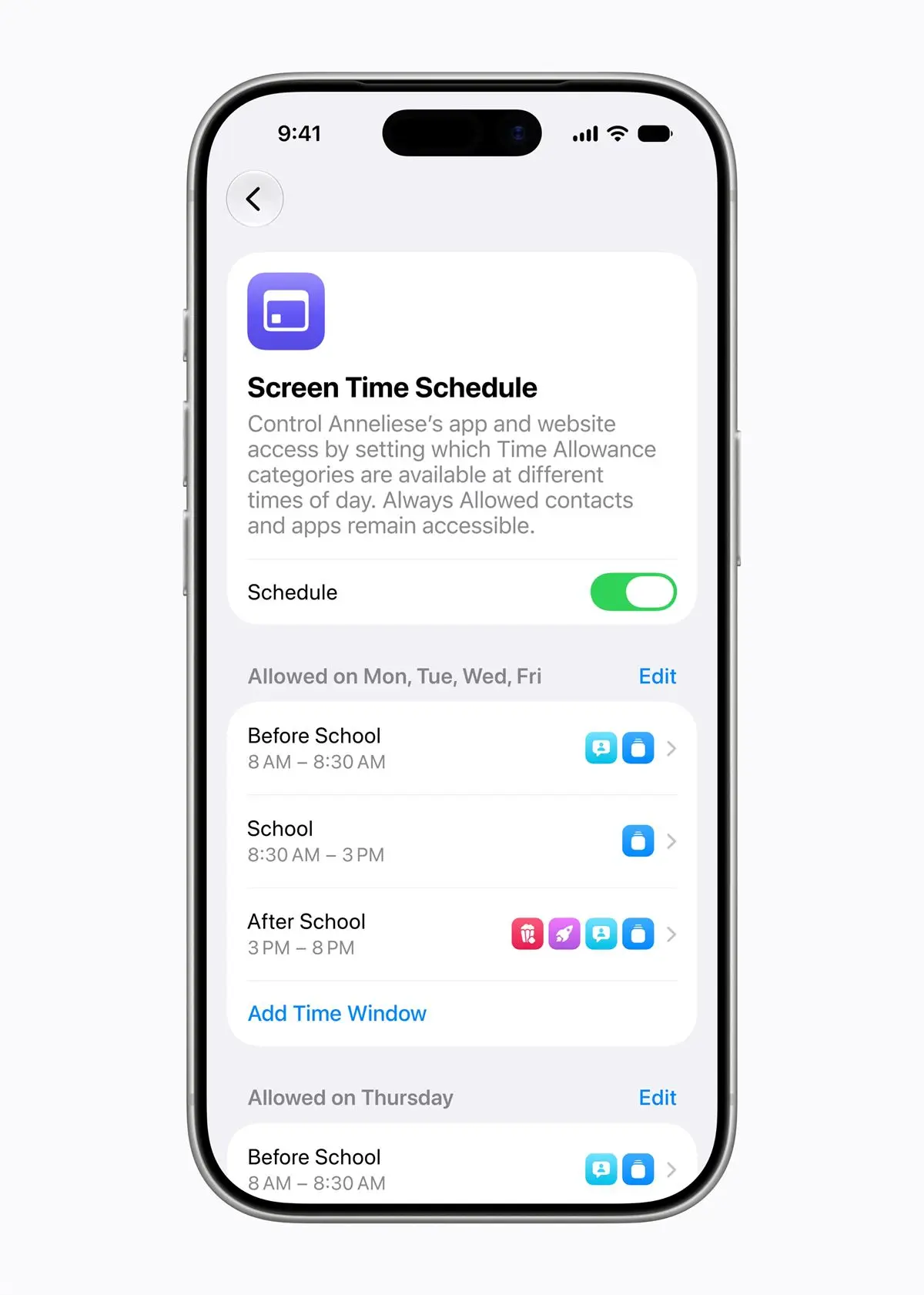
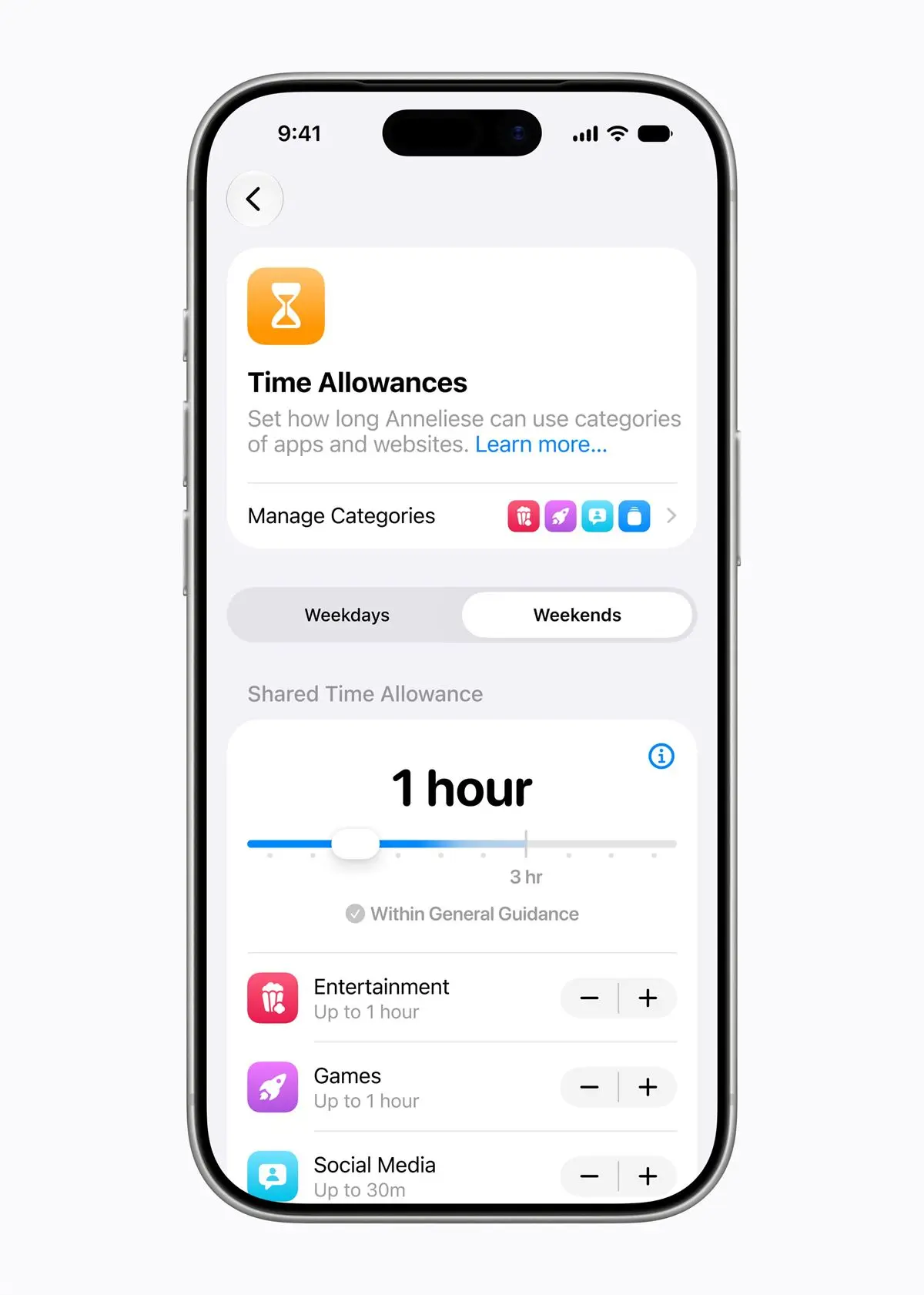
Time Allowances will help parents manage how long children spend in app categories like Entertainment, Games, and Social Media. The settings are guided by expert research and tailored to a child’s age, while still giving parents room to adjust based on their own judgment. Parents can also create daily schedules that determine which apps are accessible at certain times of day or during specific days of the week.
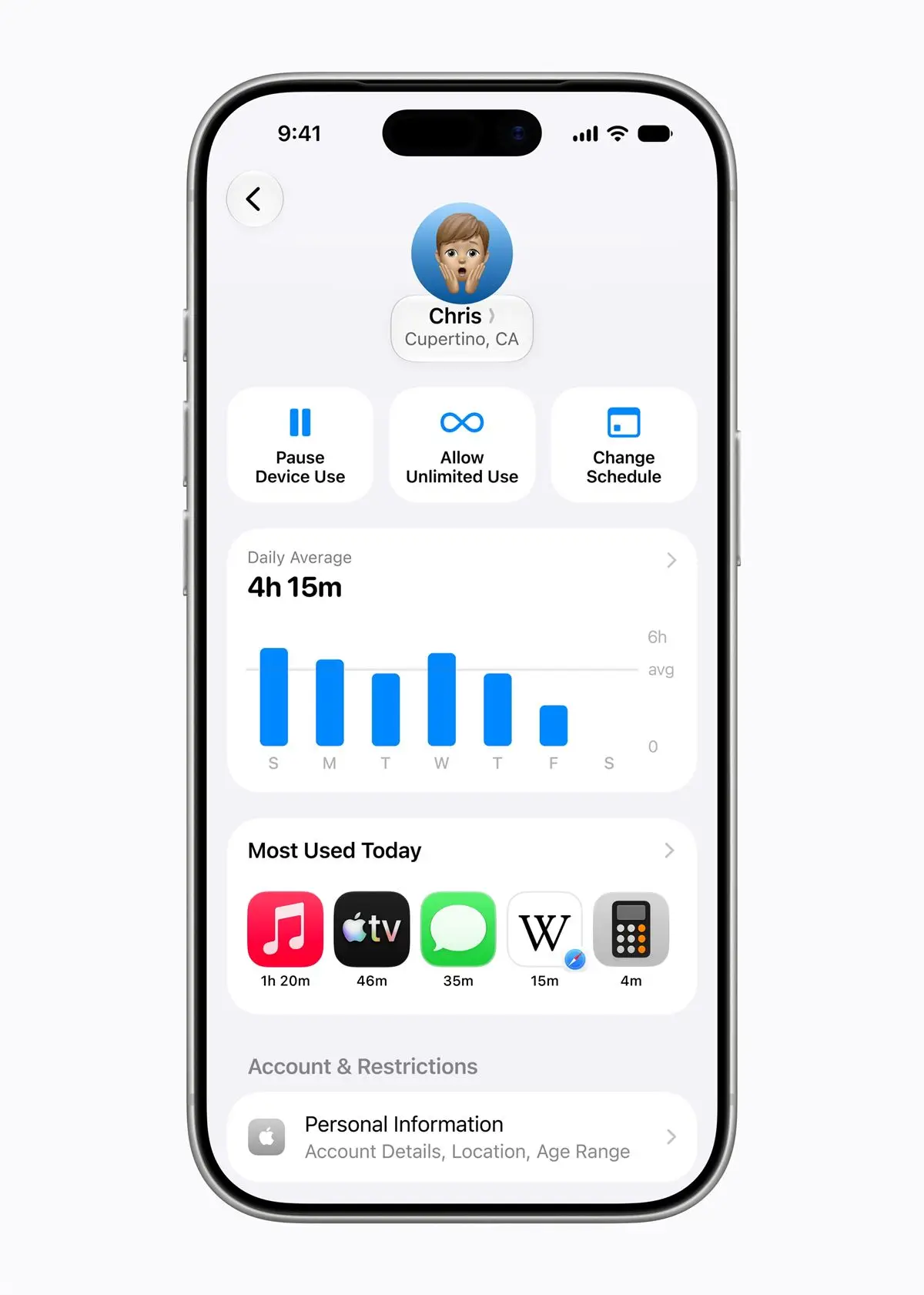
The redesigned Screen Time view gives parents a quick look at average device usage and the most used apps. Parents can make changes to app and web access with a tap, including limiting use during meals, outdoor play, and other moments that deserve attention. If children need more time to finish something in an app, parents can also extend access easily.
Expert Guidance and Resources
Apple has long incorporated clinical research, child development research, and online safety guidance into its products and services. The company is also working with the American Academy of Pediatrics to adapt its Family Media Plan into a guide parents can use with Apple products. It continues to collaborate with researchers on children’s digital wellbeing and remains committed to advancing that science.
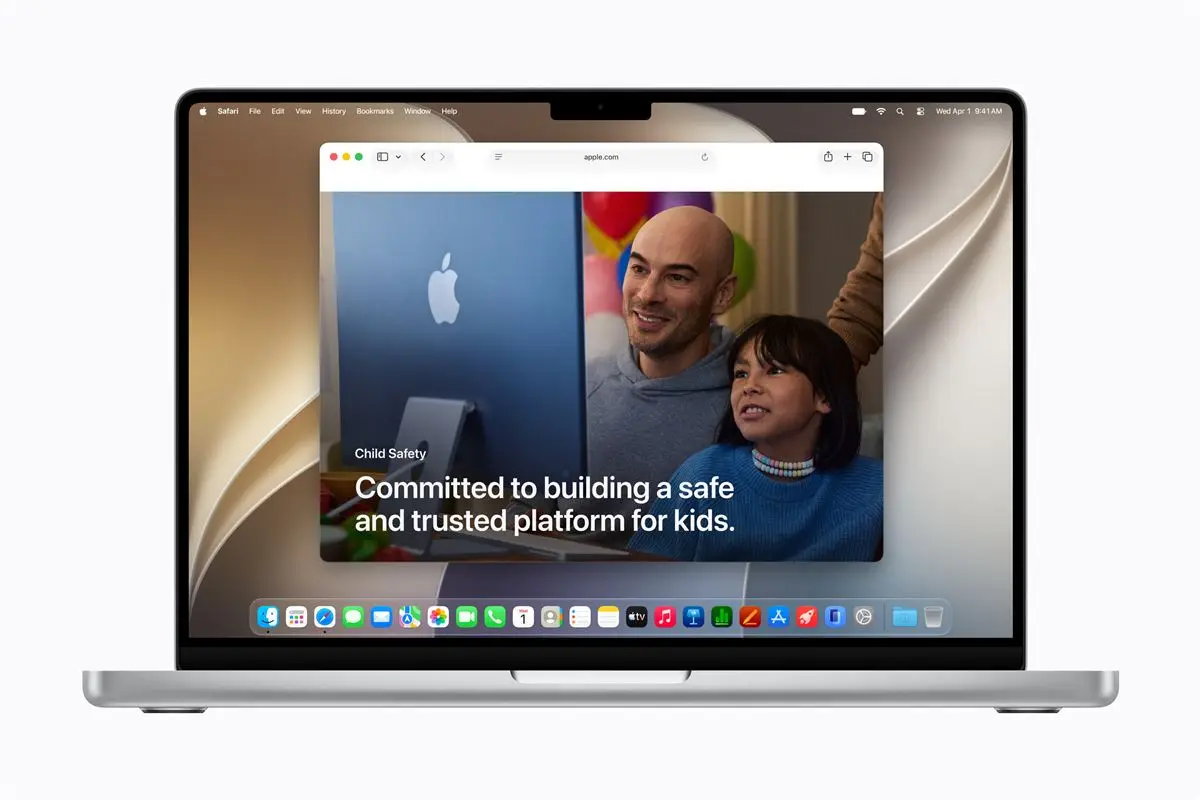
To support parents, Apple has launched a dedicated website with the latest tools, resources, and answers to common questions about getting started.
The company also highlighted Screen Time Passcode Notifications, which alert parents when the passcode is entered on a child’s device, and User Reporting Tools, available in certain countries and regions, which let users report harmful content directly to Apple. These user reporting tools will be expanded globally.
Support for Developers
Developers also play an important role in creating age-appropriate app experiences. To help them, the company offers tools such as SensitiveContentAnalysis and PermissionKit, which can help protect children from inappropriate content and ensure parents approve new in-app contacts.
Apple also offers the Declared Age Range API, which lets developers request a child’s age range and adjust the app experience without sharing the child’s birthday.
Availability
The new features will be available after installing the Screen Time update in iOS 27, iPadOS 27, and macOS 27. For more information, click here.
Frequently Asked Questions (FAQ)
Q: What new child safety features did Apple preview?
A: Apple previewed a simpler setup experience, a recommended set of essential apps, Ask to Browse, Time Allowances, and a redesigned Screen Time.
Q: What is a child account in Apple’s system?
A: A child account applies age-based safeguards across the system, including limits on adult websites, age-appropriate media, and App Store restrictions.
Q: How does Ask to Browse work?
A: Ask to Browse requires a child to request permission before opening a new website in Safari.
Q: What does the redesigned Screen Time show parents?
A: It gives parents an at-a-glance view of average device usage and the most used apps, with easy controls to adjust access.
Q: When will the new features be available?
A: Apple said they will arrive after the Screen Time update in iOS 27, iPadOS 27, and macOS 27.

Emman has been writing technical and feature articles since 2010. Prior to this, he became one of the instructors at Asia Pacific College in 2008, and eventually landed a job as Business Analyst and Technical Writer at Integrated Open Source Solutions for almost 3 years.

Emman Tortoza
Emman has been writing technical and feature articles since 2010. Prior to this, he became one of the instructors at Asia Pacific College in 2008, and eventually landed a job as Business Analyst and Technical Writer at Integrated Open Source Solutions for almost 3 years.
View all articles →