DJI Osmo Pocket 4 Review: a new crowd favorite!
The best camera is often the one you have with you. For the past year, I have had so many friends and fellow creators who bought the Osmo Pocket 3 and are still absolutely loving their device. It easily became their main camera for content creation due to its unmatched portability and impressive image quality. However, the technology landscape moves incredibly fast, and DJI is not a company that rests on its laurels.
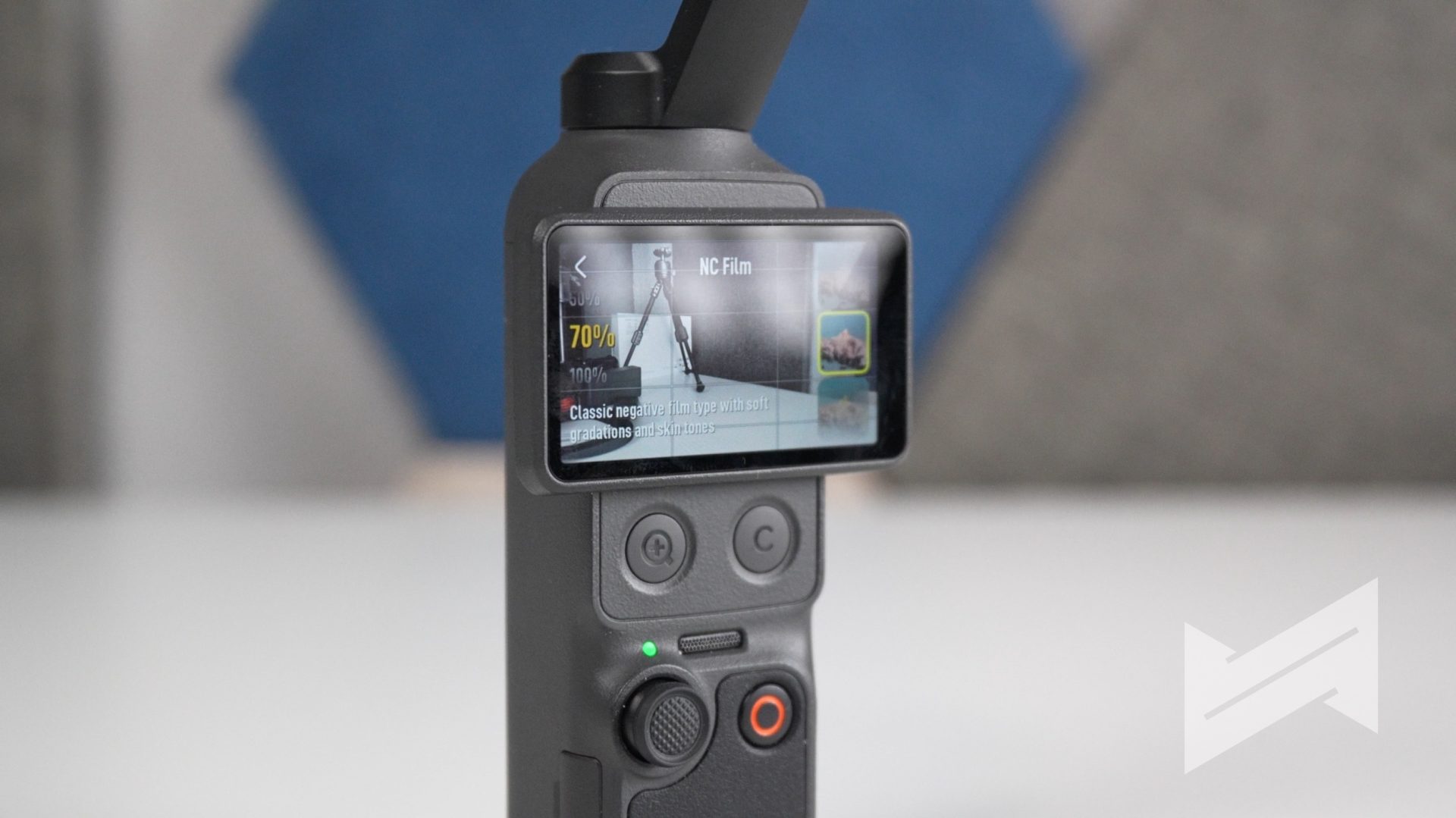
This is the new DJI Osmo Pocket 4. Packed with a new 1-inch sensor, advanced tracking, and clever hardware additions, the Osmo Pocket 4 is designed to completely elevate your travel documentation and daily content production. If you have been on the fence about upgrading or jumping into the pocket gimbal ecosystem, this new iteration makes a very compelling case for your hard-earned money.
Build
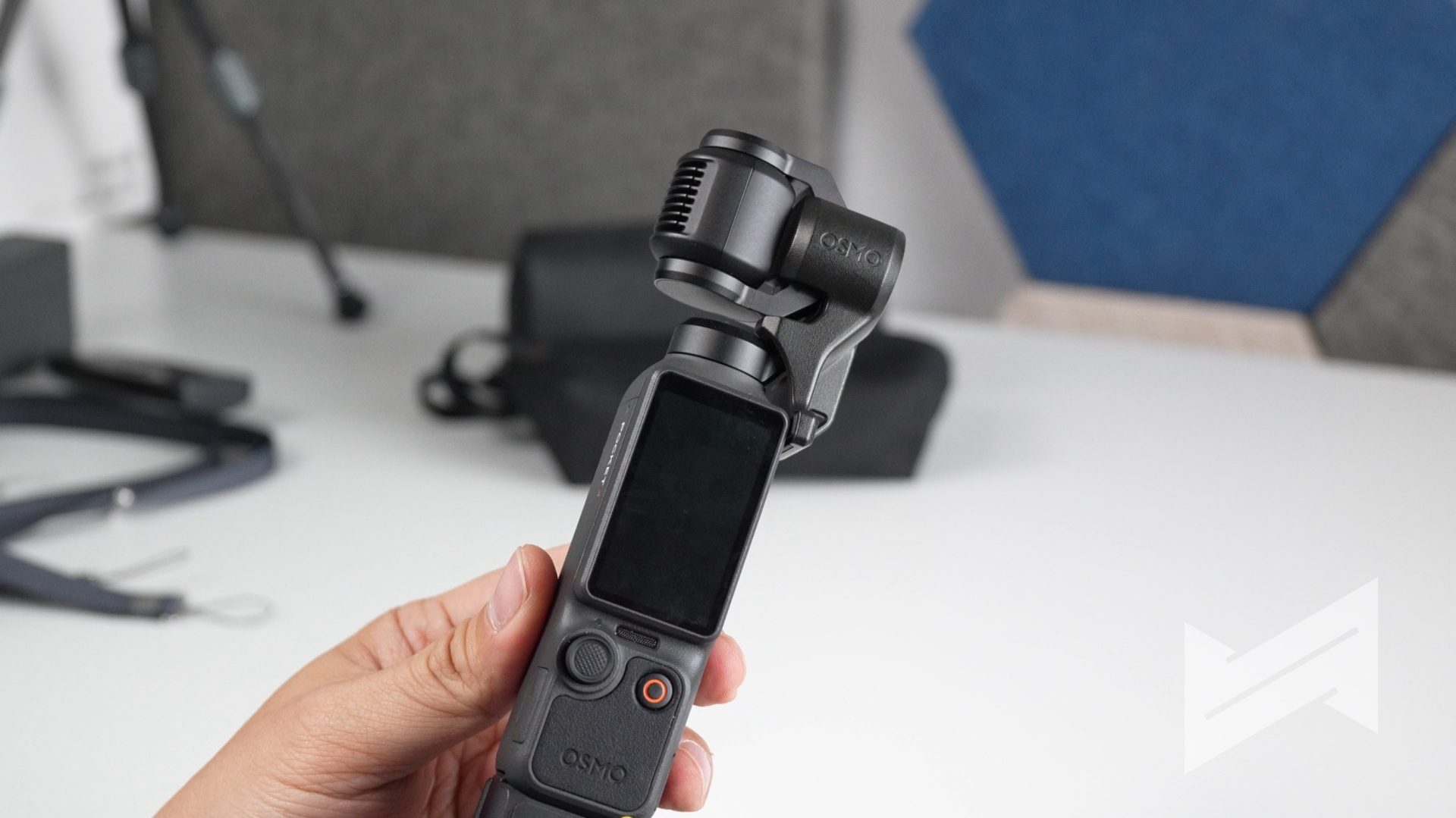
Design wise, I love the fact that DJI managed to add two physical buttons right under the touchscreen. These may appear to be small additions, but I always appreciate extra physical buttons that add tactility and customizability to a camera. The left button allows users to execute a 2x lossless zoom and take photos on the fly. The second button, conveniently marked as ‘C’, is highly customizable. There are plenty of features that you can switch to when you press the button once, twice, or thrice. It is a very thoughtful addition to the new Osmo Pocket 4 that speeds up your shooting workflow.
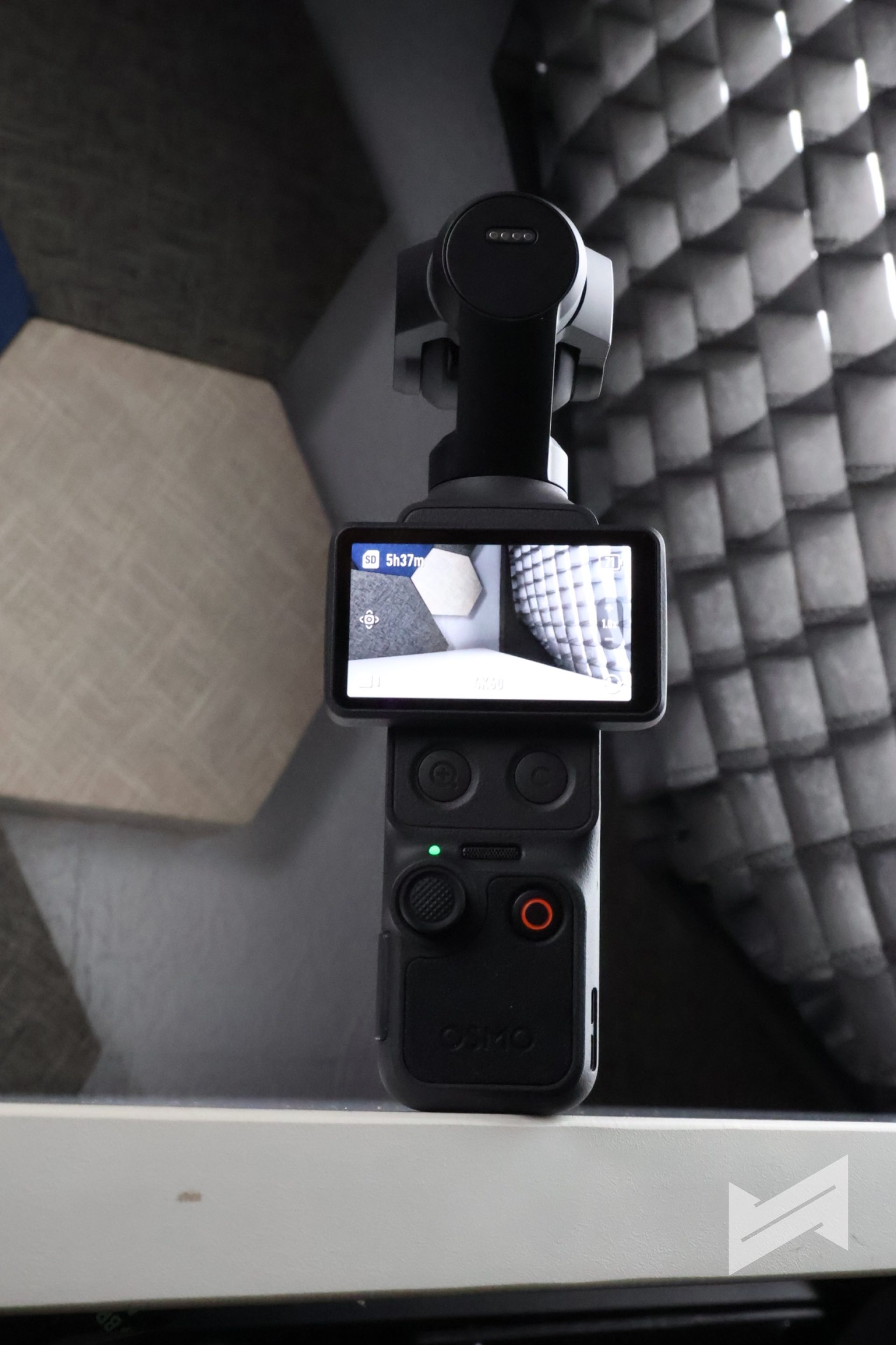
Furthermore, DJI has introduced a new 5D analog joystick. This joystick enables precise and delicate control over the gimbal, where the movement speed actually increases the more you push the joystick. You can also double-press it to recenter the gimbal or triple-press it to flip the camera orientation. Beyond the exterior controls, the internal build has received a massive workflow upgrade. The camera now features a built-in 107GB of storage, which is a total lifesaver if you ever forget your SD card. Getting your footage off the device is also blazing fast thanks to USB 3.1 support, which delivers wired transfer speeds of up to 800MB per second.
Video Features and Quality
Video quality wise, the performance of the Osmo Pocket 4 is much sharper with fairly better bokeh than the Osmo Pocket 3. The device utilizes a brand new 1-inch CMOS sensor that now boasts up to 14 stops of dynamic range.
This translates to significantly better detail retention in high-contrast environments like bright sunsets or backlit rooms. Low light capability has also seen a major overhaul. DJI has improved the dynamic range in low light by up to two full stops compared to previous generations, making this an absolute beast for night shots or dimly lit indoor events.
With the Osmo Pocket 4’s improvement on video quality, including the new 4K at 240fps Slow Motion capability, it is absolutely a good idea to upgrade from the Osmo Pocket 3. Being able to shoot 240fps in 4K is something you usually only find on high-end cinema cameras. It gives you that incredibly buttery slow motion that completely transforms standard B-roll into cinematic art.
If there are two new modes that really got my attention, they are Film Tone and improved Focus Mode. Film Tone is a brand new feature offering six built-in color profiles like CC Film, Retro, and Pastel directly on the camera. It adds a layer of creativity for those who do not want to go through the lengthy process of shooting and coloring D-Log videos. The available tones help create the mood being conveyed, albeit already baked into the video file. I believe that is the only downside of shooting Normal at 10-bit with a baked Film Tone. Then again, you still have the option to shoot at 10-bit D-Log Professional Mode (not D-Log M anymore). This gives you the ultimate flexibility of color grading from scratch or simply slapping your favorite LUT on the footage to set the exact mood you prefer.
While Focus Mode was available on the Pocket 3, this mode has been further improved on the Pocket 4. The bokeh on the Product Focused mode is much better and heavily optimized. You get creamier bokeh that naturally separates your subject or product from the background. Tracking is also vastly superior thanks to ActiveTrack 7.0, which now seamlessly supports tracking while utilizing the 2x zoom.
Photo Features and Quality
Another very important feature that DJI further improved is the photo mode. The Osmo Pocket line has traditionally been viewed purely as a video tool, but the Pocket 4 changes that narrative. Photo resolution has seen a massive bump from 9.4 megapixels on the previous model all the way up to 37 megapixels.
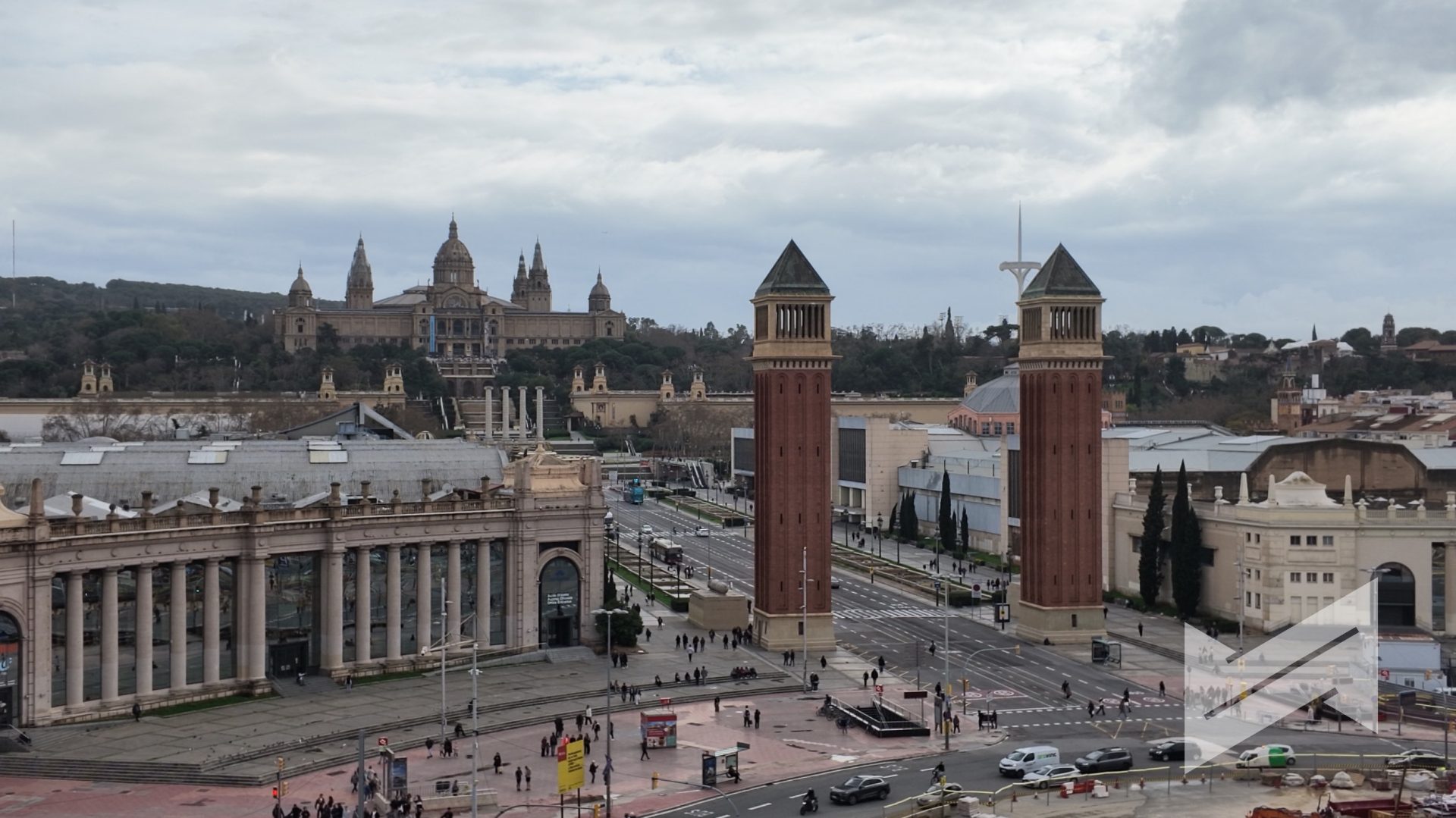
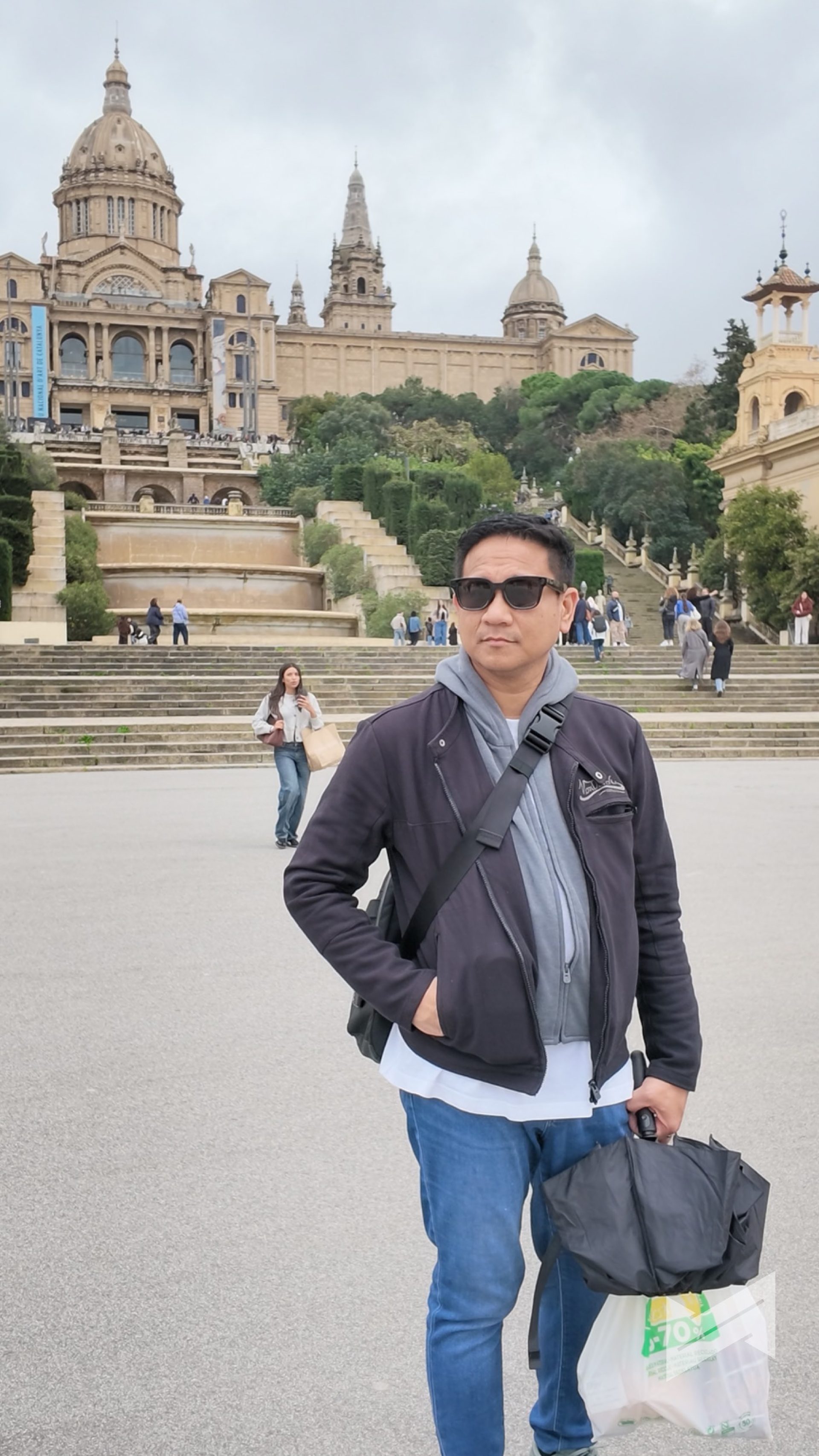
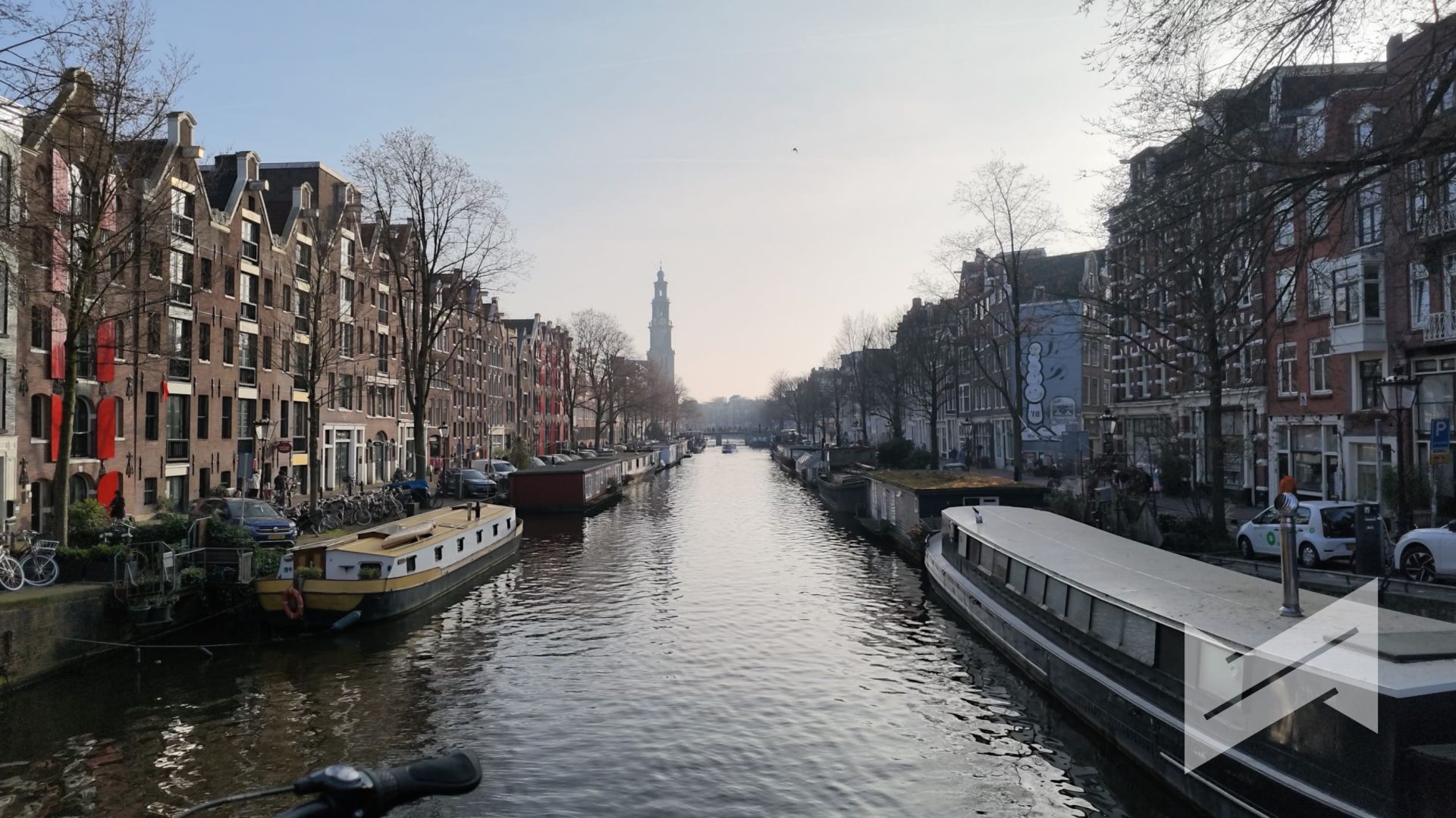



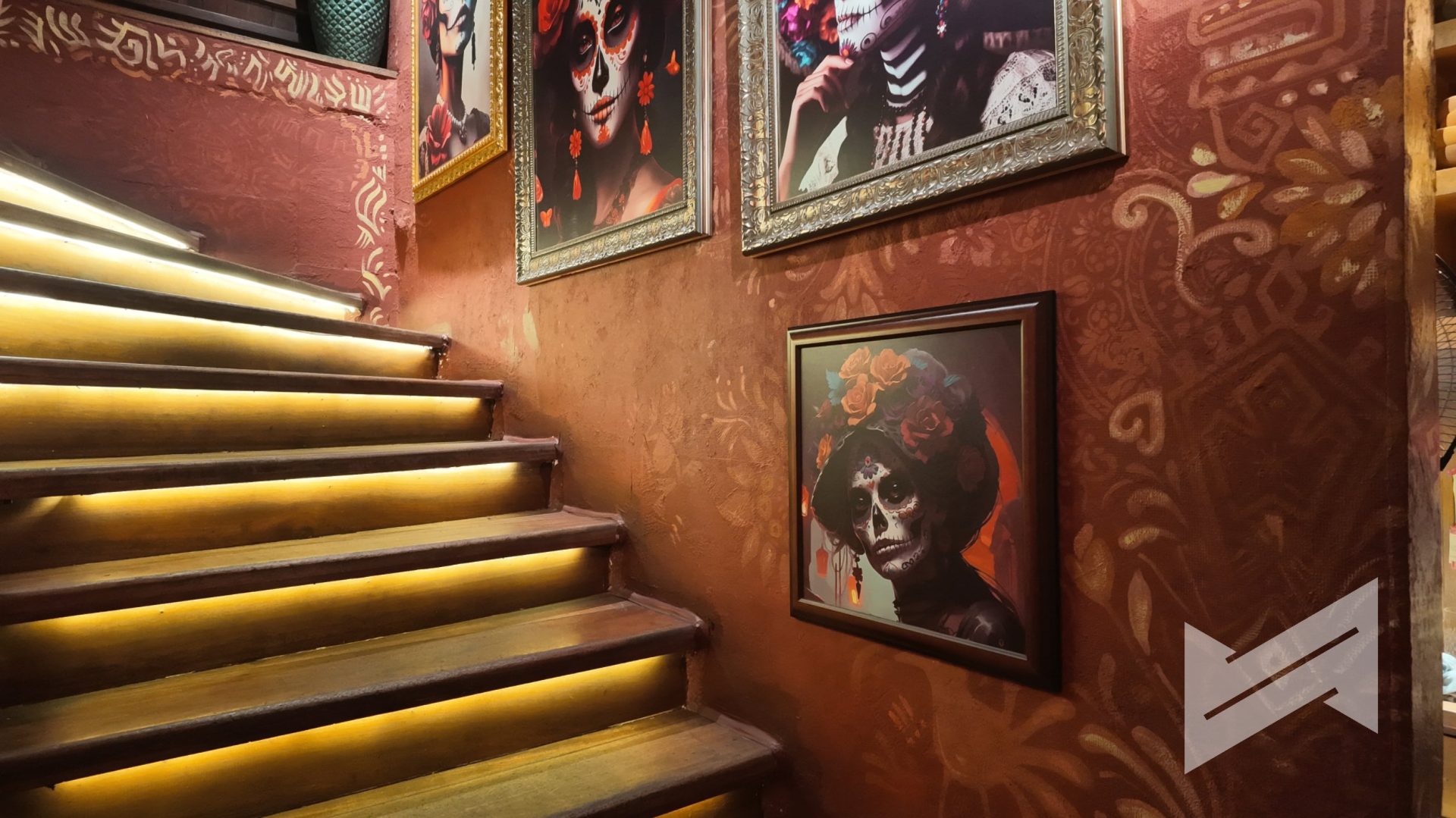
The bigger megapixel count compensates for better overall imaging performance, and that is certainly the case on the Pocket 4. You get significantly better photos packed with rich textures and details, expanding the usability of the camera for actual travel photography. Capturing a high-quality still is incredibly convenient because it can easily be accessed when you press the Custom button once by default.
Software
DJI Mimo is still the software of choice when transferring files and managing the Osmo Pocket 4. It remains very reliable and now features quite a ton of new tools that increase the usability of the Pocket 4. In fact, there is a dedicated feature on the new DJI Mimo app that allows you to heavily color grade your Pocket 4 footages. The app features a wide range of film grades that are not available on the built-in Film Tones on the device itself.
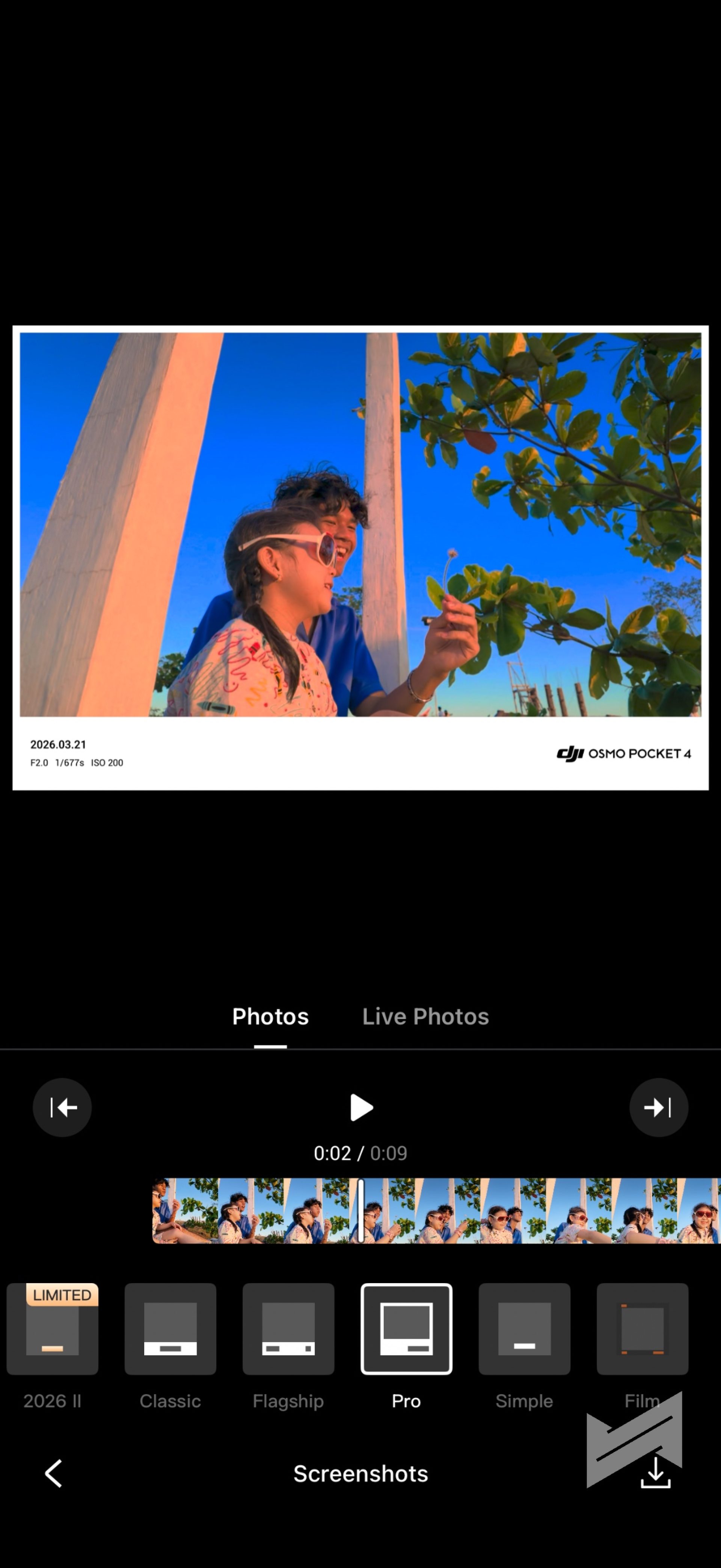
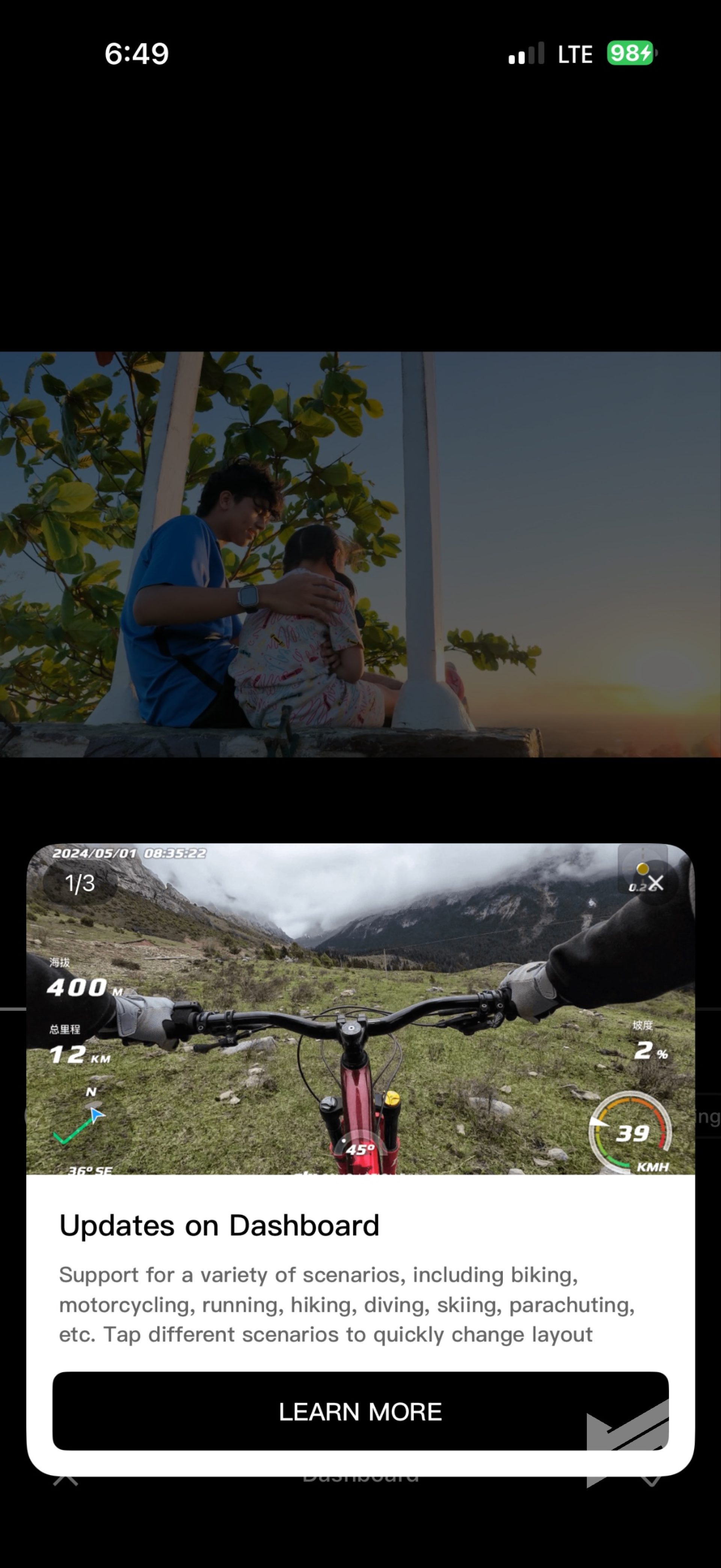
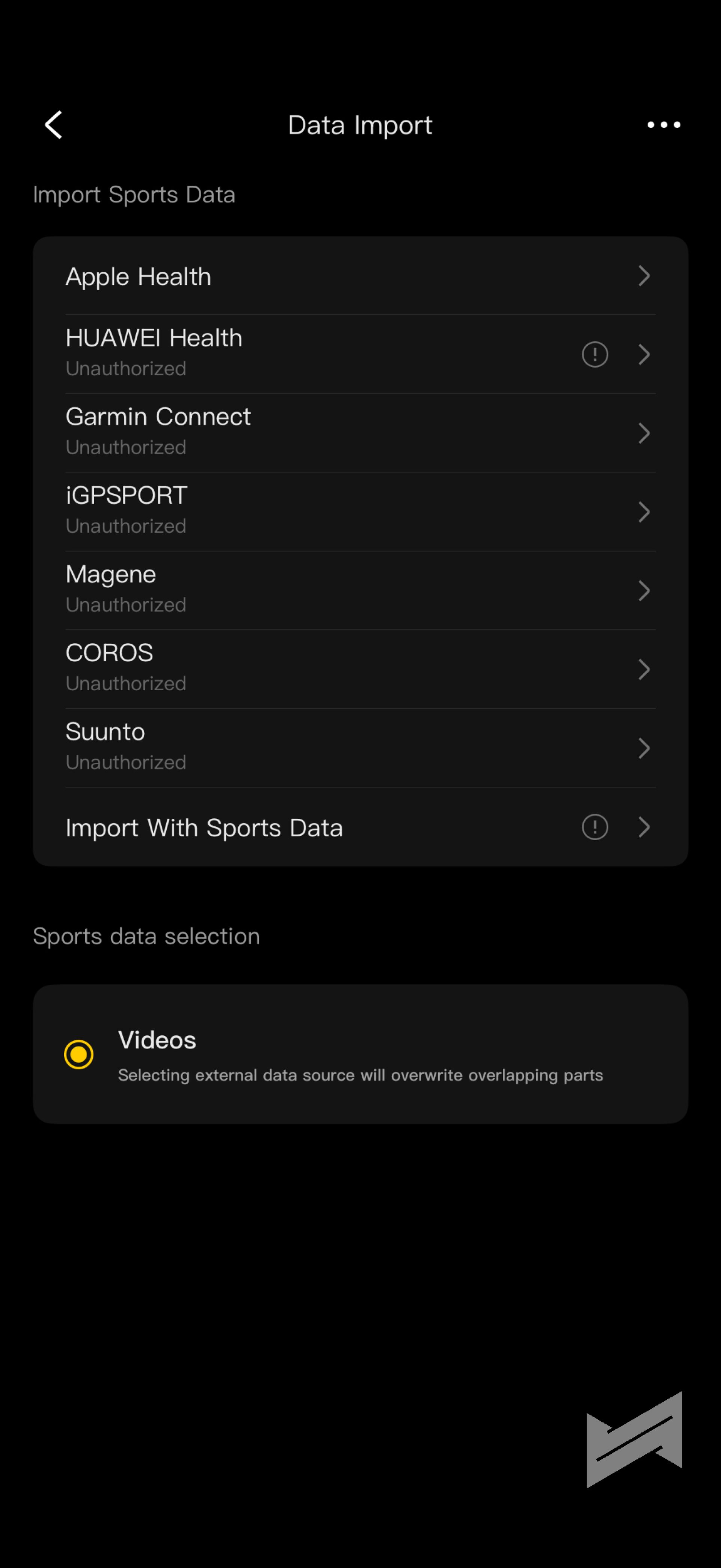
You can now also take screenshots directly from the timeline when viewing your video inside the app. If you are into using the Osmo Pocket 4 to showcase your outdoor trips and runs, you can import sports data from known software ecosystems like Apple Health, Huawei Health, or Garmin Connect. This allows you to easily display telemetry data as graphical overlays on your videos or photos. Built into the Mimo app as well is a robust Editor. You have the option to use AI-driven templates for a quick One Tap Edit, or you can edit your project entirely from scratch like you normally would on any traditional non-linear editing software.
Audio Quality and DJI Mic 3
Audio is half of the video experience, and DJI has made sure the Pocket 4 excels here. The camera features OsmoAudio 4-Channel Output, which allows you to connect two external transmitters while simultaneously saving the onboard ambient sound. It also supports capturing Spatial Audio that recreates a highly immersive listening experience.
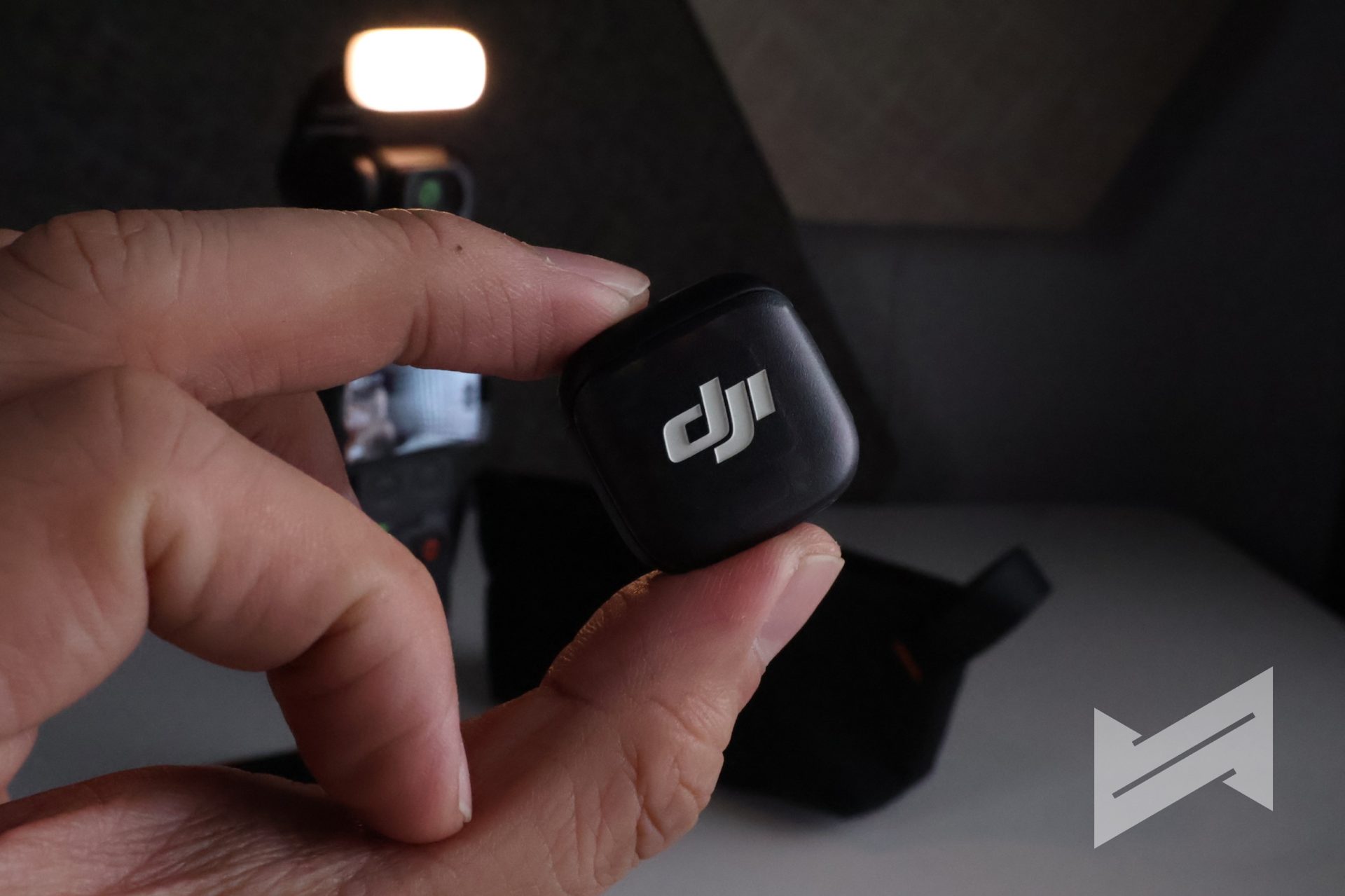
For the absolute best audio setup, getting the Creator Combo is highly recommended because it includes the brand new DJI Mic 3 transmitter. The seamless integration between the DJI Mic 3 and the camera means you never have to worry about syncing audio in post-production, guaranteeing crisp vocal clarity whether you are vlogging on a noisy street or conducting an interview in a quiet room.
Modularity and Availability of Accessories
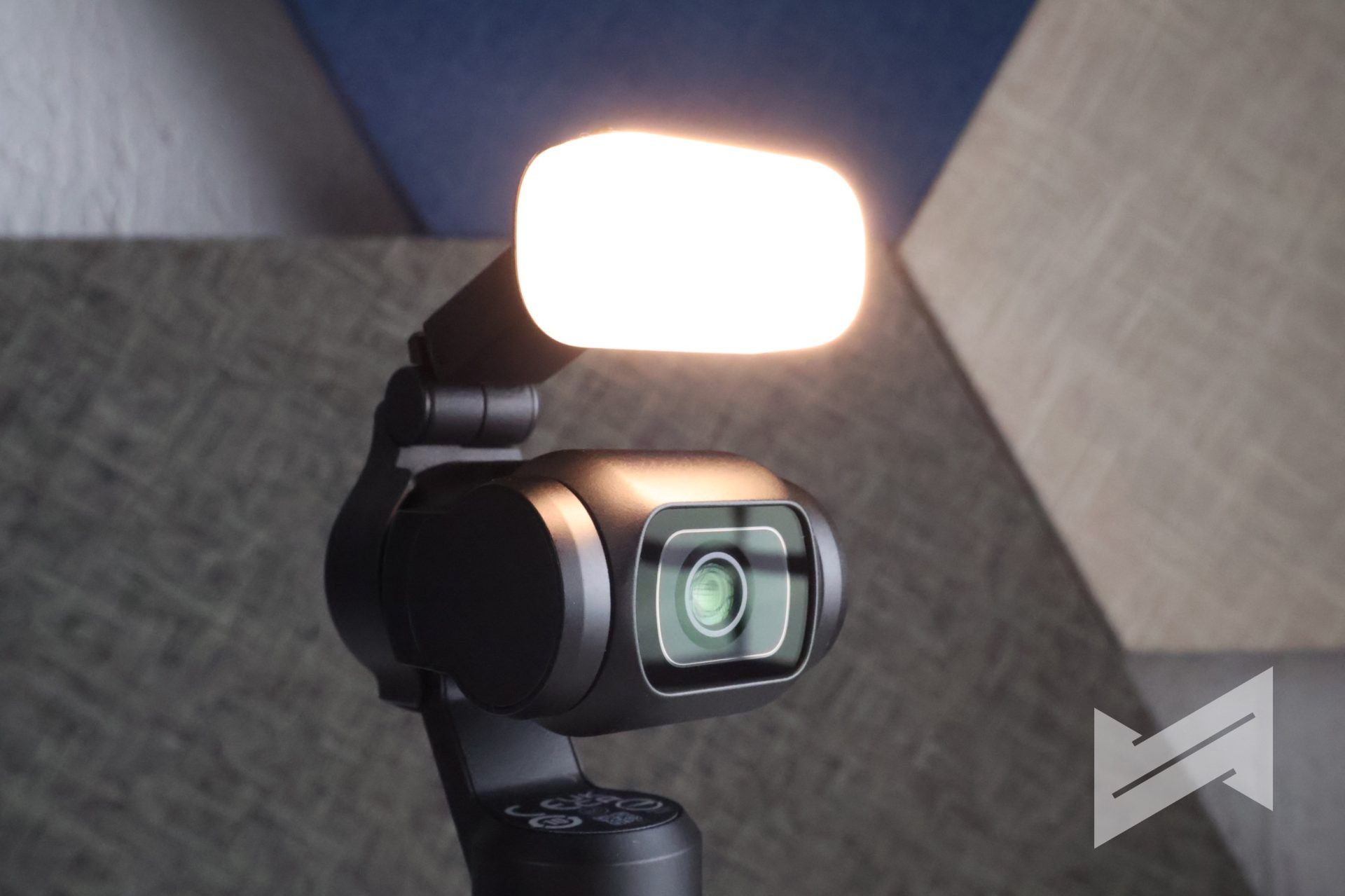
Apart from the new physical buttons, the new Osmo Pocket 4 now sports extra magnetic pogo pins behind the gimbal arm. These pogo pins give the new Pocket superpowers, specifically the ability for users to attach new powered accessories seamlessly.
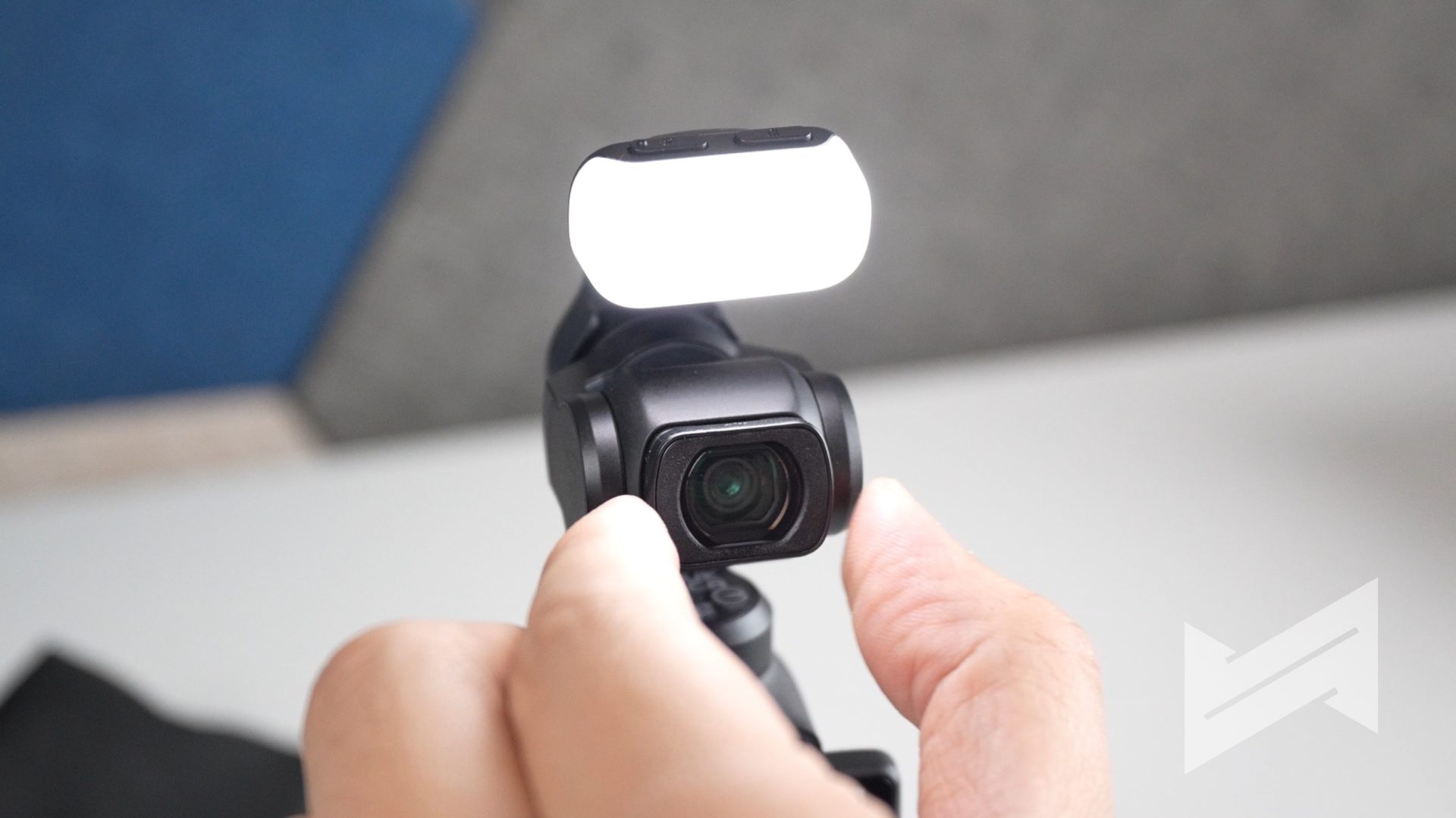
If you get the Creator Combo, included is a Magnetic Fill Light that conveniently attaches right to the Pocket 4. This can be controlled using the physical buttons on top of the light itself, featuring one button for the color tone and another one for light intensity. Alternatively, this fill light can also be controlled using the Custom button on the Pocket 4. You just need to set the preference via the internal menu.
I love the new design, but if there is one thing that I did not want, it is the gimbal clamp that came with it. Do not get me wrong. It is useful enough to keep the gimbal from accidentally moving while stored in your bag, which could be detrimental to the delicate motors of the gimbal. However, you will not be able to put the clamp on when you have attachments like the Fill Light or ND filters connected to the lens. It forces you to disassemble your perfect setup every single time you want to put the camera away safely.
Combos and Price
DJI gives you a couple of purchasing options: Standard Combo, which is priced at PhP28,990; and Creator Combo, which is PhP37,490. Ultimately, the best combo to buy is the Creator Combo.
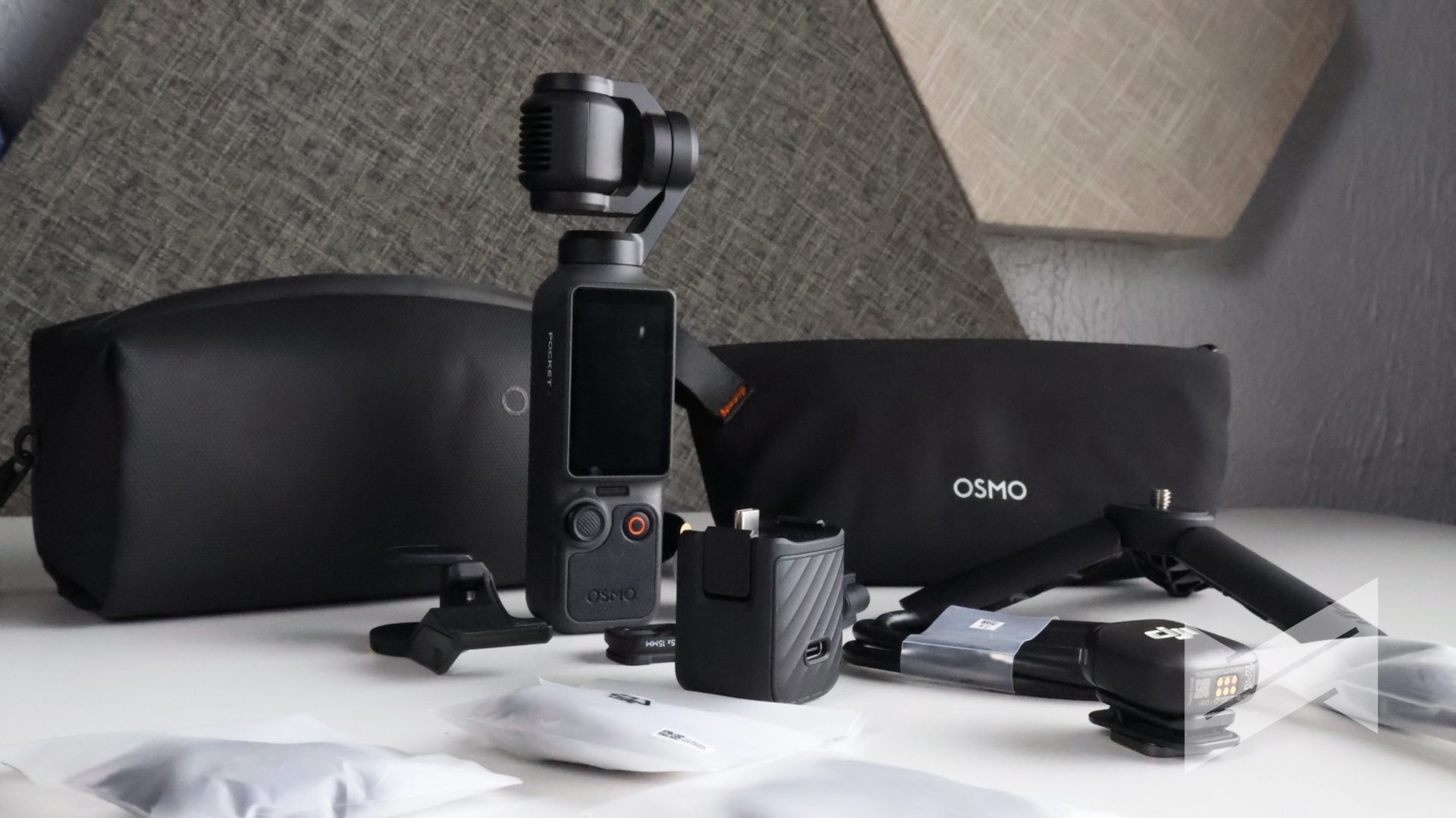
The inclusions are incredibly worth the premium price and absolutely get you ready to shoot professional videos right out of the box. Aside from the camera itself, the Creator Combo includes the DJI Mic 3 transmitter, the Magnetic Fill Light, a mini tripod, a battery handle, a carrying bag, and a wide-angle lens. When you add up the cost of buying these items separately, the Creator Combo further sweetens the deal and saves you a significant amount of money and hassle.
Verdict
If you think that the DJI Osmo Pocket is just a minor refresh, you’re absolutely wrong. t is a comprehensive overhaul that addresses almost every need a modern content creator could have. The addition of tactical physical buttons and the innovative pogo pin accessory mount shows that DJI is actively listening to user feedback. The upgrade to a 1-inch sensor with 14 stops of dynamic range, coupled with 4K at 240fps slow motion, puts the Pocket 4 in a league of its own for pocket-sized videography.
While the gimbal clamp design leaves a bit to be desired for those who use filters and lights constantly, the sheer amount of creative flexibility provided by the new Film Tones, 37-megapixel photo mode, and improved ActiveTrack 7.0 vastly outweighs any minor physical inconveniences. If you own an older Pocket device or are looking for the ultimate travel and vlogging camera, the Osmo Pocket 4 Creator Combo is an absolute must-buy. I just really hope it won’t end up suffering the same screen issue that most Pocket 3 users experienced.

Giancarlo Viterbo is a Filipino Technology Journalist, blogger and Editor of gadgetpilipinas.net, He is also a Geek, Dad and a Husband. He knows a lot about washing the dishes, doing some errands and following instructions from his boss on his day job. Follow him on twitter: @gianviterbo and @gadgetpilipinas.