
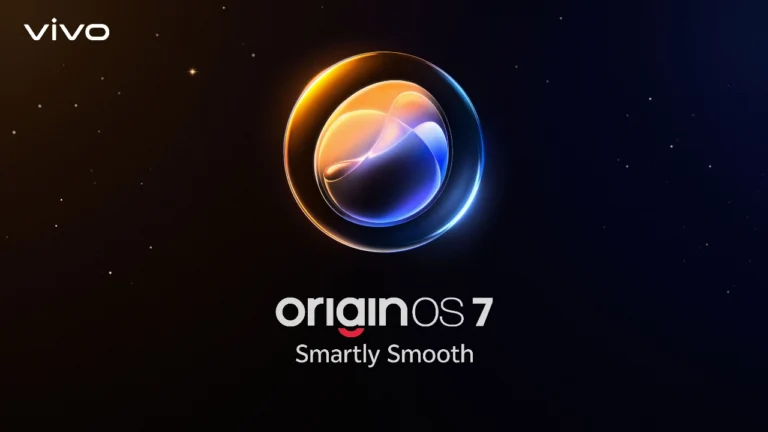
vivo has introduced OriginOS 7, the newest version of its smartphone operating system, bringing a faster performance engine, deeper multitasking, and Jovi as a personal AI agent that now works across devices.
The new OS combines touch response, motion fluidity, and peak-load performance improvements with a redesigned interaction language that blends varied material textures, light-and-shadow effects, and physics-driven motion. The update was designed around everyday moments, like moving files between apps, locating a document away from a desk, or sharing dozens of photos after a gathering.
OriginOS 7: Faster, More Stable Performance
OriginOS 7 runs on the newly built Origin Smooth Engine, a redesign of how the system handles graphics computation, memory management, and task scheduling. Its Ultra-Core Computing component shifts processing power to whichever task needs it most, whether that’s gaming, heavy multitasking, or long video sessions.
vivo reports a 10% cut in app cold start time and an 11% improvement in app page switching speed. Memory Fusion, which rebuilds the kernel file system and memory management architecture, delivers 60% better memory reclamation and frees up to 25GB of extra storage on a 256GB device. There’s also a new rendering pipeline called Dual Rendering that raises rendering efficiency by 14.4%, resulting to smoother animations across the interface.
vivo tested the system’s long-term performance through a 72-month anti-aging test in its labs, intended to keep the OS running the way it did on day one even after six years of regular use.
Origin Workbench Handles Up to Five Apps at Once
Origin Workbench lets users run up to five active applications within a single task space. vivo gives the example of exporting high-resolution footage while checking notes, browsing for reference material, and chatting in real time, all without switching between separate app windows.
Origin Animation Brings Physics-Based Motion
Origin Animation applies real-world physics principles to how the interface moves. Fluid Motion allows interface elements to stretch, bounce, and merge based on the speed and direction of a finger swipe, while Spring Animation applies one physics profile across components, apps, and in-page elements for a consistent sense of momentum. A feature called Seamless Interaction extends this smoothness to scrolling in any direction.
Cross-Device Connectivity with Apple Devices and PCs
OriginOS 7 also adds native connectivity with devices outside vivo’s own ecosystem. An Apple Watch can be paired to show notifications and sync workout and health data into the Origin Health app, while a connected AirPods allow for battery details shown in Origin Island plus support for Spatial Audio.
Through vivo Office Kit, users can hand off creative tasks between an iPad, Mac, or Windows PC, sync notes in real time, and drag files across screens. Files stored in iCloud are also accessible directly from the vivo File Manager, letting users browse, upload, and download without leaving the system.
Jovi Manages Tasks Across Phone and PC
Jovi, vivo’s personal AI agent, now works across connected phones and computers through vivo Office Kit. A single command, such as asking Jovi to pull a spreadsheet from a home computer, summarize the key figures, and send the takeaways to the phone, runs without further input. Jovi can also be set to compile weekly reports or organize files automatically on a schedule.
Snap Note, meanwhile, uses structural recognition to convert photos of whiteboards, handwritten notes, or presentation slides into editable, formatted text documents in one capture. For security, Jovi PC logs every autonomous action it takes and requires direct user approval for key steps, through a system vivo calls Jovi Security.
New Personalization Options for Lock and Home Screens
OriginOS 7 also expands personalization tools. Wiggle Theme turns personal photos into interactive surfaces that ripple and rebound to the touch, and Glint Theme uses the phone’s gyroscope to cast shifting light and shadow across wallpapers as the device tilts. StickIt lets users build layered photo and live-photo collages across the lock screen, home screen, and Always-On Display, while Pet Pals adds animated companion themes that react to motion, charging status, music playback, and the time of day.
OriginOS 7: Availability
OriginOS 7 begins its Preview Program on September 21 for the vivo X300 Pro and select iQOO devices in India, Thailand, and Malaysia. The update will later reach the X500 series along with the new X Fold and V series, with feature availability varying by market. For more information, follow vivo on Facebook, Instagram, and TikTok, or visit vivo.com.
Frequently Asked Questions (FAQ)
OriginOS 7 is vivo’s latest smartphone operating system, built around a faster Origin Smooth Engine, five-app multitasking through Origin Workbench, physics-based motion, and Jovi as a cross-device AI agent.
It introduces Origin Workbench for running up to five apps in one task space, native cross-device links with Apple Watch, AirPods, iPad, Mac, and Windows PCs, and a Jovi AI agent that can complete multi-step tasks across phone and PC.
vivo has not published pricing, since OriginOS 7 is a free software update. The initial Preview Program covers India, Thailand, and Malaysia only; the Philippines is not yet listed for this early rollout.
The vivo X300 Pro and select iQOO devices are first in line through the Preview Program starting September 21, with the X500 series and the new X Fold and V series to follow.
vivo ran a 72-month anti-aging test on OriginOS 7 in its labs, aiming to keep the system’s responsiveness the same after six years of daily use as it was on day one.
Source: PR Newswire

Emman Tortoza
Emman has been writing technical and feature articles since 2010. Prior to this, he became one of the instructors at Asia Pacific College in 2008, and eventually landed a job as Business Analyst and Technical Writer at Integrated Open Source Solutions for almost 3 years.
View all articles →