
Filmmakers and content creators who shoot with DJI Osmo Pocket cameras now have a compelling new tool: OpenPocketCine, a free, open-source field monitor app that turns your iPhone or iPad into a full production-grade monitoring station with scopes, camera control, playback, and Camera-to-Cloud export.
Built by developer Erik Sutton and released under the Apache 2.0 license, OpenPocketCine is currently available via TestFlight for iOS, with an Android build already in development. The project lives entirely in the open on GitHub, and it does not rely on any DJI SDK — everything is built from the ground up through reverse-engineered protocol work alongside community resources like Konrad Iturbe’s Osmosis project.
More Than a Wireless Viewfinder
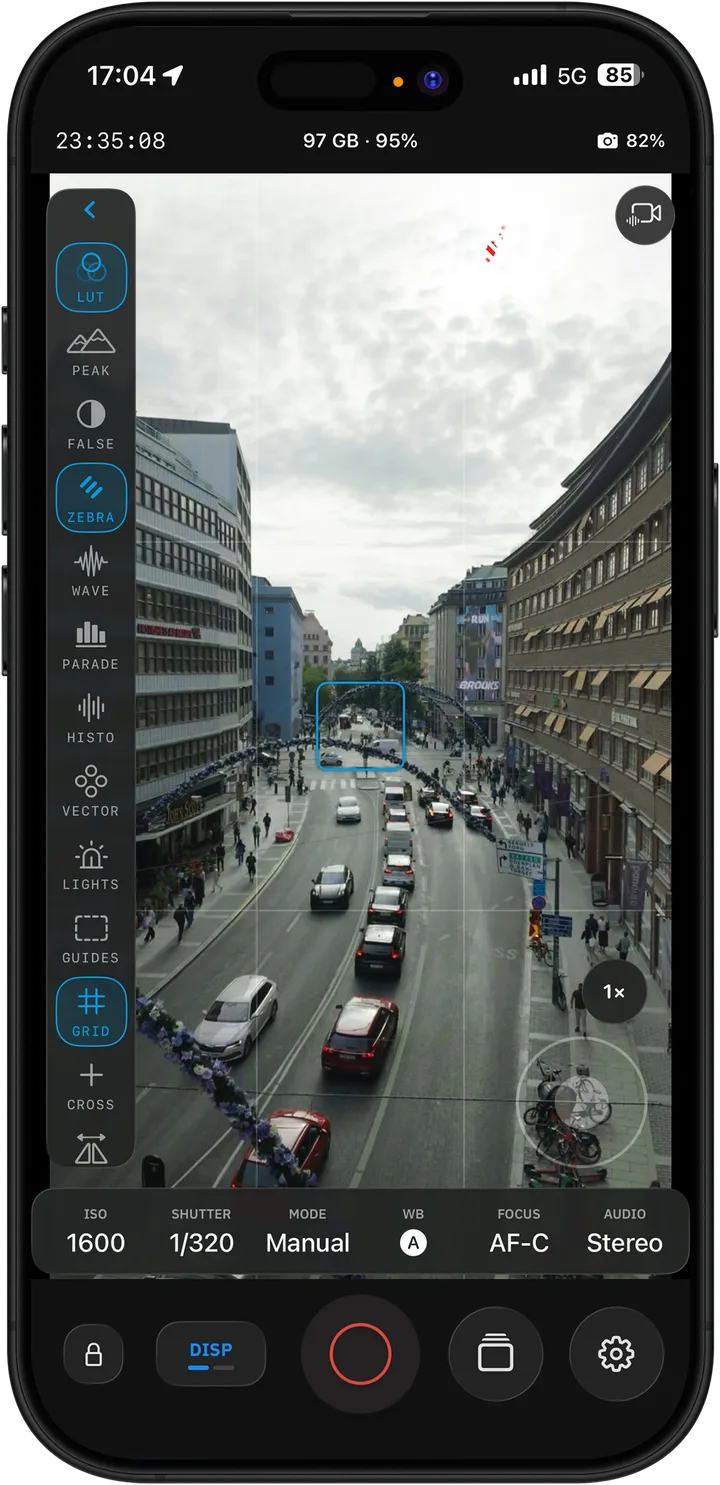
A lot of third-party monitor apps simply mirror what the camera sees. OpenPocketCine goes significantly further with a full monitoring suite that borrows liberally from what colorists and DITs expect on set.
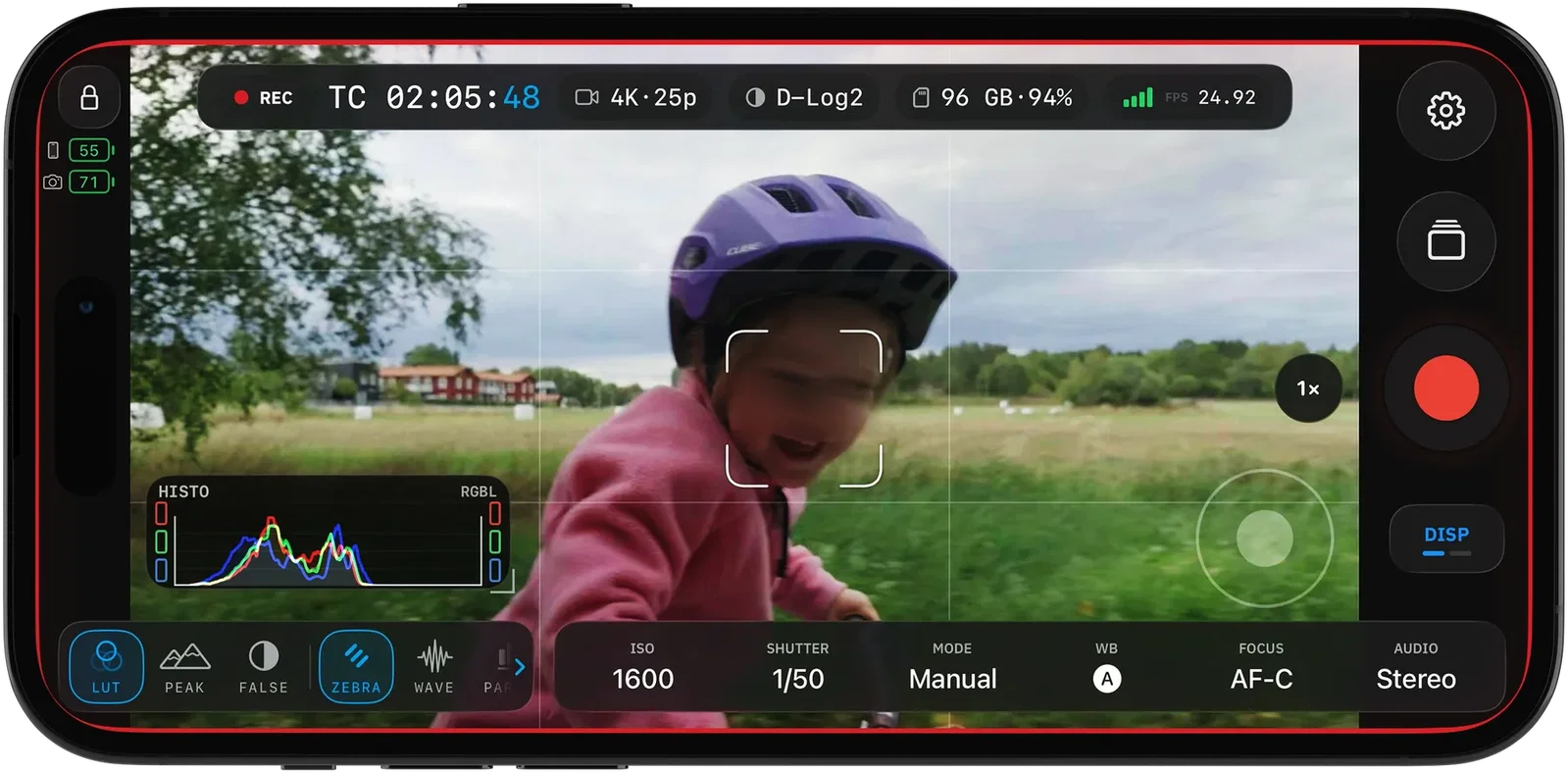
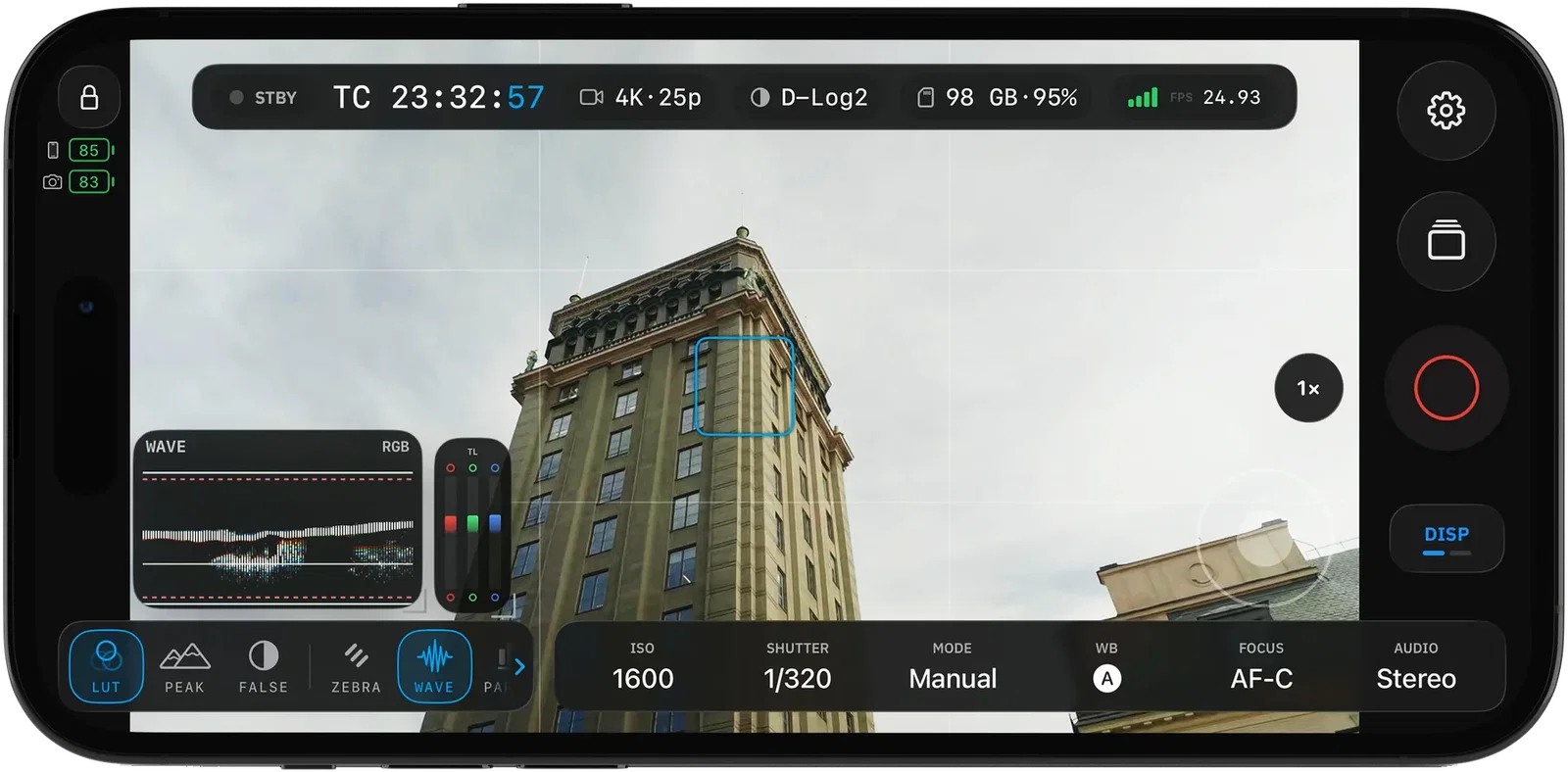
Once paired over Bluetooth and connected to the camera’s Wi-Fi hotspot, the app pulls in a live HEVC feed from the Osmo Pocket 4 or Pocket 4 Pro (Osmo Nano is also supported on iOS). That live feed gets overlaid with an impressive array of tools:
- Waveform, RGB Parade, Histogram, and Vectorscope — all running live beside the image, letting you read exposure and color balance the way a professional would
- False Color and Zebras — catches exposure trouble before the take
- Focus Peaking — paints in-focus edges so you know exactly where the plane of focus lands
- Traffic Lights — an exposure traffic-light indicator alongside the feed
- Grids, Aspect Guides, and Center Crosshair — framing tools for every delivery format
These tools aren’t just preview elements. On iOS, the app applies them during playback as well, so you can review clips with the same scopes and assists you shot with.
Control the Camera From Your Phone
Beyond monitoring, OpenPocketCine provides direct camera control from the phone. On iOS, you can adjust ISO, EV, zoom, and trigger record start and stop. The gimbal is also addressable on the Pocket models. A remarkable detail: when you zoom while the camera is set to D-Log2, the Pocket 4 Pro automatically hops to D-Log so you keep shooting in the right color profile — no manual menu dive required.
Tapping a detected face on the iOS live feed initiates the camera’s subject tracking while in AF-C mode, effectively turning the phone into a touch-based gimbal operator. This kind of hands-on remote control can be a game-changer for solo creators or small crews working with a gimbal-mounted Pocket.
In-Camera Review and Frame.io C2C
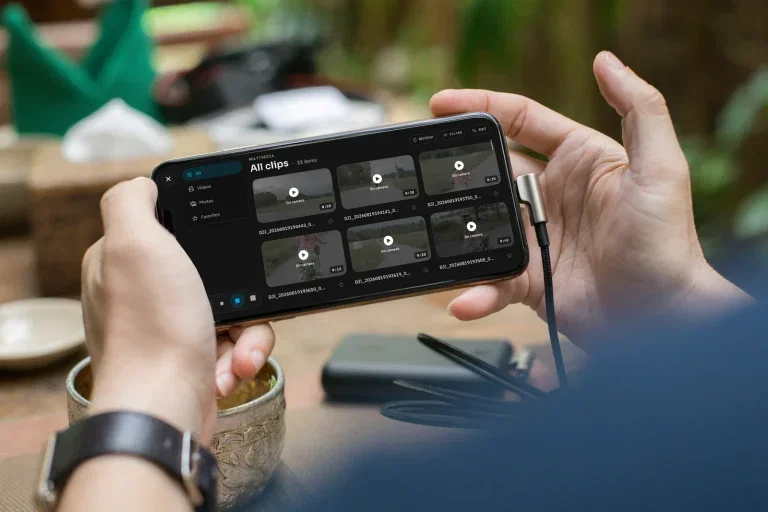
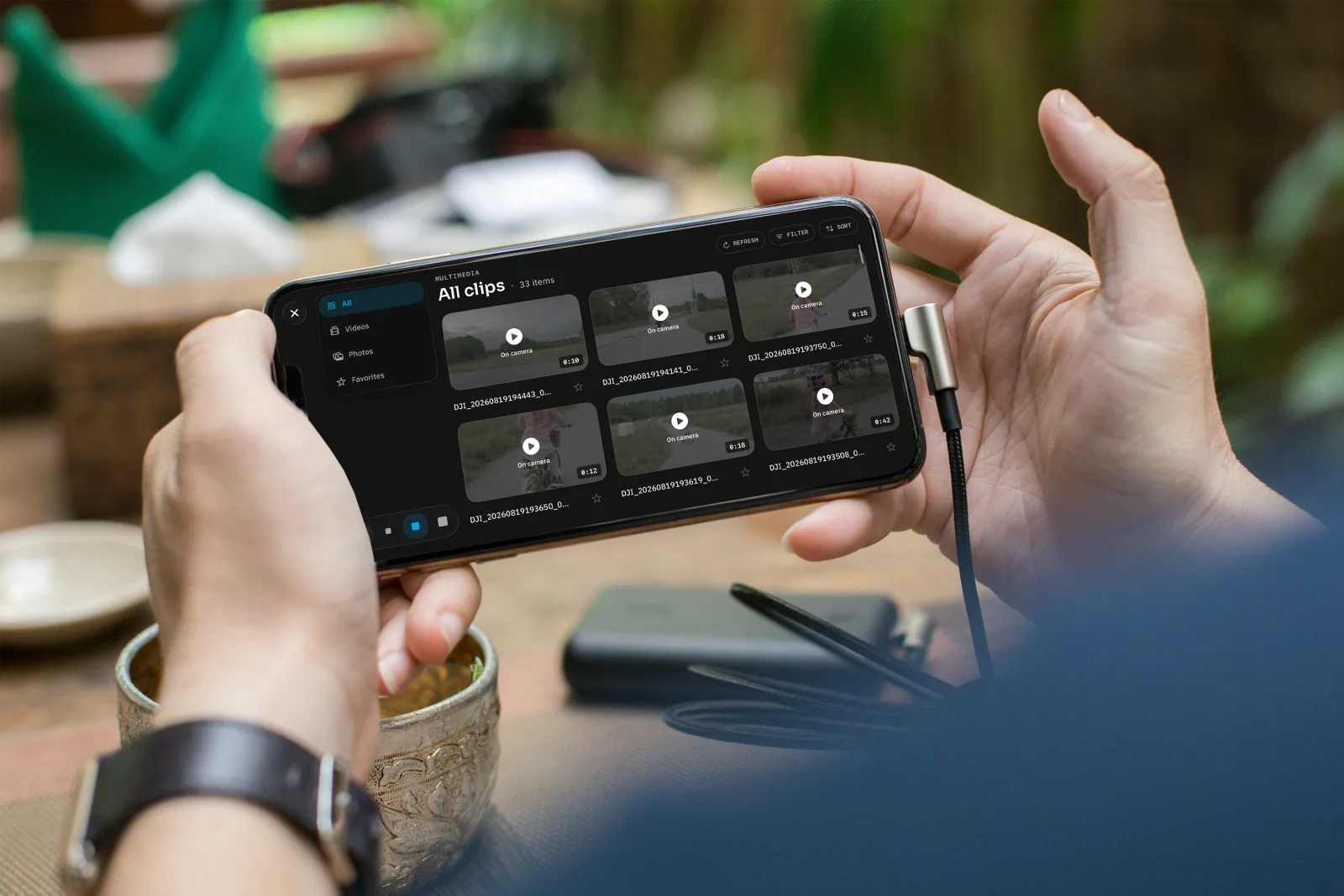
Post-production thinking starts on set. OpenPocketCine’s media library on iOS lets you browse clips and stills on the camera, mark keepers, and delete bad takes before you break down the rig. Playback includes the same scopes and assists the live view has — with a GPU LUT preview so you can see what the graded image looks like before you hit export.
Export supports baked LUTs via custom or built-in .cube files, native share sheets, and optional Frame.io Camera to Cloud integration (you supply your own Adobe app keys). This means a director or DIT can review a graded proxy on a phone before anyone shouts “cut.”
Built in the Open, With AI
Sutton states openly that OpenPocketCine was built with frontier AI models — Grok, Codex, and Claude — publishing the process transparently. The repository went through an extended private R&D phase before landing on GitHub as a squashed clean-slate commit. The project’s AGENTS.md file serves as an always-loaded index for coding agents, effectively documenting how the AI toolchain was steered toward the Swift and Android codebase.
This is worth noting because the quality of the implementation — the real-time waveform rendering, the BLE pairing flow, the command protocol — is clearly production-conscious. The shared Swift core (OpenPocketViewCore) stays portable and owns protocol logic, while platform shells (SwiftUI on iOS, Jetpack Compose on Android) handle sockets, permissions, rendering, and lifecycle. Tests, architecture docs, release guidelines, and a full CONTRIBUTING.md are all present from day one.
Android and the Roadmap
The Android implementation lives in the same repository as a phone shell with live pairing, HEVC live view, and GPU LUT support, peaking, false color, and zebras already on the feed. It is not on Google Play yet — the closed beta waitlist is on openpocketcine.app. The iOS beta is available right now via TestFlight.
The roadmap lives on GitHub Discussions in the Ideas category, where the community can vote and propose what comes next. Currently, live view is captured for Osmo Pocket 4/4 Pro and, on iOS, the Osmo Nano. Other Osmo bodies may appear in Bluetooth scan, but Action and 360 live view is not yet captured.
No Subscriptions, No Telemetry
OpenPocketCine carries zero subscriptions, zero paywalls, zero advertising, and zero telemetry. Sutton accepts optional coffee contributions via Buy Me a Coffee and notes that donations to animal charities are just as welcome. The full privacy policy lives on the project website.
The licensing is Apache 2.0, which means filmmakers, developers, and studios can inspect, adapt, and improve the tool without restrictions. DJI affiliations are explicitly disclaimed — no SDK is included or required.
Availability
OpenPocketCine is exactly what the open-source filmmaking community needed: a no-nonsense, pro-grade field monitor that runs on hardware most creators already own. The reverse-engineered DJI protocol work is impressive on its own, but the polish of the monitoring tools, the camera control integration, and the Camera-to-Cloud pipeline make this feel like a commercial product — except it’s free, transparent, and yours to build on.
Download the iOS beta: TestFlight
Website & Android waitlist: openpocketcine.app
GitHub repo: github.com/erik-sutton95/OpenPocketCine

Gadget Pilipinas
Founded in 2009 by Gian Viterbo, Gadget Pilipinas is one of Philippines’ top sources for news, tutorials, reviews and tips about the latest trends in technology, gadgets, games, social and digital media and cyber culture.
View all articles →Related News
 Anne Curtis is XPENG’s First PH Brand Ambassador