



Nothing has officially announced Nothing OS 5.0 with a wide variety of features, like more personalization options, a new typeface, a transparent design, updates to Essential Space and Gallery, and more.
The latest major update for Nothing OS is built on Android 17.
Nothing OS 5.0
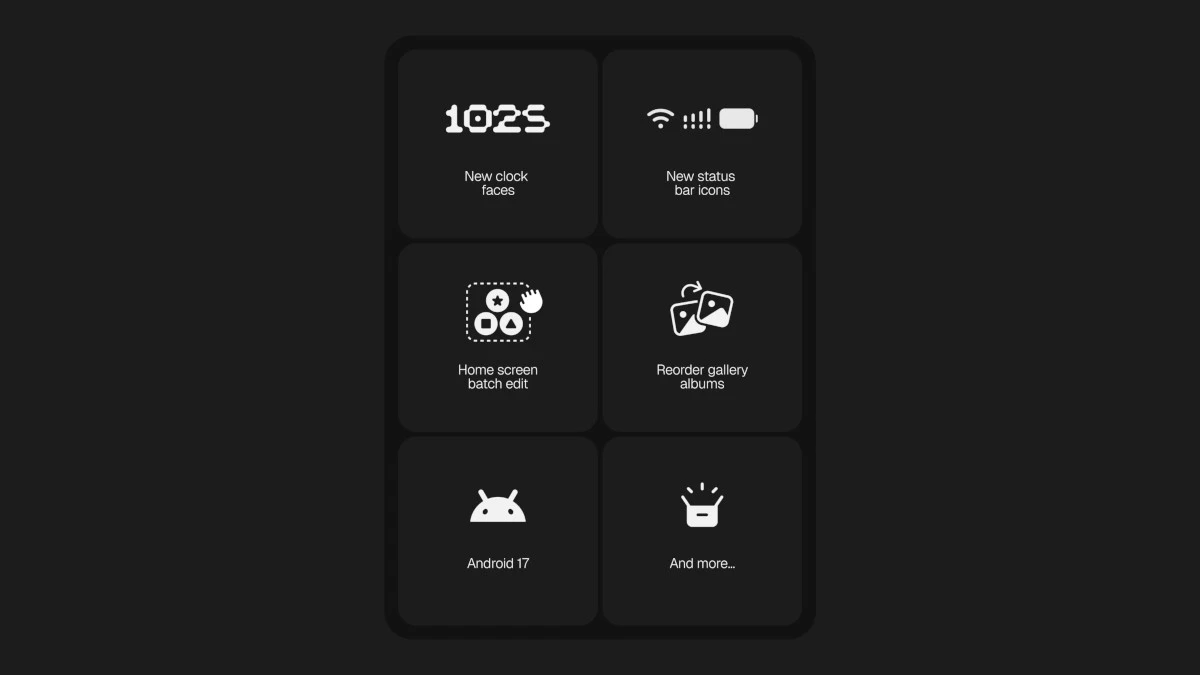
Refreshed Design
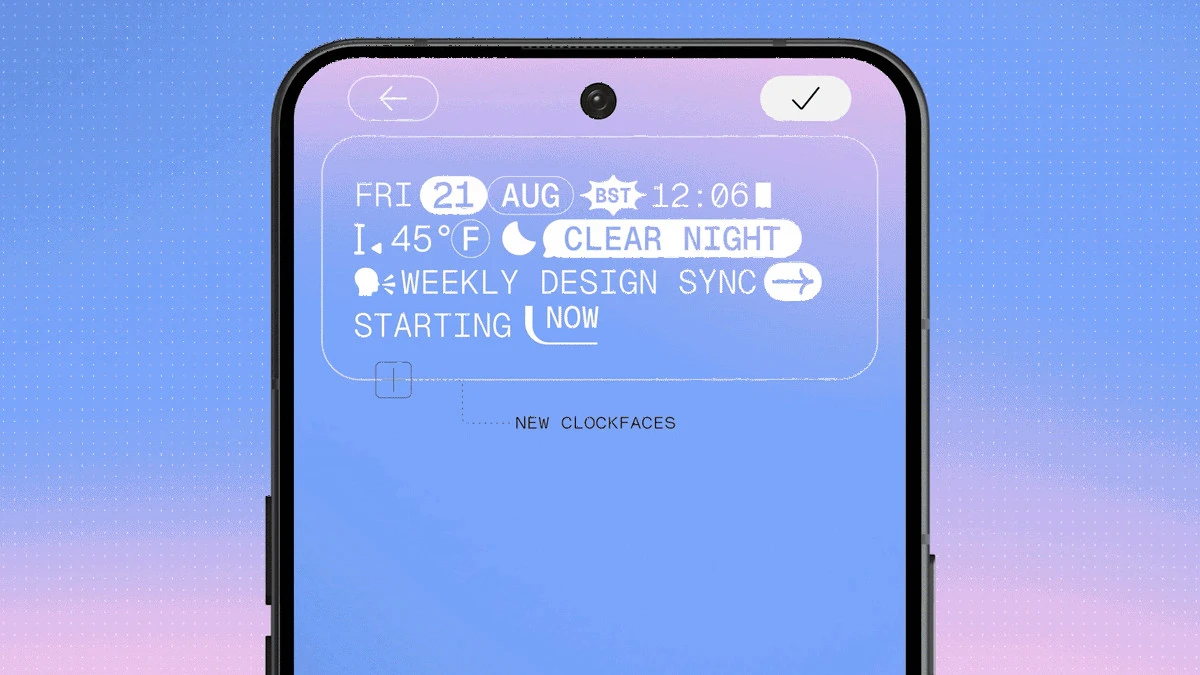
Nothing OS 5.0 has a visual refresh that includes a new font, icons, spacing, materials, and motion. These are implemented across Settings, the status bar, Camera, Gallery, widgets, and system controls.
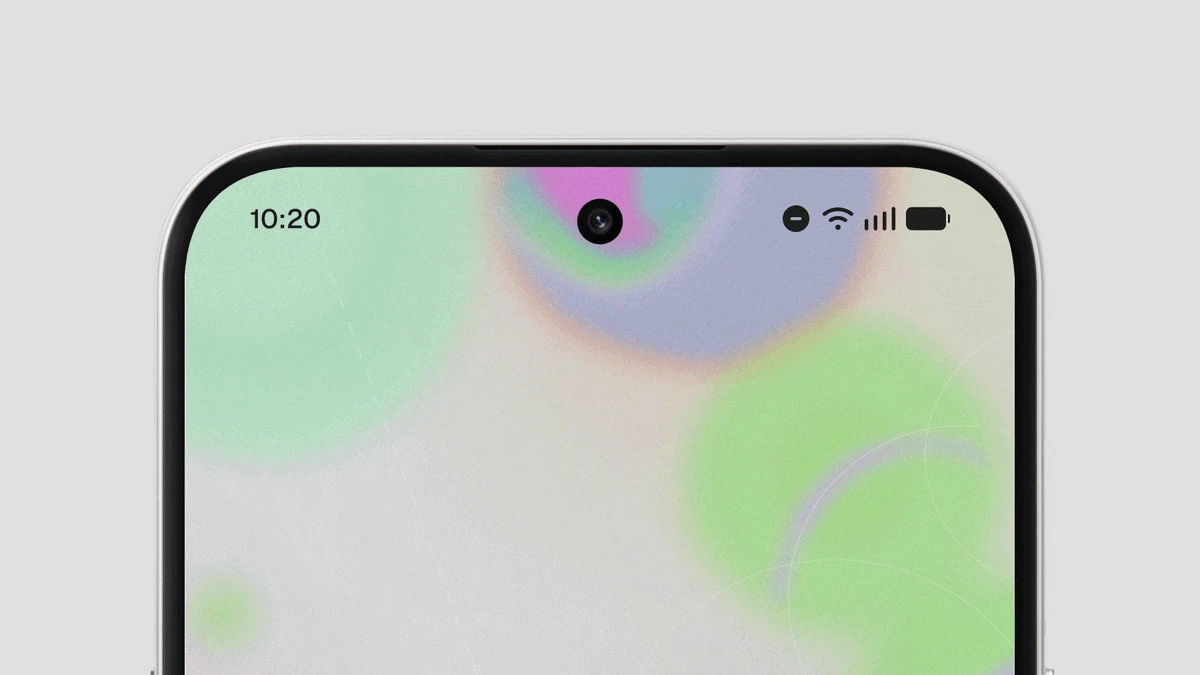
The new font is Geist, a new system typeface that is said to improve legibility across everyday parts of the interface.
The status bar also gets custom-designed system icons and more expressive animations.
Deeper Personalization
As far as personalization goes, Nothing OS 5.0 brings wallpaper-adaptive color for app icons and widgets. This, according to the company, was added to make your home screen feel more connected to your wallpaper.
You can now also batch edit your home screen, which makes it simpler to move multiple icons.
More Nothing Widgets
Nothing has also introduced new widgets to Nothing OS 5.0. These include:
- Away Time widget – tracks when you put your phone down
- Collector widget – a way to turn things you like into visual collections and accents to your home screen
- Glyph Timer widget – a simpler way to get to Glyph Timer
Additionally, it has introduced a dedicated Glyph Interface app. It brings supported features, sounds, and schedules under one app.
Essential AI Tools
Essential AI tools are the company’s way to offer a more streamlined experience through AI. Updates to these include Essential Voice, Essential Space, and Essential Apps.
Essential Voice is now said to be faster and delivers cleaner, better-formatted transcriptions. It also better understands when speech should remain a paragraph or should be a list.
Essential Space, on the other hand, gets Smart Collections, which help organize scattered captures with less manual work. It can also recognize a common topic across several captures and proactively suggests creating a new collection.
Lastly, with Essential Apps, Nothing brings an Essential Apps Builder app to the phone via Nothing OS 5.0.
Other Features
Other features that come with Nothing OS 5.0 include:
- An option for separate Notifications and Quick Settings
- Enhanced Quick Share
- Improved screen recording
- Clearer privacy indicators (green for sensitive access, blue for location sharing, yellow for AI data processing)
- Live Updates in the status bar
- Noto 3D Emoji
- Assistant volume
Rollout
Nothing also revealed the full rollout timeline of Nothing OS 5.0, and this includes a full list of device support, open beta rollout, and a general release schedule.
Among the phones that will get the latest version of Nothing OS are:
- Phone (3)
- Phone (4a) series
- Phone (3a) series
- Phone (2a) series
- Phone (4b)
- CMF Phone 2 Pro
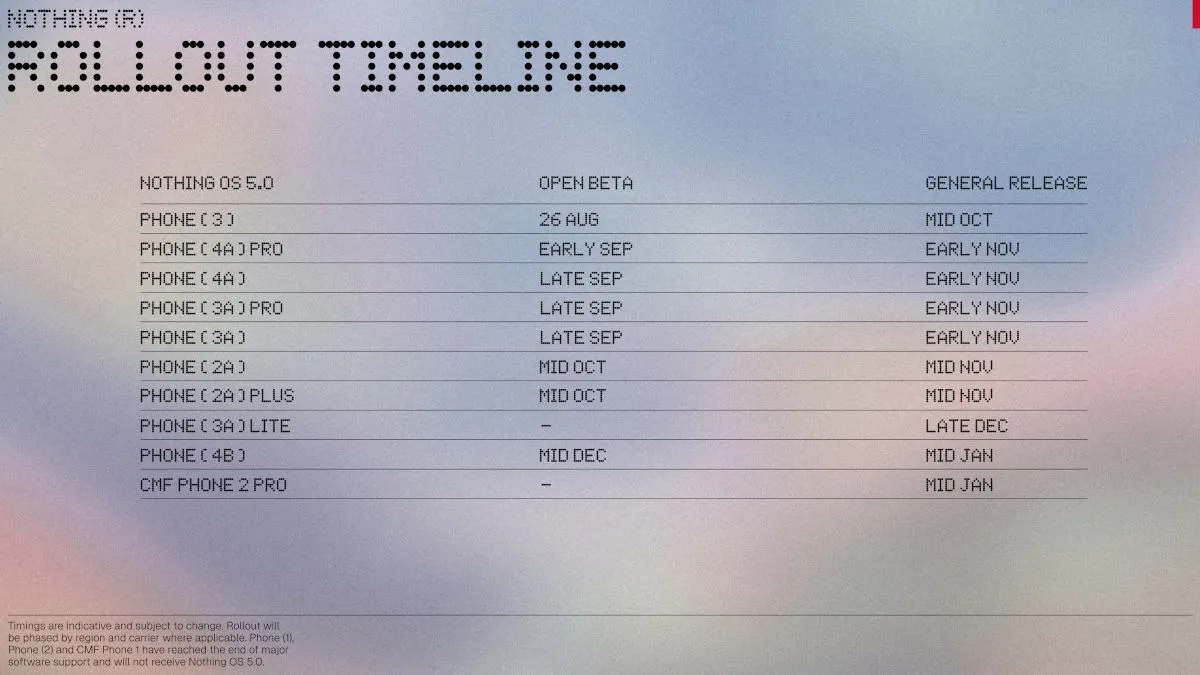
However, the Nothing OS 5.0 open beta won’t be available for the Phone (3a) Lite and CMF Phone 2 Pro. The company has also stated that the Phone (1), Phone (2), and CMF Phone 1 won’t be getting the new Nothing OS version, as they have reached the end of major software support.
For open beta, it starts as early as August 26 and as late as mid-December, while its release will begin as early as mid-October and as late as mid-January.

Ram Ronquillo
Ram found his love and appreciation for writing in 2015 having started in the gaming and esports sphere for GG Network. He would then transition to focus more on the world of tech which has also began his journey into learning more about this world. That said though, he still has the mentality of "as long as it works" for his personal gadgets.
View all articles →