










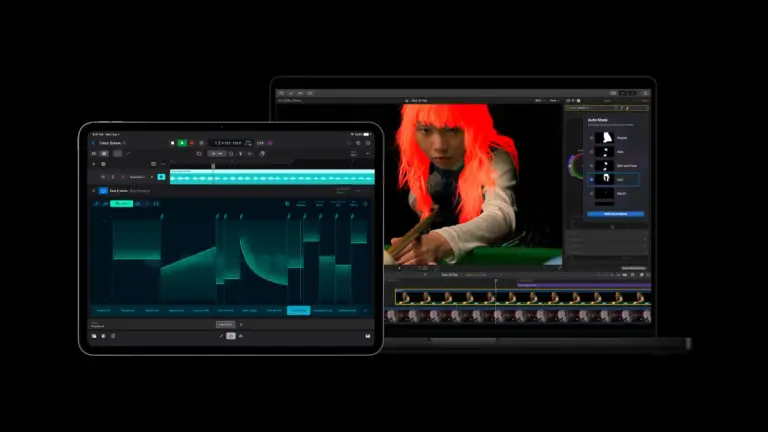
Apple has announced updates to Apple Creator Studio, Apple’s collection of creative apps. Among the features are better integration, AI capabilities, and more.
Updated Apple Creator Studio
Even More AI-Powered Workflow Solutions
Final Cut Pro, the video creation app of Apple Creator Studio, now gets a set of powerful AI tools like Generate Captions and Edit Detection. Additionally, there is new content like Creator Themes with support for multiple aspect ratios, dynamic titles, and customizable backgrounds.
On Mac, there are new tools like Auto Mask, an enhanced Match Color, Advanced Trimming, and the ability to send frames to Pixelmator Pro. Additionally, Motion and Compressor have been updated.
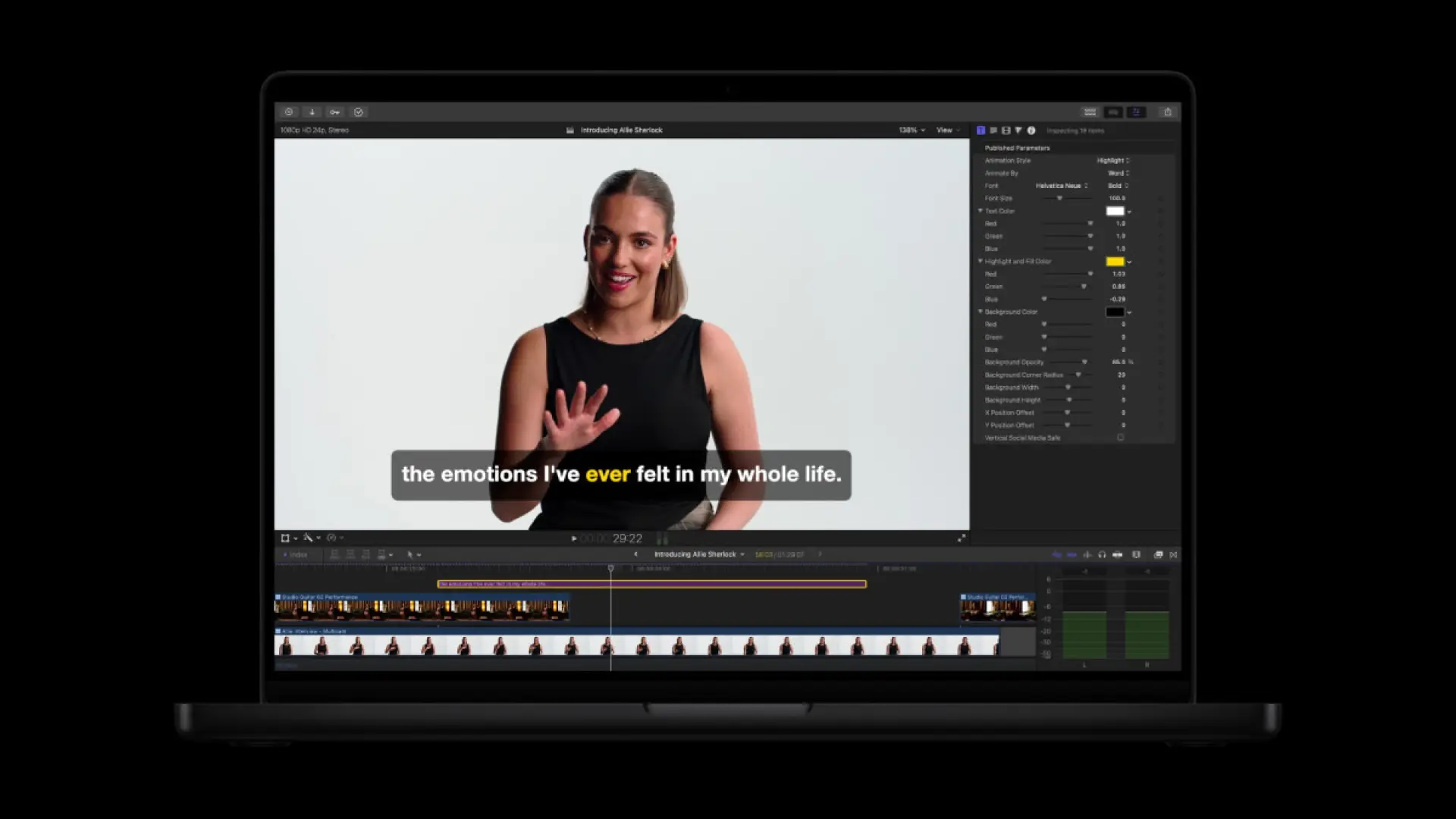
AI Generate Captions lets you automatically transcribe audio and place the resulting subtitles perfectly in the timeline. You can also animate the style and customize font, color, and position. Meanwhile, Edit Detection is powered by on-device AI, which analyzes rendered video and automatically splits it back into the original clips on the timeline.
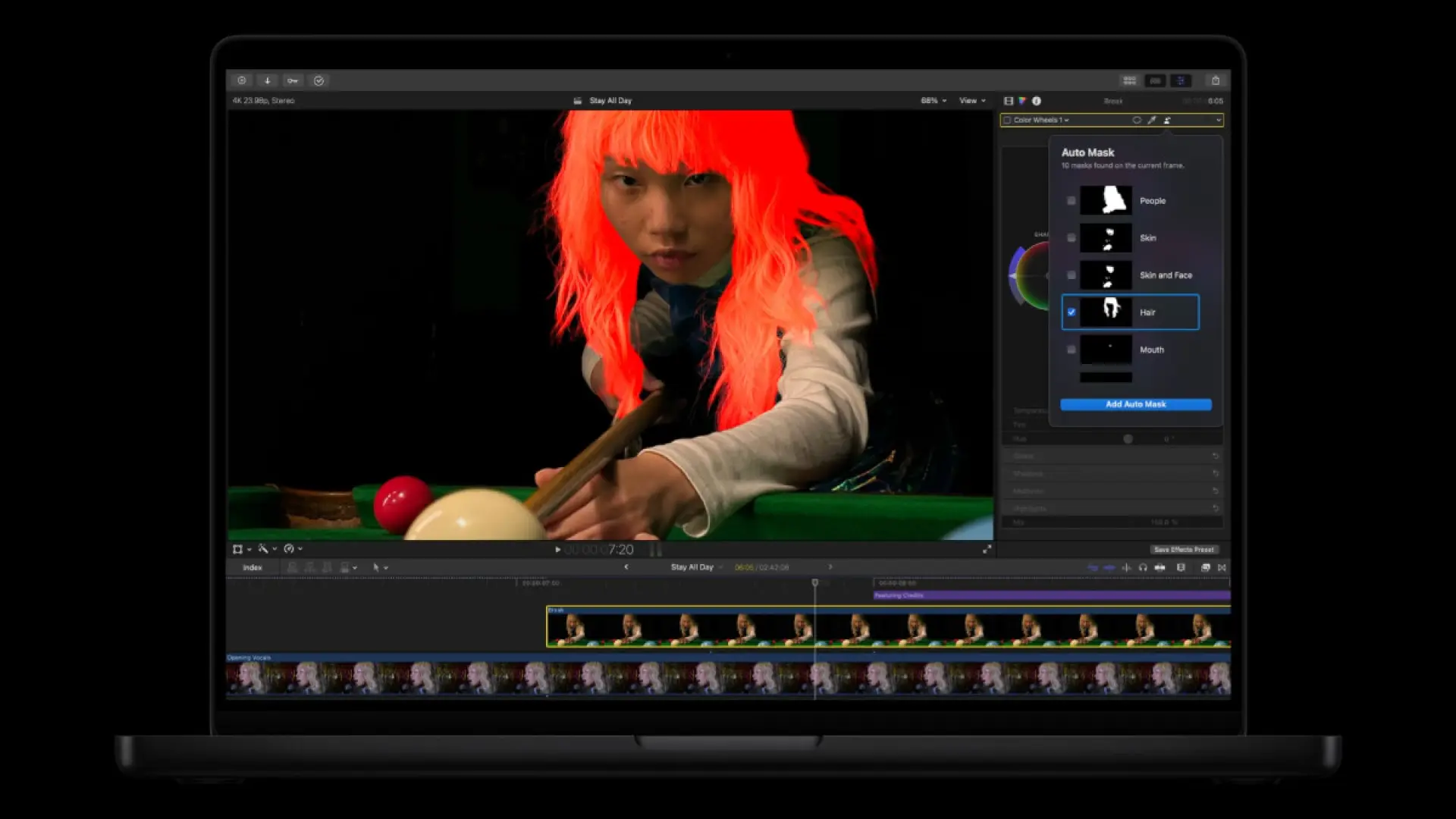
Mac users can also take advantage of Auto Mask, a new way to isolate and refine specific elements of footage. On-device AI recognizes subjects like skin, hair, sky, foliage, and clothing with no manual tracking needed. It also works hand-in-hand with the Magnetic Mask.
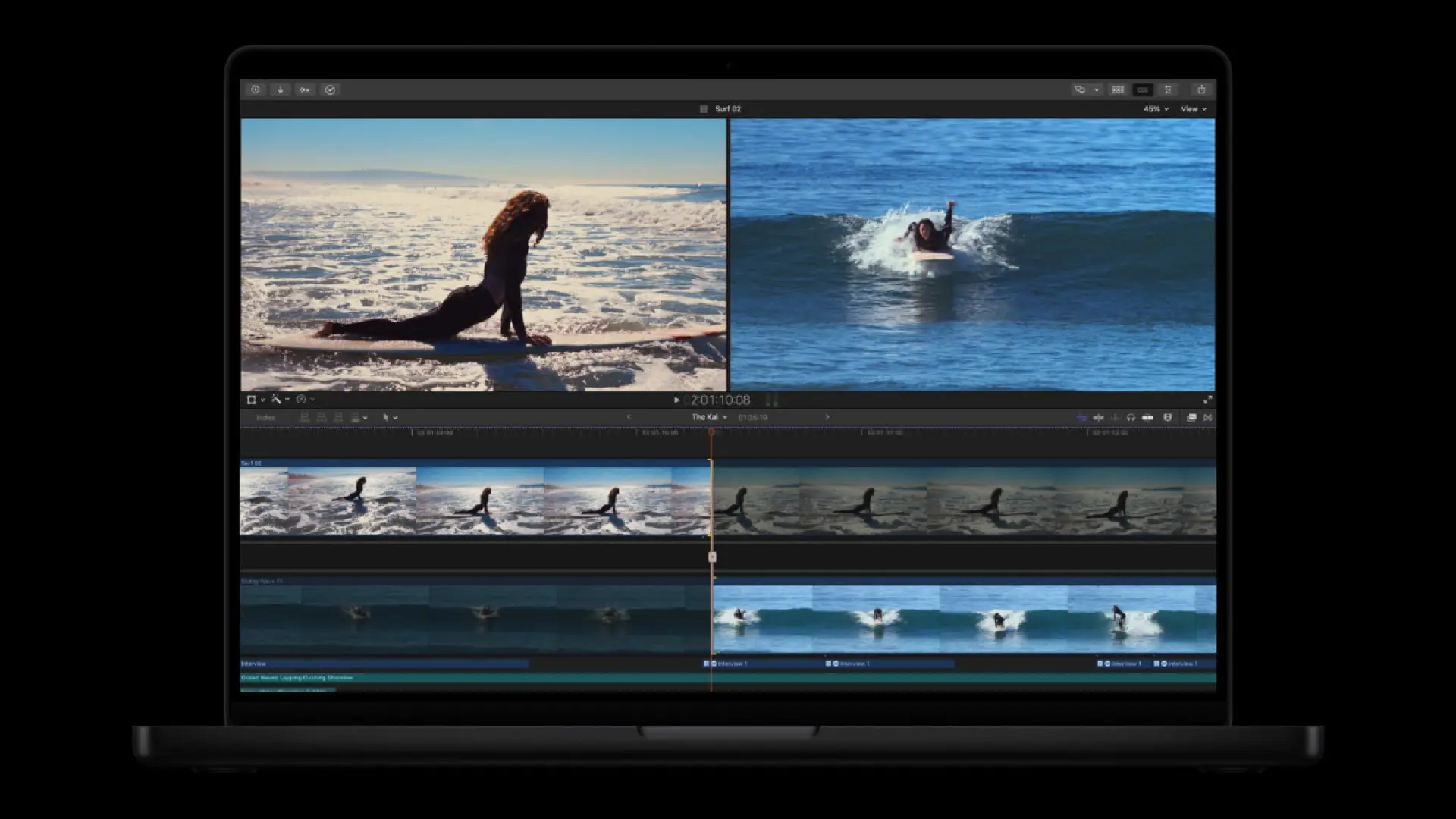
Match Color is also available on Mac, which produces more accurate and natural color matches across a wider range of footage and lighting conditions. Advanced Trimming allows users to fine-tune incoming and outgoing frames one at a time.
Powerful New Image Editing and Graphics Tools
Final Cut Pro users can now also send a chosen frame directly to Pixelmator Pro, helping creators create custom thumbnails or social media graphics. Additionally, you can drop the content back into the timeline after editing the frame.
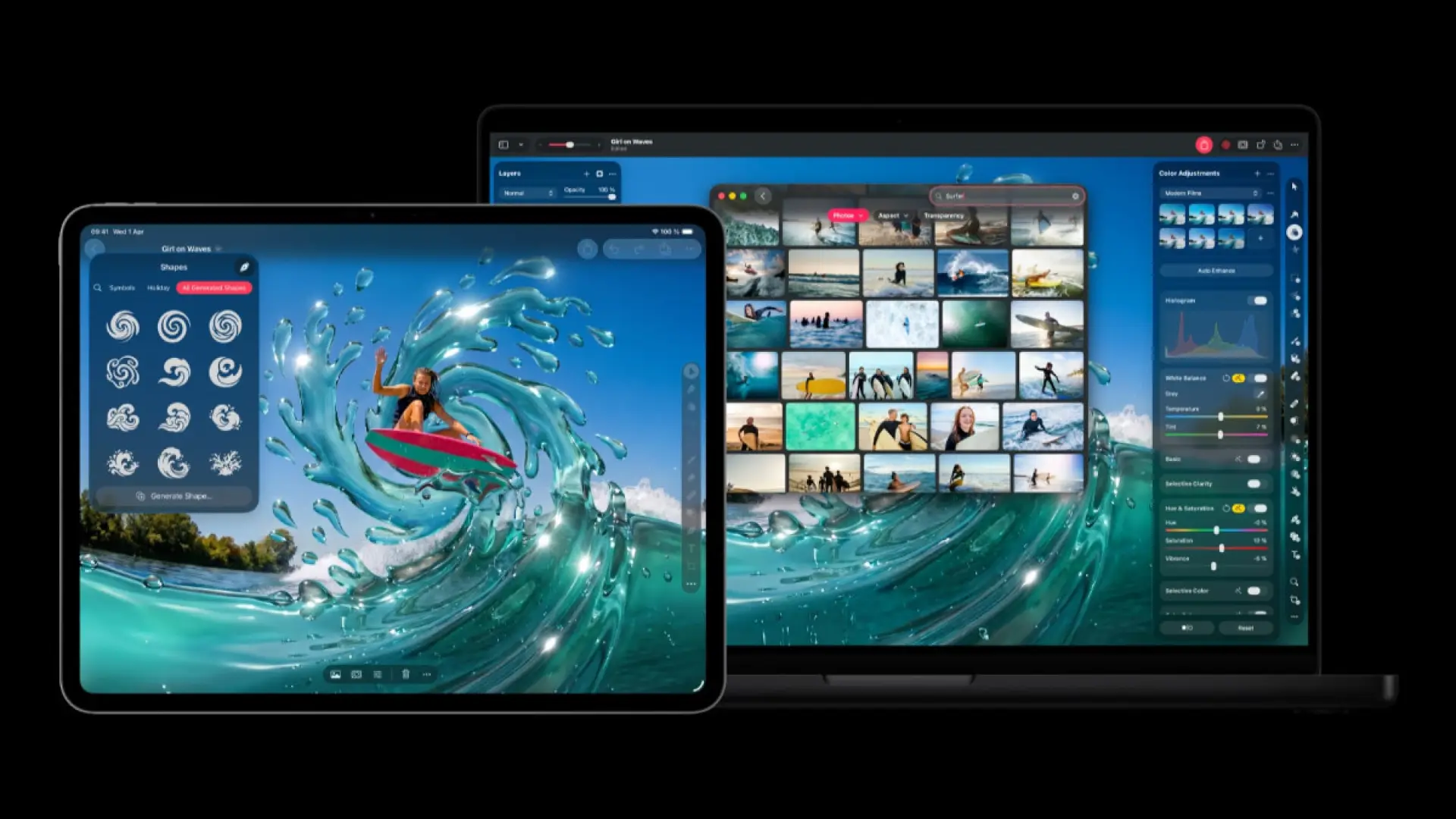
In other Apple Creator Studio Apps, namely Keynote, Page, and Numbers, you can select any image within a document and open it directly in Pixelmator Pro. Changes are then automatically saved back in the document. Additionally, on these Apple Creator Studio apps, it is possible to generate vector shapes to fit any project.
Keynote also gains new transitions and builds. Pages on iPhone and iPad adds Auto-Hyphenate and Show Invisibles for more precise editing. Lastly, Numbers makes navigating complex spreadsheets faster with the ability to hide or color-code individual sheets.
Additionally, with iOS 27, iPadOS 27, and macOS 27, Freeform will also add the ability to generate shapes and open an image in Pixelmator Pro.
Taking Music Creation Further
Lastly, Logic Pro, the Apple Creator Studio app for music creators, is even more intelligent and inspiring for users.
Chord ID has been rebuilt to bring even more accuracy to harmonic analysis, including extended chords and inversions, even if they are played on a distorted guitar or a slightly out-of-tune piano.
A new Producer Project reveals the complete Logic Pro session behind “Shoulda Never,” produced by Khris Riddick-Tynes.
For Logic Pro and MainStage, a new granular sync mode in Alchemy – Logic Pro’s flagship sample-manipulation synthesizer. To complement this, you can now explore the new Granular Alchemy Sound Pack, which offers a curated collection of loops and presets.
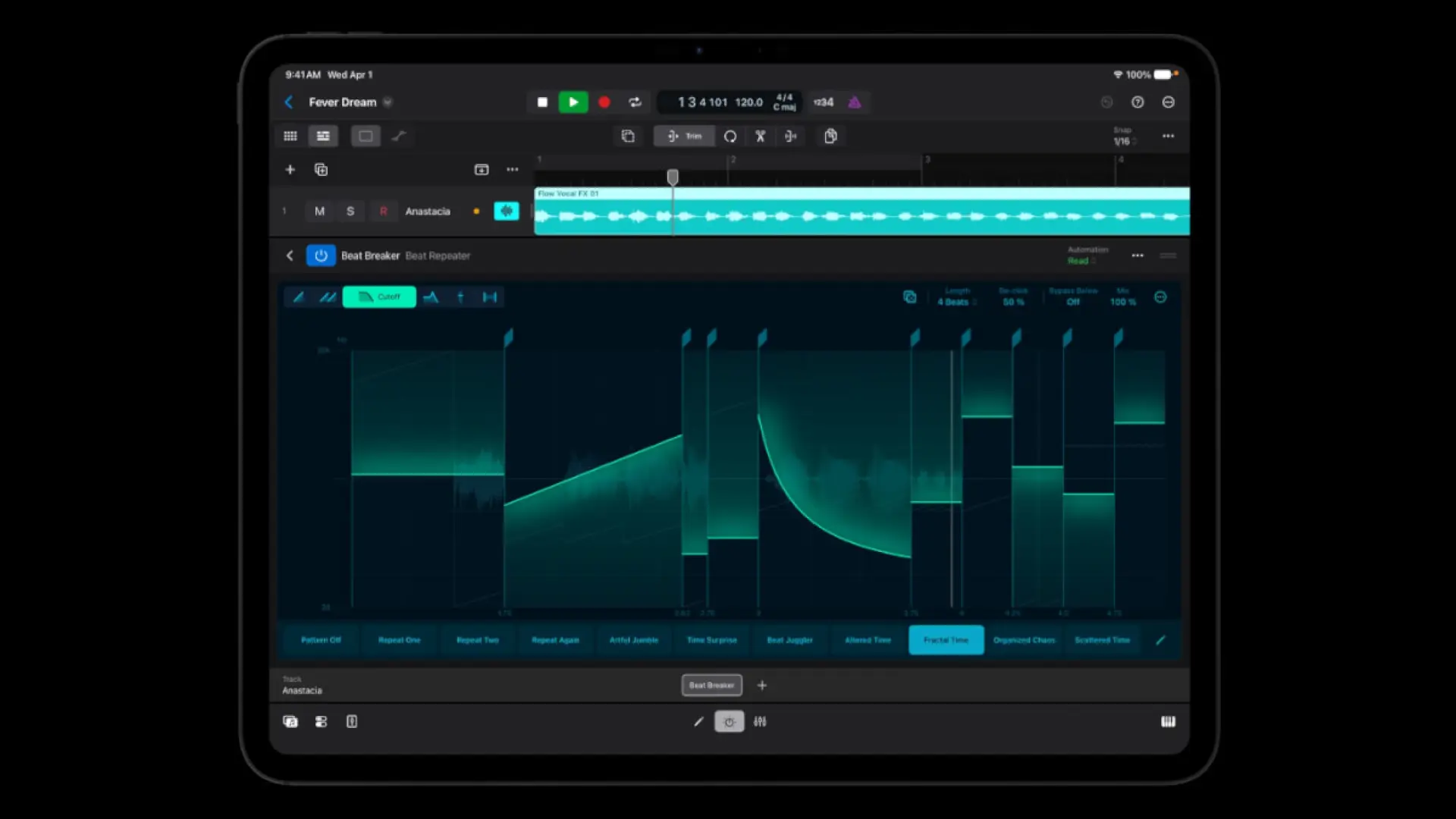
Moreover, Beat Breaker expands across Mac and iPad with new filter and pan modes and intuitive randomization controls.
These updates to Apple Creator Studio are available for existing subscribers as a free update, and for new subscribers at PHP 399 per month or PHP 3,990 per year.

Ram Ronquillo
Ram found his love and appreciation for writing in 2015 having started in the gaming and esports sphere for GG Network. He would then transition to focus more on the world of tech which has also began his journey into learning more about this world. That said though, he still has the mentality of "as long as it works" for his personal gadgets.
View all articles →Related News
 Samsung Vision AI TVs Get Up to PHP 80K Off