


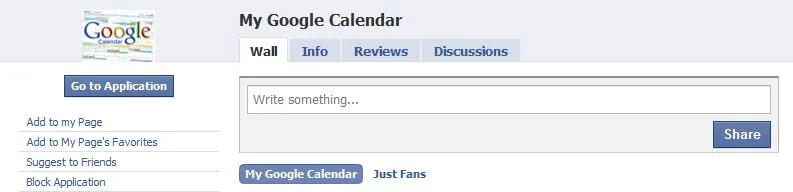
There are 2 things that I can’t live without – Google and Facebook. Other than Microsoft Outlook, I use Google applications especially Google Calendar to keep me posted on the events that I should be in for the whole year! If I wish to invite other people to grace the event I’m organizing, for instance, I can simply integrate my Google Calendar events on Facebook to create a “shoutout” for everybody to read through Facebook Events invitation.
Here’s how you can integrate Google Calendar with Facebook? There are basically 4 easy steps. See my video below for full instructions. Be sure to click HD to view the instructions in greater detail. Click the Youtube video to view annotations.
Step 1: Go to Events on Facebook.
Step 2: Click to ‘Export Events’ at the top and Copy the URL.
Step 3: Log in to Google Calendar, Select Add, and Add by URL.
Step 4: Paste the URL into the Public Calendar Address Box and Press Add.
Now, to be able to manage, view and share your Google Calendar to Facebook, I highly recommend this application: My Google Calendar

Giancarlo Viterbo
Giancarlo Viterbo is a Filipino Technology Journalist, blogger and Editor of gadgetpilipinas.net, He is also a Geek, Dad and a Husband. He knows a lot about washing the dishes, doing some errands and following instructions from his boss on his day job. Follow him on twitter: @gianviterbo and @gadgetpilipinas.
View all articles →Related Articles


 How to upgrade the SSD of Lenovo Legion Go?