
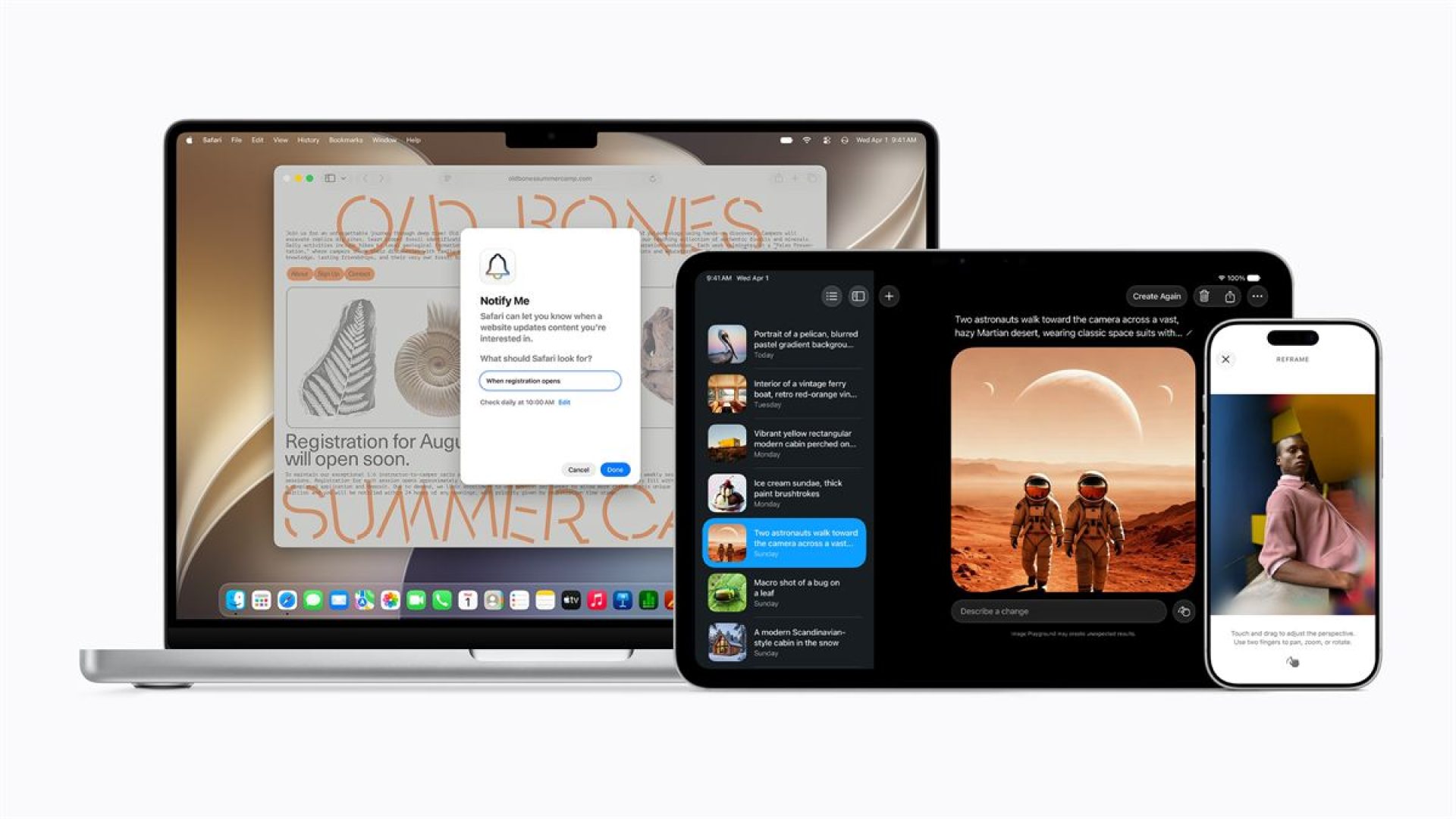
At this year’s WWDC, Apple has introduced the next generation of Apple Intelligence as a major update built into its operating systems with privacy at the center, with the new architecture offering deeper integration of its latest Apple Foundation Models across iPhone, iPad, Mac, Apple Watch, AirPods, and Apple Vision Pro, while making everyday apps and experiences more personal and useful.
Privacy-First AI Strategy
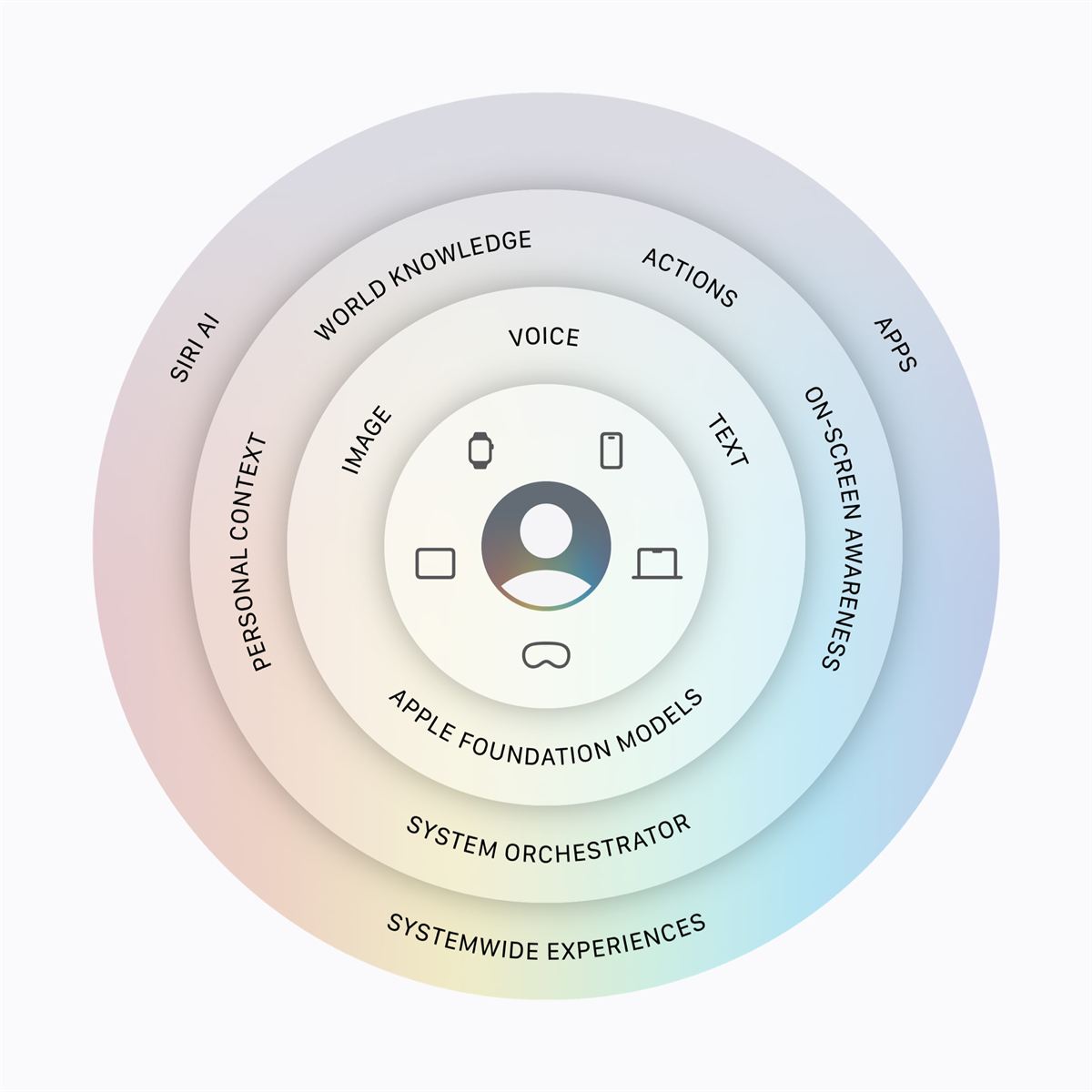
The new Apple Intelligence system is built on a privacy-first foundation that uses on-device processing and Private Cloud Compute. This setup is designed to protect personal data while still delivering advanced AI capabilities.
Craig Federighi, Apple’s senior vice president of Software Engineering, said the company’s goal is to make AI helpful, intuitive, and grounded in personal context. He framed the update as a major step in bringing powerful AI into the core of Apple’s platforms while keeping the experience centered on user needs.
Siri Gets a Major Update
Siri AI is a new version of Siri that is more personal, capable, and conversational. The assistant will have a dedicated app and will include writing tools and Visual Intelligence across platforms. Siri AI can search across messages, emails, photos, and more, answer questions about a wide range of topics, and take action in apps. These features are currently set for developer testing, with wider availability coming later this year.
Photos, Safari, and Passwords
Apple is expanding Apple Intelligence in Photos through stronger editing tools that preserve the original moment of the image. Spatial Reframing lets users improve composition after a photo is taken by touching and dragging the image to preview a new perspective in real time.
The Photos app also gains an Extend tool for widening images and a more capable Clean Up tool for removing distractions with better infill. Images edited with Apple Intelligence will include a hidden SynthID watermark.
The Clean Up tool also gets a major upgrade, allowing users to remove distractions with better quality and more realistic infill, even with complex scenes.
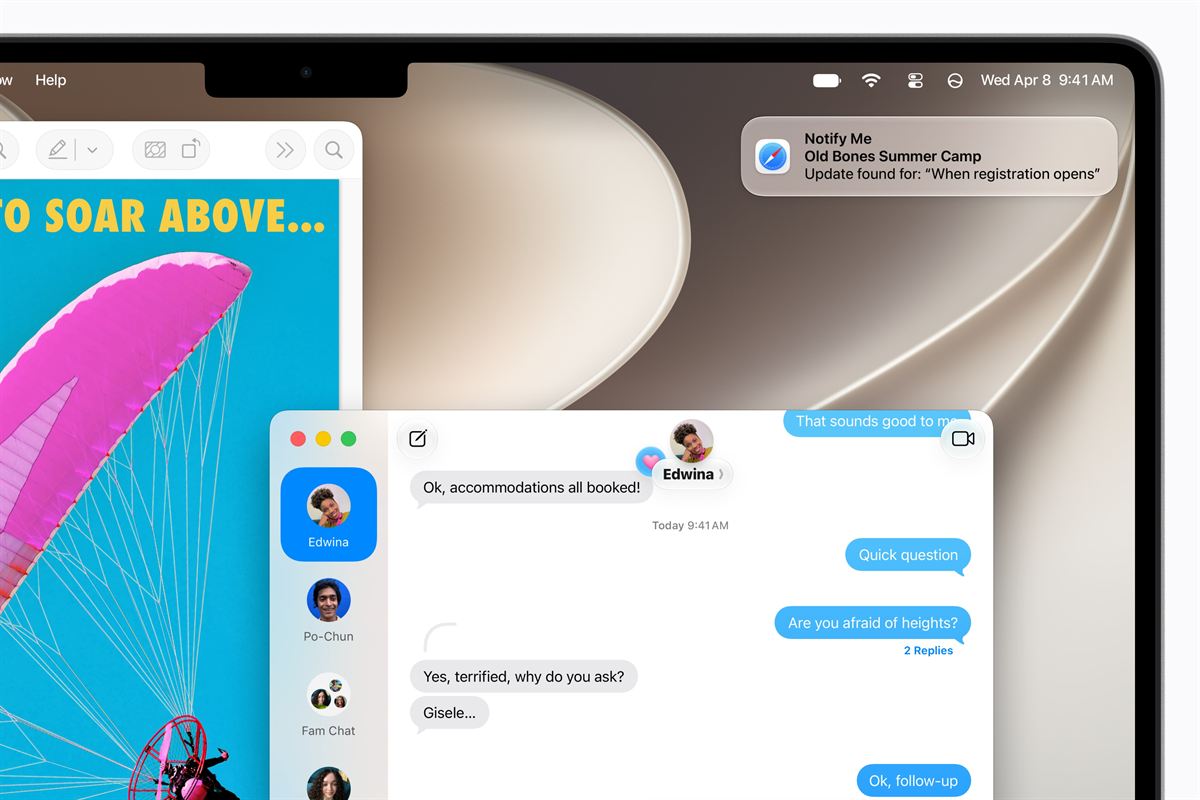
Safari is also getting smarter. Tabs can now be automatically grouped into topics, which could simplify larger browsing sessions. Notify Me can monitor web pages for changes such as product restocks or price drops, then send a notification when something changes.
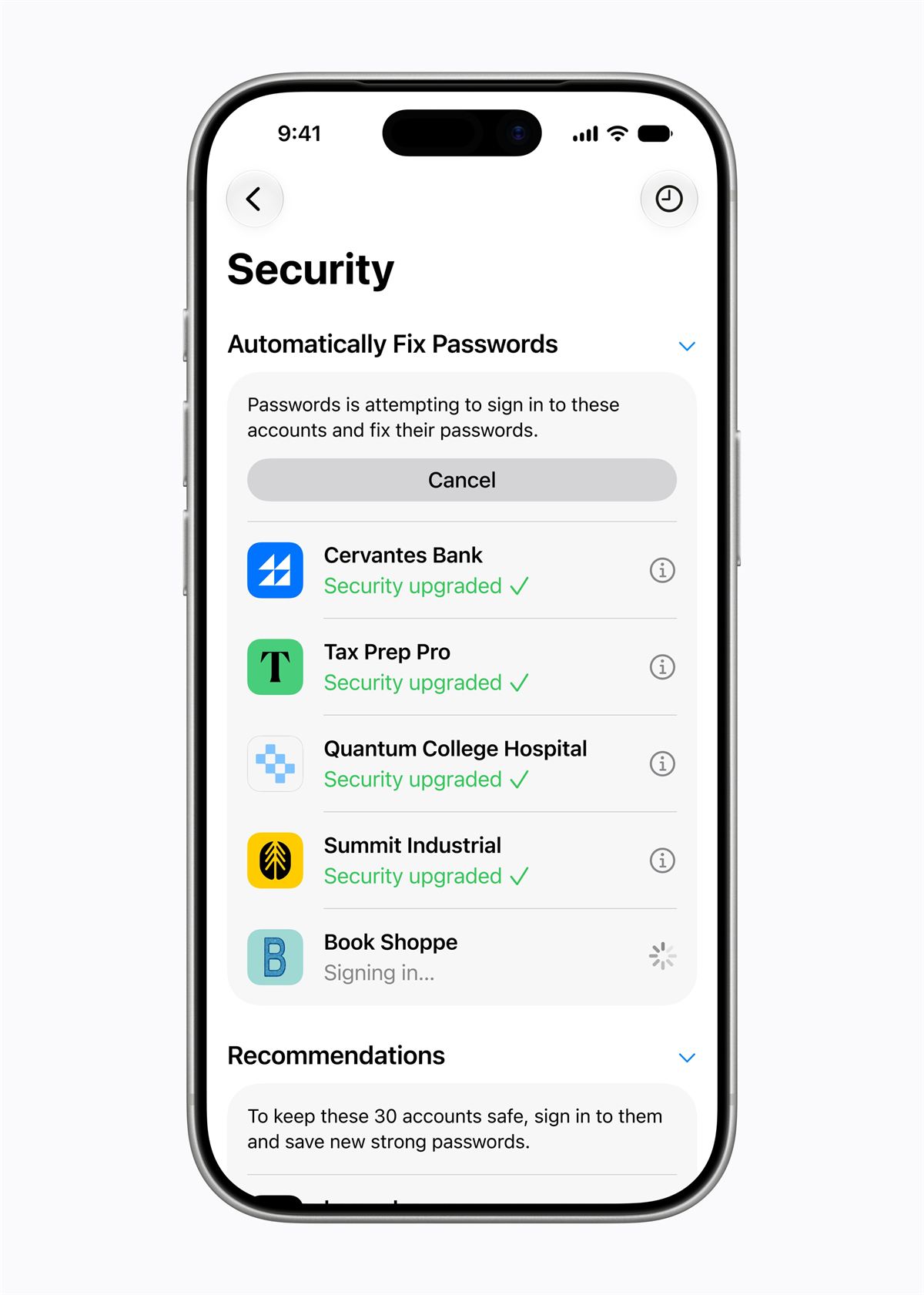
Passwords can now automatically fix weak or compromised passwords with a tap by securely navigating websites and upgrading accounts to strong passwords.
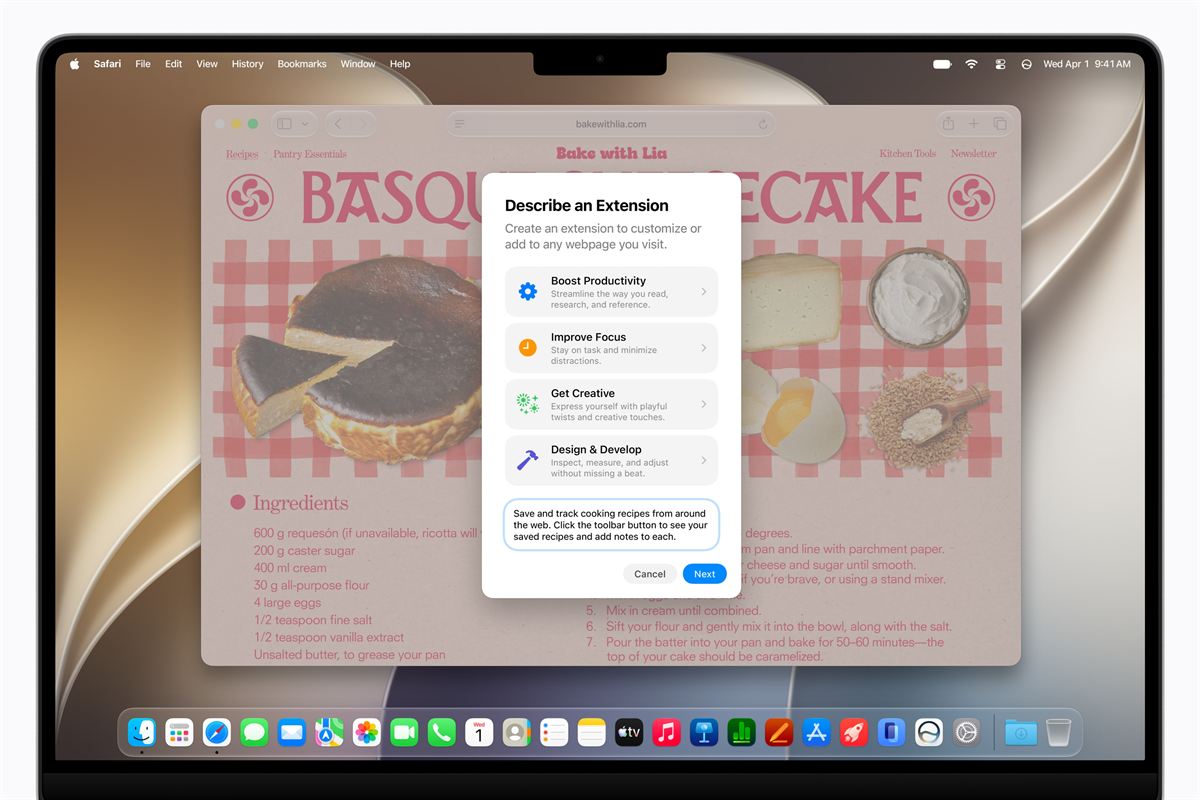
Describe an Extension lets users create custom Safari extensions simply by describing what they want. Safari will then generate the custom extension right in the toolbar.
New Creative and Productivity Tools
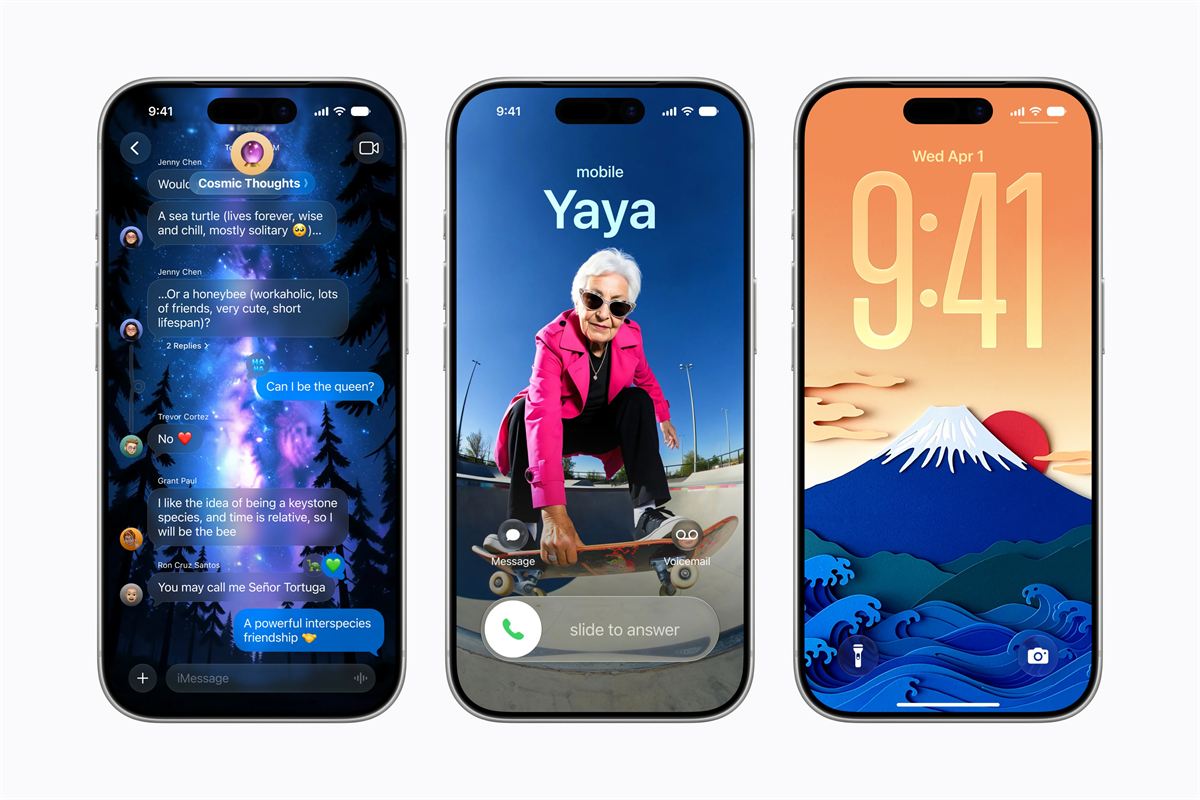
Apple introduced a redesigned Image Playground that can generate high-quality images in many styles, including photorealistic images, using a model that runs on Private Cloud Compute. The tool can also be used to create Lock Screen wallpapers and Contact Posters, and users can choose aspect ratios for different needs. Generated images will also carry a hidden SynthID watermark identifying them as AI-generated.

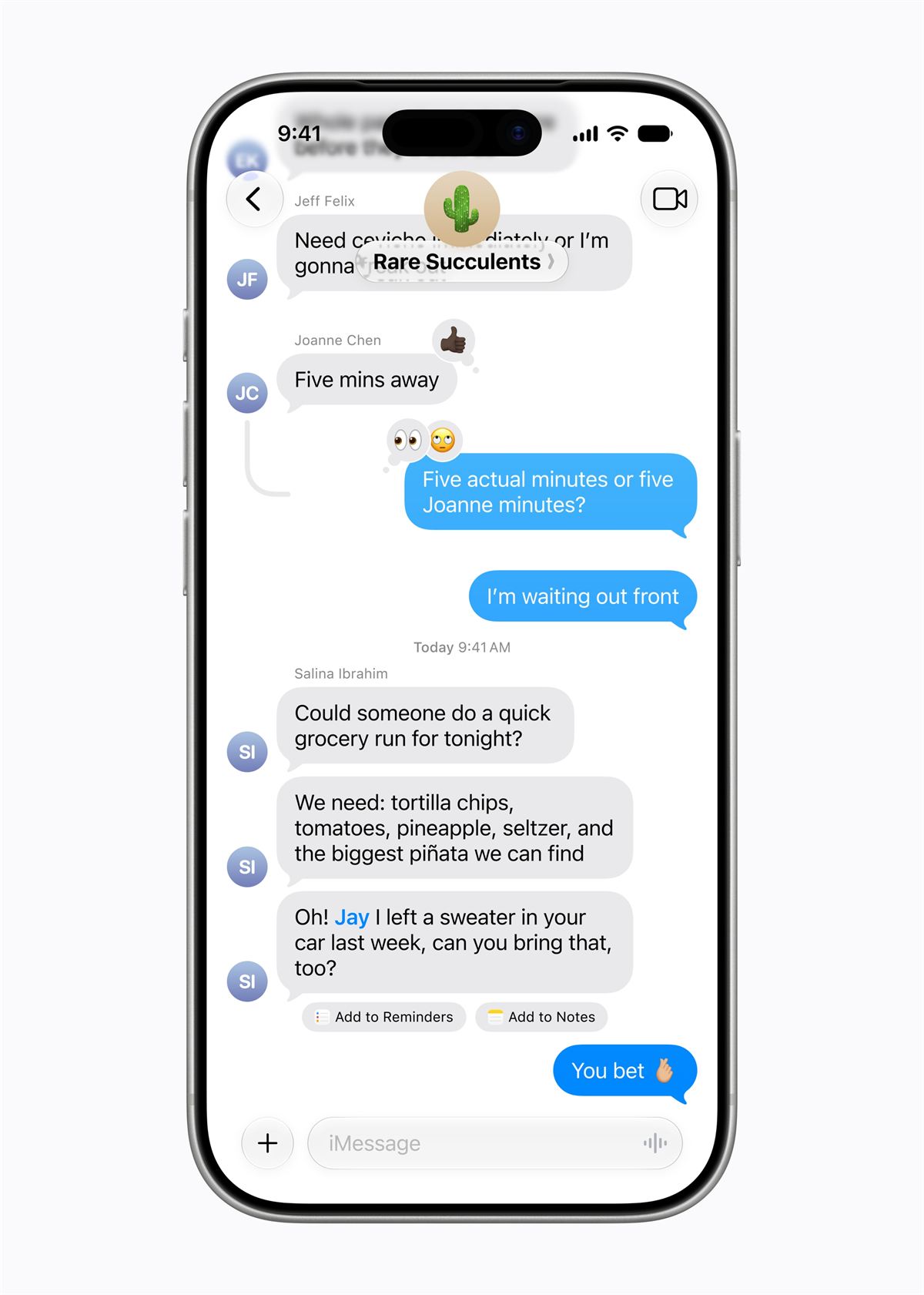
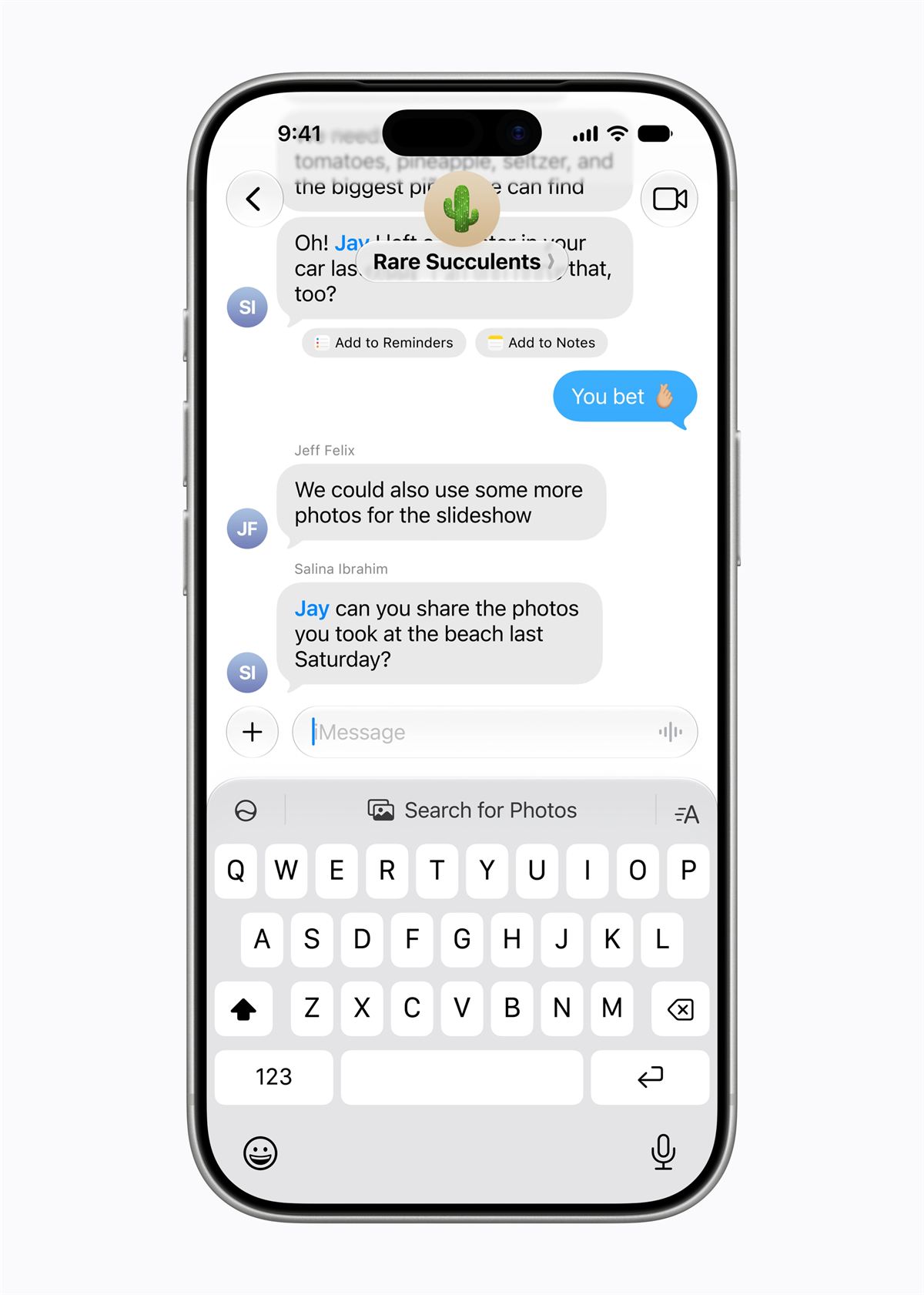
Apple Intelligence is coming to communication and scheduling. Messages can offer one-tap suggestions based on conversation context, including help creating reminders or finding photos. Mail gets stronger suggestions and support for third-party app actions, while Smart Reply in Mail and Messages can adapt to a user’s writing style. Calendar can now add or modify events from a description, identifying contacts and locations as users type.
Describe a Shortcut leverages the power of Apple Intelligence to create shortcuts that are based on a user’s description, creating the steps on their behalf. For any changes, the user simply describes the change, and Shortcuts makes the adjustments.
Home, Accessibility, and More
Home app updates will use Apple Intelligence to combine related notifications into a single activity view. The Home app can also generate video descriptions for HomeKit Secure Video clips and help users search camera footage more easily. Accessibility features are also expanding, with richer VoiceOver descriptions, better Live Recognition, a more intuitive Voice Control experience, and a more powerful Accessibility Reader that can summarize and translate more complex source material.
Other updates include automatic proofreading, smarter file and folder naming suggestions, and expanded Workout Buddy availability in Spanish.
These features are already available for testing through the Apple Developer Program and a public beta will be available next month. Users of compatible devices set to a supported language will have access this fall via iOS 27, iPadOS 27, macOS 27, watchOS 27, and visionOS 27. For more information, click here.
Frequently Asked Questions (FAQ)
Q: What is the biggest change in Apple Intelligence?
A: The biggest change is a new architecture that integrates Apple’s latest Foundation Models more deeply into its operating systems while emphasizing privacy.
Q: When will the new features be available?
A: Developer testing starts immediately, and the features will be available to users this fall.
Q: What is Siri AI?
A: Siri AI is Apple’s new version of Siri, designed to be more personal, conversational, and capable, with a dedicated app and tools for writing and Visual Intelligence.
Q: What new photo tools were announced?
A: Spatial Reframing, Extend, and an upgraded Clean Up tool, along with hidden SynthID watermarking for edited images.
Q: Which apps and features are getting Apple Intelligence support?
A: The update spans Photos, Safari, Passwords, Image Playground, Messages, Mail, Calendar, Home, accessibility tools, Shortcuts, and more across its platforms.

Emman has been writing technical and feature articles since 2010. Prior to this, he became one of the instructors at Asia Pacific College in 2008, and eventually landed a job as Business Analyst and Technical Writer at Integrated Open Source Solutions for almost 3 years.