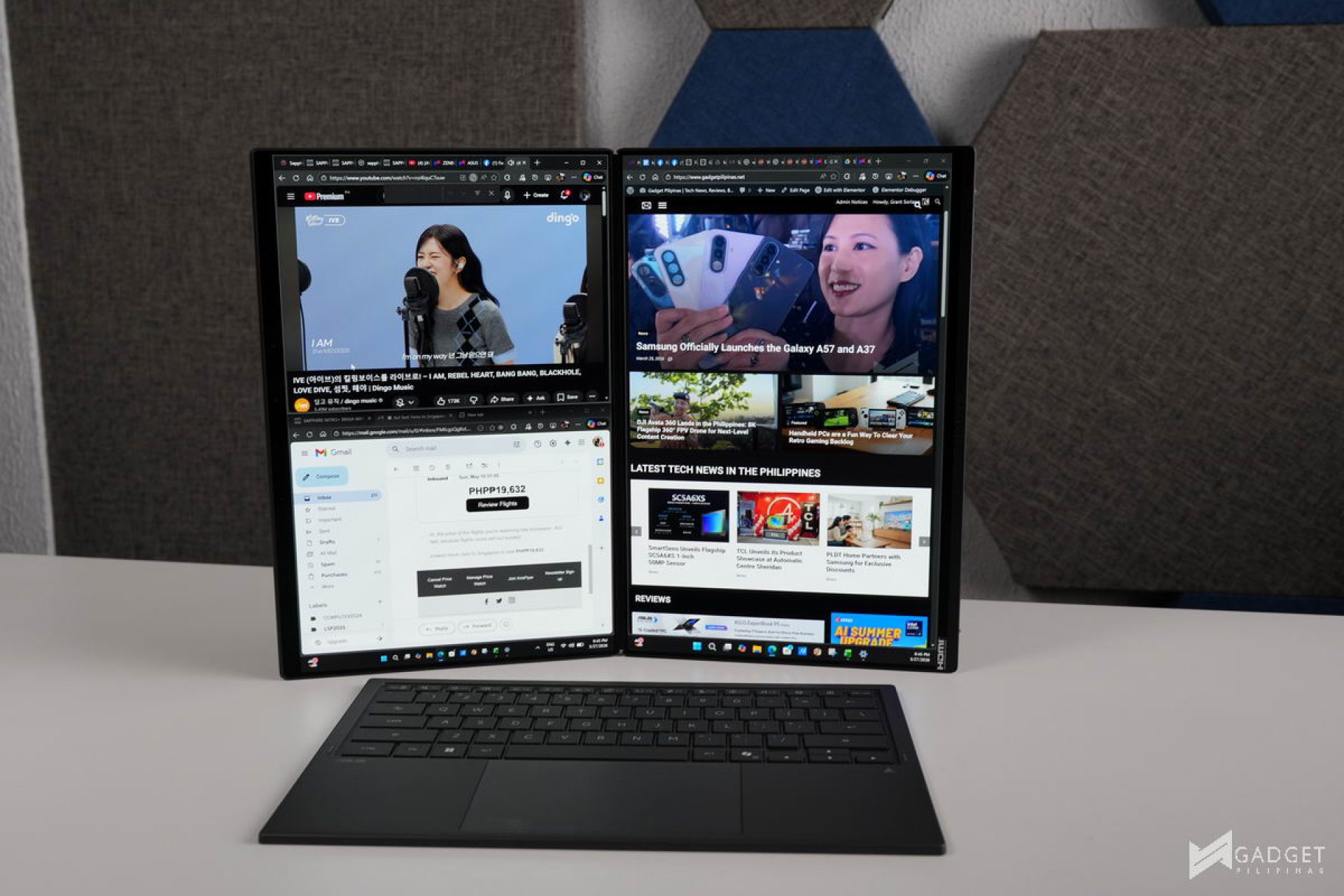
Productivity has always been a challenge for those who are on the go compared to a desktop setup. Not only are you limited by the compute performance and battery life. You’re also limited to working in such a small real estate, with most laptops sporting a 16:10 display at best – Still lacking, especially for those who are used to a multi-monitor setup at home. Enter the ASUS Zenbook DUO 2026, the laptop that solves the aforementioned limits with its dual-OLED setup powered by the latest Intel Core Ultra 9 Series 3 processor and a new Moher Gray Ceraluminum chassis.
ASUS Zenbook DUO 2026
The ASUS Zenbook DUO is now on its third iteration as a dual-screen laptop, but it has a much deeper lore as ASUS also had Zenbooks that had the Screenpad Plus and Screenpad, which served as the foundation for the Zenbook DUO’s functionality that transcends productivity.
What makes the Zenbook DUO 2026 a laptop that sets the standard for multitasking and productivity is that it manages to solve the drawbacks of previous dual-laptop iterations while offering enough performance to take advantage of a portable dual-screen setup. The combination of hardware and software improvements makes it an appealing choice for those looking to boost their productivity far beyond what a traditional ultrabook might offer.
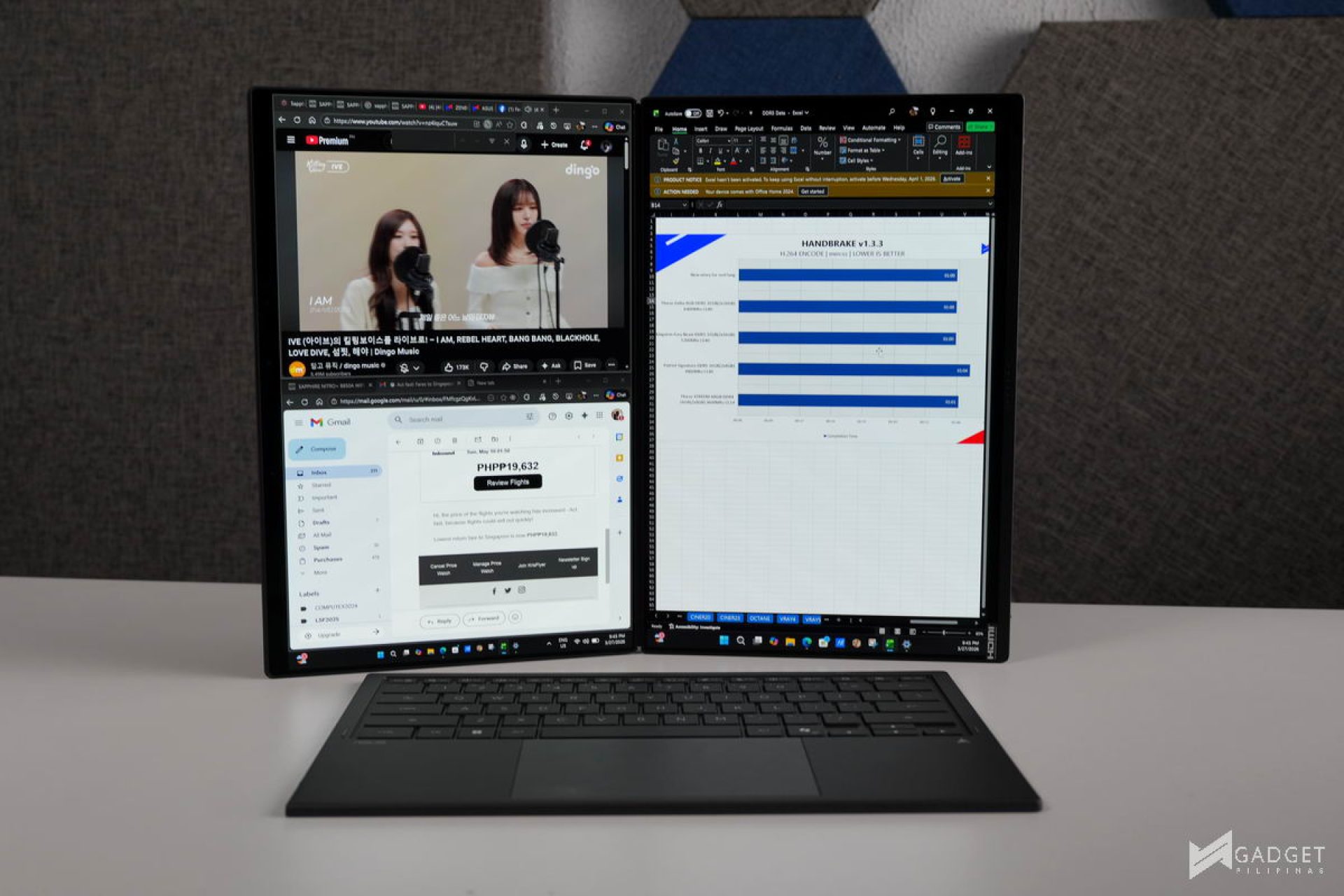
My work typically involves working with various tabs, and the added screen real estate lessens the time spent alt-tabbing and, more importantly, the risk of being distracted while searching for the right tab. This alone allows me to write more articles and be more efficient.
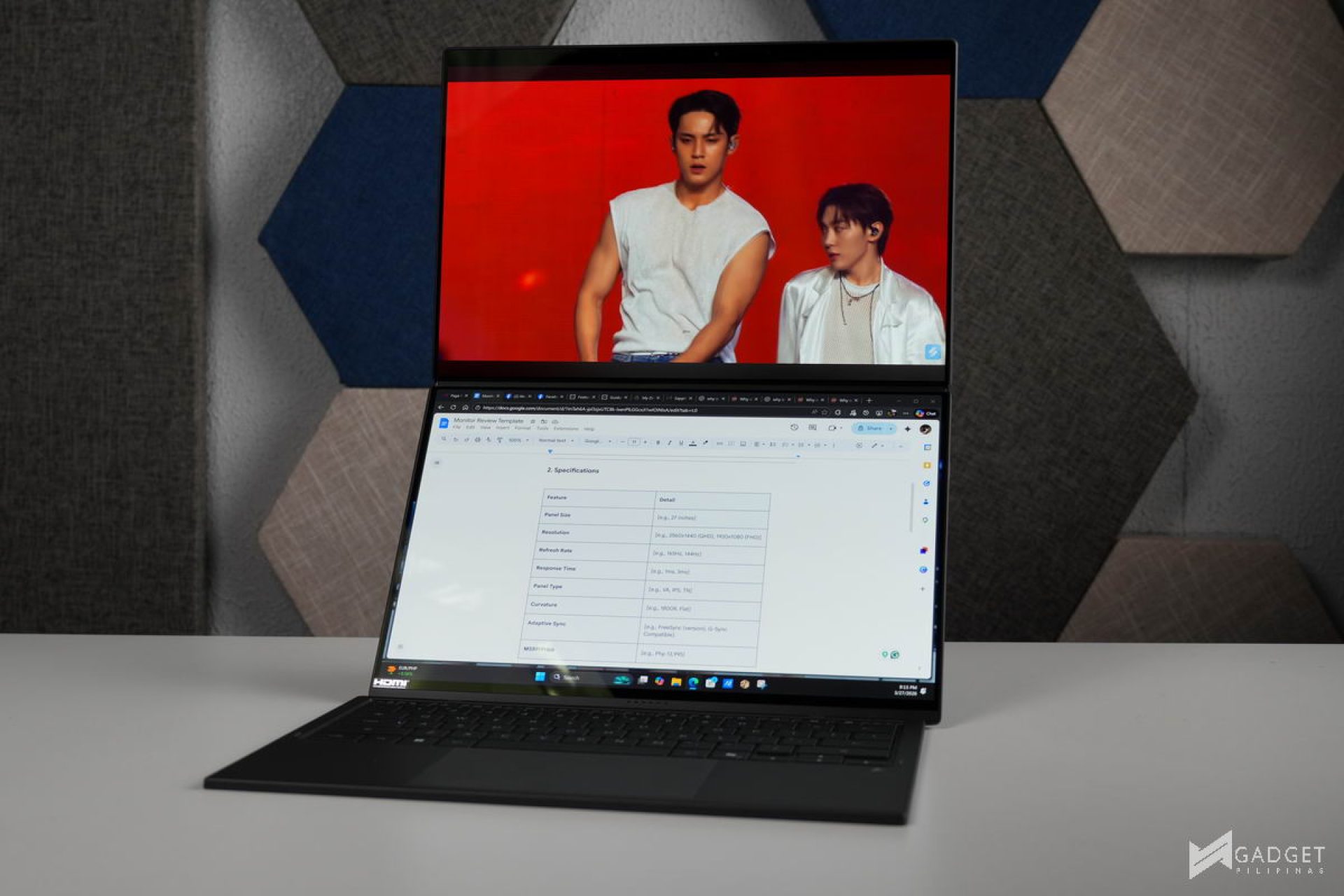
Apart from writing, consuming content is also part of the job, with the dual-screen setup allowing me to watch any content in full screen while also having the ability to take notes or answer quick chats or emails without sacrificing any screen real estate. Moreover, the desktop mode for a larger screen and vertical orientation allows for a more unique aspect ratio for coding-related apps or forums and email-thread style
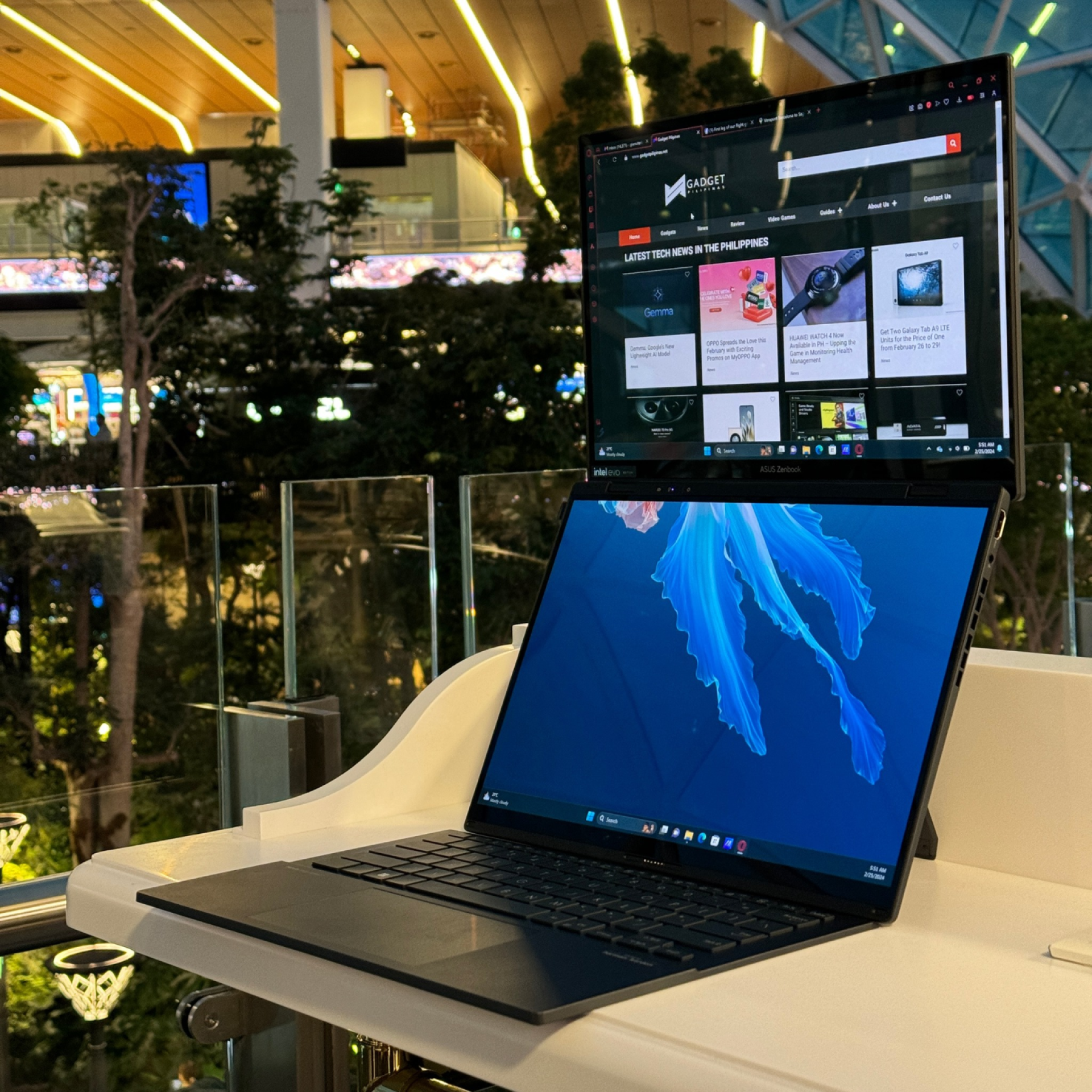
The seamless panel leaves you fully immersed in your craft, and the adjustable angle allows you to not only combat glare, especially when outdoors, but also helps you ergonomically by having the ability to set optimal viewing angles.

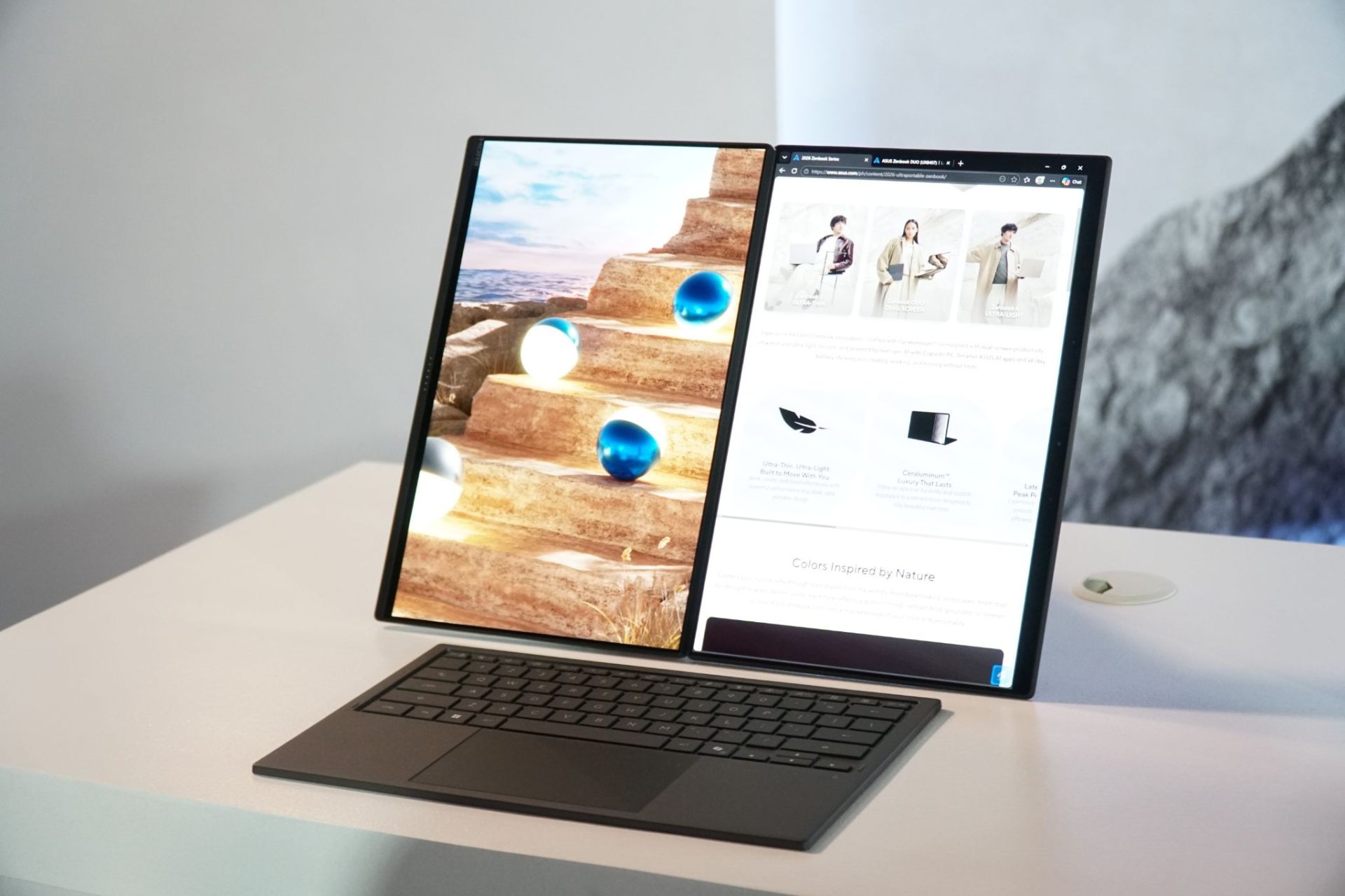
ASUS already makes the best OLED displays in the market, and what can beat it? Two ASUS Lumina Pro OLED displays. Not only do you have a smaller bezel, but its articulation has been improved, so you can position the ASUS Zenbook DUO 2026 to almost any configuration for optimal ergonomic comfort, regardless if you’re using one or two screens.
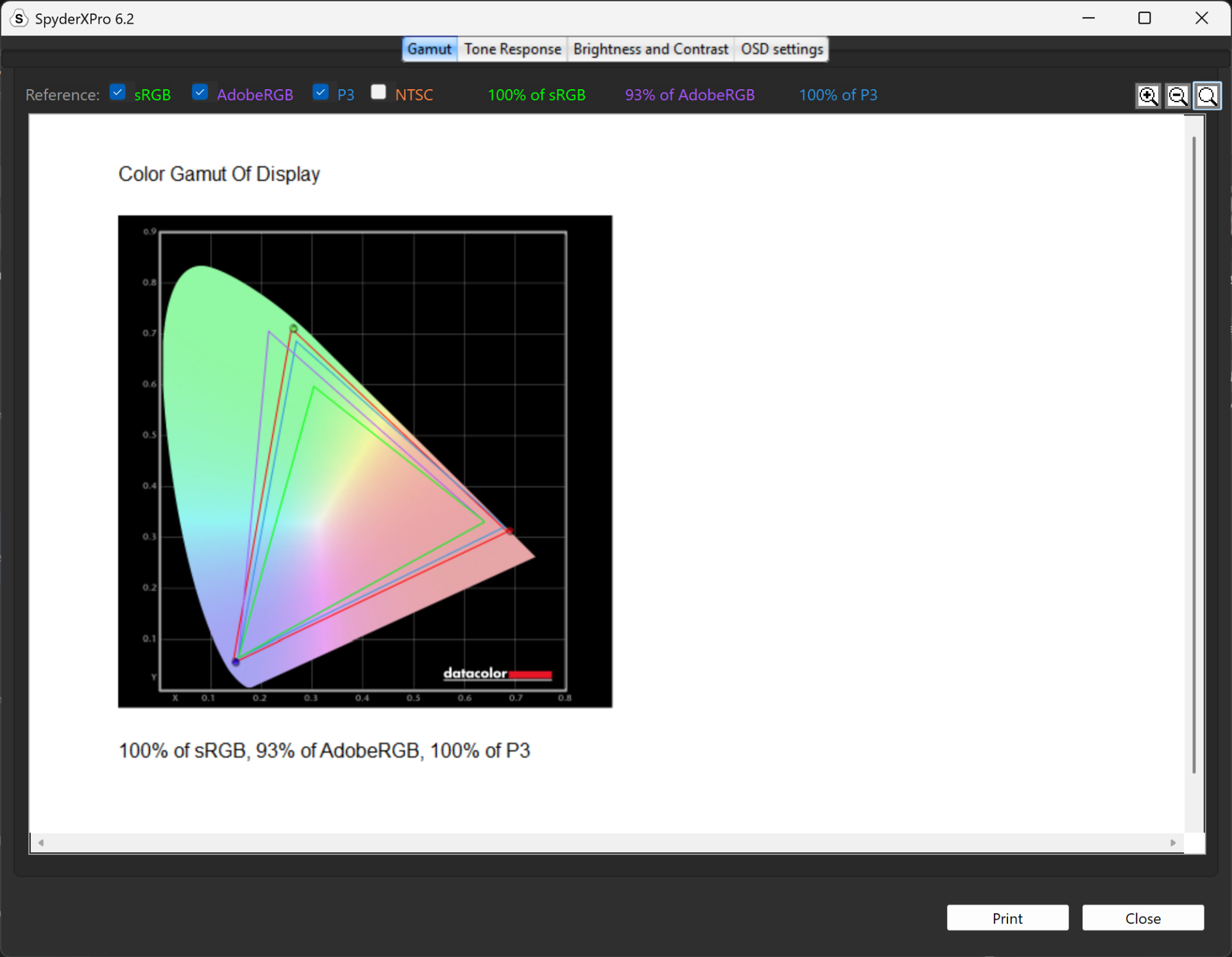
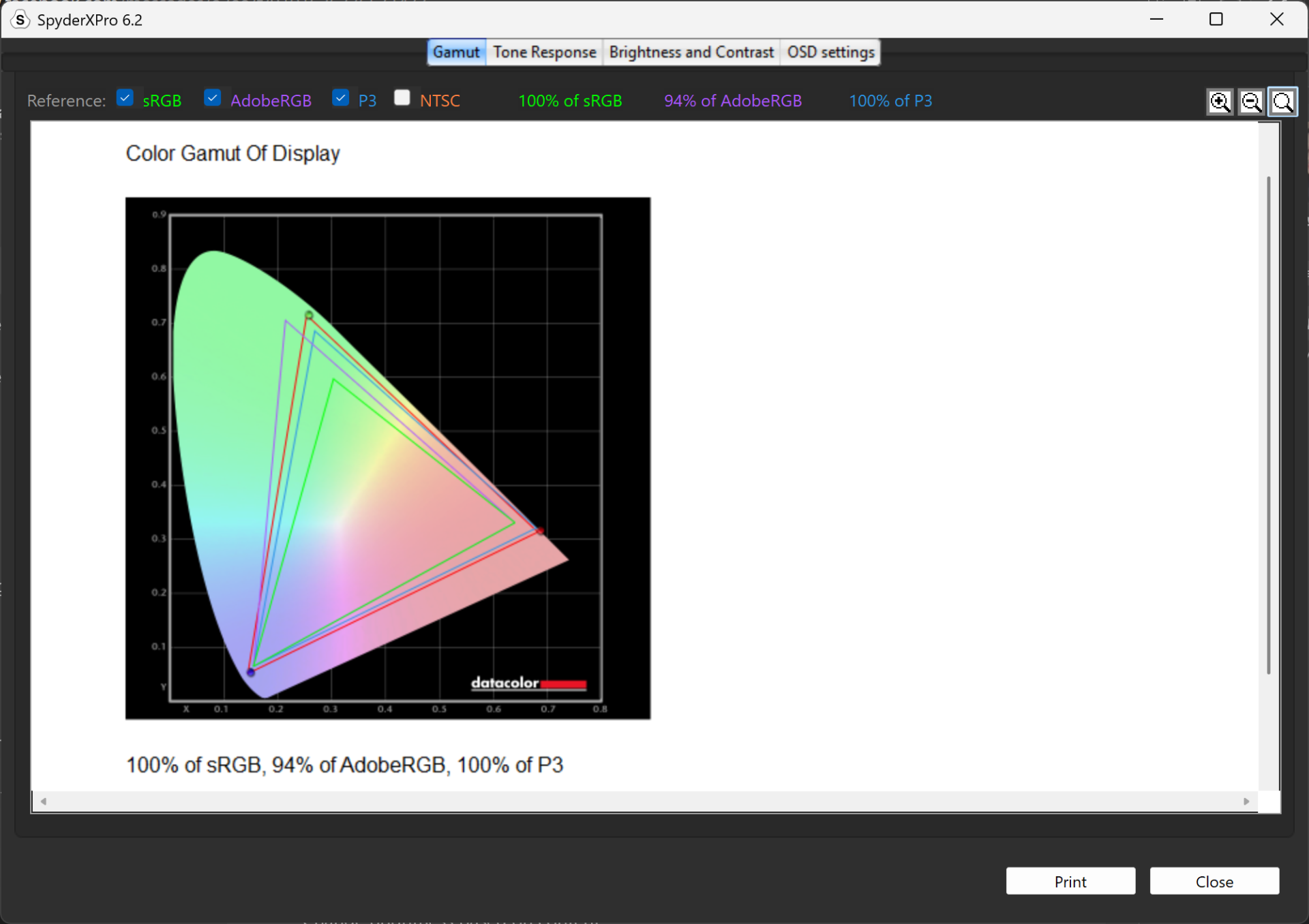
The ASUS Lumina Pro OLED displays on the ASUS Zenbook DUO 2026 has a whopping 100% sRGB, 93% Adobe RGB, and 100% DCI-P3 color gamut, meaning that it easily passes the standard requirement for creative professionals in Photo and Video editing. If you’re not in the creative space, you’ll still get to enjoy crisp visuals, whether it’s for binge-watching videos, tv series, or movies
Its 1000 nits of peak brightness ensures you can work anywhere, even in bright environments or outdoor without having to worry about glare
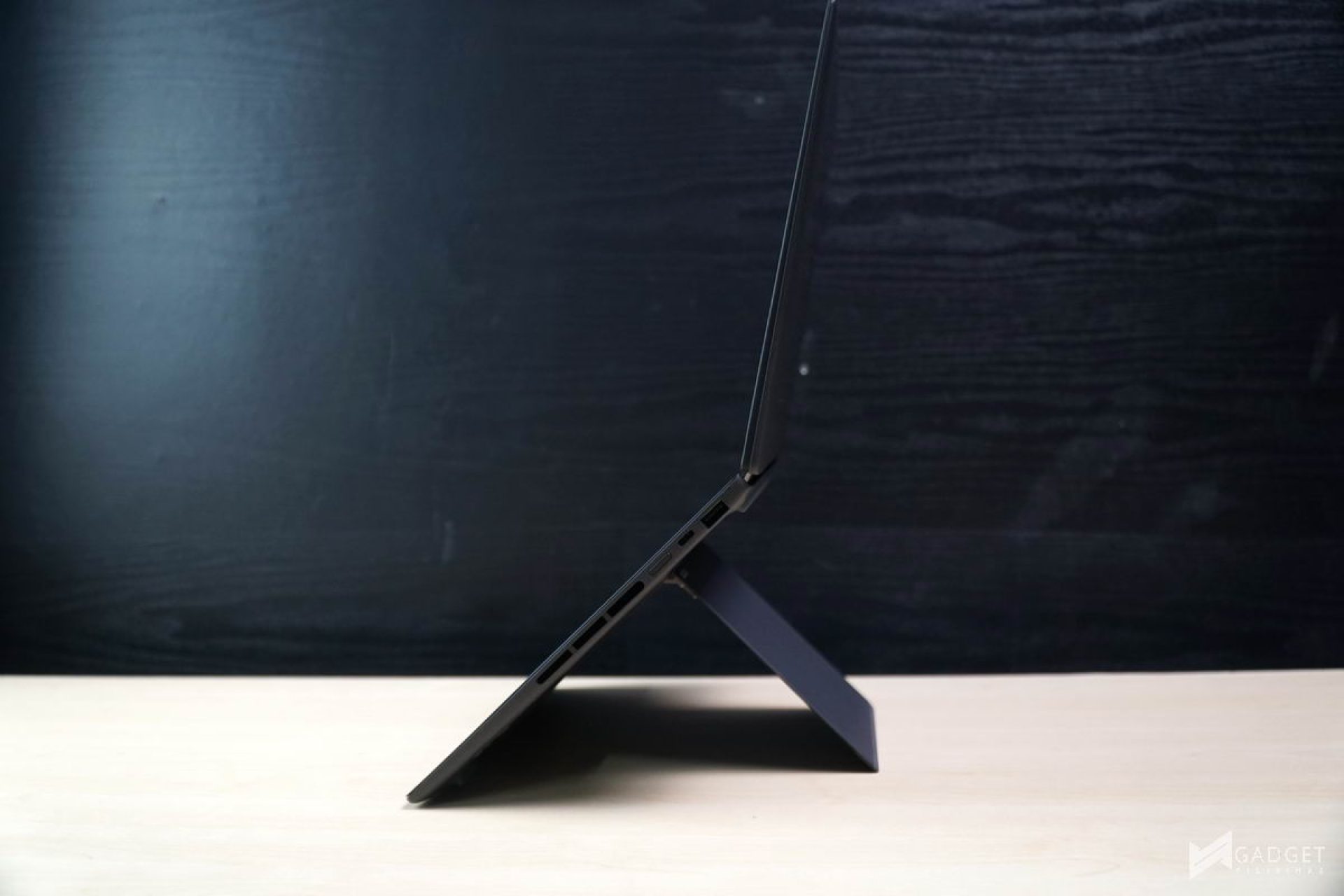
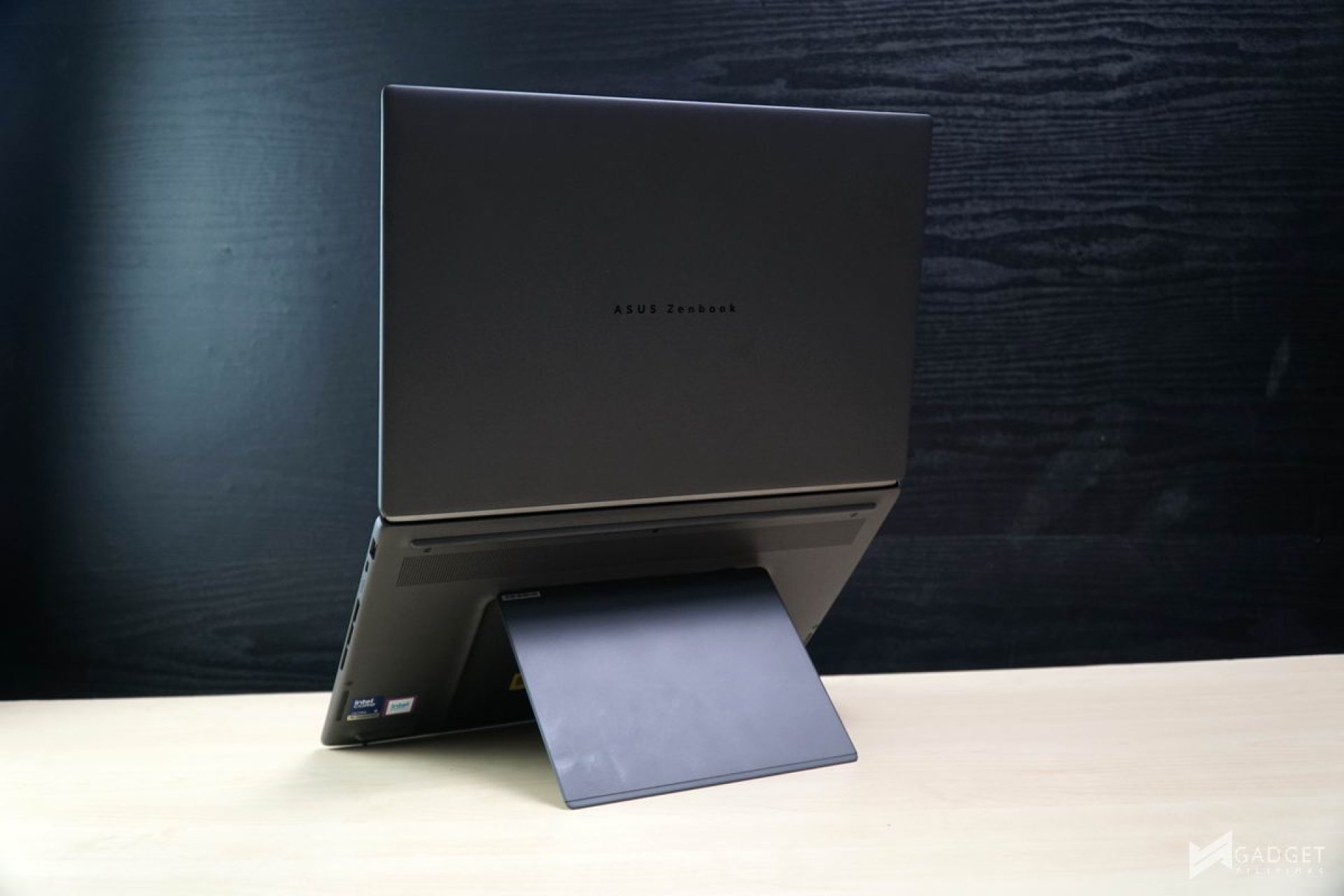
One of the main concerns of this type of dual-screen laptop is its durability. The ASUS-Exclusive Ceraluminum material not only provides a unique premium aesthetic but also helps in durability and portability to partially offset the added weight of having a second screen. It’s only slightly thicker than a 14-inch ultrabook, but it’s also thinner than a typical 15-inch gaming laptop.
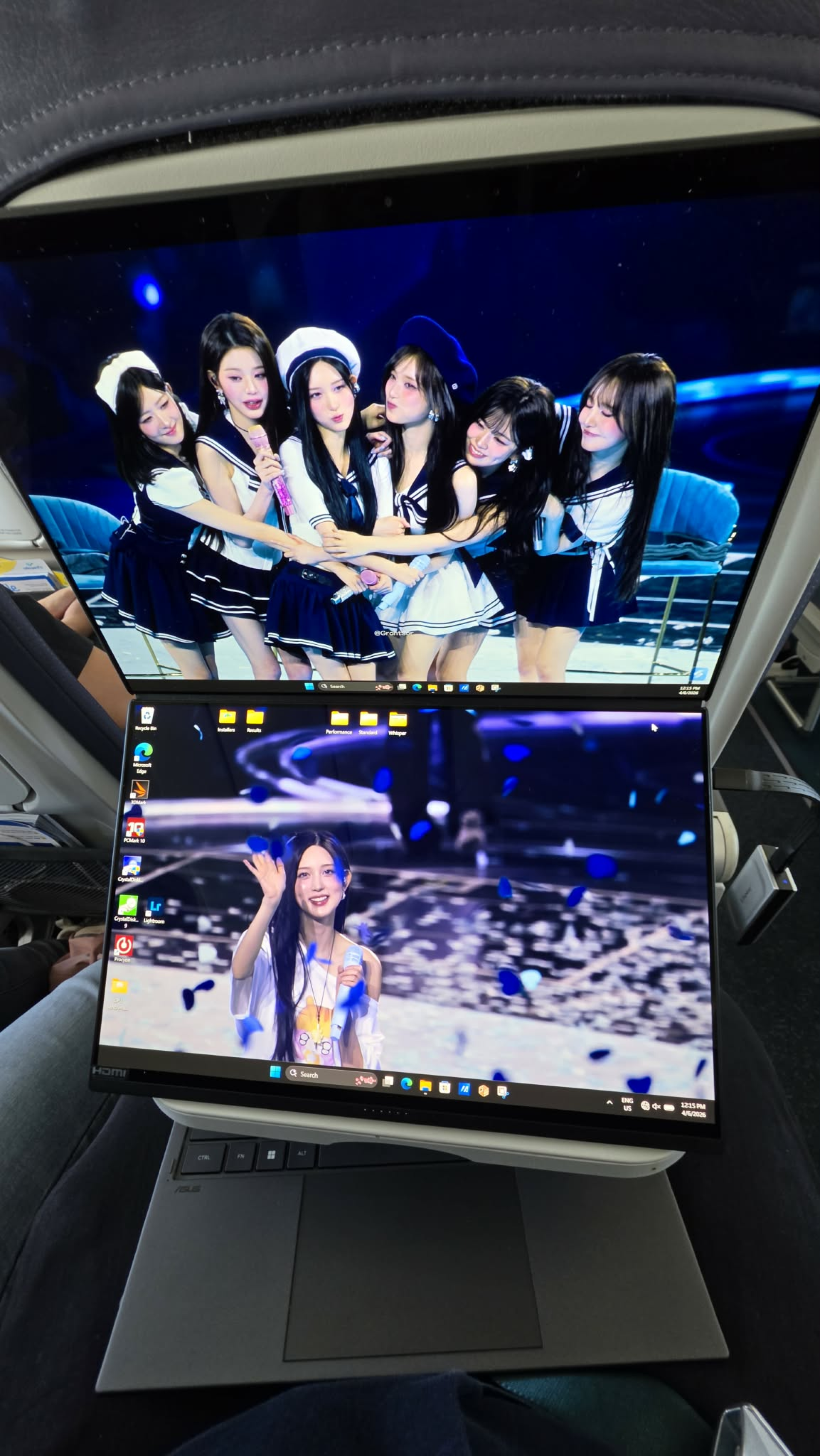
The built-in kickstand lets you position the ASUS Zenbook DUO 2026 to an optimal height and even in tight and small spaces, especially when you use the keyboard detached. The picture above is from a domestic flight where I was able to use the two screens comfortably and view them from an optimal angle, all while using the keyboard on my lap.
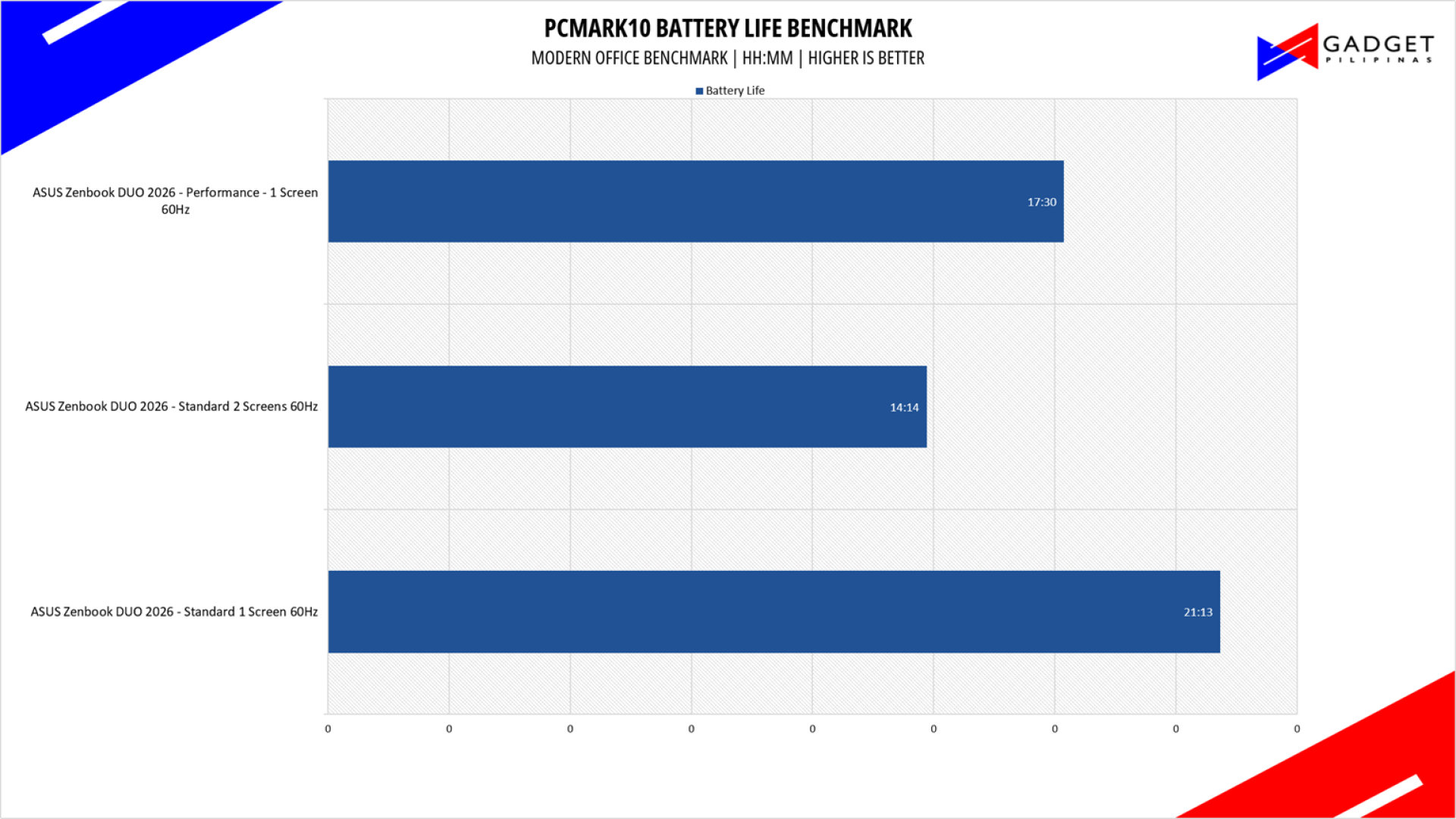
What makes the ASUS Zenbook DUO 2026 unparalleled in productivity is its superb battery life. We got a whopping 21 hours of battery life on an OLED screen. For context, ordinary laptops with an OLED display and a modern CPU typically have about 12 hours of battery life. While the 12 hours is already long and will last you a work week, 21 hours is a new impressive feat as it’s as if you’re using an IPS display with its battery life. To top it off, using 2 screens on the Standard profile netted us 14 hours and 14 minutes of battery life – still way longer than a typical OLED laptop. This is thanks to both the efficiency of the latest Intel Core Series CPUs and ASUS cramming in a 99wHr battery on the Zenbook DUO 2026.
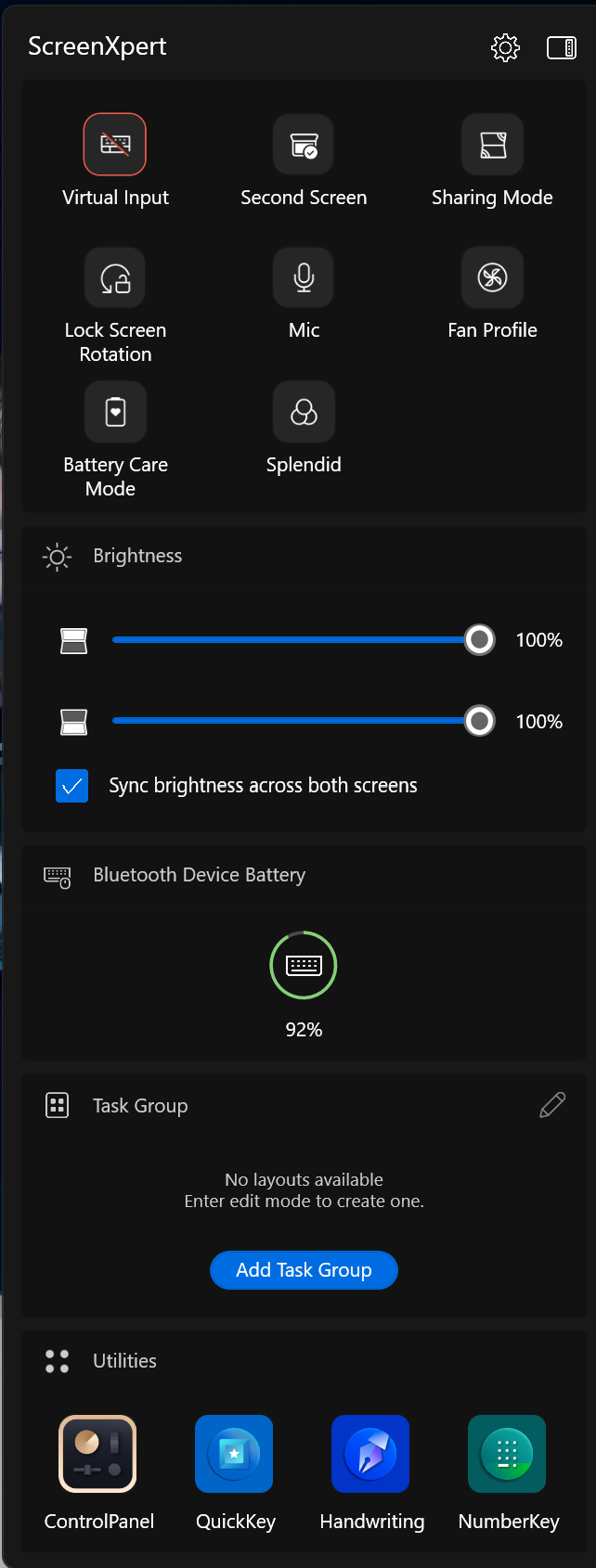
Your ASUS Zenbook DUO 2026 experience is elevated by software that makes it seamless to move between screens, change modes, and orientations, thanks to the ASUS ScreenXpert app. Normally, you wouldn’t need this application on normal laptops, as Windows’ built-in snapping and tile management are enough for most users, but ScreenXpert takes advantage of knowing the specific orientation of the Zenbook DUO 2026 and puts you in full control of your workflow. You can easily send windows and apps to another screen and resize them without dragging to that specific screen, thanks to the smart tile popup.
You can set up the Zenbook DUO 2026 to have the virtual ControlPanel, a feature that’s only usually seen on ASUS ProArt laptops, or simply use half of your secondary screen as a keyboard with the other half for a tiny chat or Spotify window – a nice throwback and homage to the Zenbook Duo days.
The ASUS Zenbook DUO 2026’s versatile modes ensure maximum productivity, as the laptop can adapt to any mode to suit the level of workload or environment you’re in, from the classic laptop mode, which lets you use the Zenbook DUO 2026 in “stealth” in stress-free days, to a dual-screen mode while using the keyboard for immense multitasking. Using the second screen as a virtual keyboard by tapping with 6 fingers guarantees you’ll be able to continue your work in case you forgot the keyboard, or when you need to quickly switch from keyboard to extra screen. Sharing mode brings meetings to a new level as the ability to lay it flat, with both sides of the table being able to see the content – viewing angles aren’t a problem thanks to the ASUS Lumina Pro OLED screens.
Unrivalled in Multitasking and Productivity
Overall, the ASUS Zenbook DUO 2026 further cements its position as a laptop for multitasking and productivity, making it much less of a gimmick and more of a need for a growing number of people. It has the performance that doesn’t leave you hanging with the Intel Core Ultra 9 386H, which is able to drive both displays and can run some productivity applications like Lightroom, Photoshop, and the occasional video editing with lighter applications like Capcut. The use of ASUS’ signature Ceraluminum material makes the Zenbook DUO 2026 look and feel more premium, all while reducing its weight. ASUS then used the opportunity to cram in a 99wHr battery on the Zenbook DUO 2026, which in turn makes you pack lighter as you don’t need to bring a charger for a day’s work.
The ASUS Zenbook DUO 2026 is available at ASUS Authorized Retailers and comes with the ASUS Quality and Service Package, featuring a 2-year international warranty and a 1-year accidental damage protection. Each purchase of the ASUS Zenbook DUO 2026 also comes with an ASUS Pen 3.0, ASUS Exclusive Sleeve, a lifetime Office 2024 Home license, and a 1-year Microsoft 365 Basic subscription with free 1-year Cloud Storage.

Grant is a Financial Management graduate from UST. His passion for gadgets and tech crossed him over in the industry where he could apply his knowledge as an enthusiast and in-depth analytic skills as a Finance Major. His passion allows him to earn at the same time help Gadget Pilipinas' readers in making smart, value-based decisions and purchases with his reviews and guides.