



DJI Mic Mini 2 is now official
DJI has been steadily building out its Mic series ecosystem, and the Mic Mini 2 is the latest addition to that lineup. Positioned as the entry-level option for vloggers, solo creators, and smartphone-first videographers, the Mic Mini 2 does not reinvent the wheel but it does roll it in more directions than before.
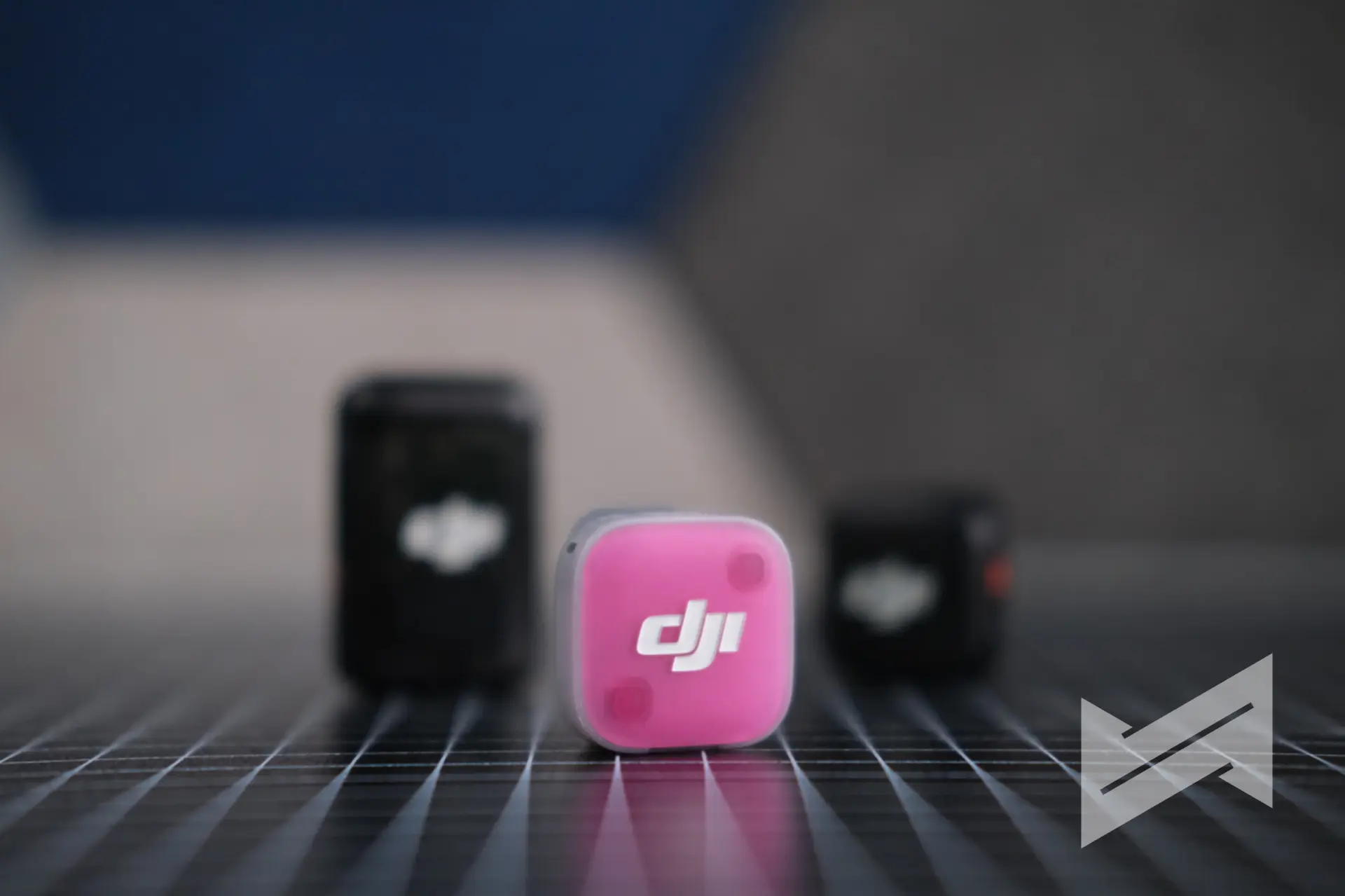
The original Mic Mini already had a solid reputation for being lightweight and reliable. With the Mic Mini 2, DJI focuses on adding smarter features, more flexible connectivity, and perhaps most noticeably, a bold new level of physical customization. This is a microphone that wants to be seen as much as heard.
Build
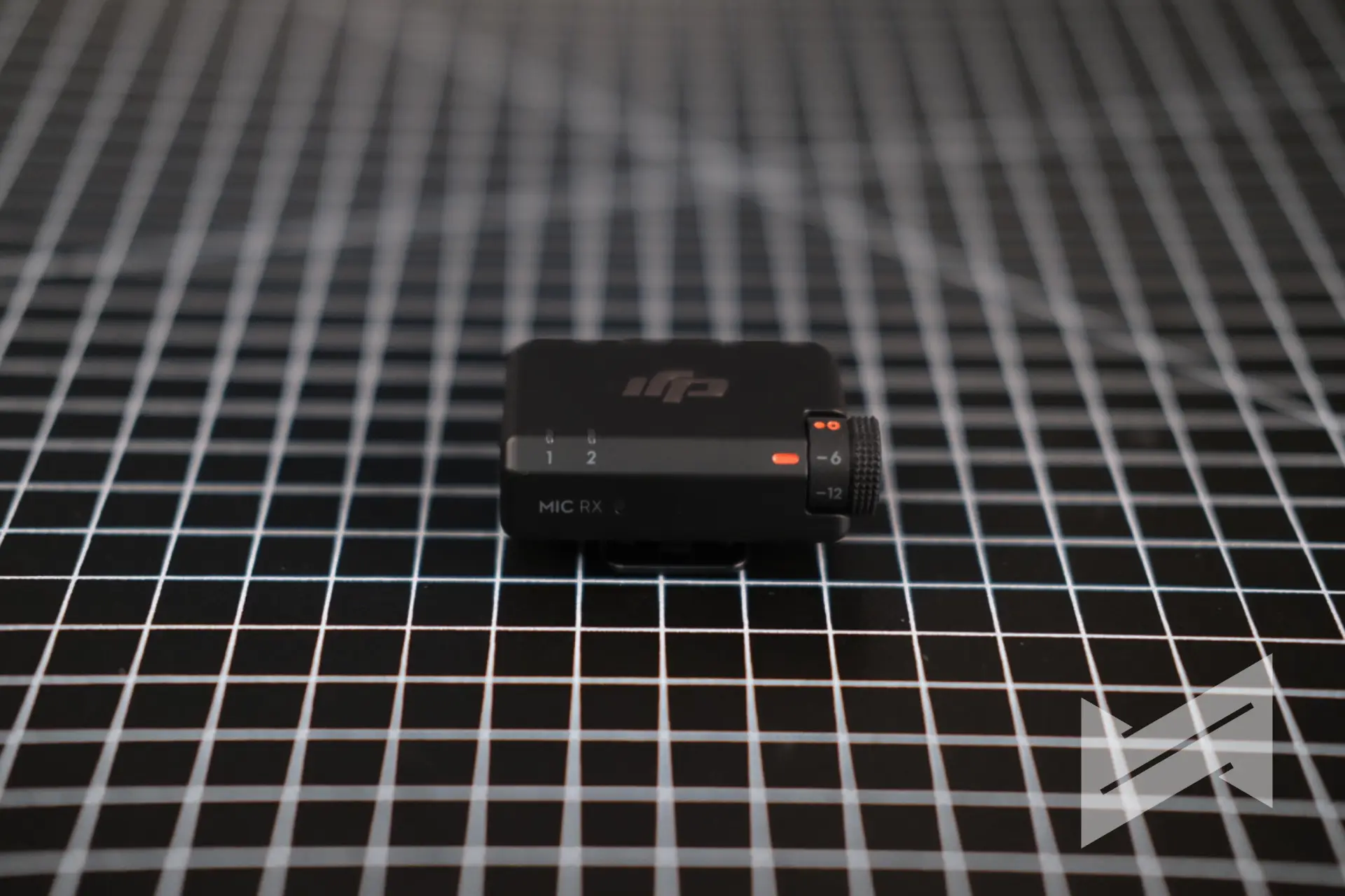
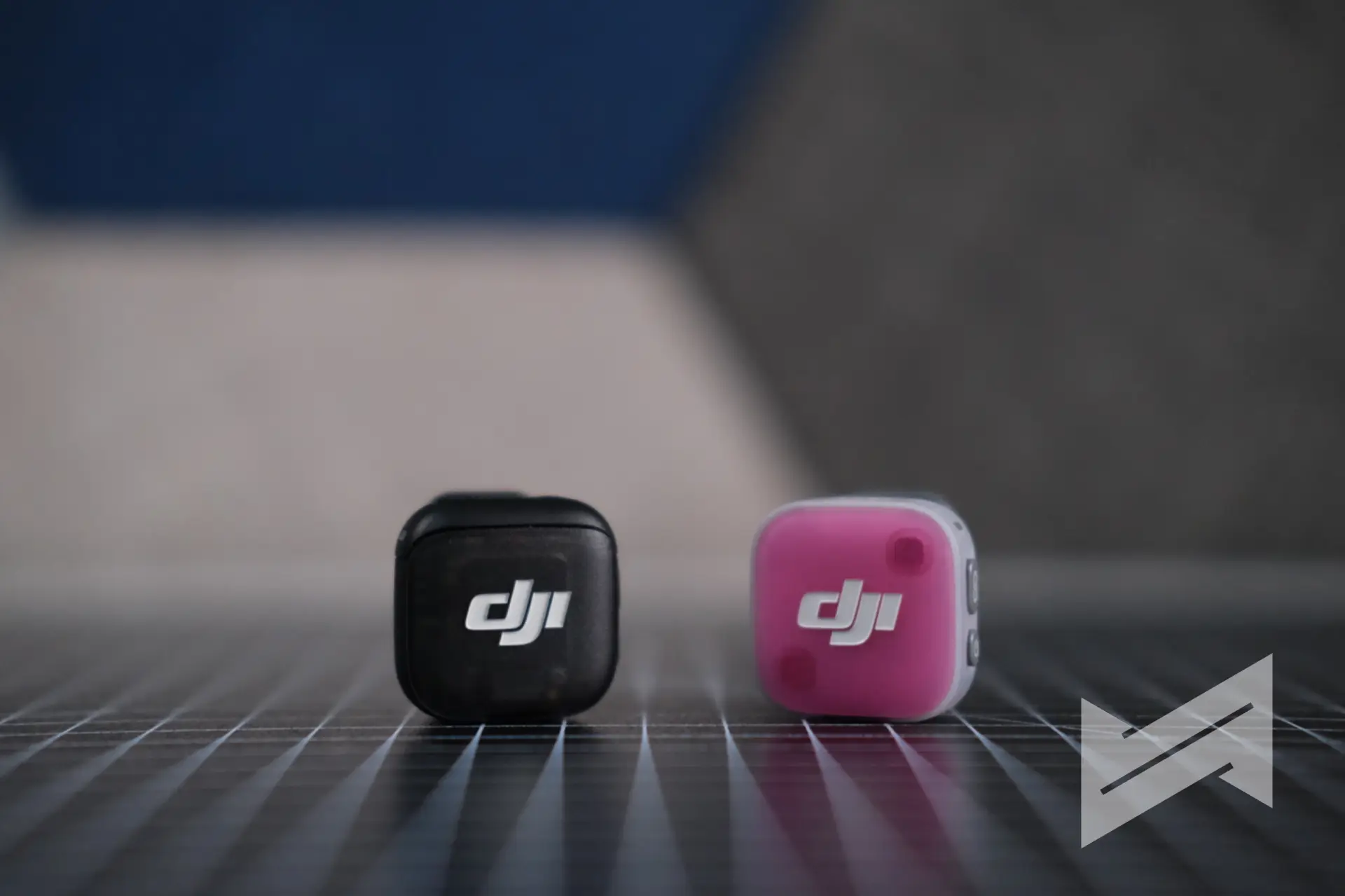
At first glance, the Mic Mini 2 looks very familiar. The semi-transparent shell, the compact form factor, and the clip-on design are all consistent with DJI’s design language across the Mic series. The transmitter still weighs just 11 grams, making it one of the lightest wireless lavalier solutions on the market. What is new, and what immediately stands out, is the magnetic front cover system.
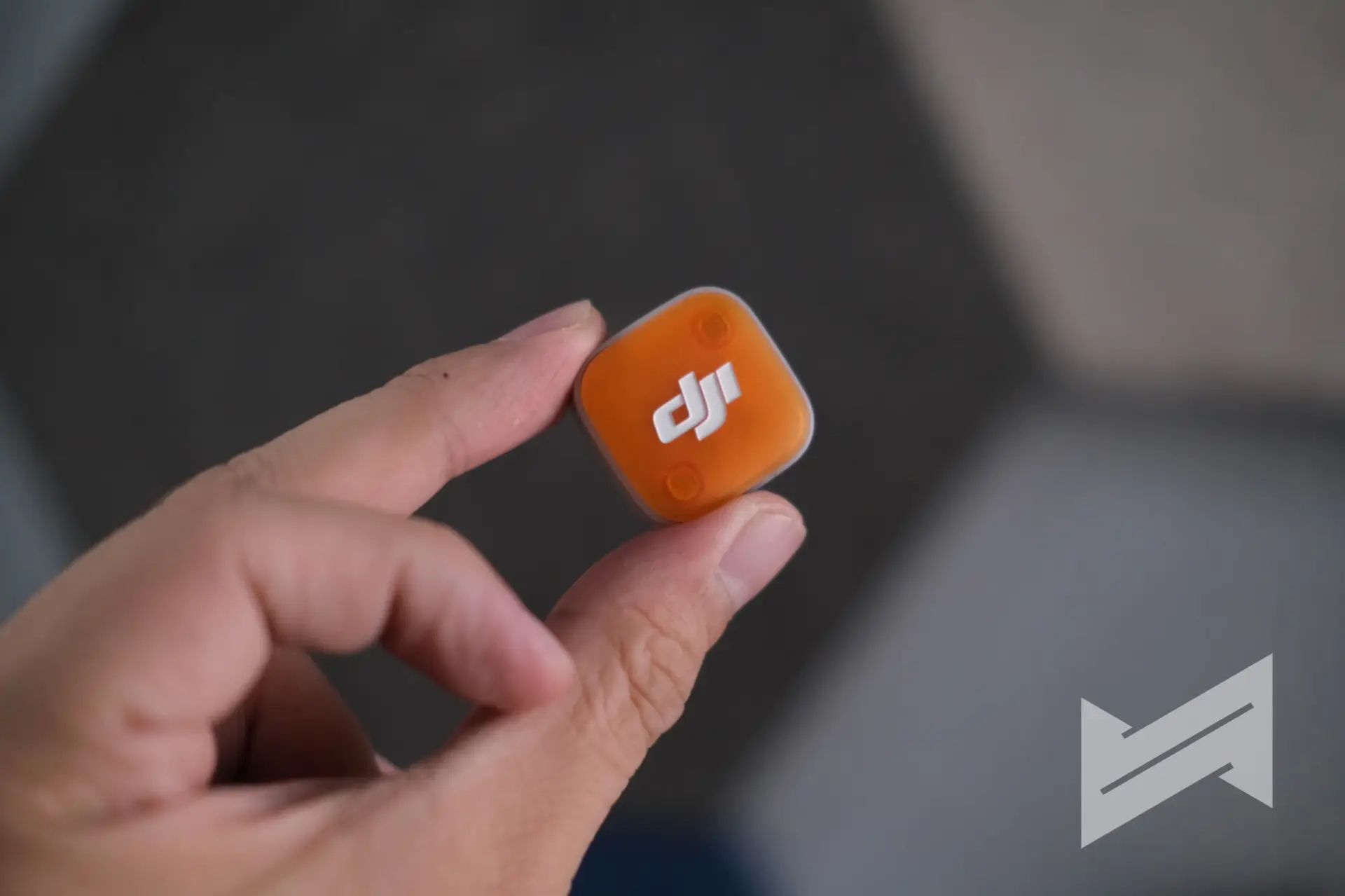
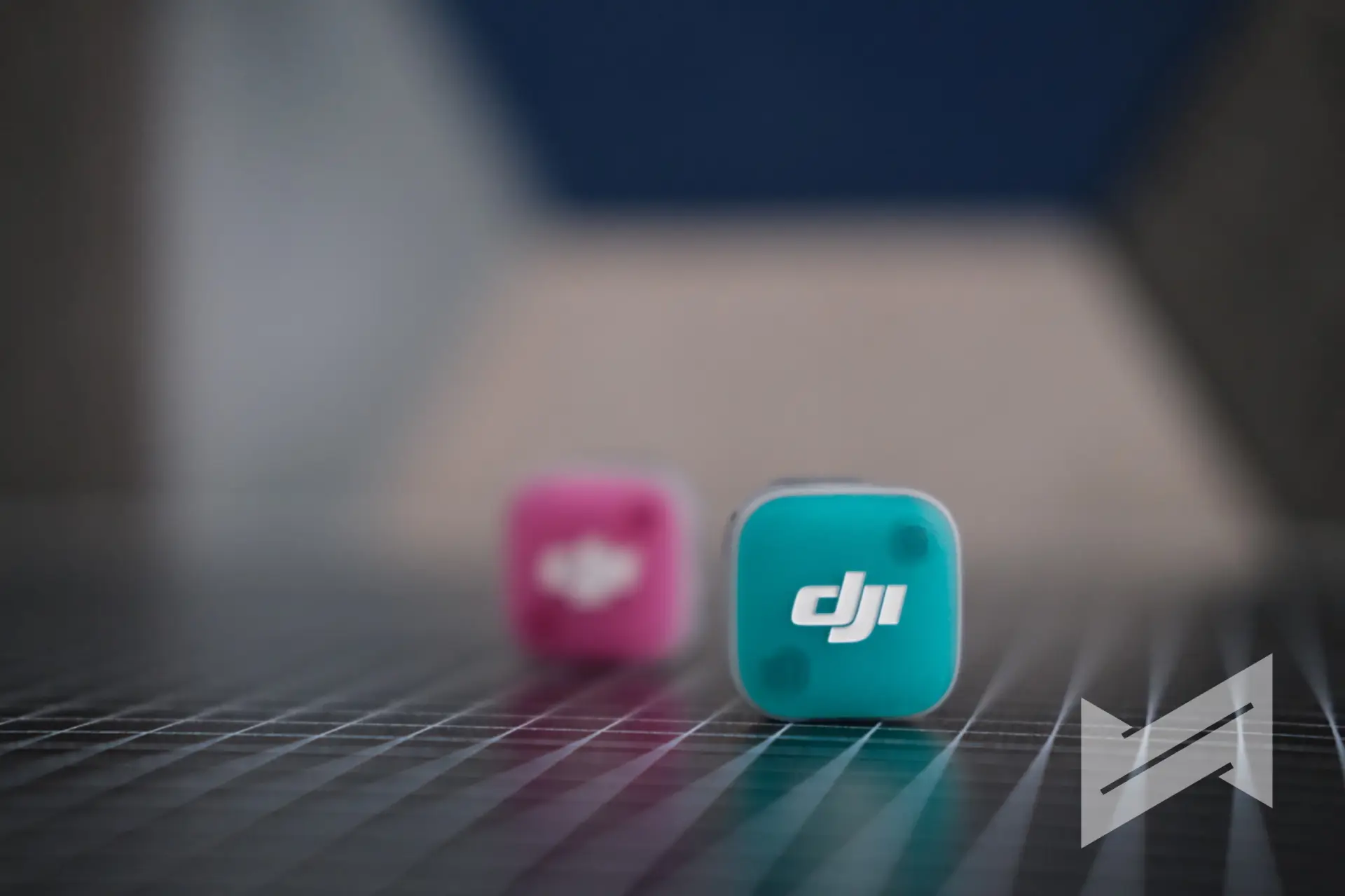
The transmitter’s front panel can now be removed and replaced magnetically, and DJI ships the Mic Mini 2 with covers in Obsidian Black and Glaze White as defaults, with eight additional colors ranging across warm and cool tones available separately as the Multi-Color Magnetic Front Cover accessory. These swappable panels let creators match the mic to their outfit or shooting environment, turning a utilitarian device into something more personal. It is almost exactly the same microphone as before, but the most glaring difference is these interchangeable colorful faceplates, which open a new level of customizability that the original Mic Mini simply never had. And we can already imagine the creative community taking this further: custom-printed magnetic panels bearing personal logos, brand identities, or unique artwork. We are effectively entering the custom era for the Mic Mini 2, and it is a welcome one. Sign us up!

The rotatable magnetic clip is another practical refinement. It allows the transmitter to face the sound source whether clipped upright, inverted, or sideways, removing the guesswork often associated with clip-on microphone placement. The magnetic attachment method is equally versatile, allowing the transmitter to be placed inside clothing with a magnet on the other side for a completely hidden, clean look during shoots.
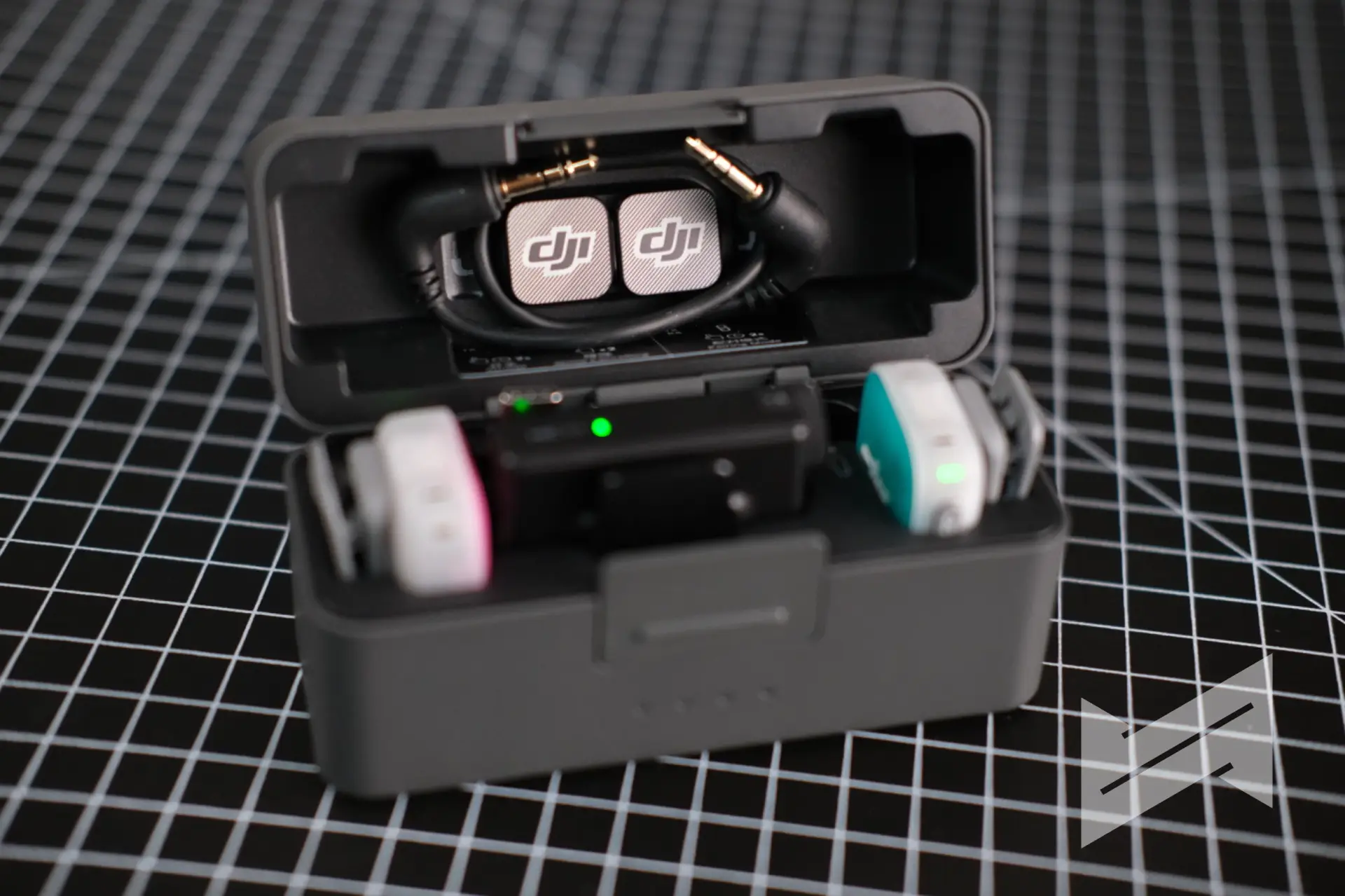
On the storage front, DJI now offers two case options: the all-in-one charging case that accommodates two transmitters, one receiver, windscreens, magnet clips, and even the 3.5 mm audio adapter cable, and a new compact mobile charging case designed specifically for solo creators using a single transmitter and mobile receiver. The mobile version is noticeably smaller, closer in size to a wireless earphone case, and fits easily in a pocket. The inclusion of both a carrying case and a built-in charging dock for each configuration adds a genuine measure of convenience for end-users, especially those who shoot frequently on location and cannot afford to hunt for a charging brick mid-day.
Specs
The core technical specifications of the Mic Mini 2 keep pace with the previous generation. The transmitter captures audio at 48 kHz / 24-bit, which remains a solid standard for video production work. The maximum SPL is 120 dB, and the polar pattern is omnidirectional. Wireless transmission runs on 2.4 GHz GFSK, with the camera receiver reaching up to 400 meters and the mobile receiver covering up to 300 meters.
Battery life is one of the Mic Mini 2’s strongest points: a single transmitter lasts approximately 11.5 hours on a full charge, and with the all-in-one charging case, total operating time extends to around 48 hours. The mobile charging case provides about 24 hours total. A quick-charge feature also gives approximately one hour of use from just five minutes of charging, which is a particularly useful detail for creators who frequently move between shoots.
Compatibility
The Mic Mini 2 is built with broad compatibility in mind, and the DJI ecosystem integration is one of its strongest selling points. Through DJI OsmoAudio Direct Connection, the transmitter can connect wirelessly without any receiver to the Osmo Pocket 3, Osmo Action 6, Osmo Action 5 Pro, Osmo Nano, and Osmo 360. This is particularly convenient since quite a number of DJI cameras already have built-in receivers, meaning you can go straight from transmitter to camera with no dongle required, full 48 kHz / 24-bit audio quality intact. For non-OsmoAudio cameras, the included 3.5 mm TRS cable connects the camera receiver to standard camera inputs, while the mobile receiver plugs directly into USB-C smartphones.
The Mic Mini 2 also supports direct Bluetooth pairing to smartphones, though it is worth noting that this mode captures at a reduced 16 kHz sampling rate, noticeably lower than the 48 kHz delivered through OsmoAudio or a physical receiver connection. For casual use or livestreaming on the go, Bluetooth connectivity is still useful, but for serious recording, the physical receiver or OsmoAudio route is the better choice.
On top of that, the Mic Mini 2 supports mixed device transmission, which is a feature worth highlighting in detail. The camera receiver can connect to two transmitters at once and supports mixed connection between a Mic Mini and a Mic Mini 2 transmitter simultaneously. This means, for example, an interviewer who already owns a Mic Mini can hand the Mic Mini 2 to their subject and both feeds will run into the same receiver without needing to invest in a completely new kit.

The mobile receiver goes even further: in blue light mode, it accepts mixed connections from any two transmitters across the Mic 2, Mic 3, Mic Mini, and Mic Mini 2 lineups, with audio captured at 48 kHz / 24-bit and a range of up to 200 meters. A practical scenario for this: a two-person podcast or interview being shot on a smartphone, where one host uses a Mic 3 transmitter they already own, and the second person uses a brand-new Mic Mini 2 transmitter. Both can feed into the single mobile receiver, no second receiver or additional setup required. For creators who have been building their DJI audio kit over time, this cross-generation compatibility is a thoughtful and genuinely useful touch.
Difference from Mic 3
The DJI Mic 3 sits above the Mic Mini 2 in DJI’s lineup, and the differences between the two are meaningful. The Mic 3 transmitter weighs 16 grams versus the Mic Mini 2’s 11 grams, but that extra weight comes with significant additional features. The Mic 3 supports 32 GB of internal recording with 32-bit float capability, a feature the Mic Mini 2 does not have. The Mic 3 also supports timecode, quadraphonic channel mode, dynamic volume balancing through adaptive gain control, and a dual-band 2.4 GHz / 5 GHz SDR wireless transmission system that can support up to four transmitters and eight receivers simultaneously. The Mic 3 also has a 1.1-inch touchscreen for easier on-device control, compared to the dial-and-button interface on the Mic Mini 2.
If you are already on the Mic 2 or Mic 3, there is absolutely no reason to switch to the Mic Mini 2 from a pure audio performance or features standpoint. You would be stepping down in capability, not up. The only scenario where it makes sense is if you want to add a lightweight, inexpensive extra transmitter to your existing kit, particularly given the mixed device transmission compatibility.
Difference from Mic Mini
Compared directly to its predecessor, the Mic Mini 2 adds meaningful but measured upgrades. The most significant additions are two-level active noise cancellation (Basic and Strong) and three vocal tone presets (Regular, Bright, and Rich), neither of which were available on the original Mic Mini. The Mic Mini 2 also introduces the magnetic front cover system, the mobile charging case option, and the new mobile receiver compatibility. Battery life is identical between the two, and the core audio specs of 48 kHz / 24-bit remain the same.

You get almost the same level of quality from the Mic Mini, but DJI has layered in features that are genuinely useful in real-world shooting conditions. If you are particular about active noise cancellation or prefer having vocal tone presets to subtly shape your voice without post-processing, the Mic Mini 2 is a worthy side upgrade. If you are happy with your Mic Mini and your audio results are already consistent, the upgrade argument becomes harder to make unless the color customization is also a factor for you.
Audio Quality
The Mic Mini 2 delivers clean, reliable audio at 48 kHz / 24-bit across its wireless range, which is more than adequate for vlog content, interviews, and daily documentation. The omnidirectional capsule picks up vocals well when positioned correctly, and the rotatable clip helps ensure the microphone faces the source regardless of mounting orientation. The active noise cancellation performs well in controlled environments like offices or indoor shoots with fan or air conditioning noise, while the Strong mode handles noisier outdoor environments more aggressively, though at a slight cost to natural ambience, slightly processing non-vocal sounds in the process.

The three voice tone presets offer a practical way to dial in vocal texture: Regular for transparent and natural sound, Rich for a warmer and fuller delivery, and Bright for a crisper high-frequency response. These presets are managed through the DJI Mimo app and are not available when the transmitter is connected via direct Bluetooth to a phone.

Automatic anti-clipping is enabled by default, and it proves its worth in real shooting conditions. If a subject suddenly raises their voice, the system automatically pulls back the gain to prevent distortion, which is particularly useful during spontaneous moments in vlogs or event coverage where monitoring levels constantly is not practical. The Safe Audio Track records a secondary channel at -6 dB as insurance against unexpected peaks.
Sample Recordings
Pricing
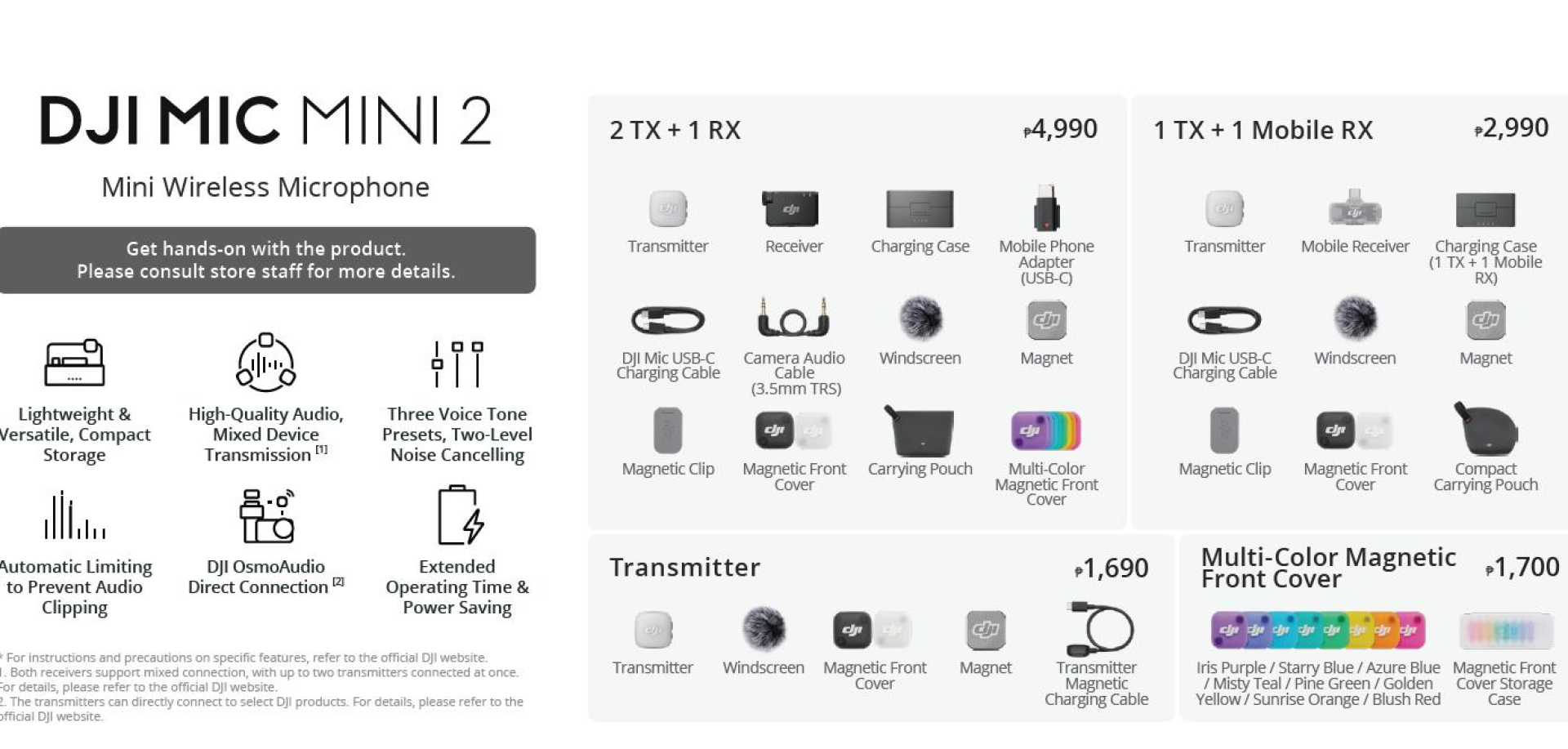
The DJI Mic Mini 2 is available in the Philippines through DJI’s authorized retailers and online platforms. Based on the official pricing confirmed at launch, the following configurations are available:
| Configuration | Price |
|---|---|
| 2 TX + 1 RX + Charging Case | PhP 4,990 |
| 1 TX + 1 Mobile RX + Charging Case | PhP 2,990 |
| Transmitter Only | PhP 1,690 |
| Multi-Color Magnetic Front Cover | PhP 1,700 |
In our opinion, the mobile-focused 1 TX + 1 Mobile RX configuration at PhP 2,990 is the most accessible entry point and is a strong fit for solo smartphone vloggers. The full 2 TX + 1 RX kit at PhP 4,990 offers better value for interview setups or creators who need to mic two people simultaneously.
Verdict
The DJI Mic Mini 2 is not a radical reimagining of the Mic Mini. It is a refinement: smarter, more colorful, and more connected than its predecessor, without dramatically changing the audio fundamentals. For creators stepping up from built-in phone or camera audio, the improvement will be immediately noticeable. For Mic Mini users, it is a sensible side upgrade if noise cancellation and tone presets matter to your workflow. For Mic 3 users, it is best viewed as an affordable supplementary transmitter rather than a replacement.
What the Mic Mini 2 does best is lower the barrier to entry for wireless audio while giving creators more flexibility in how they use it, how they connect it, and even how it looks clipped to their shirt. At its price point, it is hard to argue with what DJI is offering here. It is lightweight, long-lasting, genuinely convenient, and with those swappable magnetic faceplates, just a little bit fun.
Before I end, I have but one wish to DJI, now that they seem to betting into the “Pro” era of their audio and cameras: introduce a DJI Mic Pro. Give us the power of DJI Mic 3 with better levels of customizability, 32-bit float recording, a stand holder that we can use on coverages (that also charges the battery while mounted) and more. Give me one reason to upgrade from my DJI Mic 3 that came free with my Osmo Pocket 4.

Giancarlo Viterbo
Giancarlo Viterbo is a Filipino Technology Journalist, blogger and Editor of gadgetpilipinas.net, He is also a Geek, Dad and a Husband. He knows a lot about washing the dishes, doing some errands and following instructions from his boss on his day job. Follow him on twitter: @gianviterbo and @gadgetpilipinas.
View all articles →Related Reviews
 LG PuriCare AeroMini Review: Small Purifier, Big Relief for Home Offices
 ANKER soundcore Liberty 5 Pro: Great ANC for calls and music
 REDMI Note 17 Pro Max Review: Titan Power That Goes the Distance
 realme 16T 5G Review: An 8000mAh Battery With a Price
 OPPO Find X9 Ultra Review: The Camera Phone to Beat in the Philippines
 HP Smart Tank 580 Review: Affordable Everyday Printing Without the Cartridge Cycle