



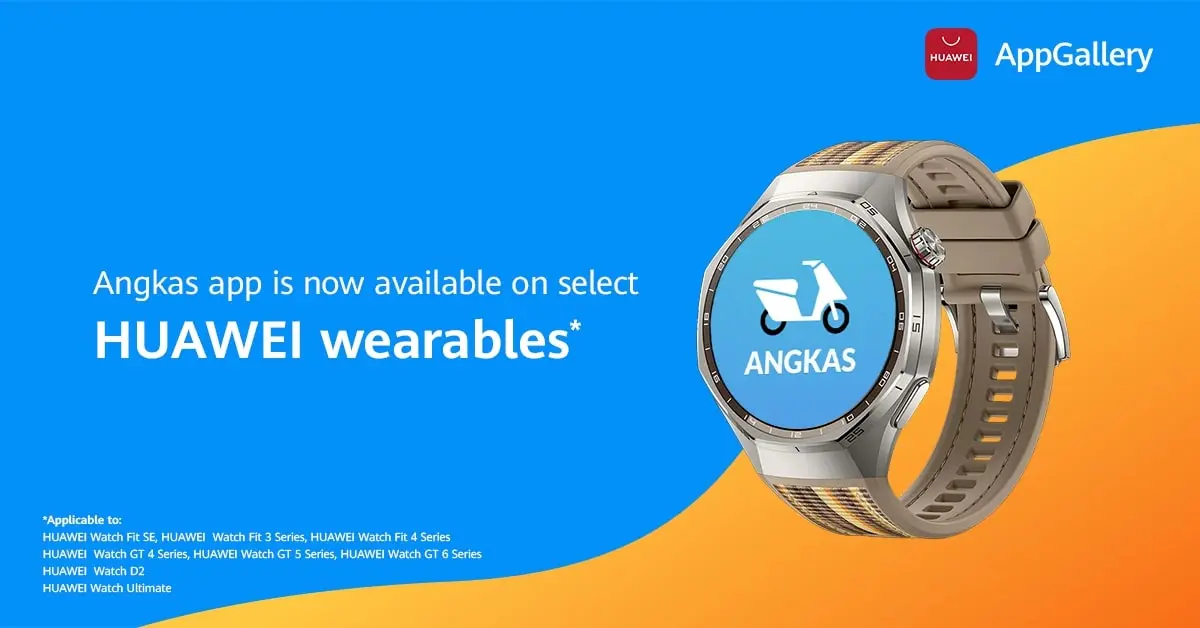
HUAWEI Philippines enhances convenience for users by integrating Angkas support across various wearables, including the Fit SE, WATCH Fit 3 & 4 Series, GT Series, WATCH D2, and WATCH Ultimate. This update enables users to access ride information directly from their wrist, streamlining commuting, especially beneficial during the busy holiday season.
Angkas Arrives on HUAWEI Wearables
With Angkas now accessible on the company’s wearables and soon to be available for WATCH Ultimate 2, WATCH 4 & 5. Users can conveniently view essential travel details without needing to check their phones during busy commutes. The app displays:
- Driver status (searching, assigned, on the way)
- Pick-up and drop-off locations
- Driver’s name
- Fare information
- Estimated time of arrival (ETA) to pick up
- ETA from pick-up to destination
Designed with safety and practicality in mind, this integration gives riders a quick, hands-free way to stay updated throughout their journey—whether navigating crowded terminals, managing multiple errands, or traveling during peak holiday traffic.
Stay Informed for Safe Travels with the PH Weather App
The company’s wearables feature the PH Weather and Earthquakes app, which provides timely environmental updates on the user’s wrist. Utilizing data from Project NOAH and PHIVOLCS, the app offers real-time weather forecasts as well as alerts for earthquakes, volcanic activity, and potential tsunamis in the Philippines. It also includes a global earthquake list from the U.S. Geological Survey. By consolidating various alerts, the app aids in effective travel planning and enhances safety amid unpredictable weather.
Currently available on the mobile app, this feature will soon roll out to HUAWEI WATCH 5 and HUAWEI WATCH Ultimate 2, reinforcing the brand’s commitment to delivering practical, life-enhancing technology through its growing wearable ecosystem.
GCash Watch Pay Also Fully Supports iOS Devices
The company also reminds users that GCash Watch Pay is available on iOS, making it easier for iPhone owners to enjoy secure QR payments on wearables.
To link a GCash account, iOS and Android users simply need to:
- Download the HUAWEI Health app on their smartphone.
- Create and log in to a HUAWEI ID, with the region set to the Philippines.
- Connect the smartwatch to the HUAWEI Health app.
- Ensure the GCash mobile app is fully verified.
- On the smartwatch, go to Settings > Payment.
- Install and open the GCash app on the watch.
- Enter the GCash PIN and scan the QR code displayed on the mobile app.
- Select Bind on the GCash mobile app to confirm.
Once linked, users can pay instantly through a dynamic QR code on their smartwatch, making it easier to shop for holiday gifts, grab coffee, pay for groceries, and even pay for Angkas rides without pulling out a wallet or phone.
Smarter Mobility Meets Smarter Living
With Angkas trip viewing, PH Weather app, and GCash Watch Pay now working seamlessly across HUAWEI wearables, including full iOS compatibility, you can enjoy a smoother, more connected lifestyle that keeps pace with the holidays.
These wearables are available on Shopee, Lazada, TikTok, the HUAWEI Online Store, and HUAWEI Experience Stores nationwide.
To learn more about Angkas compatibility, GCash Watch Pay, and HUAWEI’s wearable ecosystem, visit HUAWEI’s official website, Facebook, and Instagram.
For more information, please visit Huawei’s website.

Miguel Palispis
Started his freelancing adventure in 2018 and began doing freelance Audio Engineering work and then started freelance writing a few years later. Currently he writes for Gadget Pilipinas and Grit.PH. He is also a musician, foody, gamer, and PC enthusiast.
View all articles →