MSI Claw A8 is changing the handheld gaming landscape
The handheld PC gaming market has exploded over the last two years, and for good reason. Gamers don’t just want portability anymore; they want full-blown PC performance in something they can pull out of a bag, lie back with on the couch, or use while traveling. Devices like the Steam Deck and ASUS ROG Ally paved the way for this niche to become mainstream. But now, MSI is joining the scene with a powerful, and surprisingly balanced, contender: the MSI Claw A8 BZ2EM-023PH in Neon Green.
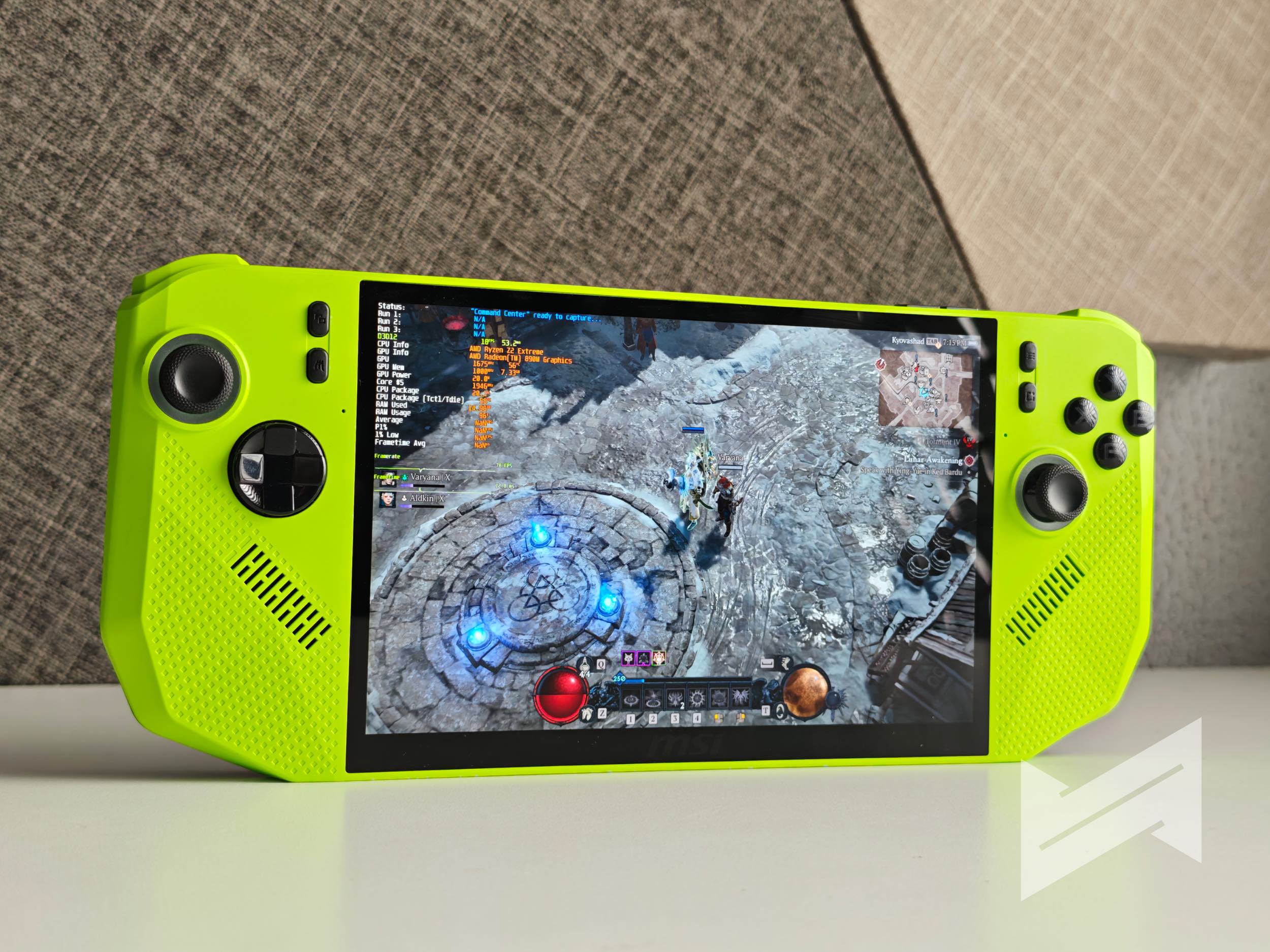
The Claw A8 is aimed at two clear audiences. First, portable gaming enthusiasts who want the freedom to play AAA titles at respectable settings without tethering themselves to a desktop or bulky laptop. Second, content creators or casual power users who want a mini PC that can also handle productivity, entertainment, and light creative tasks. After all, this thing runs on full Windows 11 Home, so you can plug it into a monitor, connect peripherals, and use it like a regular PC when you’re not gaming.
Portable Gaming Powerhouse with a Twist
One of the key elements setting the MSI Claw A8 apart from most handhelds is its shift to AMD hardware. It packs an AMD Ryzen Z2 Extreme processor paired with integrated AMD Radeon graphics. Combined with 24GB of LPDDR5 RAM and a 1TB NVMe PCIe Gen4x4 SSD, it’s a seriously capable setup for its size. This configuration ensures you’re not running into RAM bottlenecks or limited storage right out of the box; something that matters a lot when modern games demand both.
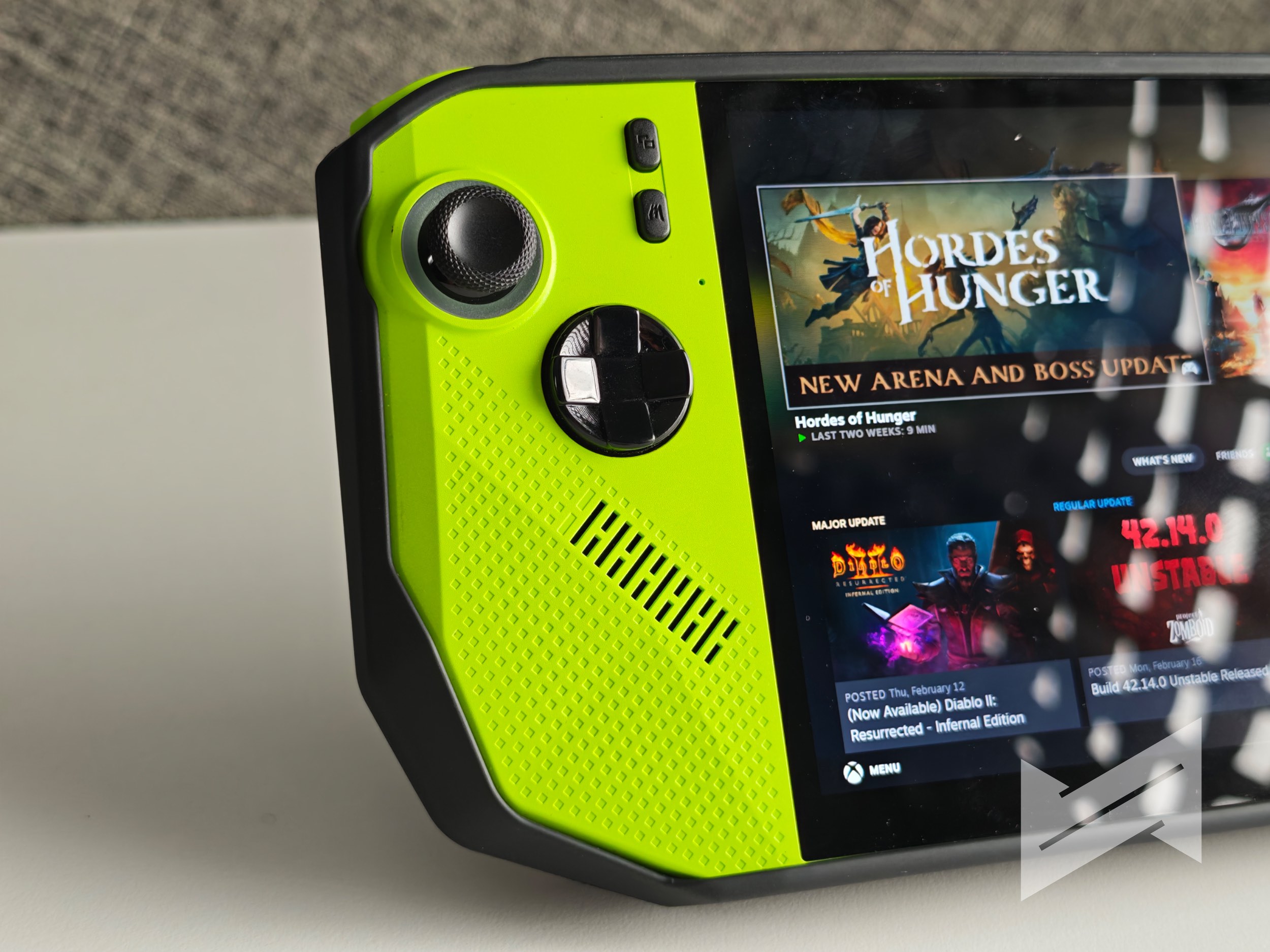
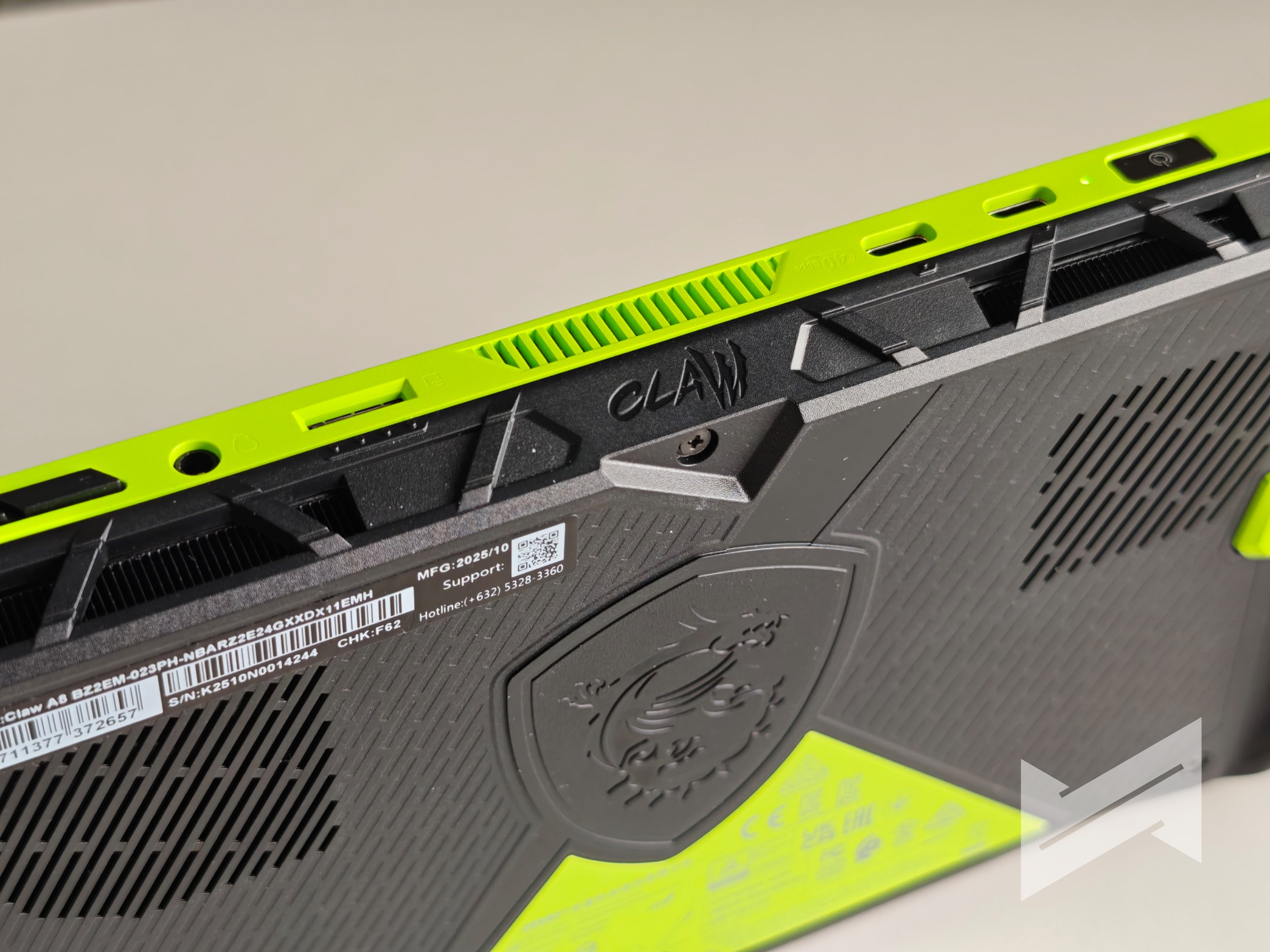
On the outside, the Claw A8’s design philosophy balances function and comfort. The Neon Green model gives it a unique, eye-catching aesthetic, but more importantly, the ergonomics stand out. The grip feels comfortable and well-contoured, which makes hours-long sessions easier on the hands. The buttons, triggers, and sticks feel responsive and well-positioned. MSI has obviously taken notes from existing handhelds and refined certain details, giving this one a premium, gamer-ready edge.
The Screen That Brings Games to Life
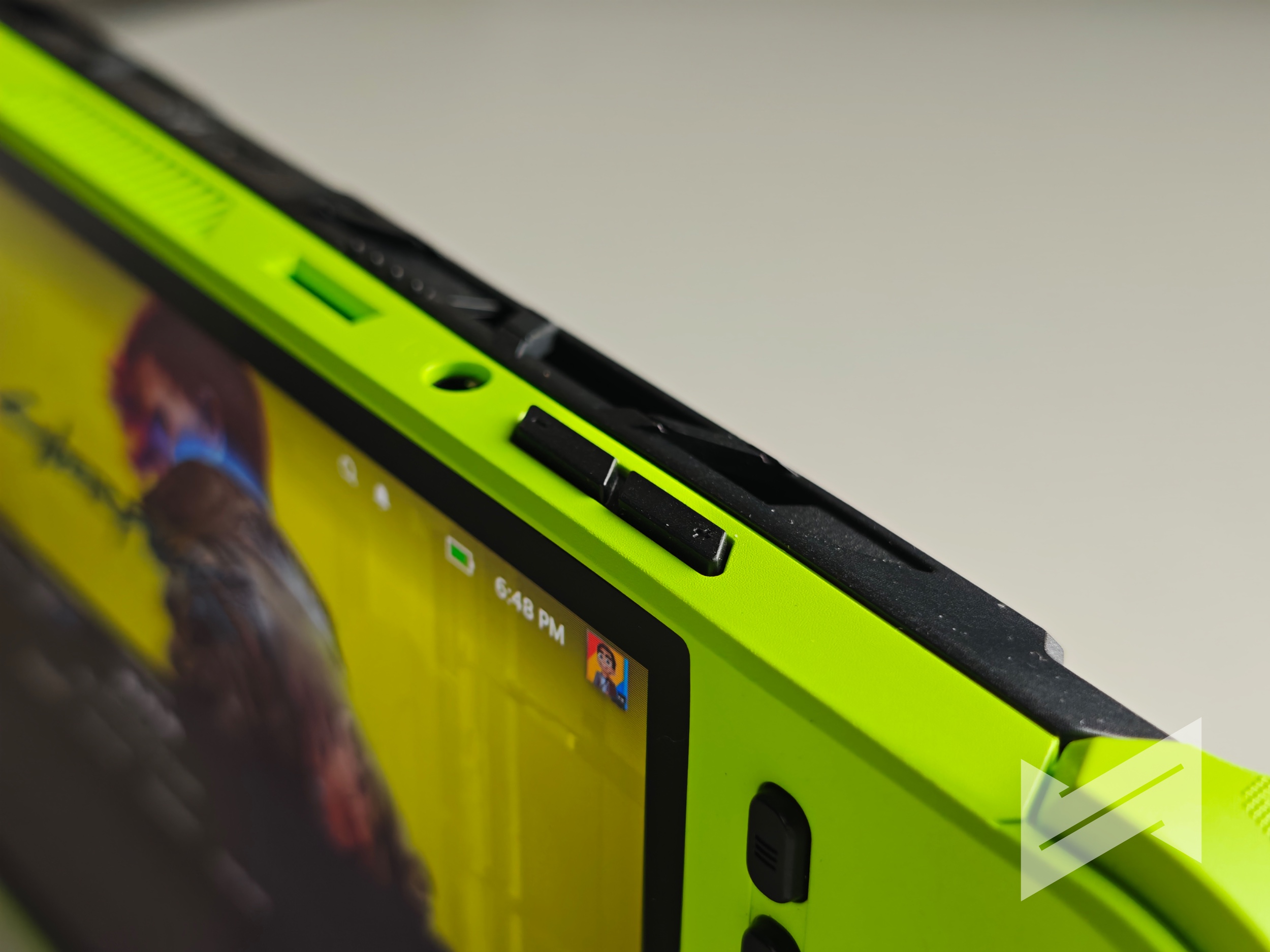
Front and center is an 8-inch touchscreen display with a 16:10 aspect ratio and a Full HD+ resolution of 1920×1200. It runs at a 120Hz refresh rate, supports 100% sRGB color coverage, and has a typical brightness of 500 nits. That specification alone is enough to set it apart from a lot of its competitors that still stick to 60Hz or lower-brightness panels.
In real-world use, the 16:10 ratio makes a surprising difference. It gives you more vertical space, which is perfect for game HUDs, inventory screens, or even multitasking when docked to a larger monitor. The 120Hz refresh rate doesn’t just make a difference in fast-paced games; it makes the entire system feel smoother, from navigating Windows to scrolling through Steam. The color accuracy also means that movies, YouTube videos, and even creative apps like Photoshop look more vivid and natural, if you later choose to use these applications on the MSI Claw A8.
Real-World Gaming Experience
Now, specs and screens are one thing, but actual performance is where the Claw A8 either stands out or falls short. Fortunately, it performs well where it matters, especially considering its flexible performance profiles. Through MSI’s User Scenario settings, you can choose between modes like Maxed, AI Engine, Balanced, or Endurance; each tweaking power limits, thermals, and battery life depending on your need.
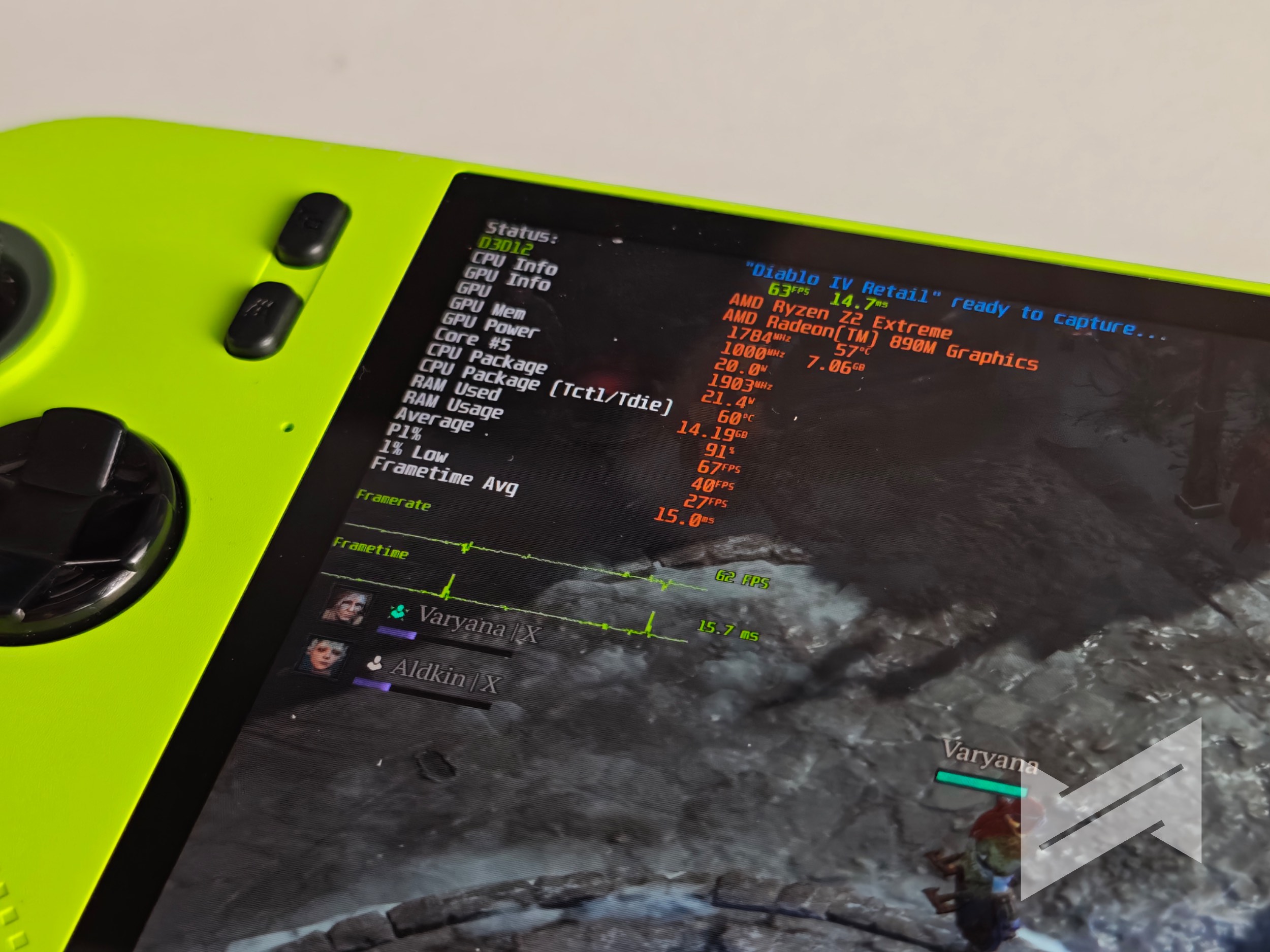
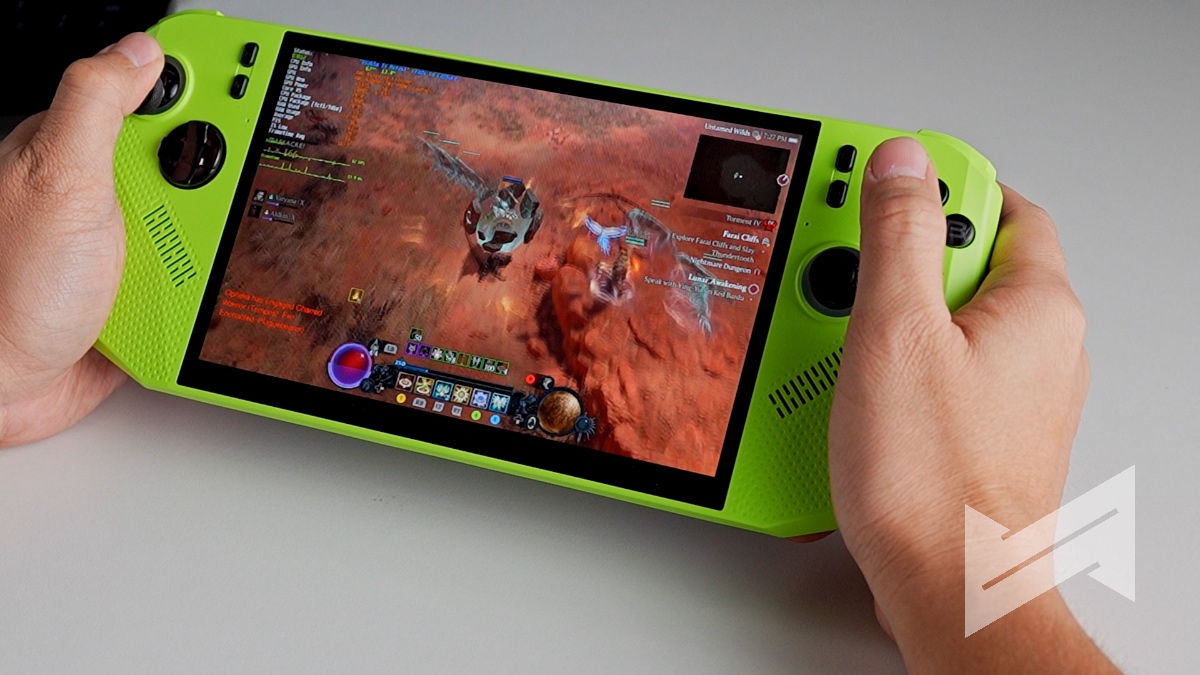
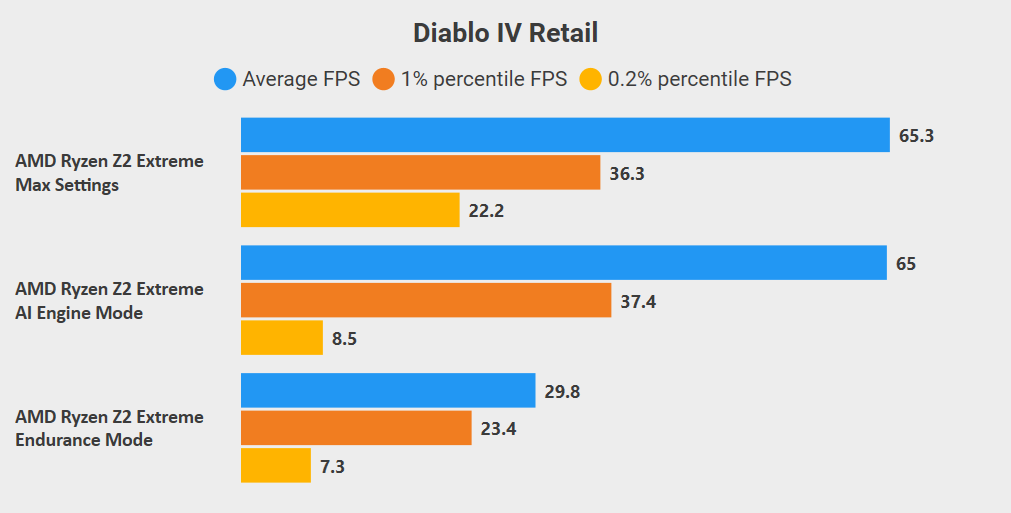
Take Diablo 4, for instance. Despite being a demanding game, it runs impressively well on the Claw A8, especially at 15W TDP, which is what MSI calls Endurance Mode. With FSR enabled, Balanced Mode, and Low graphics settings, frame rates consistently hit 75 to 84 FPS. That’s an ideal setup for extended sessions since you’re not burning through the battery too quickly while still enjoying a smooth, responsive experience. Diablo 4’s visual fidelity remains solid even at these lower TDP settings, and it’s proof that optimization really matters.
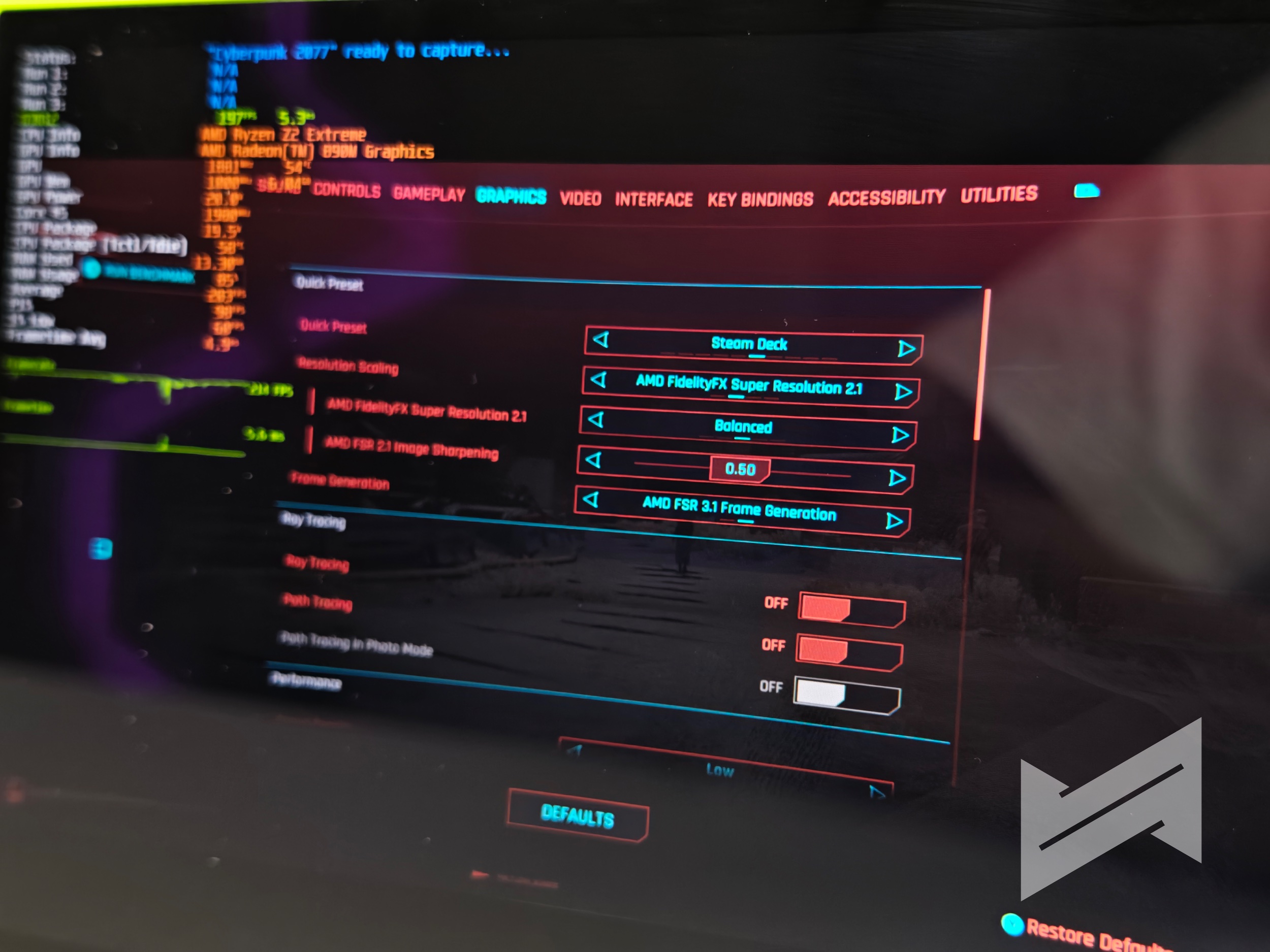
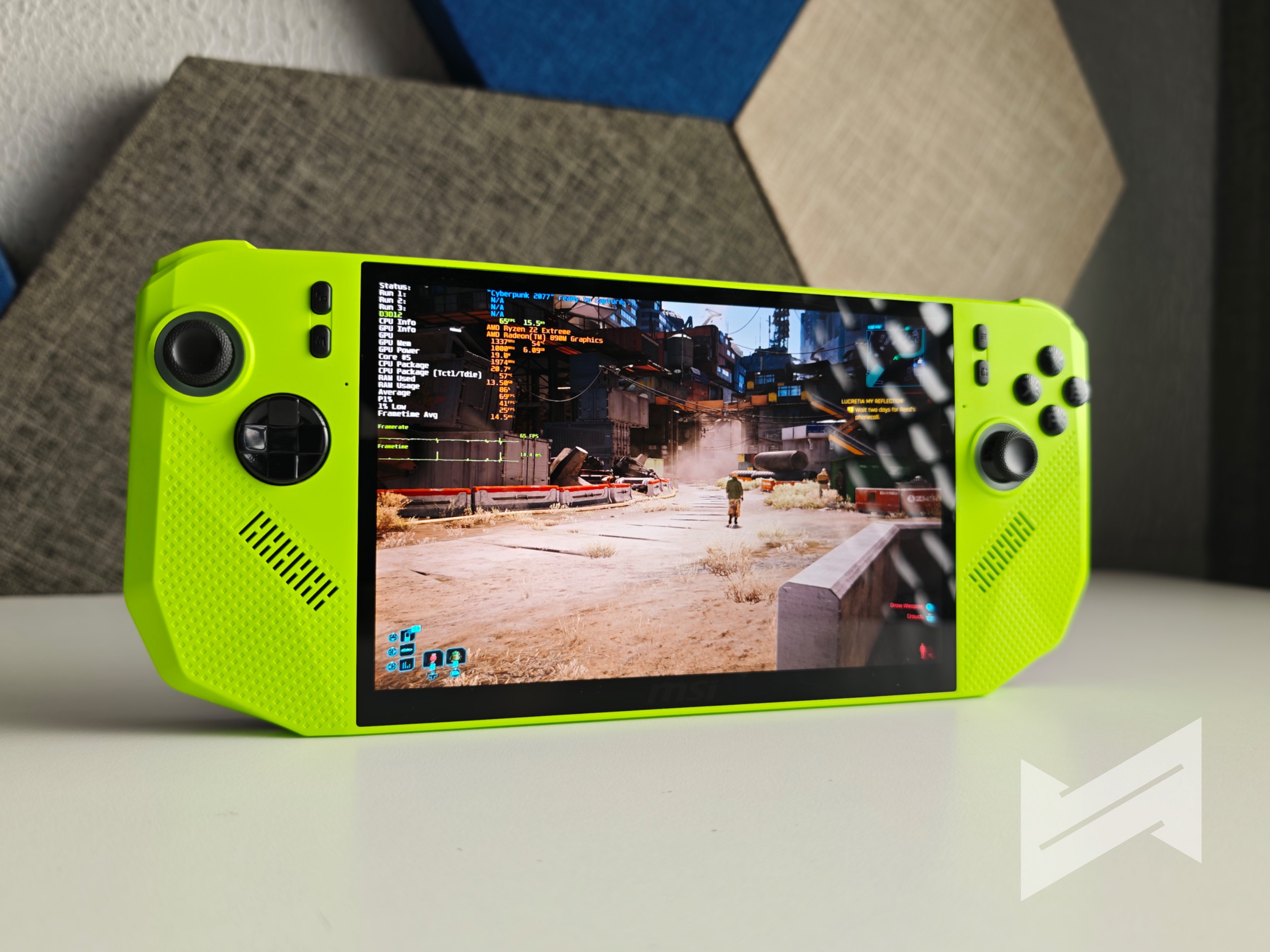
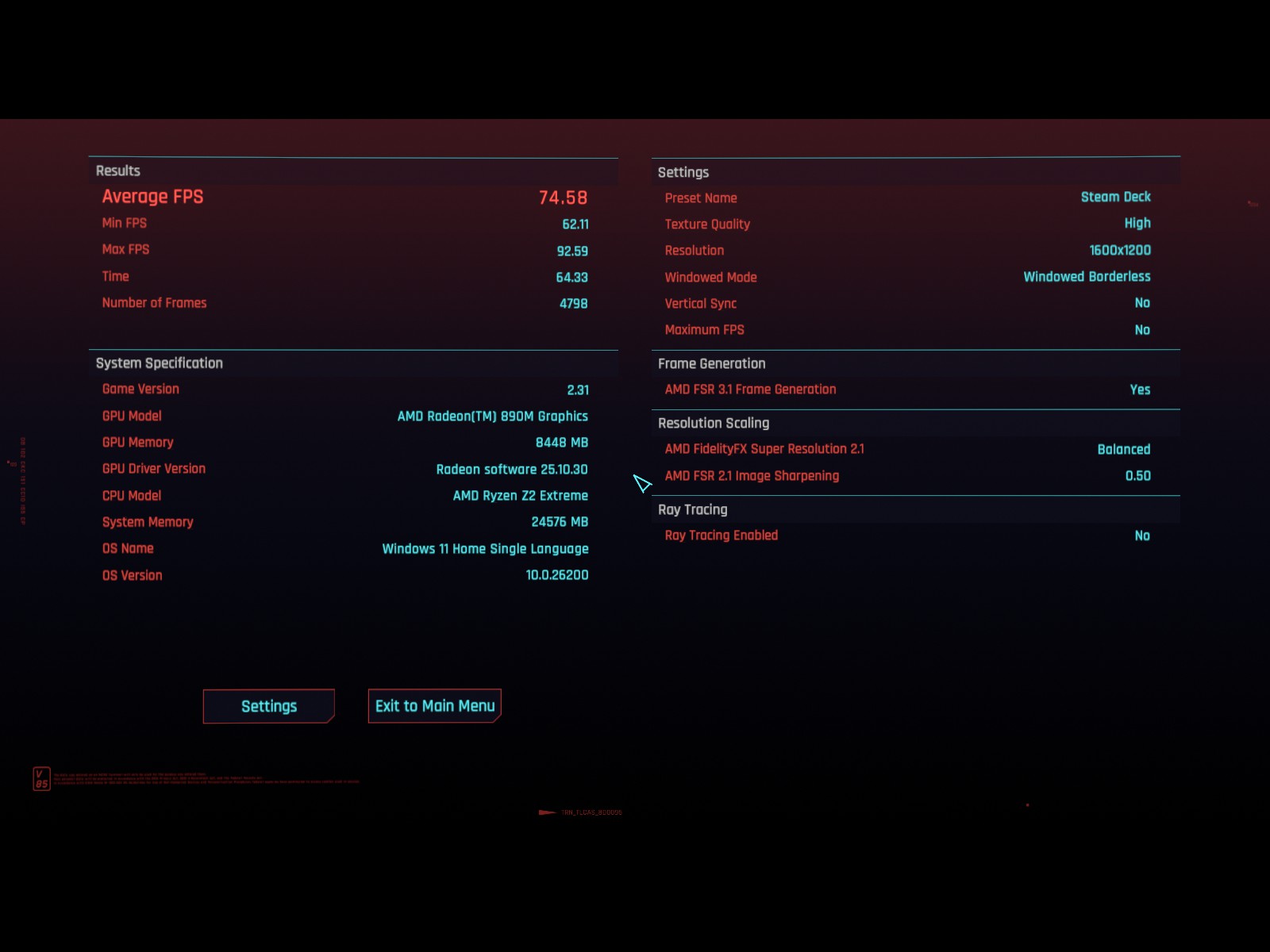
Cyberpunk 2077 is a tougher test, but the Claw A8 holds its own. This game is notoriously demanding, yet using the Steam Deck graphics preset with AI Engine mode, you can expect frame rates between 42 to 45 FPS in crowded areas. It’s not blazing fast, but it’s perfectly playable on a handheld. The AI Engine dynamically manages TDP and CPU/GPU usage, delivering a balance between performance and efficiency. For a game like Cyberpunk, that’s a big win.
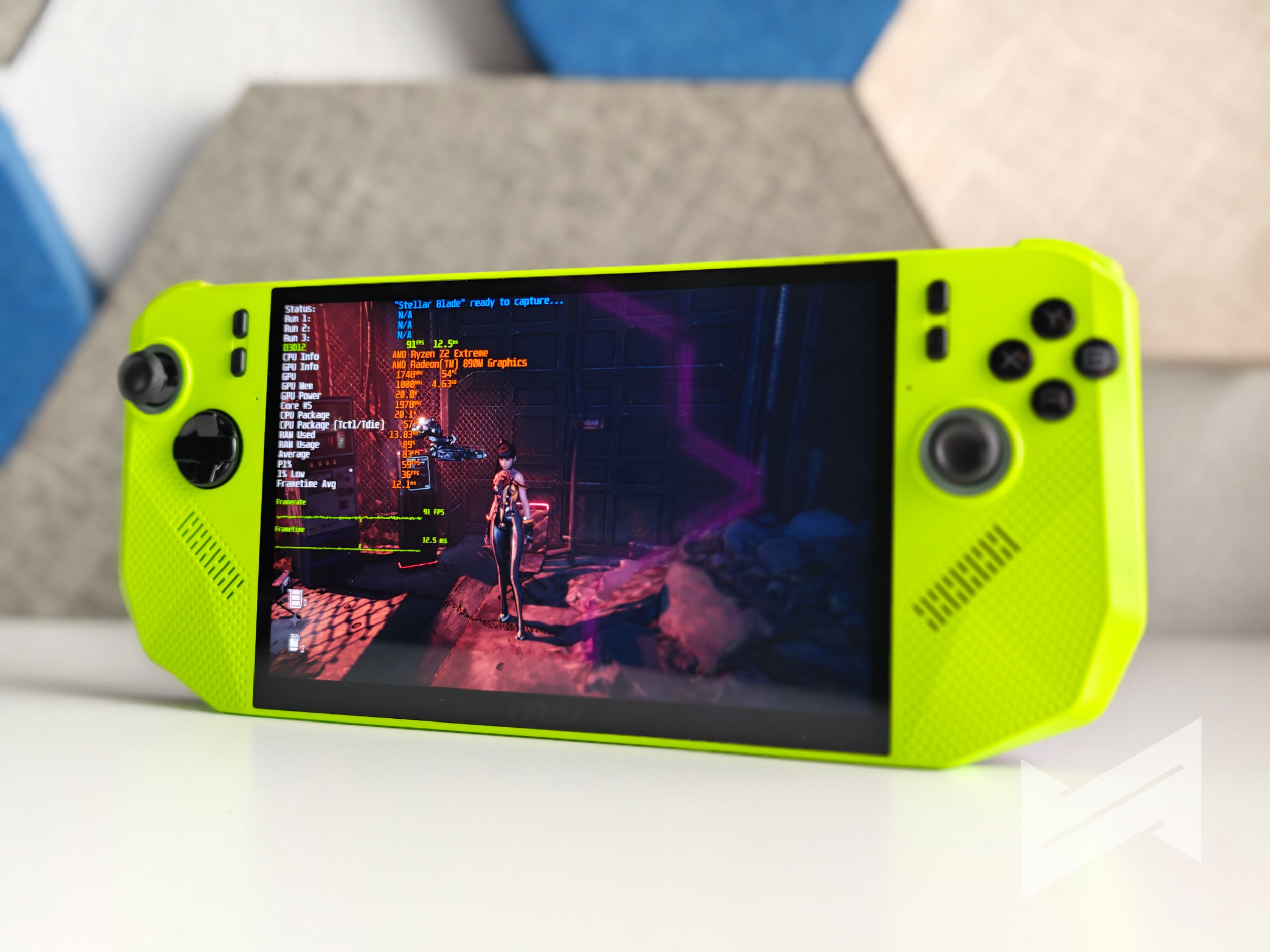
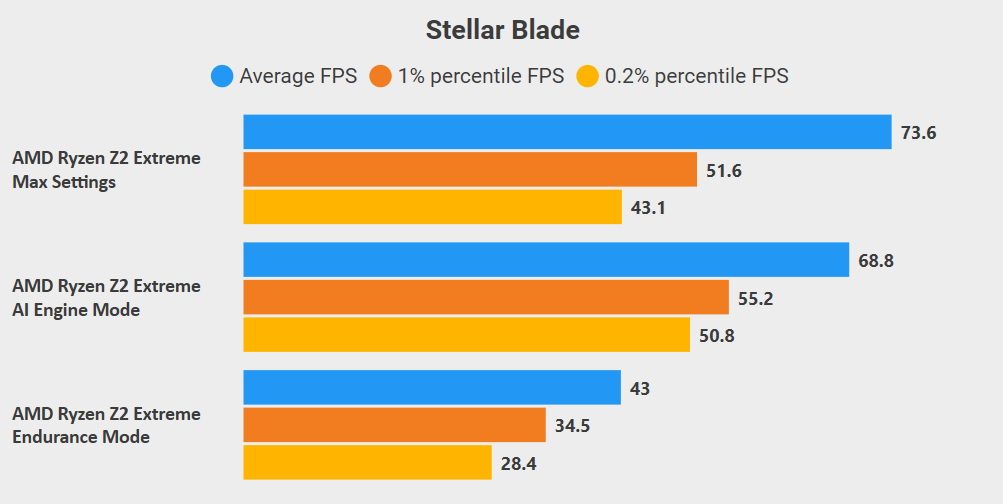
Stellar Blade, on the other hand, feels tailor-made for this device. In Handheld PC mode with AI Engine enabled and V-Sync off, average FPS hovers around 68.8, offering fluid gameplay without noticeable drops. Even when switching to Endurance Mode, the performance remains very playable, allowing for longer sessions on the go. If you push the system to its Maxed profile setting, you’re looking at around 73.6 FPS on average, a clear performance bump for those moments when you want all-out speed.
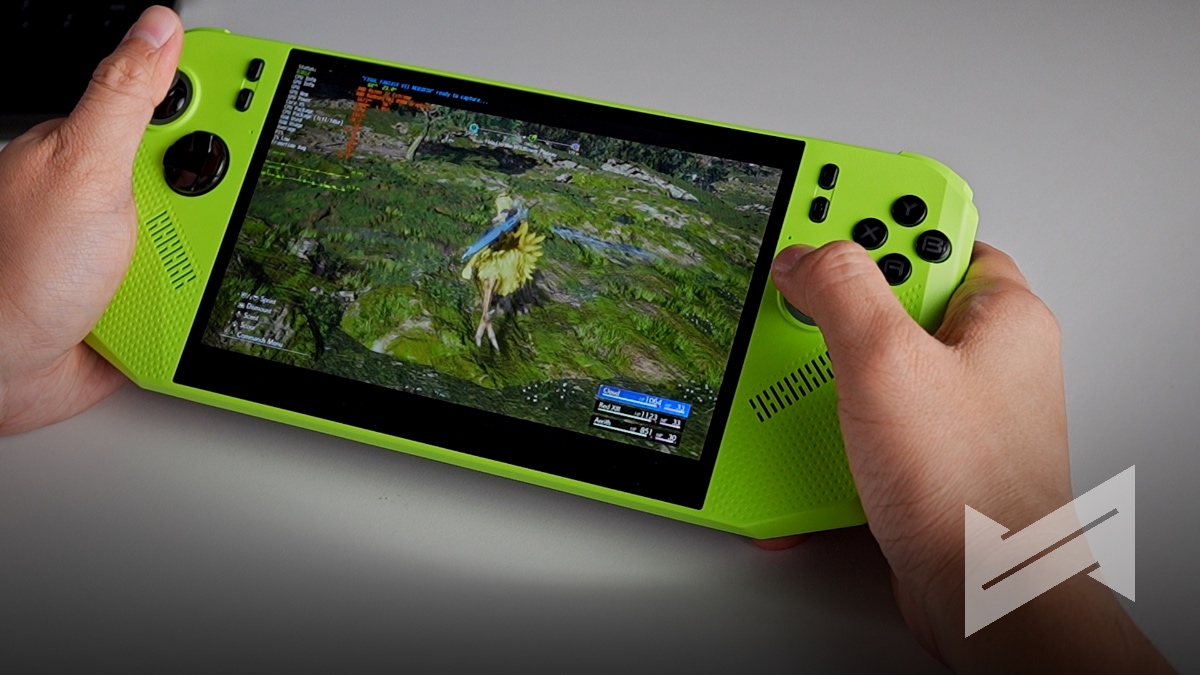
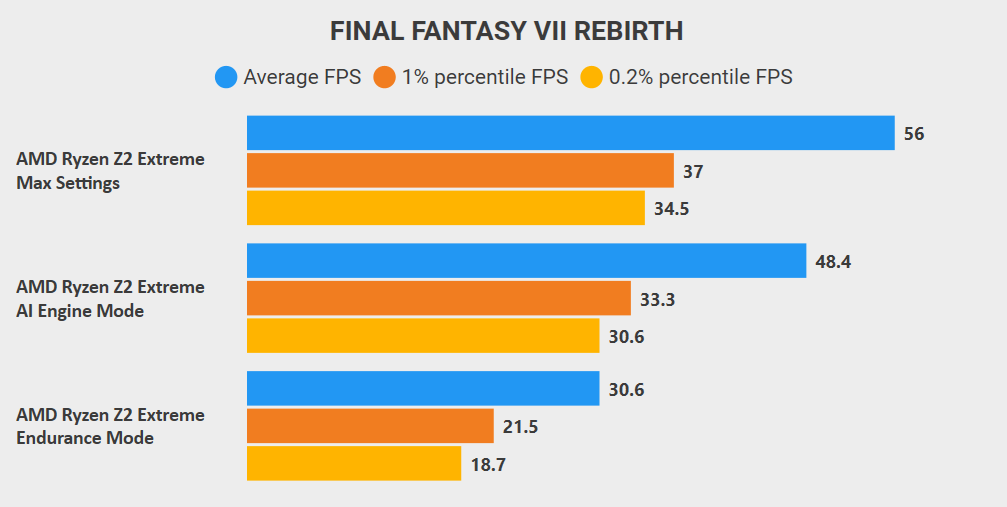
Final Fantasy VII Rebirth rounds out the lineup. At lower settings, which still look fantastic on the Claw’s sharp screen, it runs at roughly 56 FPS on the Max preset, 48.4 FPS on AI Engine mode, and about 30.6 FPS on Endurance. Those numbers might vary a bit depending on the scene, but they show how flexible the device can be depending on your power mode. You’re always in control of the trade-off between performance and battery life.
The Handheld PC That Doubles as a Full Computer
That’s what makes the MSI Claw A8 compelling. It’s a gaming device when you’re in the mood to game, and a Windows PC when you need to get a bit of work done. You can connect a wireless keyboard and mouse, plug in a USB-C hub, or set it up with an external display. Whether you’re editing a quick video, streaming a live session, or writing scripts, it’s powerful enough for casual productivity tasks.
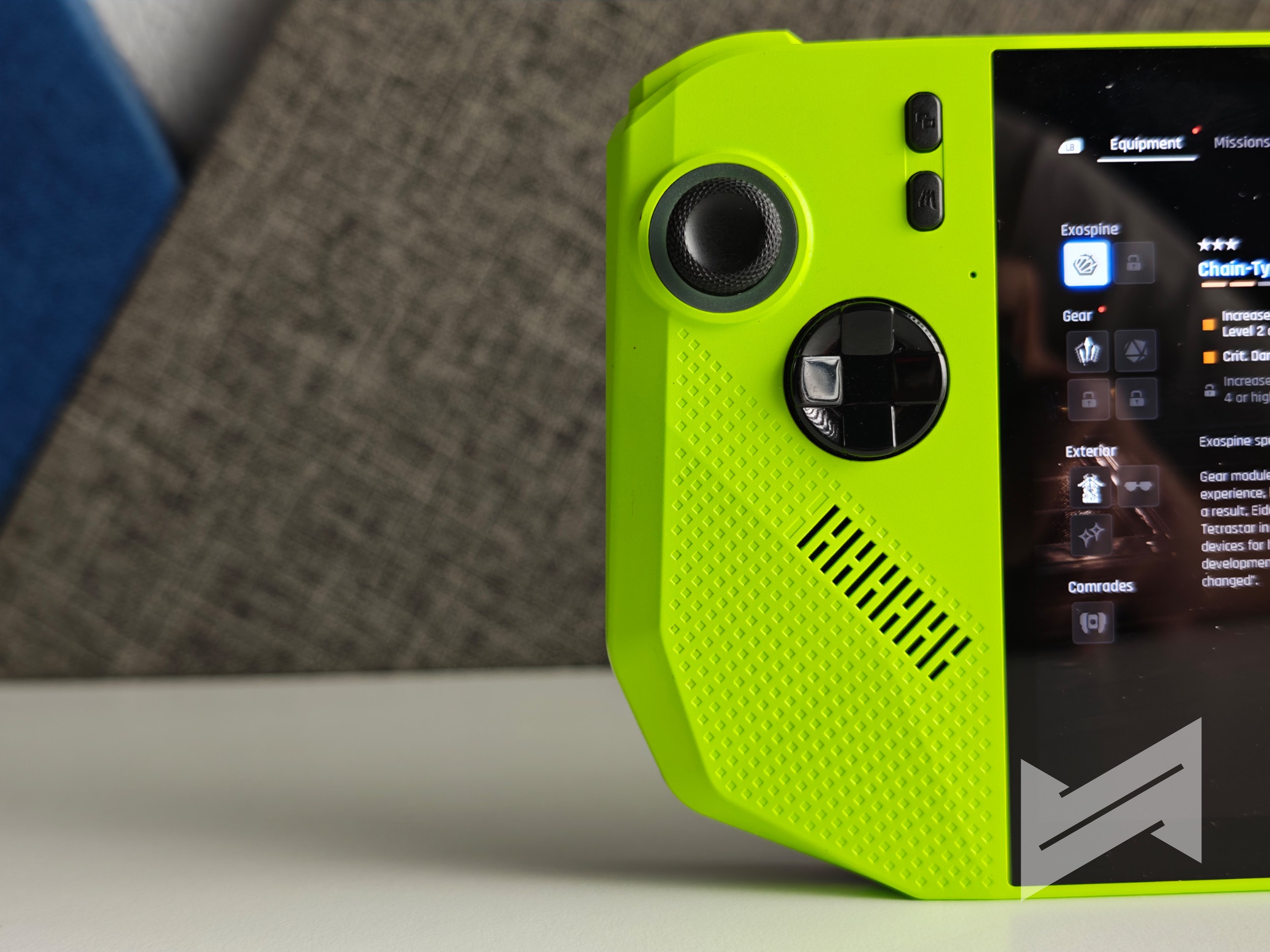
Battery life is another noteworthy aspect. The A8 houses an 80Whr battery, which is impressive for a handheld of this size. Pair that with Endurance Mode, and you’re looking at gaming sessions that stretch noticeably longer than most competitors; something creators and travelers will definitely appreciate. In fact, if you choose to use this as your fully dedicated locally installed agent using OpenClaw, you can also do so as well as it has the specs the meet the standards for most local models that run on OpenClaw via Ollama local install.
Competitive Pricing with Real Value
At an SRP of PhP 56,995, the MSI Claw A8 offers a pretty competitive balance of performance, capacity, and flexibility. You’re getting 24GB of LPDDR5 memory, a Ryzen Z2 Extreme chip, 1TB of speedy SSD storage, and a solid battery setup in a compact shell. Considering the rising prices of gaming laptops, this handheld offers a compelling alternative. It’s essentially a full PC that fits in your hands, which is capable of both serious gaming and light creative workloads.
So, who is the MSI Claw A8 really for? It’s for gamers who want the power of a gaming PC they can take anywhere. It’s also for multitaskers who appreciate a portable machine that’s just as comfortable running multimedia apps as it is running Elden Ring. The handheld gaming segment is evolving quickly, but MSI has managed to carve out a device that feels polished, practical, and genuinely enjoyable to use.
If you’ve been searching for a gaming handheld that doesn’t compromise between power, performance, and versatility, the MSI Claw A8 definitely deserves a spot on your shortlist. It’s proof that the future of PC gaming isn’t just smaller… it’s smarter.

Giancarlo Viterbo is a Filipino Technology Journalist, blogger and Editor of gadgetpilipinas.net, He is also a Geek, Dad and a Husband. He knows a lot about washing the dishes, doing some errands and following instructions from his boss on his day job. Follow him on twitter: @gianviterbo and @gadgetpilipinas.