




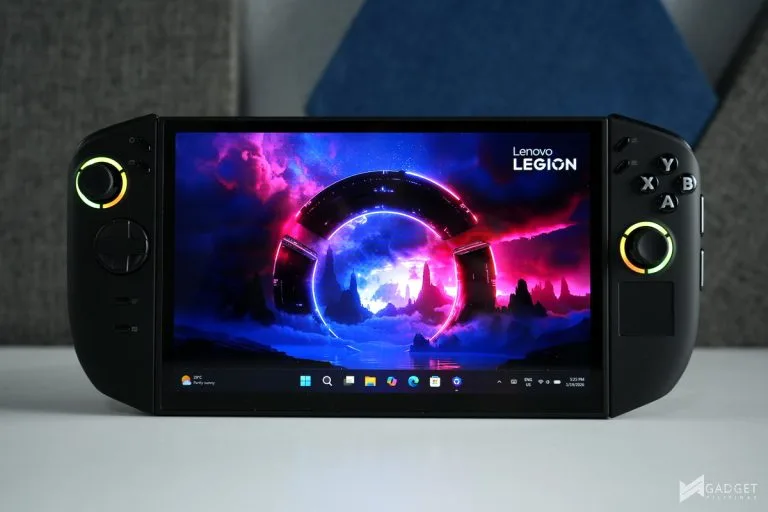
The Lenovo Legion Go 2 is one of the most anticipated gaming handhelds in 2025, following the great success of the first-gen Lenovo Legion Go. The Legion Go 2 takes handheld gaming to a new standard with the introduction of an OLED display paired with its unique, detachable controllers and the latest AMD Ryzen Z2 Extreme APU. But cramming every best aspect comes at a cost, making the Legion Go 2 the most expensive gaming handheld.
Lenovo Legion Go 2 Specs, Configuration, and Pricing
| Legion Go 2 Specs | 83N1CTO1WWPH1 | 83N0CTO1WWPH1 | 83N0000YPH |
| CPU | AMD Ryzen Z2 | AMD Ryzen Z2 Extreme | AMD Ryzen Z2 Extreme |
| Display | 8.8-inch (1920 x1200) OLED 144Hz touchscreen | 8.8-inch (1920 x1200) OLED 144Hz touchscreen | 8.8-inch (1920 x1200) OLED 144Hz touchscreen |
| RAM | 32 GB LPDDR5X-7500MT/s (Soldered) | 32 GB LPDDR5X-8000MT/s (Soldered) | 32 GB LPDDR5X-8000MT/s (Soldered) |
| Storage | 512 GB SSD M.2 2242 PCIe Gen4 TLC | 512 GB SSD M.2 2242 PCIe Gen4 TLC | 1 TB SSD M.2 2242 PCIe Gen4 TLC |
| Battery | 4-cell 74Wh | 4-cell 74Wh | 4-cell 74Wh |
| Ports | 2x USB4 Type-C, 1x microSD slot, 1x 3.5mm jack | 2x USB4 Type-C, 1x microSD slot, 1x 3.5mm jack | 2x USB4 Type-C, 1x microSD slot, 1x 3.5mm jack |
| Connectivity | Wi-Fi 6E, Bluetooth 5.3 | Wi-Fi 6E, Bluetooth 5.3 | Wi-Fi 6E, Bluetooth 5.3 |
| Price | Php 72,818.67 | Php 79,478.03 | Php 82,686.62 |
According to the Lenovo Philippines website, the Legion Go 2 comes in three variants for the Philippine market. The base Legion Go 2 sporting an AMD Ryzen Z2 CPU and a 512GB SSD starts at Php 72,818.67 while bumping the processor to a Ryzen Z2 Extreme will cost an extra Php 6,659.36. Doubling the storage of the Z2 Extreme model will cost you an additional Php 3,208 – quite reasonable considering the current DRAM and SSD shortage.
Display and Ergonomics
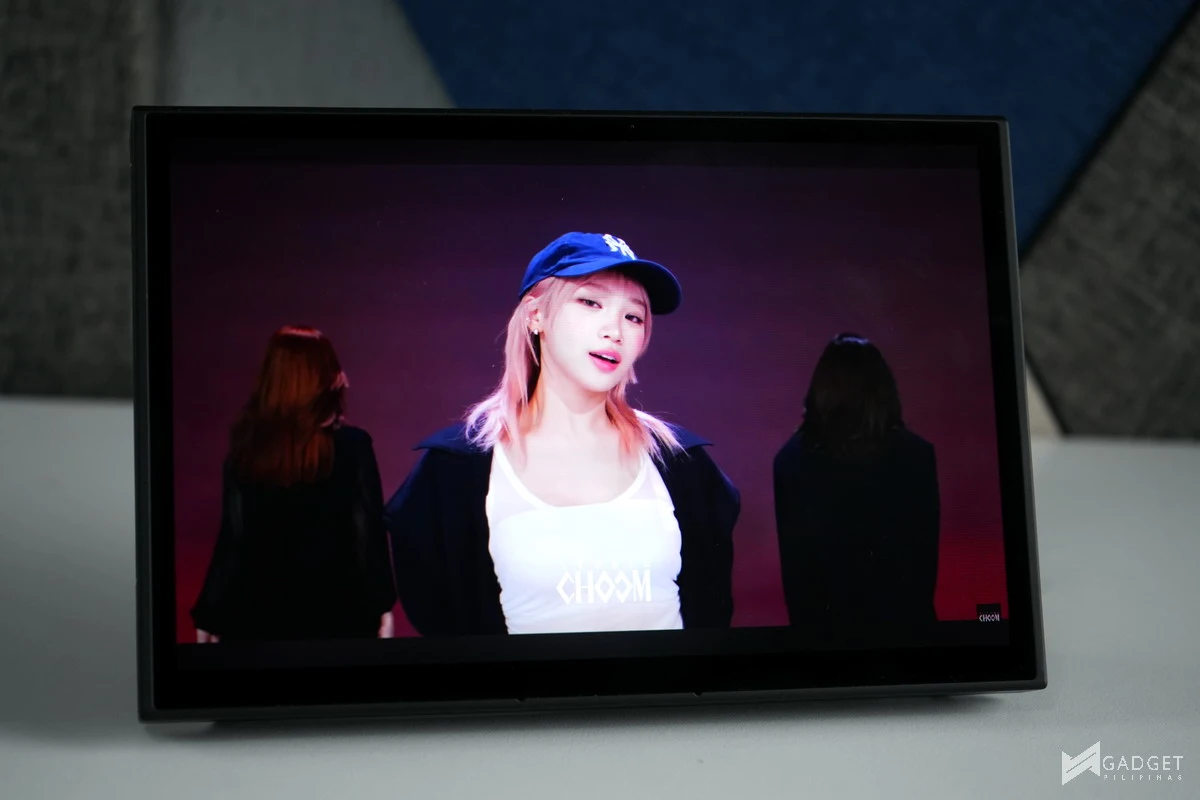
The main highlight of the Lenovo Legion Go 2 is its display. It sports a whopping 8.8″ 1920x1200p Lenovo PureSight 144Hz OLED display. It’s easily the best display available on a gaming handheld, as it’s also the largest.
8.8″ Lenovo PureSight OLED gaming display with VRR
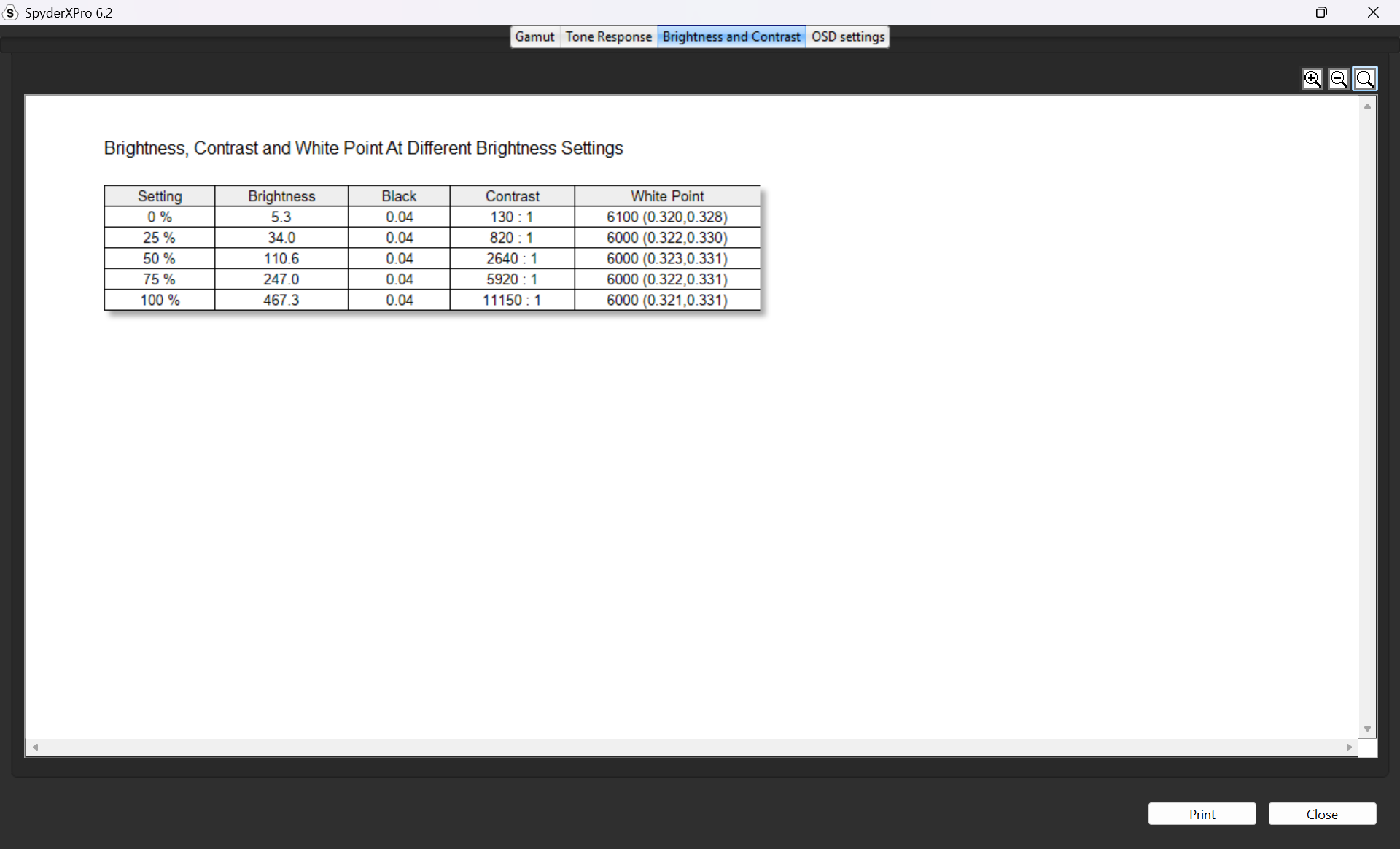
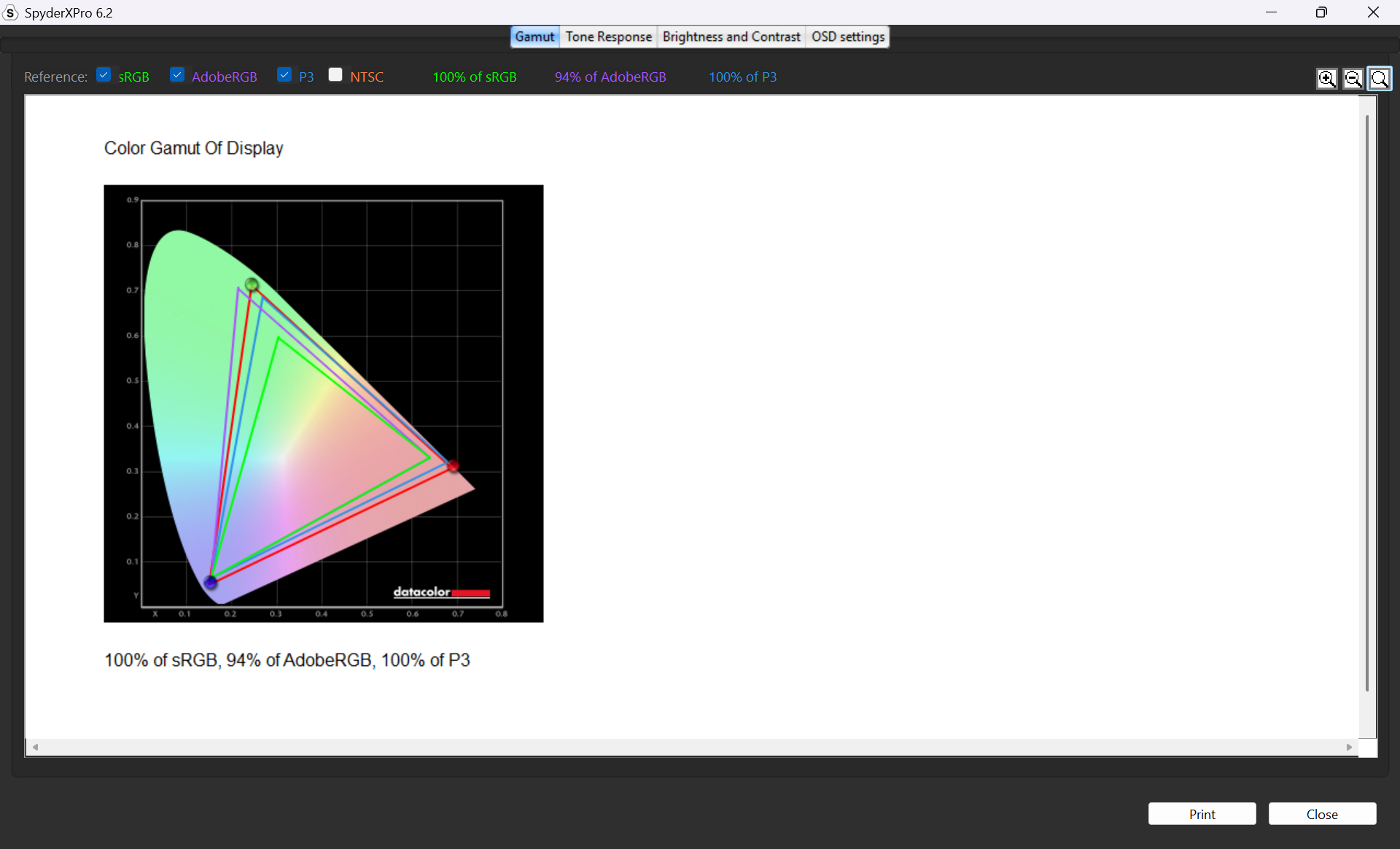
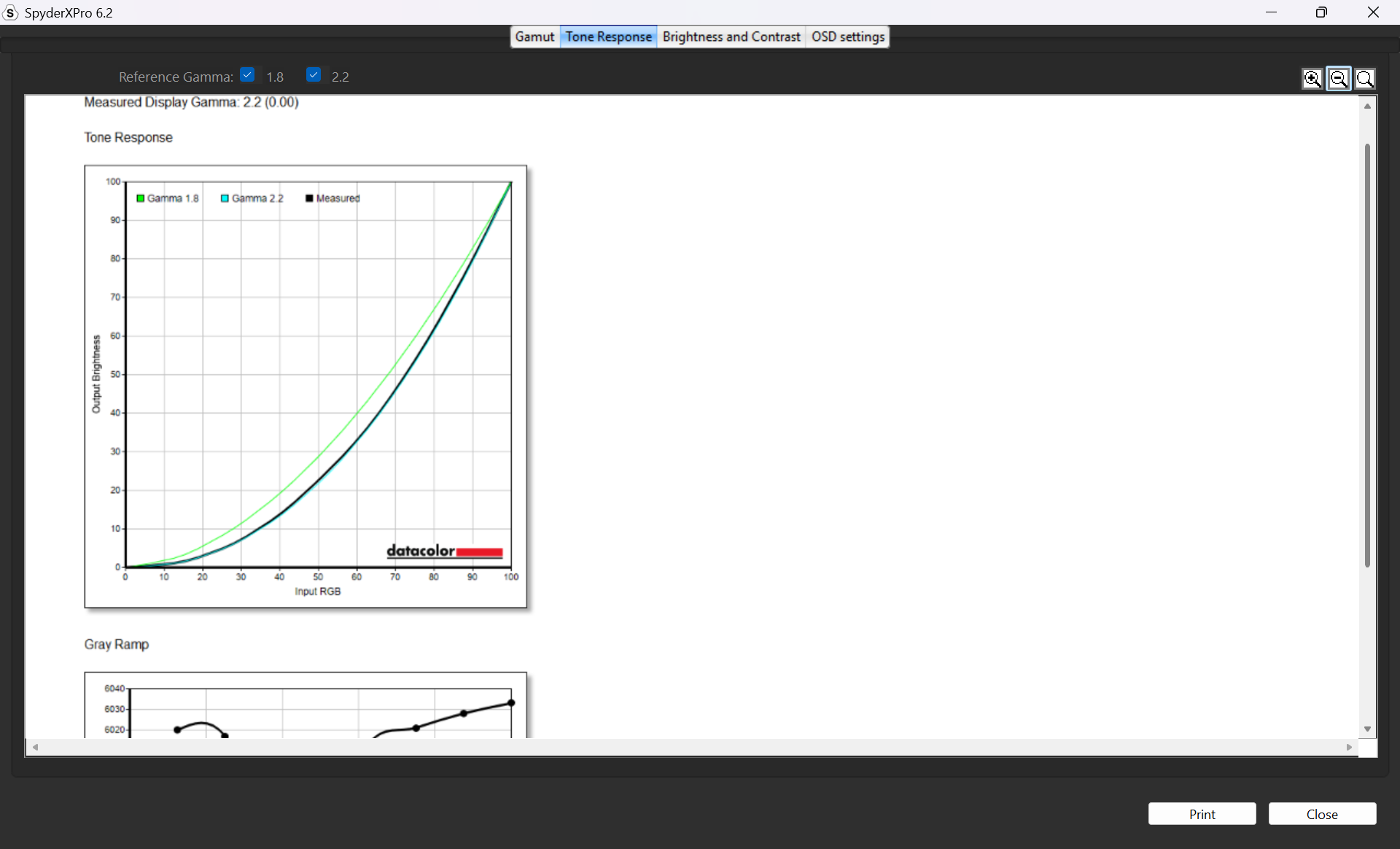
Being an OLED display, the Legion Go 2 easily passes for professional color-accurate workloads. We measured 100% sRGB, 94% AdobeRGB, and 100% DCI-P3. We also measured a peak brightness of 467.3, easily the brightest gaming handheld we’ve tested. This makes the Legion Go 2 usable and playable in bright, outdoor environments.
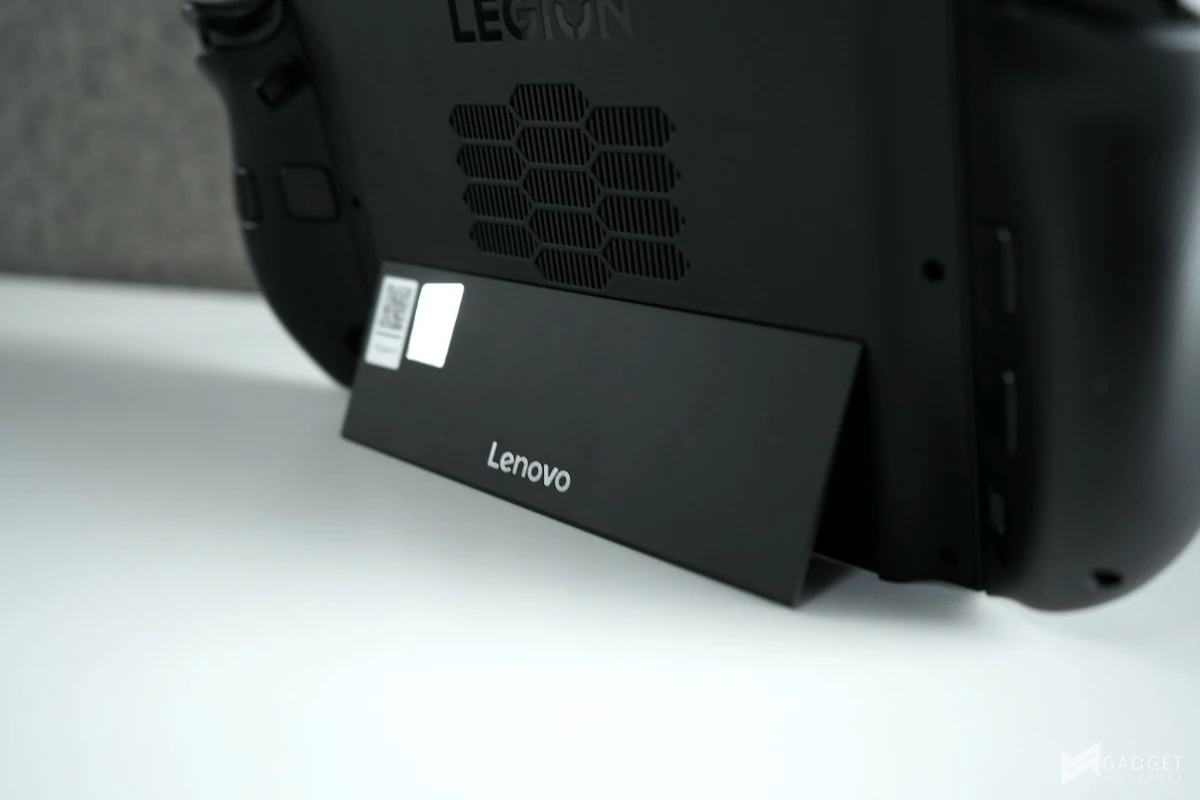
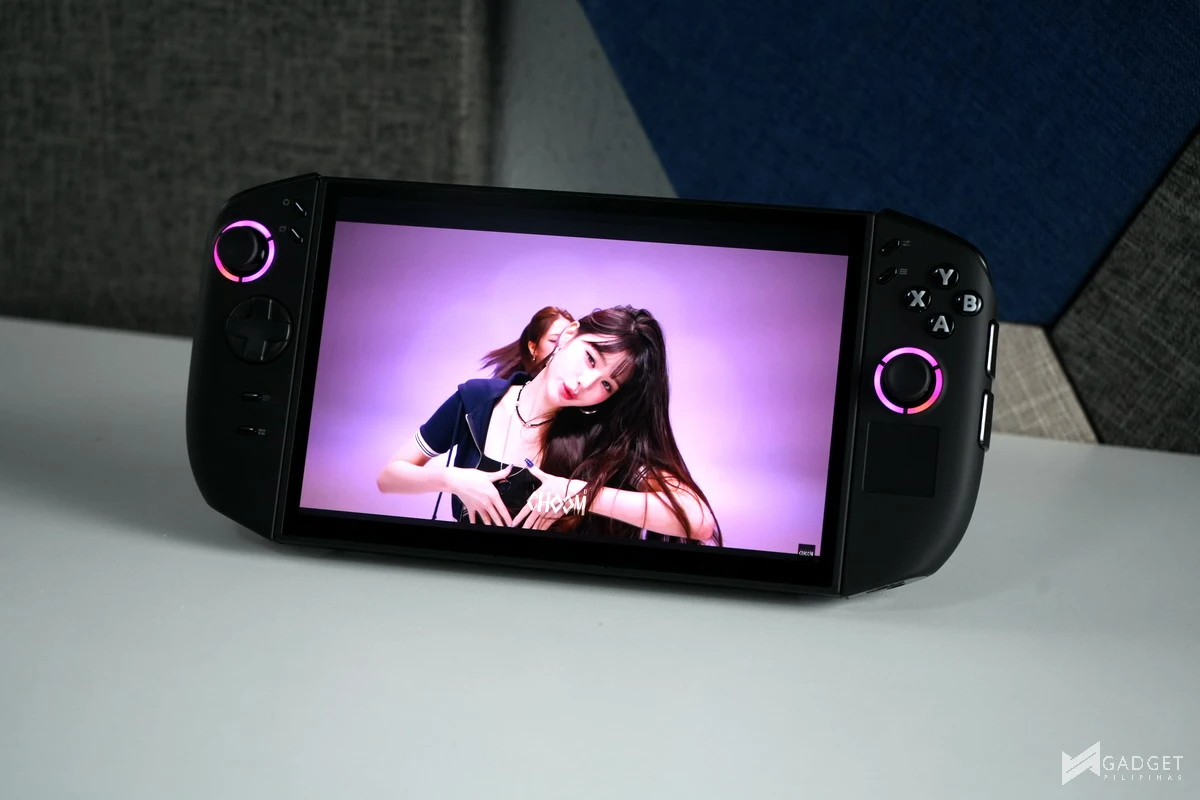
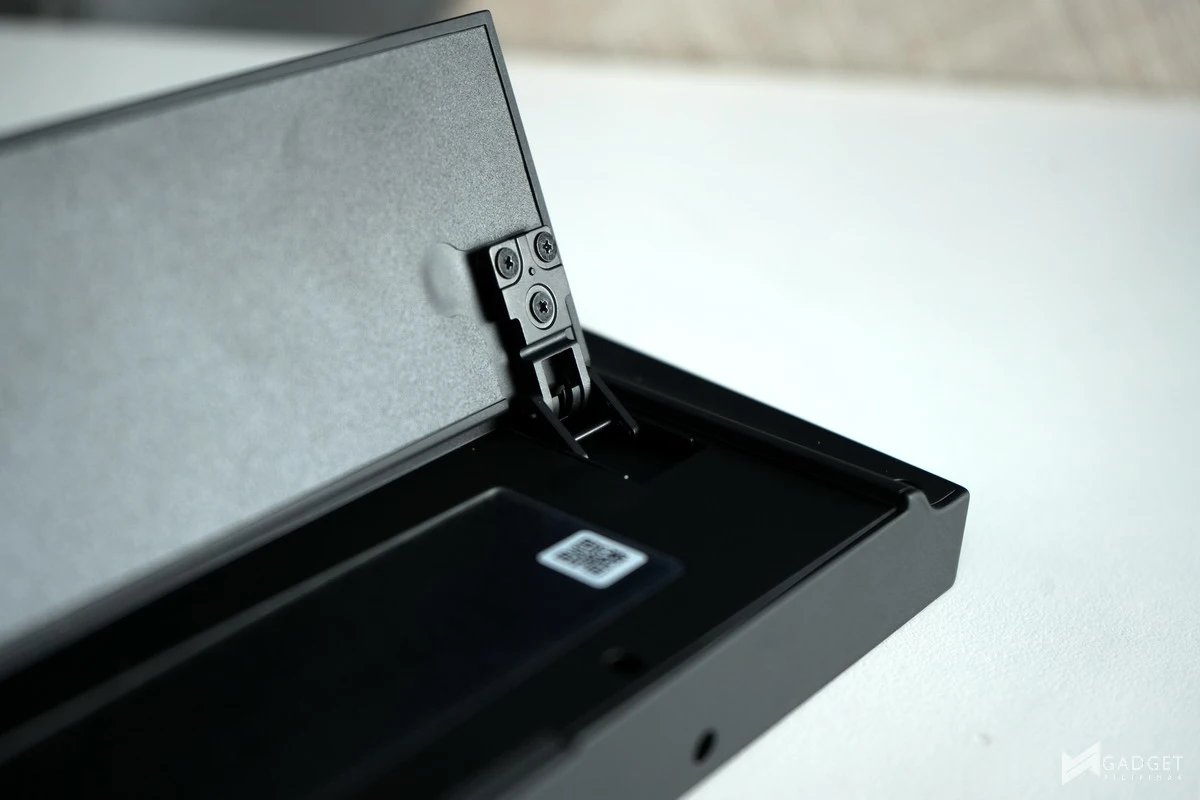
The kickstand of the Legion Go 2 is improved to account for the heavier 0.921 kg weight. The kickstand, a feature taken from the Nintendo Switch handheld, enables a more comfortable gameplay experience, especially when you remove the controller. This offsets the heaviness of the Legion Go 2 that would normally make you tired holding the device before its 74whr battery would give out.
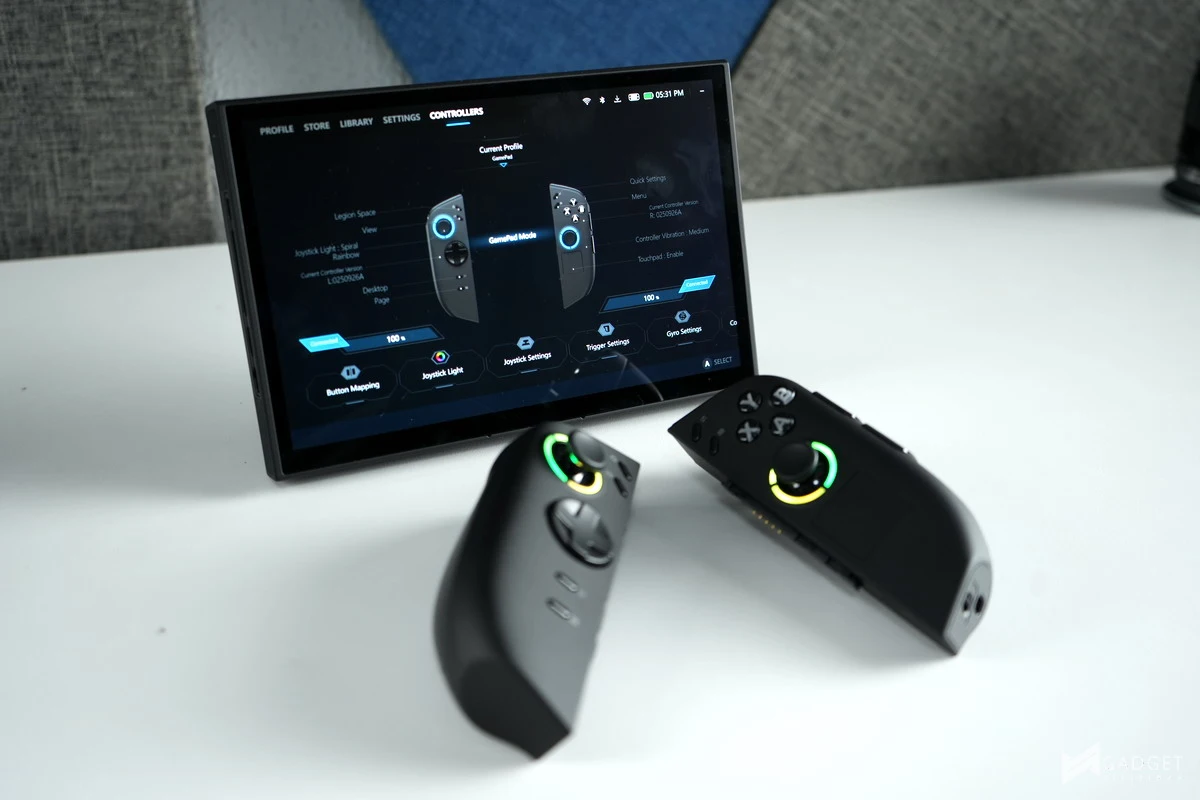
The Lenovo Legion Go 2 is the largest handheld device we’ve tested so far, measuring 295.6mm x 136.7mm x 42.25mm with the controllers attached and measuring 206mm x 136.7mm x 22.95mm with only the base module. Its size and weight are the biggest tradeoffs in being a gaming handheld, as portability becomes more of an issue not only during playtime but also during transportation. Its size will mostly require a 6L bag or larger if you have other items to store.
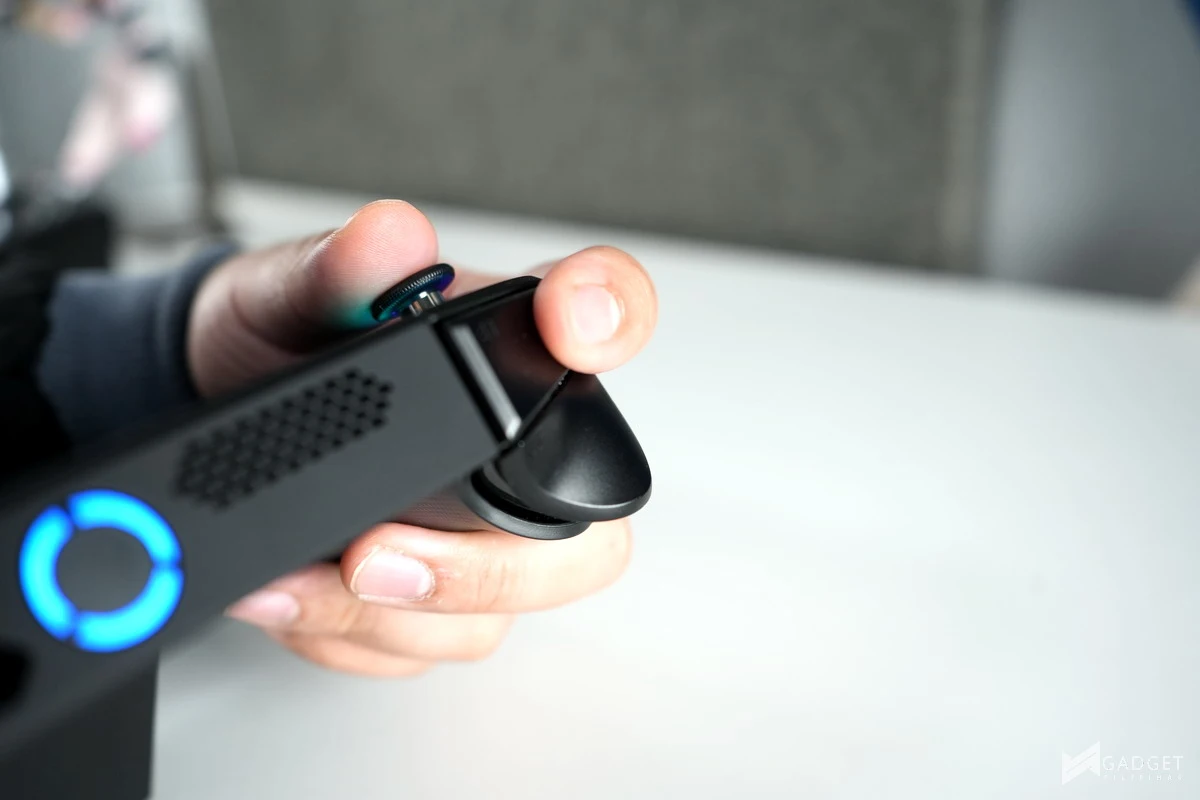
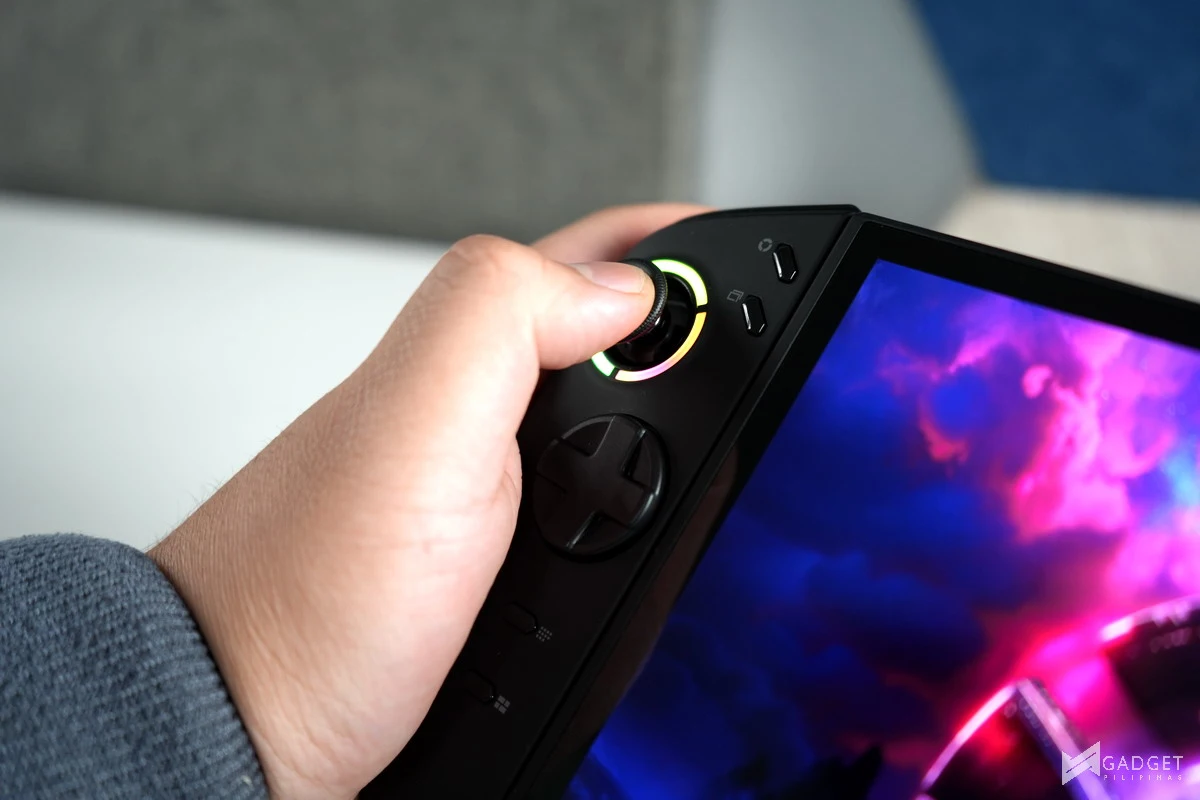
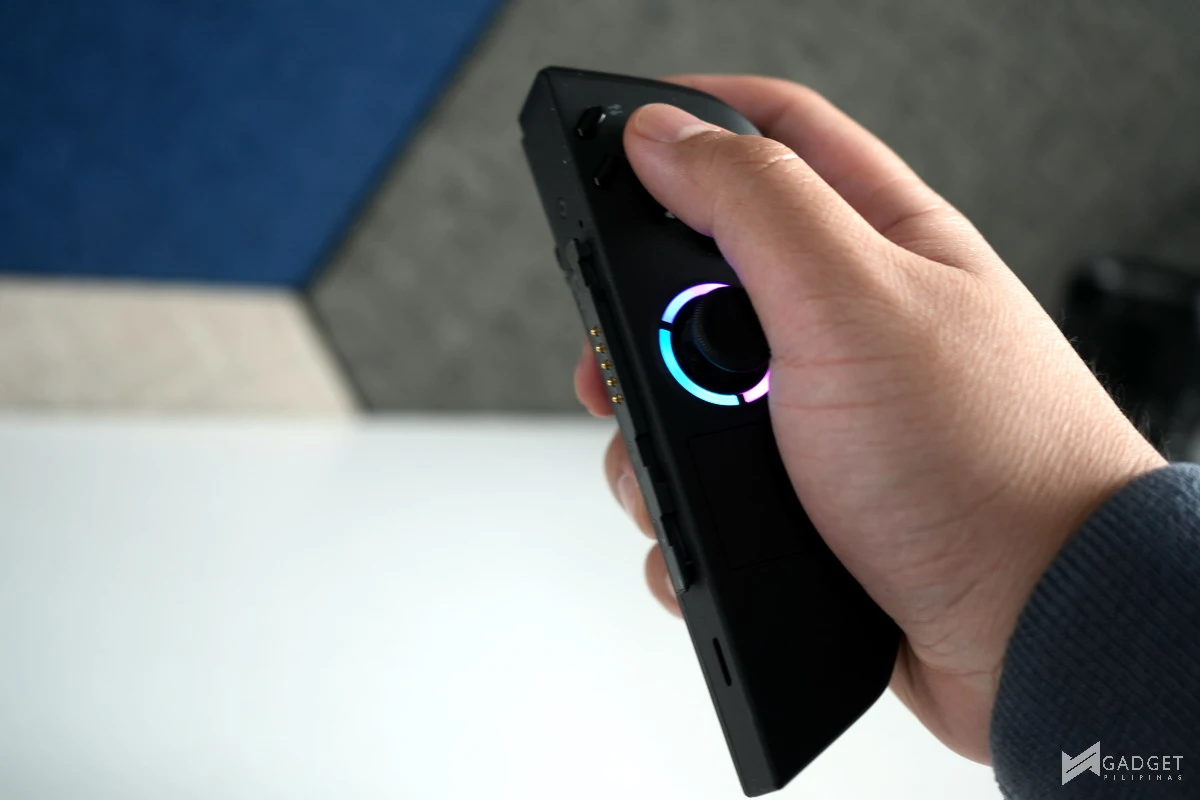
That said, one of the Legion Go 2’s redeeming qualities is its detachable controllers paired with its kickstand. Having a similar kind of flexibility as the Switch means that local multiplayer sessions with friends are also possible, albeit slightly more complicated, as the controllers can’t act individually like the Joy-Cons.
The Legion Go 2 retains the iconic FPS mode on the right controller, where you could use it as a mouse via the IR sensor on the bottom. Instead of a magnetic attachment for the base plate stand, it can now be attached via a clip mechanism. The tradeoff in ease of use in favor of overall stability
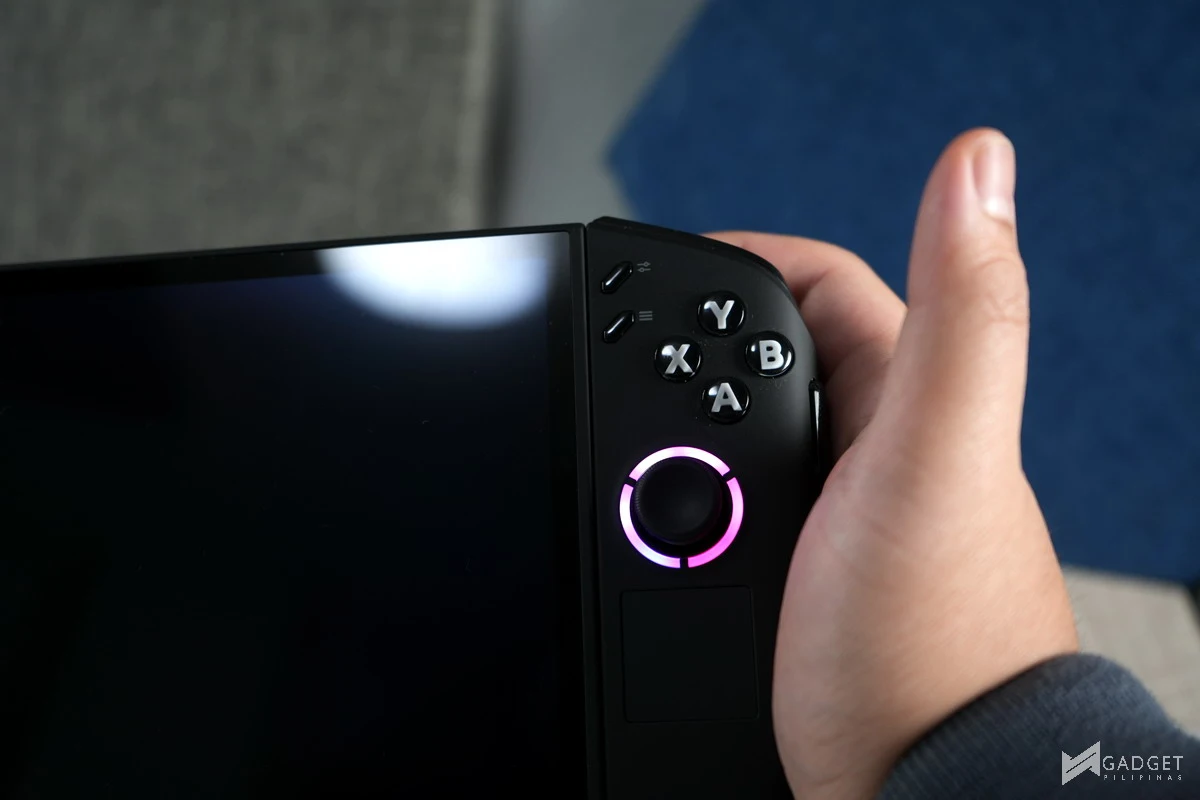
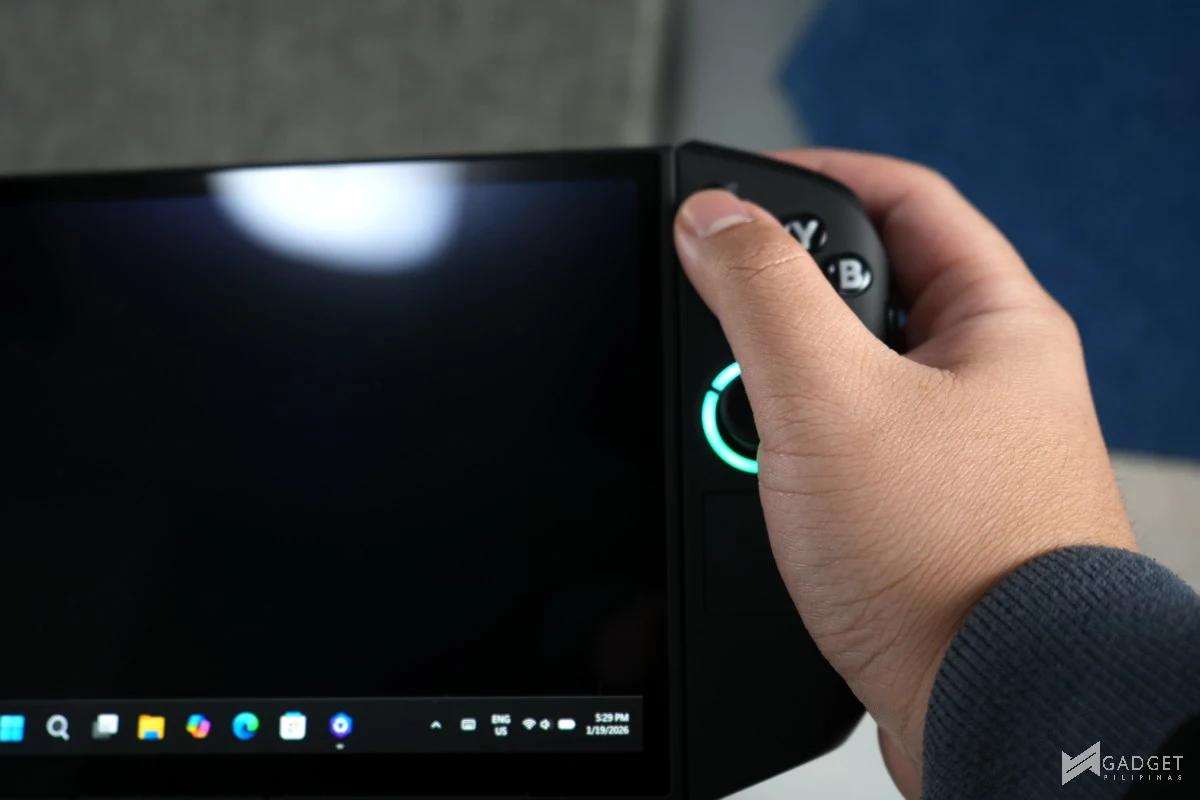
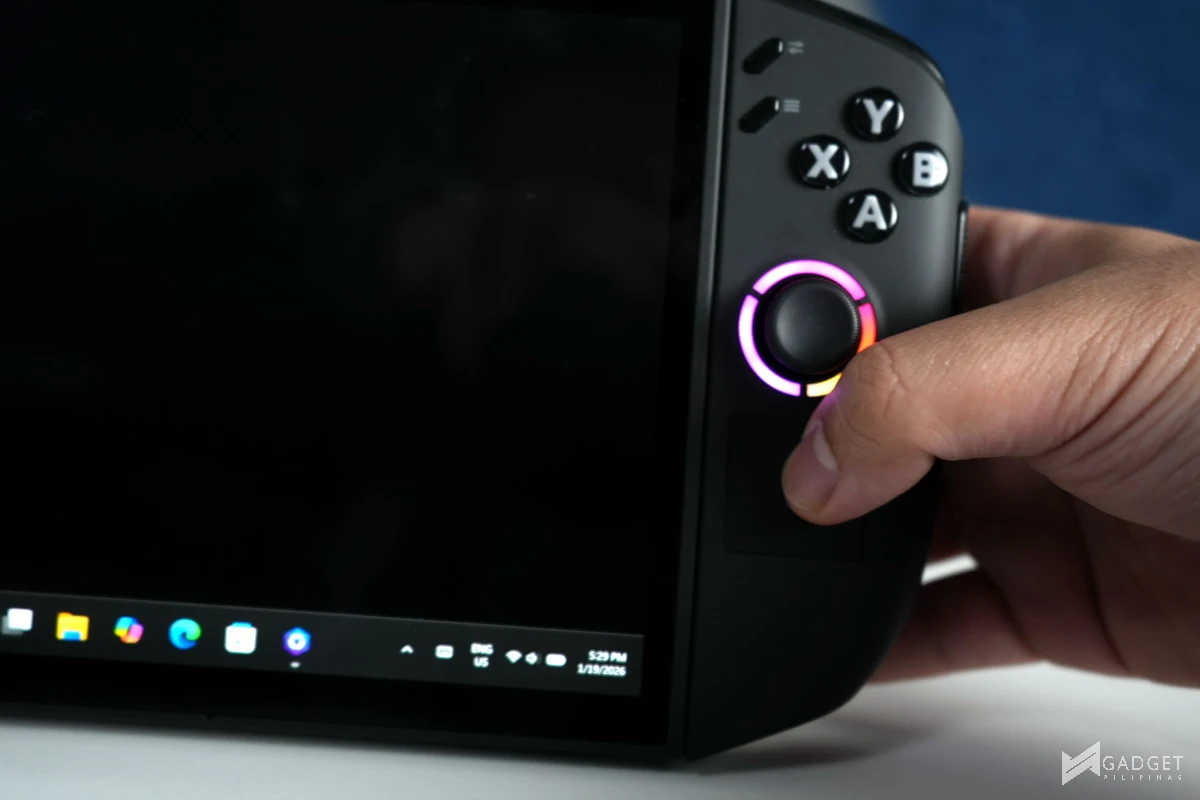
The larger your hands are, the better the ergonomic experience you’ll have with the Legion Go 2. It’s the controller closest to the Steam Deck experience, thanks to the built-in touch pad and similar controller layout, while offering more buttons for further customization. That said, reaching for the quick settings and menu button is cumbersome, especially if you have a shorter thumb due to its placement relative to the already large form factor of the controller. Not to mention that in most cases, you will likely hit the right joystick as you reach for these buttons.
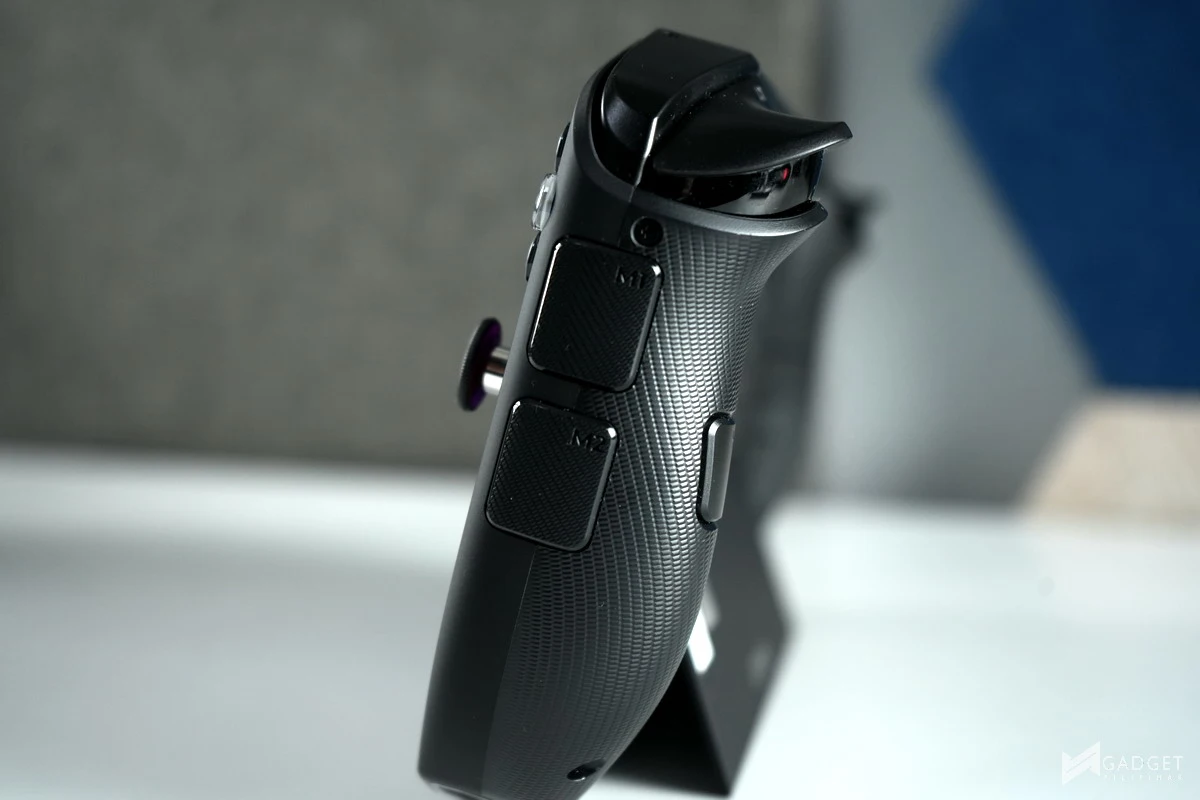
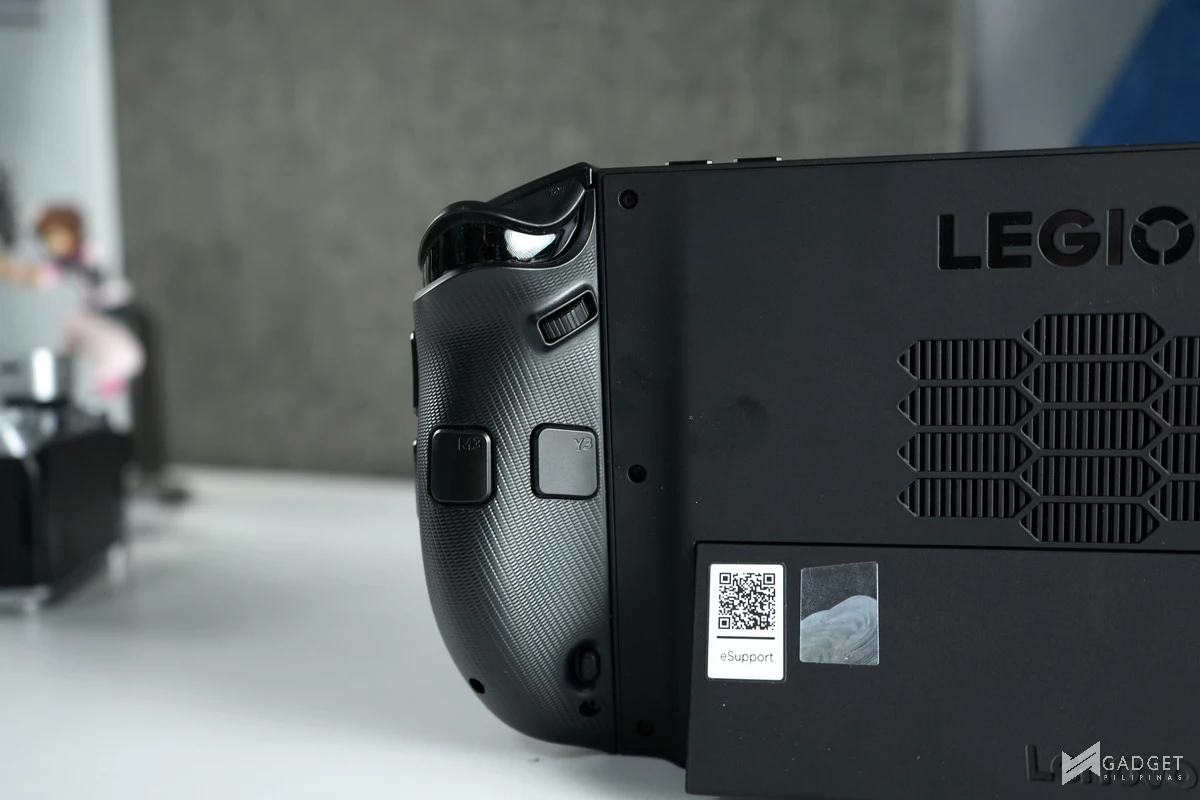
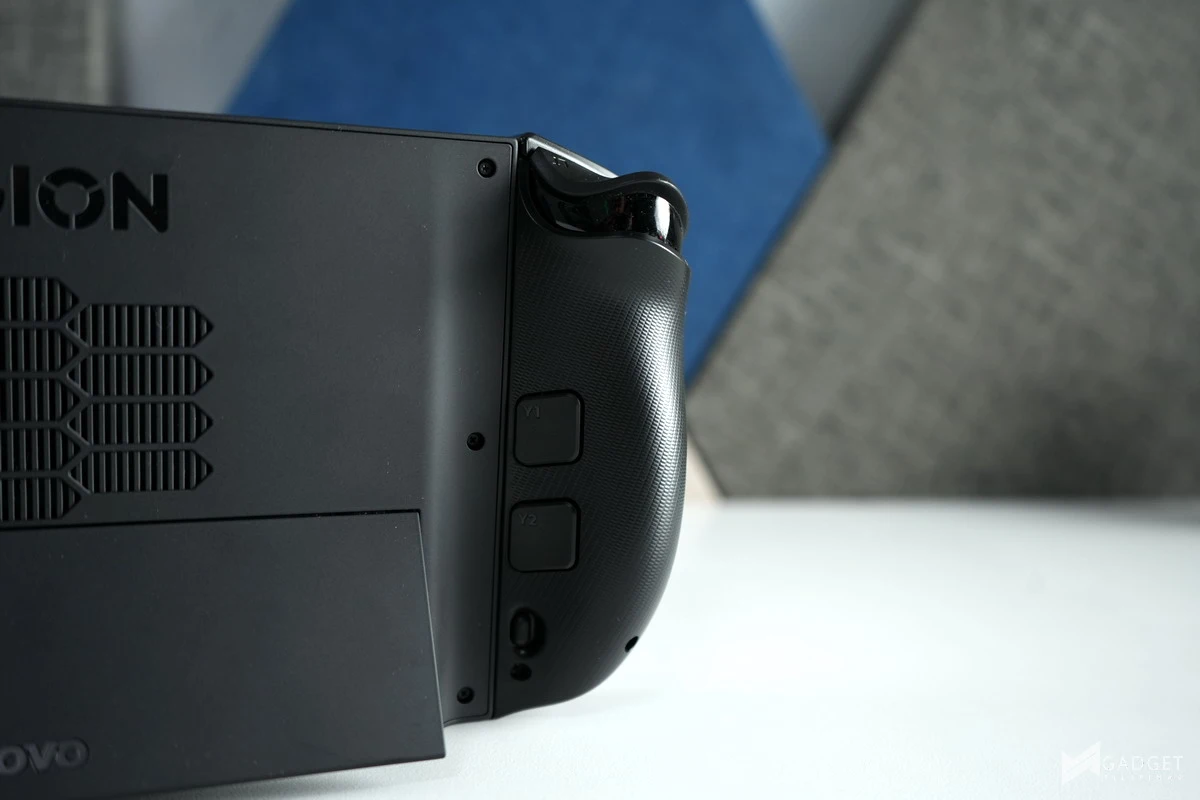
It takes time to get used to the controllers compared to the other gaming handhelds due to the complex button layout of the controllers, especially the right controller, which houses more buttons and a scroll wheel for the mouse mode. Most of the back buttons don’t have any functionality built in, as Lenovo probably had thought of the immense misclicks, especially on the right-most buttons. When you configure the buttons’ functionality through the Legion Space Software, you’d have an easier time fiddling with the Legion Go 2, both in gaming and non-gaming scenarios.
Legion Space Software
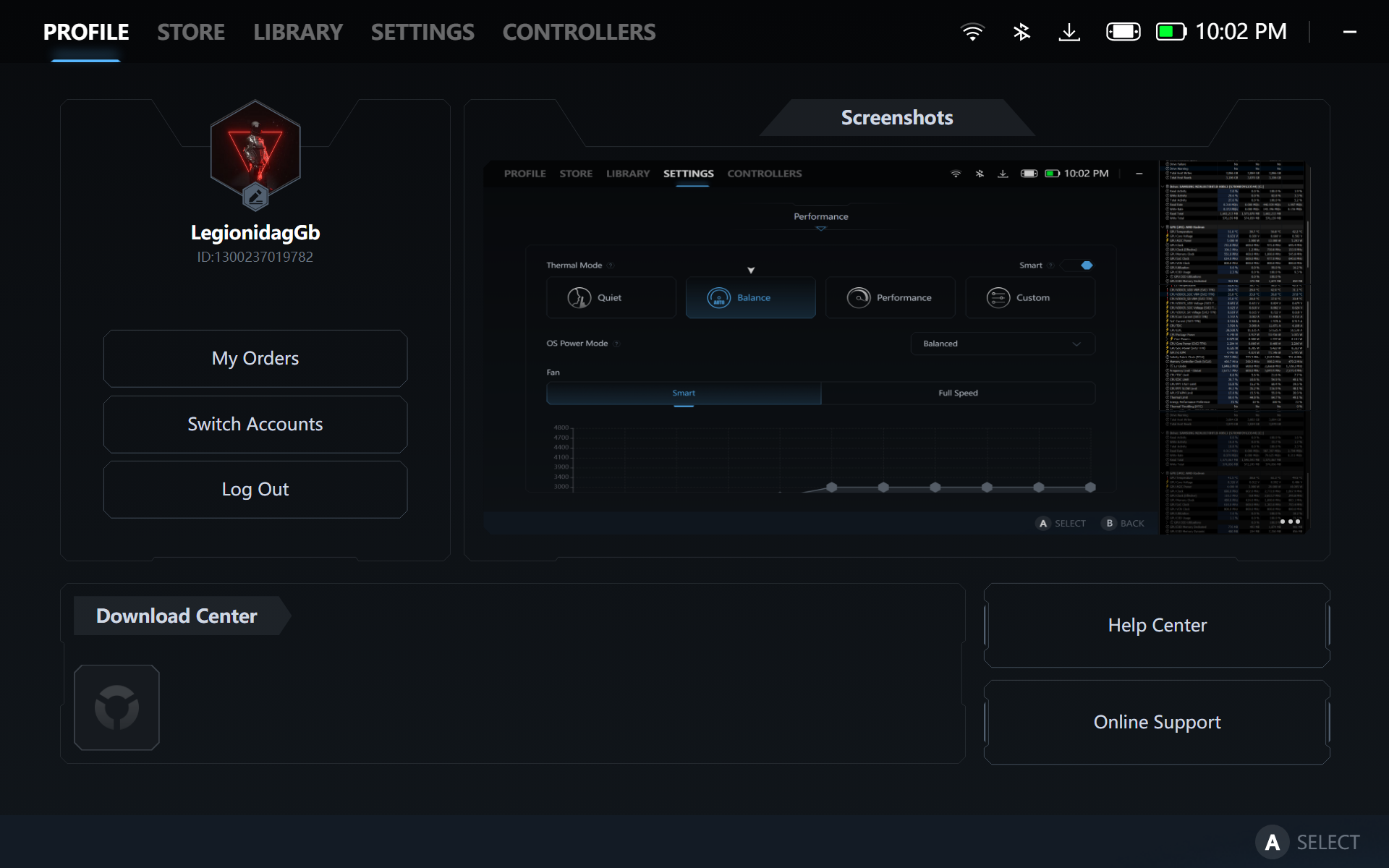
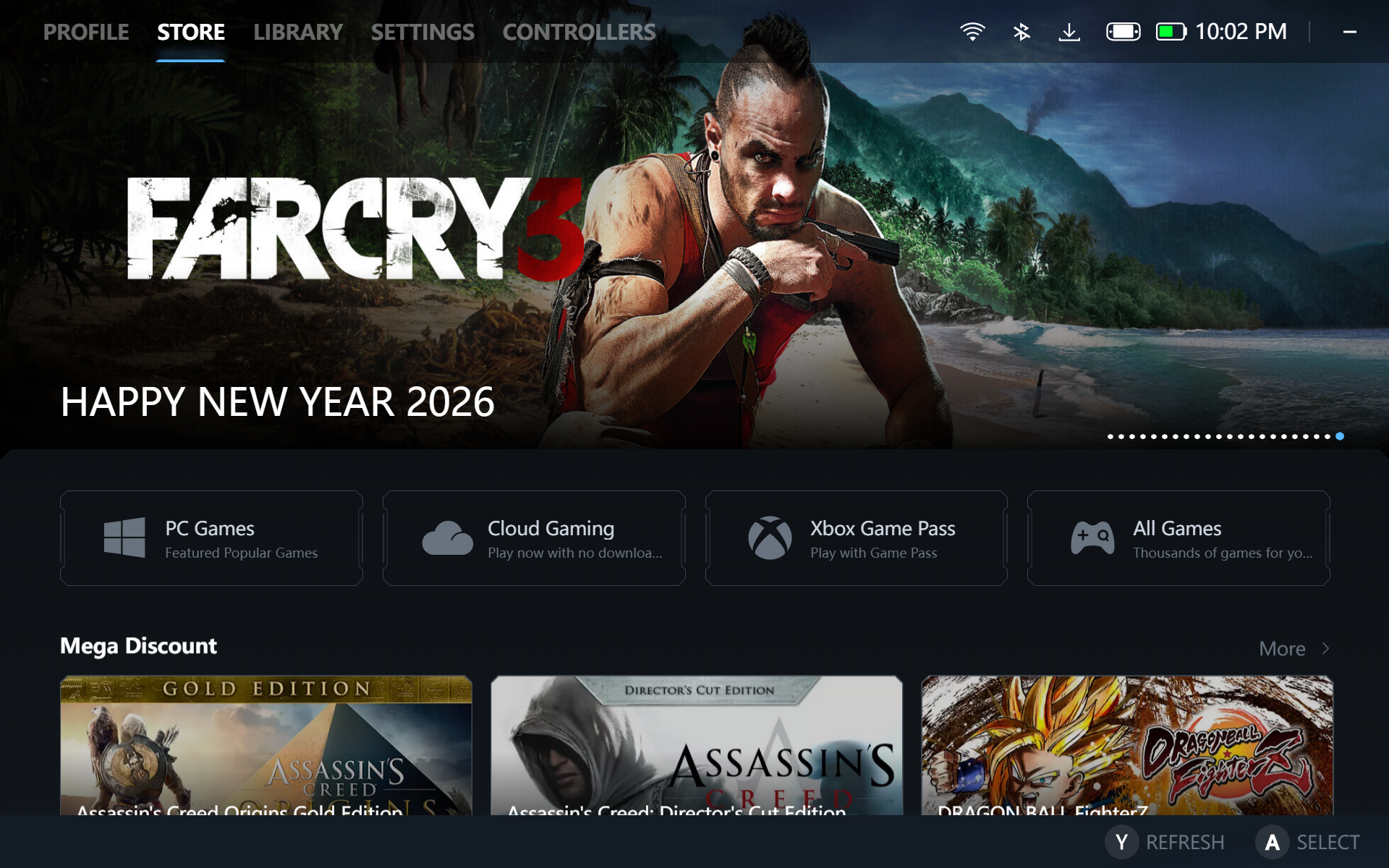
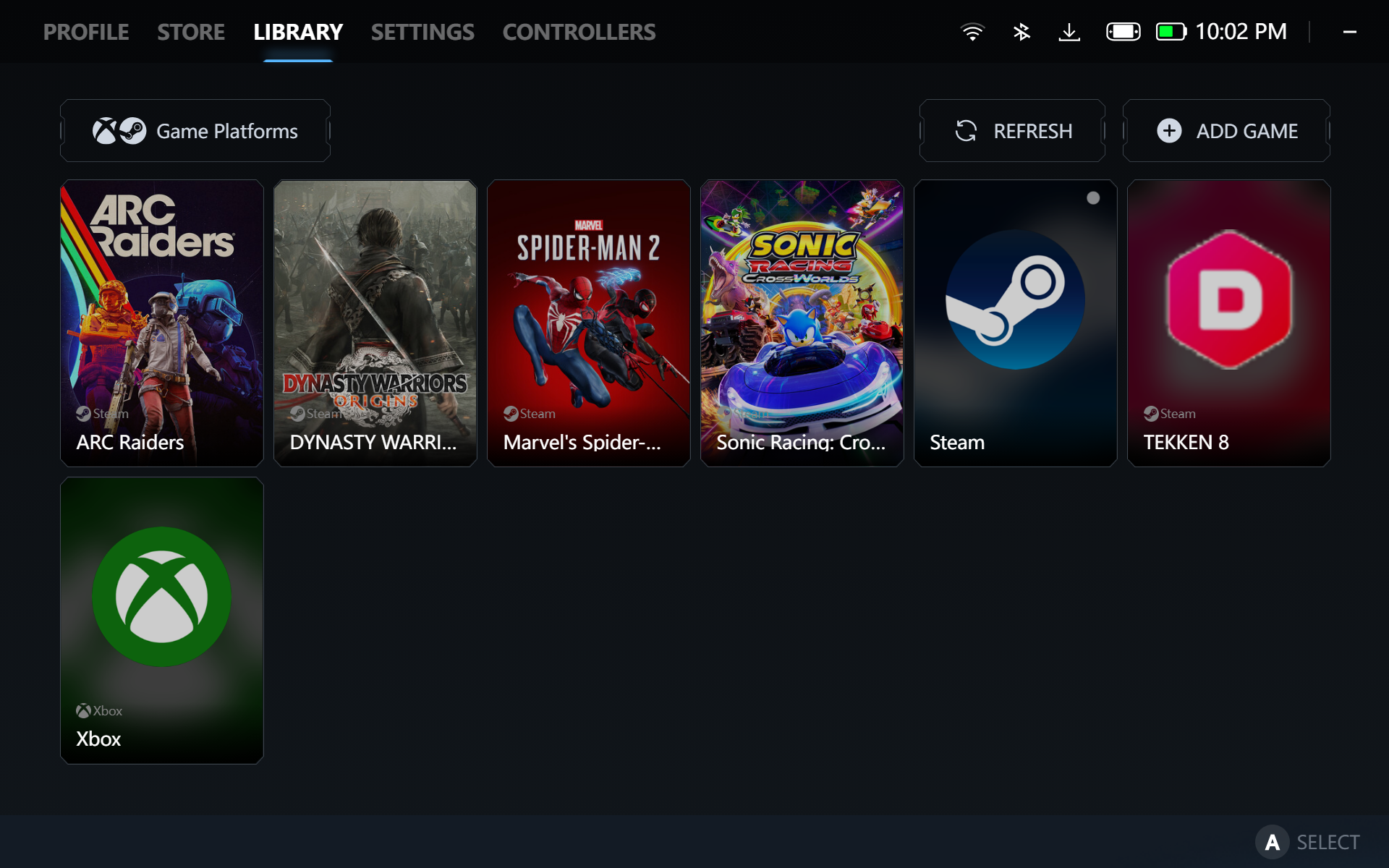
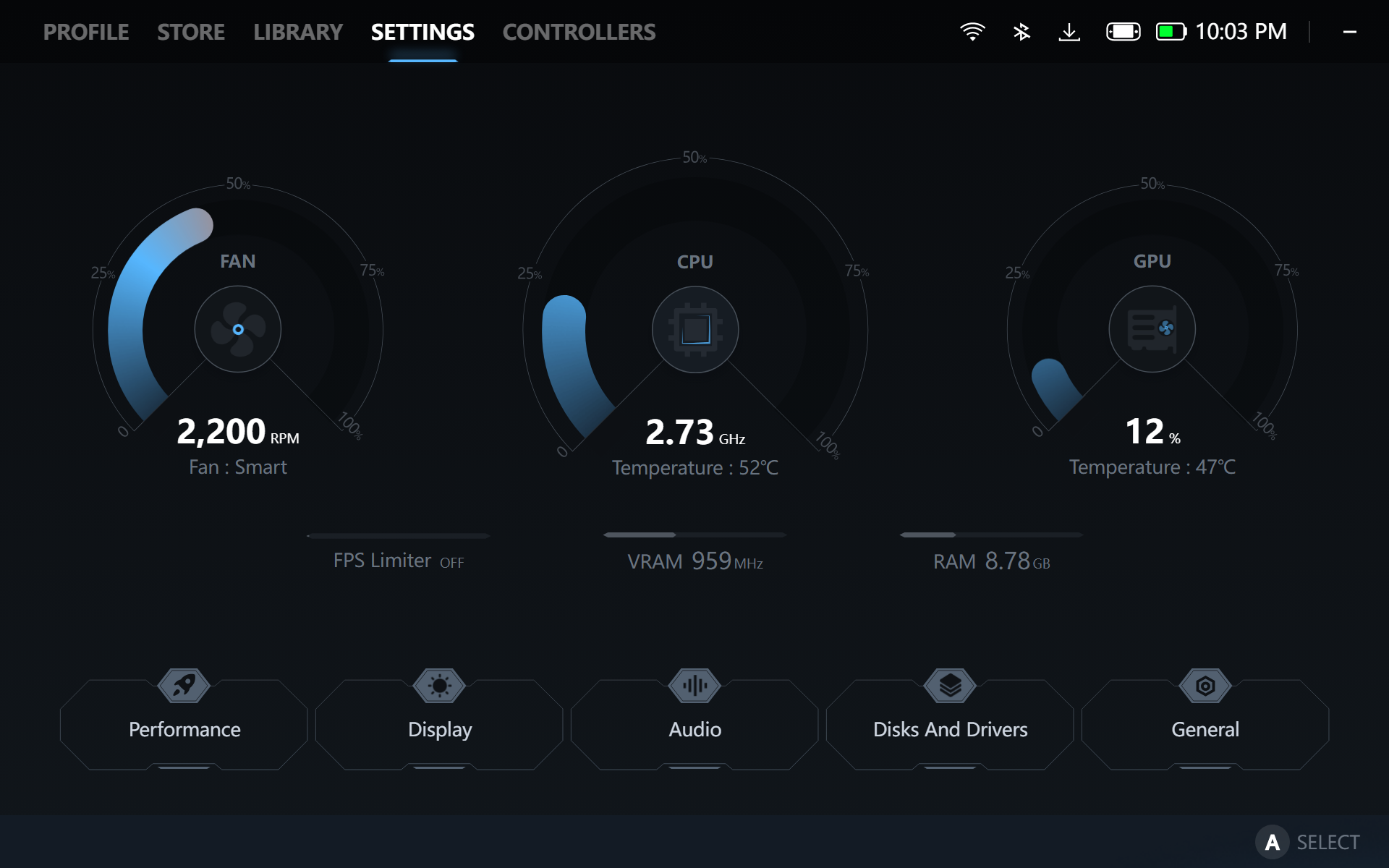
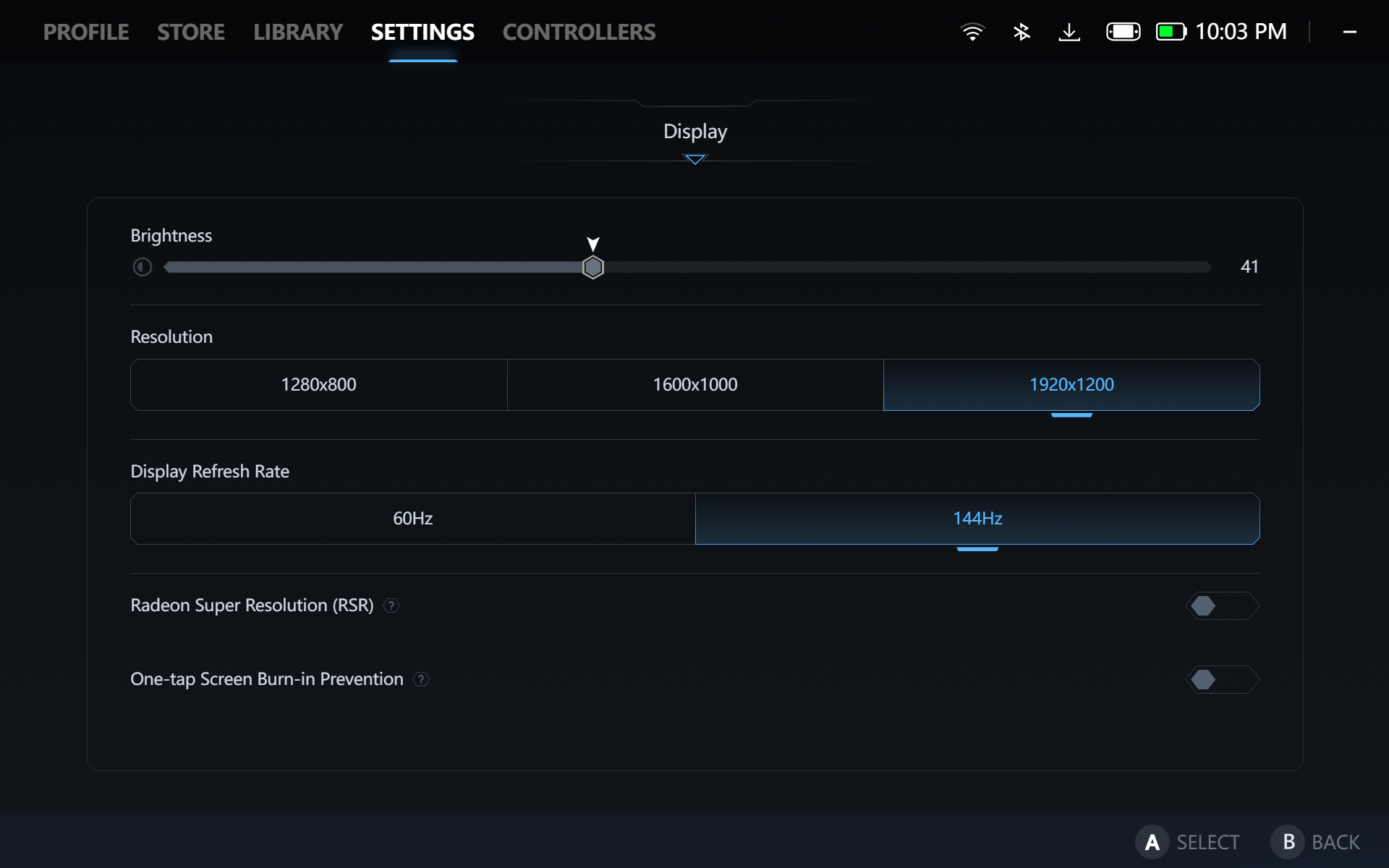
Legion Space is Lenovo’s all-in-one software for the Legion Go 2, where you can customize its controllers and power profiles. As much as the Legion Go 2 has the best hardware in any handheld, its software has a lot of work to be more seamless. Its only saving grace so far is that you can just hit the quick settings button on the right controller to access the power profile customization. The first three tabs don’t have any useful settings and are frankly considered bloat. The store page shows the deals found on the Microsoft Store. The library tab shows all of the games installed. Settings and Controller are the tabs that you’ll spend your time the most.
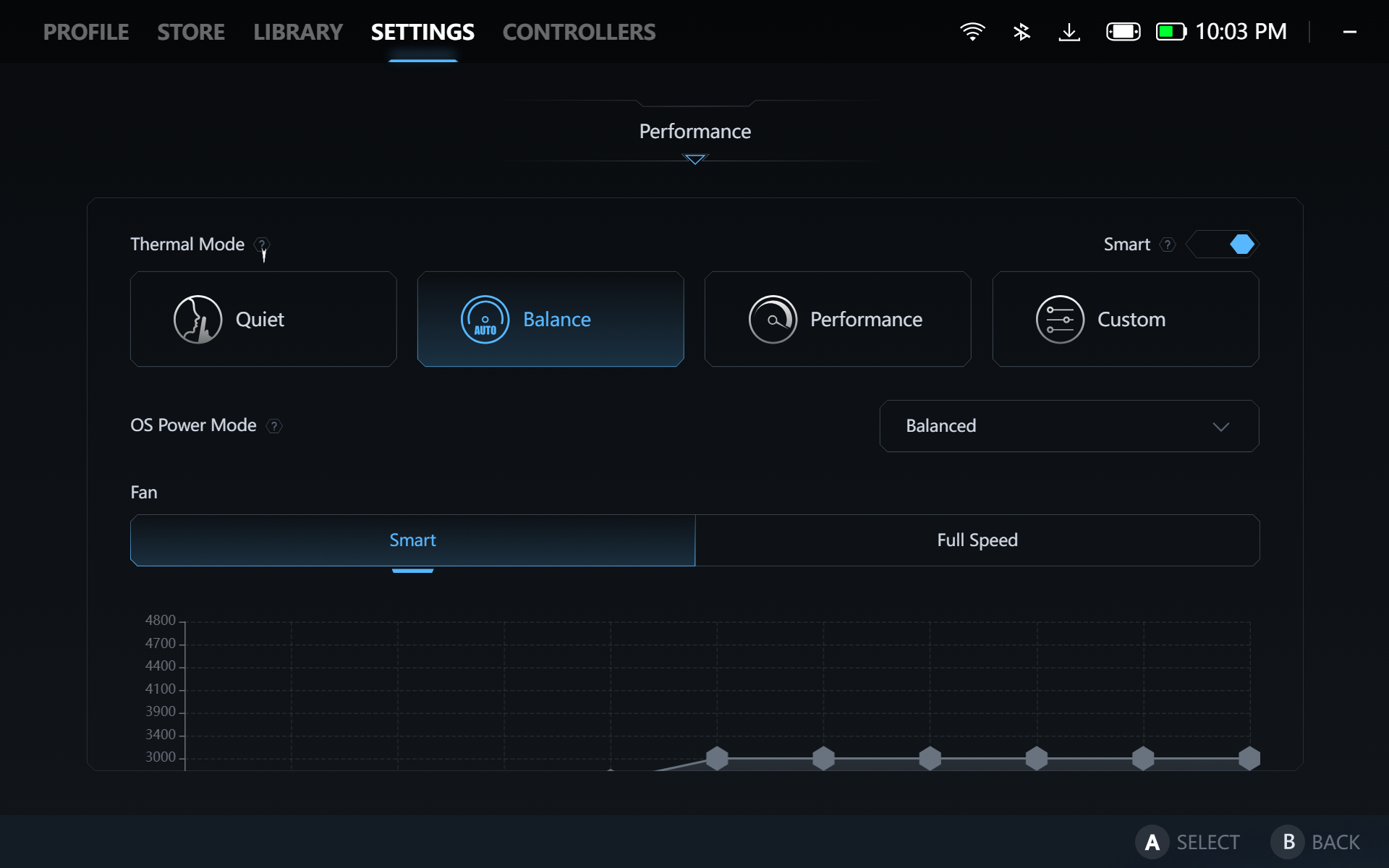
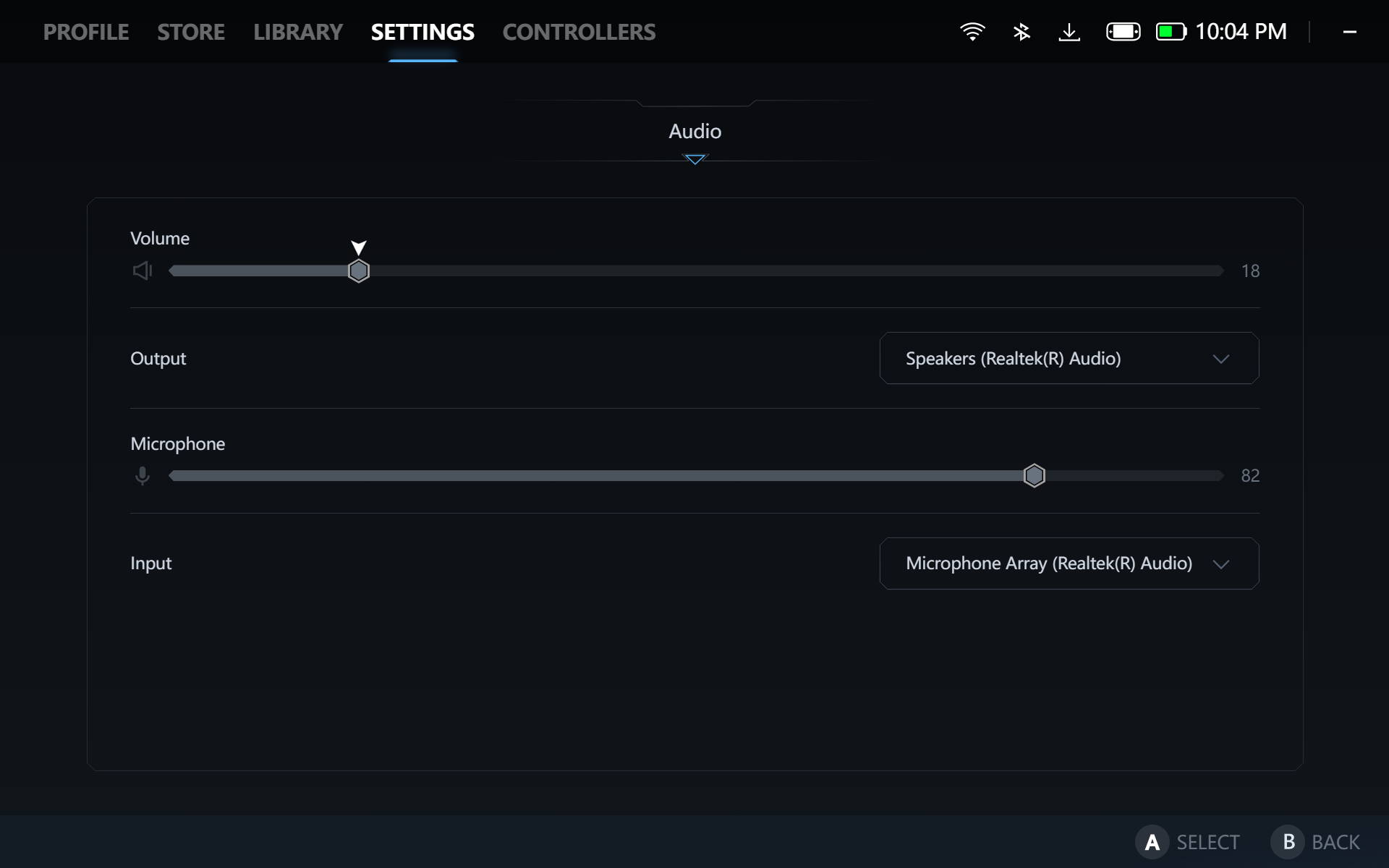
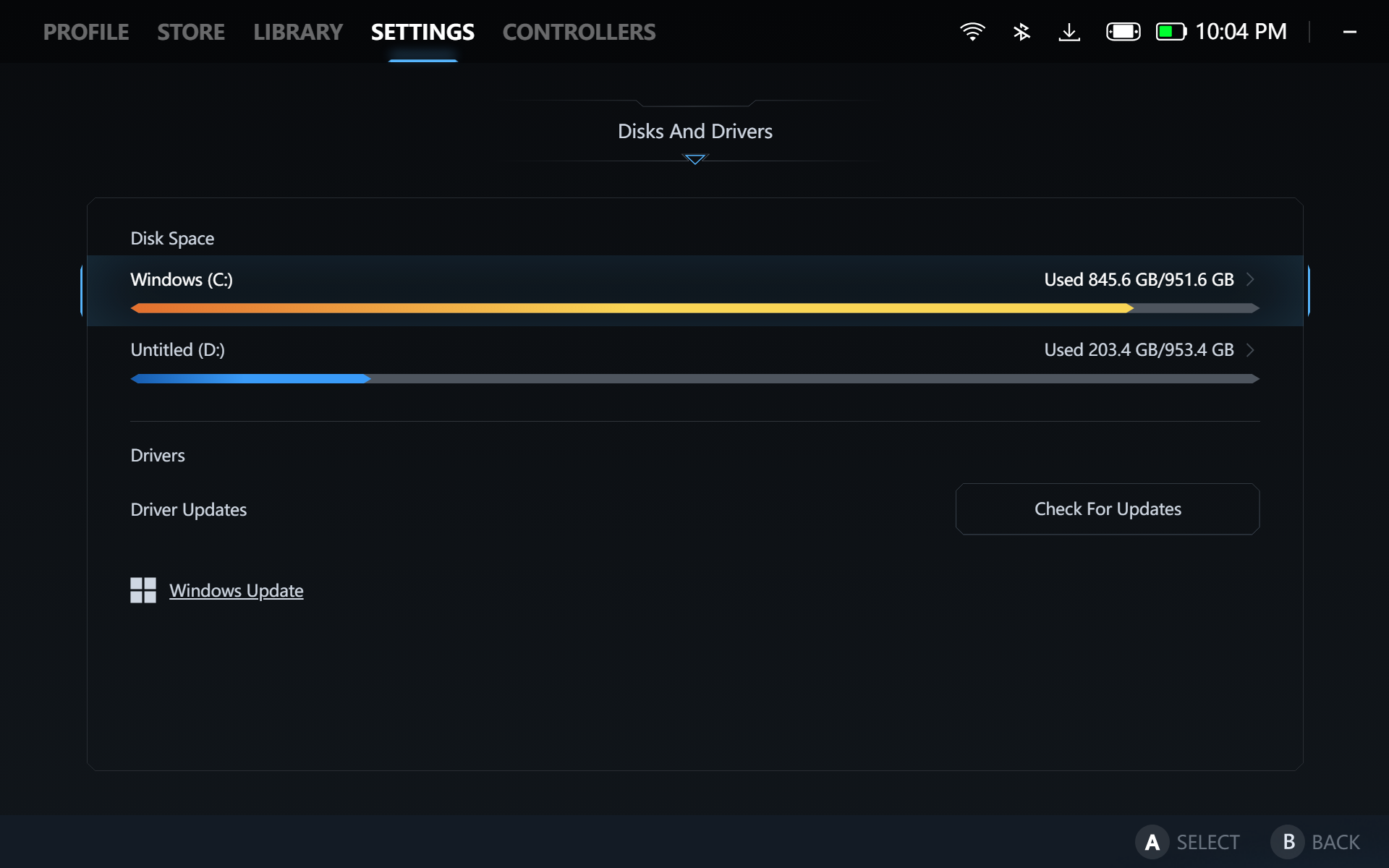
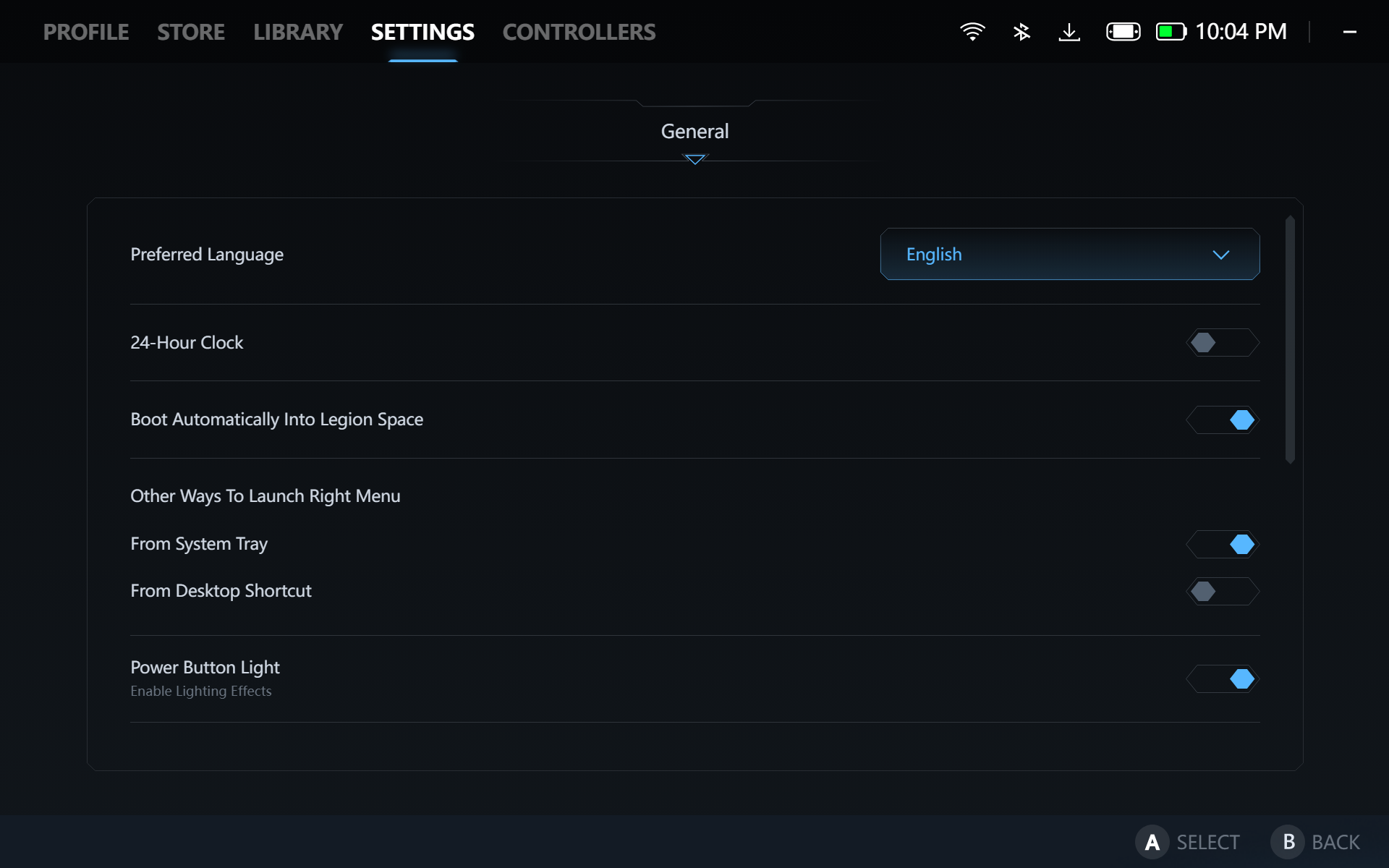
The Settings tab houses performance-related settings, especially the power profile customizations. Albeit cluttered, it does contain almost everything that you would need. Unlike other handhelds,, you can’t create custom power curves, only custom fancurves.
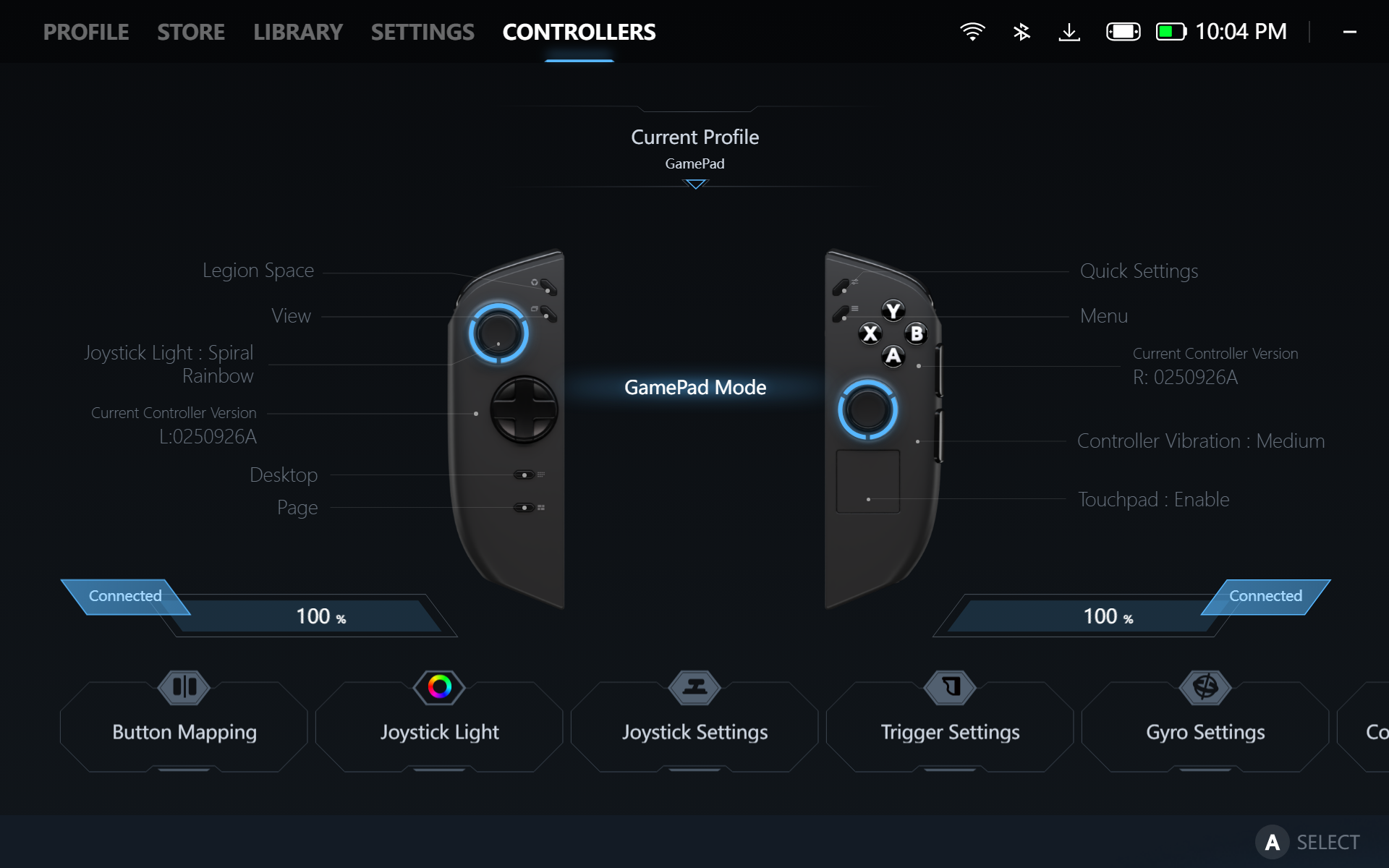
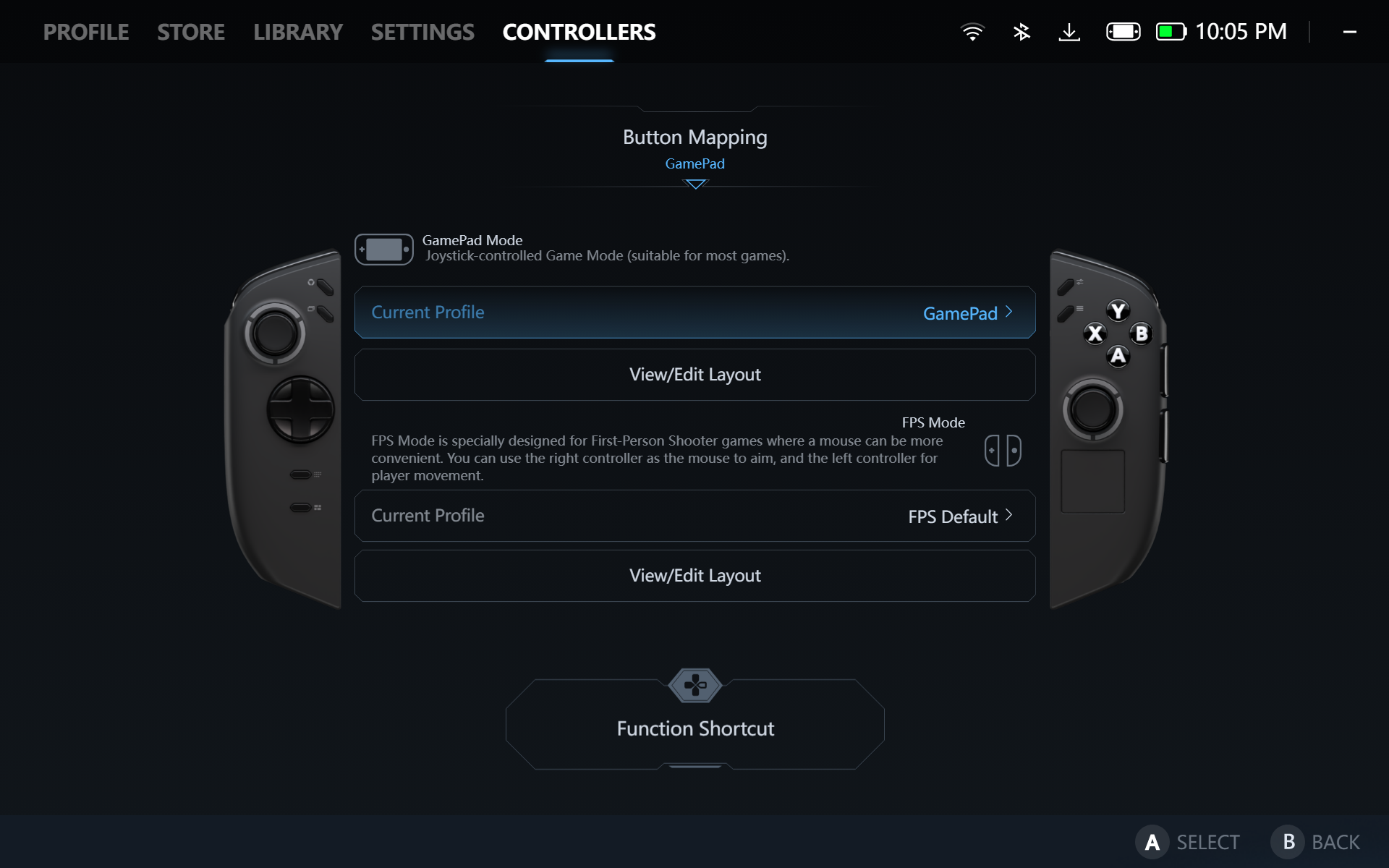
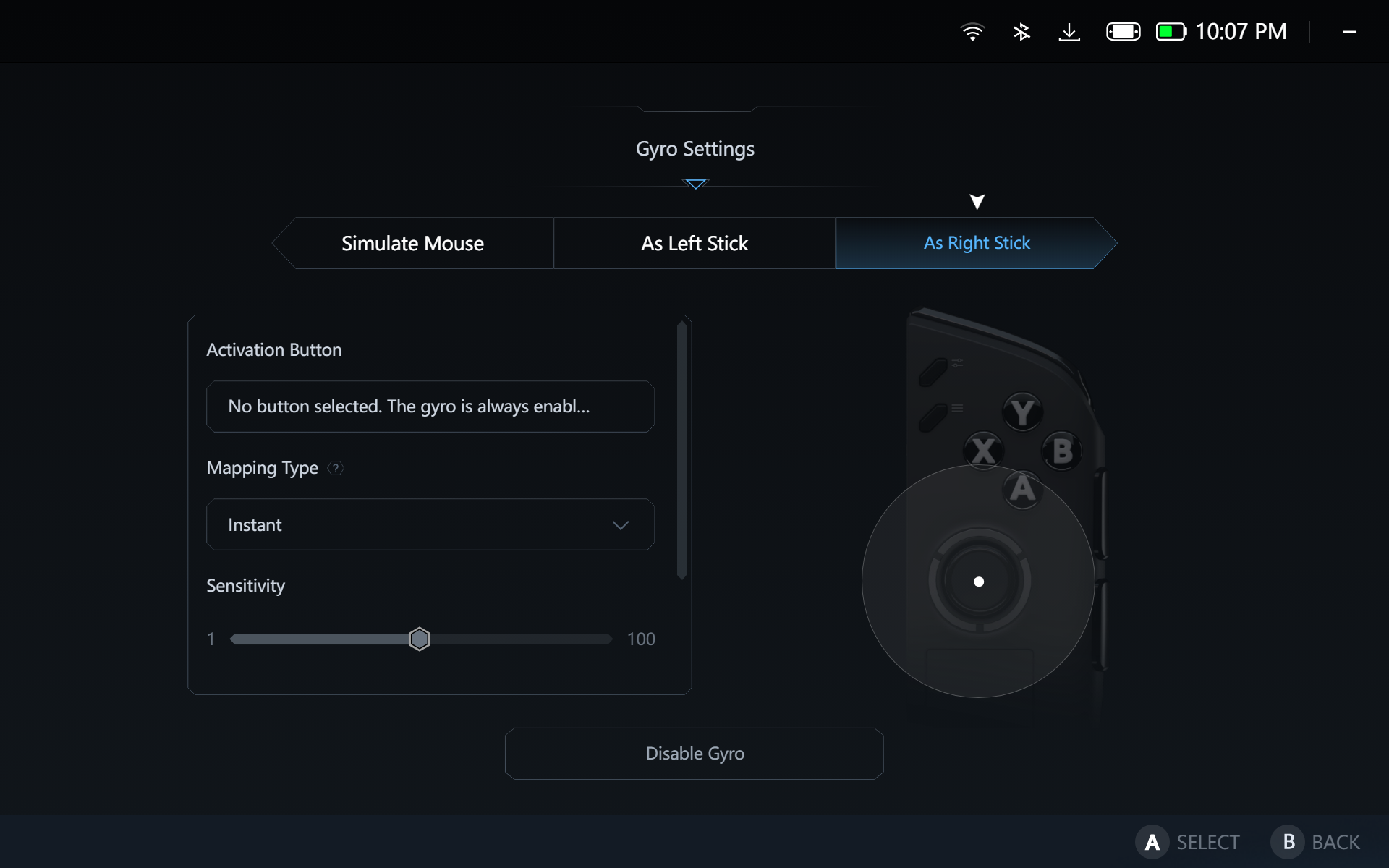
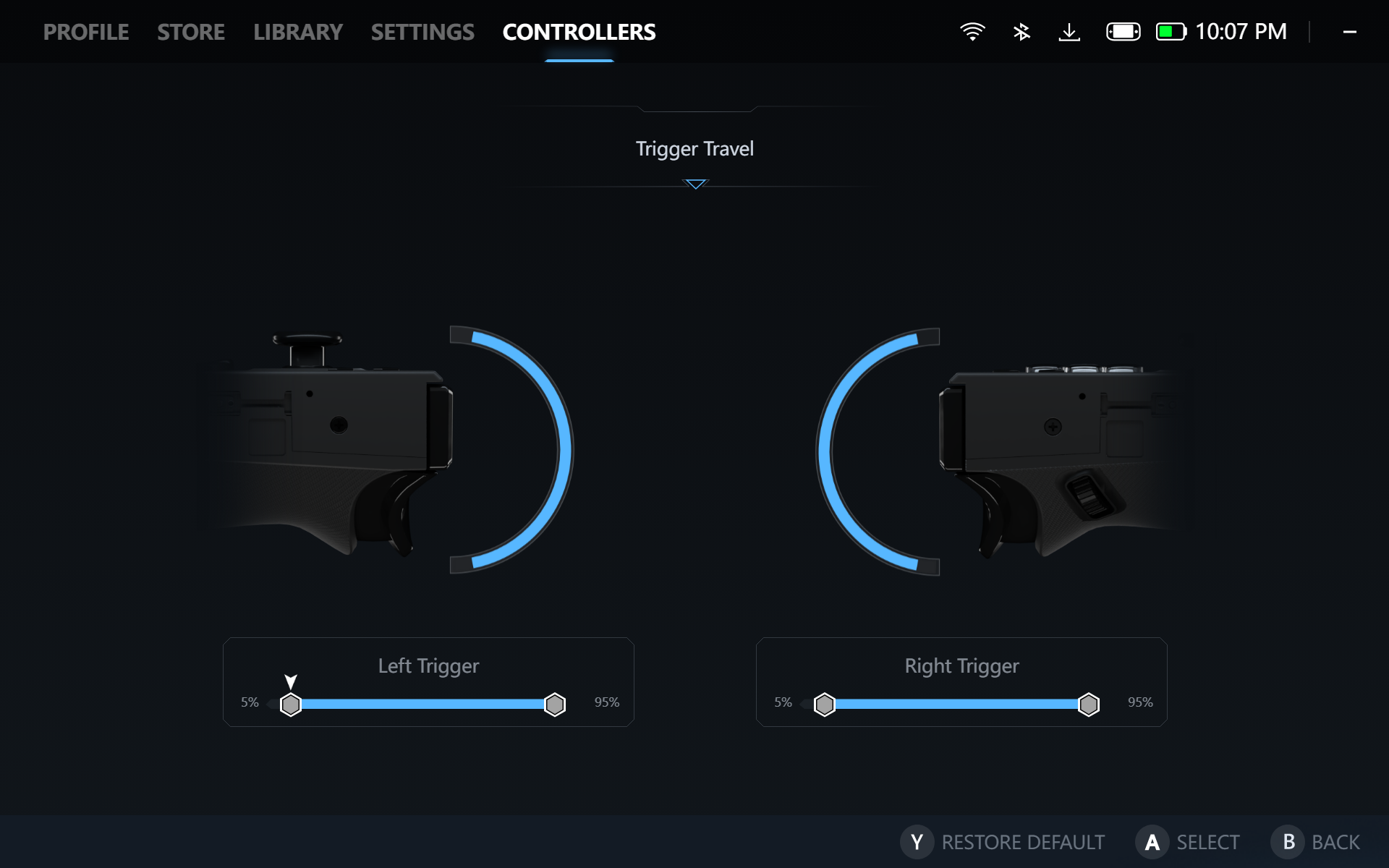
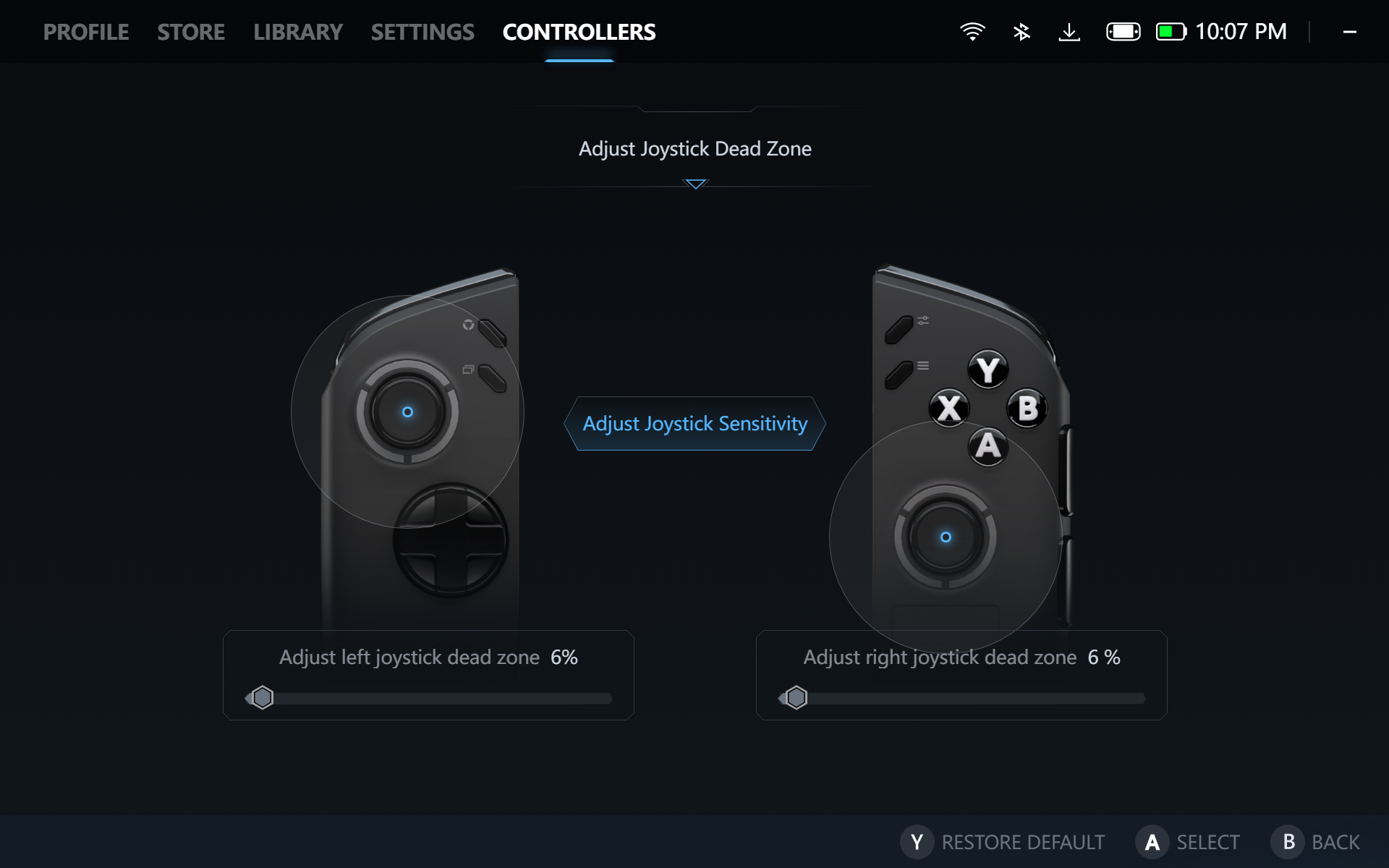
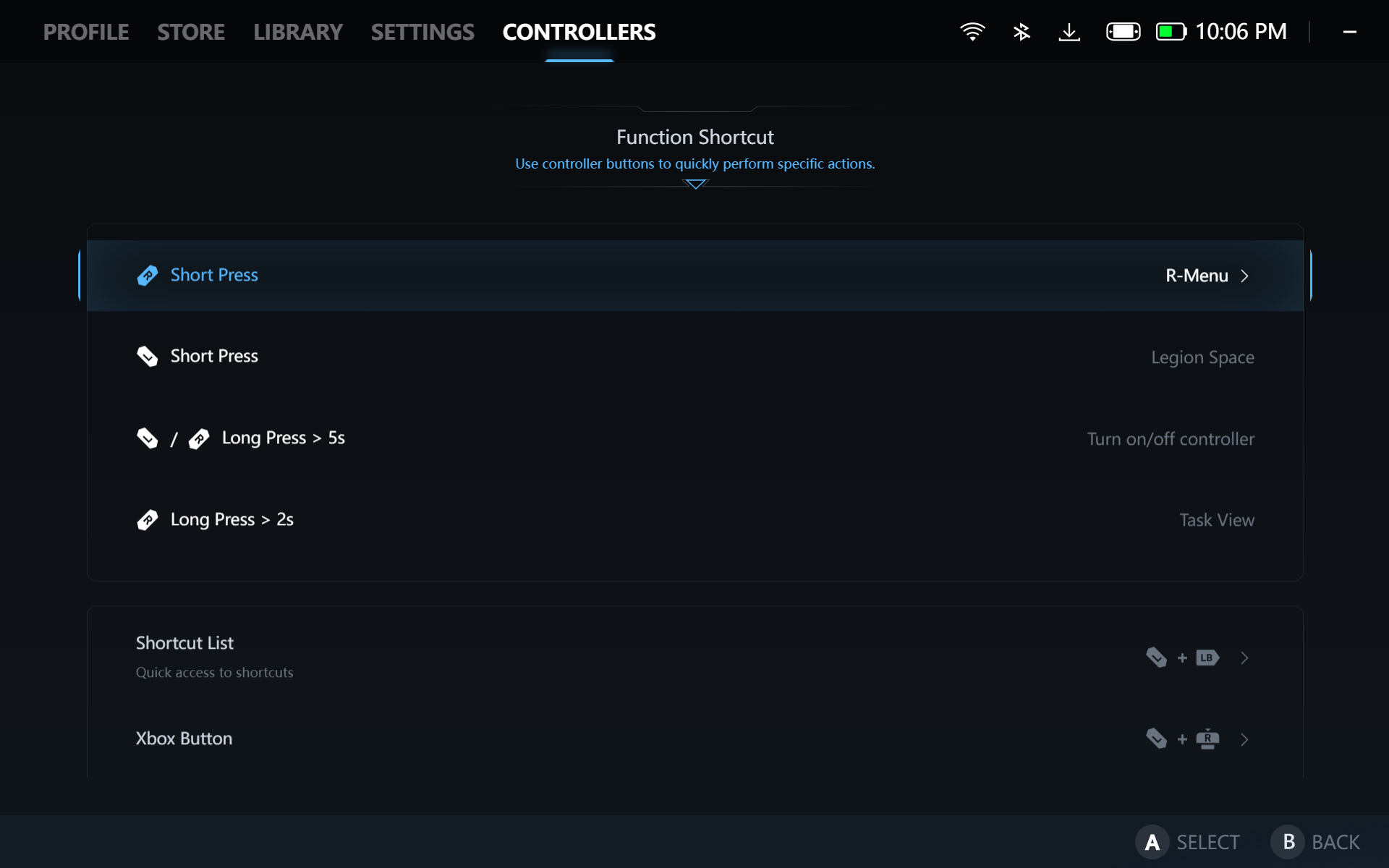
The sky is the limit in terms of controller customization on the Lenovo Legion Go 2. From trigger and joystick sensitivity to short and long presses on the buttons to trigger certain commands and shortcuts. Unfortunately, you can’t save these as multiple custom profiles.
Legion Go 2 Power and Performance
| Power Profile | Power Consumption / TDP |
| Quiet | 9-15W |
| Balanced | 15-25W |
| Performance | 25-35W |
We tested the Legion Go 2 on its three default power profiles, Quiet, Balanced, and Performance. All profiles had the Smart Fan toggled. OS Power Modes are also adjusted according to the profiles, Efficiency for Quiet, Balanced for Balance, and Performance for Performance. We tested FSR enabled on games that would automatically enable it.
COUNTERSTRIKE 2
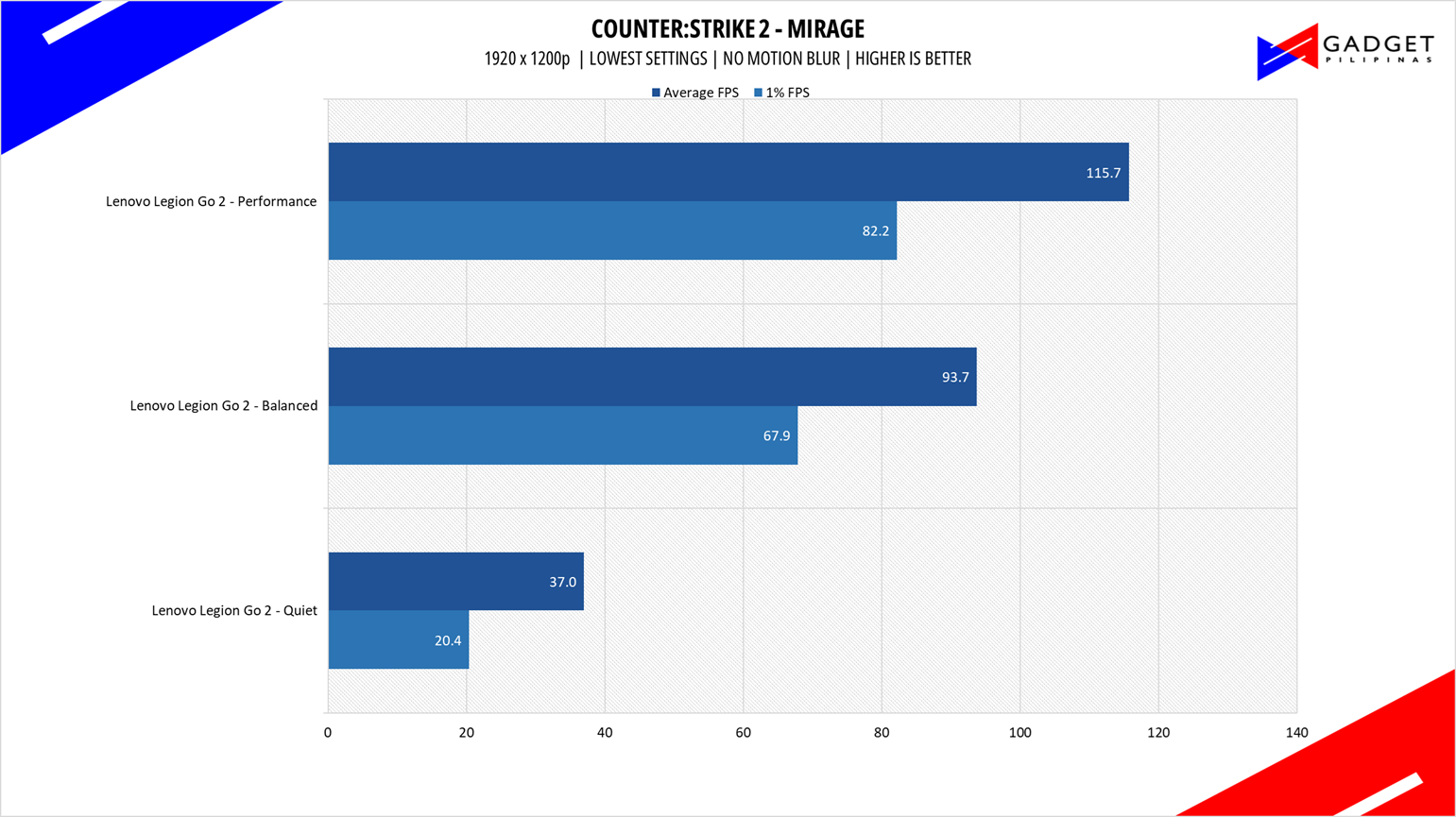
CounterStrike 2 or CS2 is the successor to the now retired CSGO and now uses the Source 2 Engine – the same engine used on DOTA 2. CS2 is a great FPS game to test out CPU performance. Our benchmark process uses a the replay function of the game.
DOTA 2
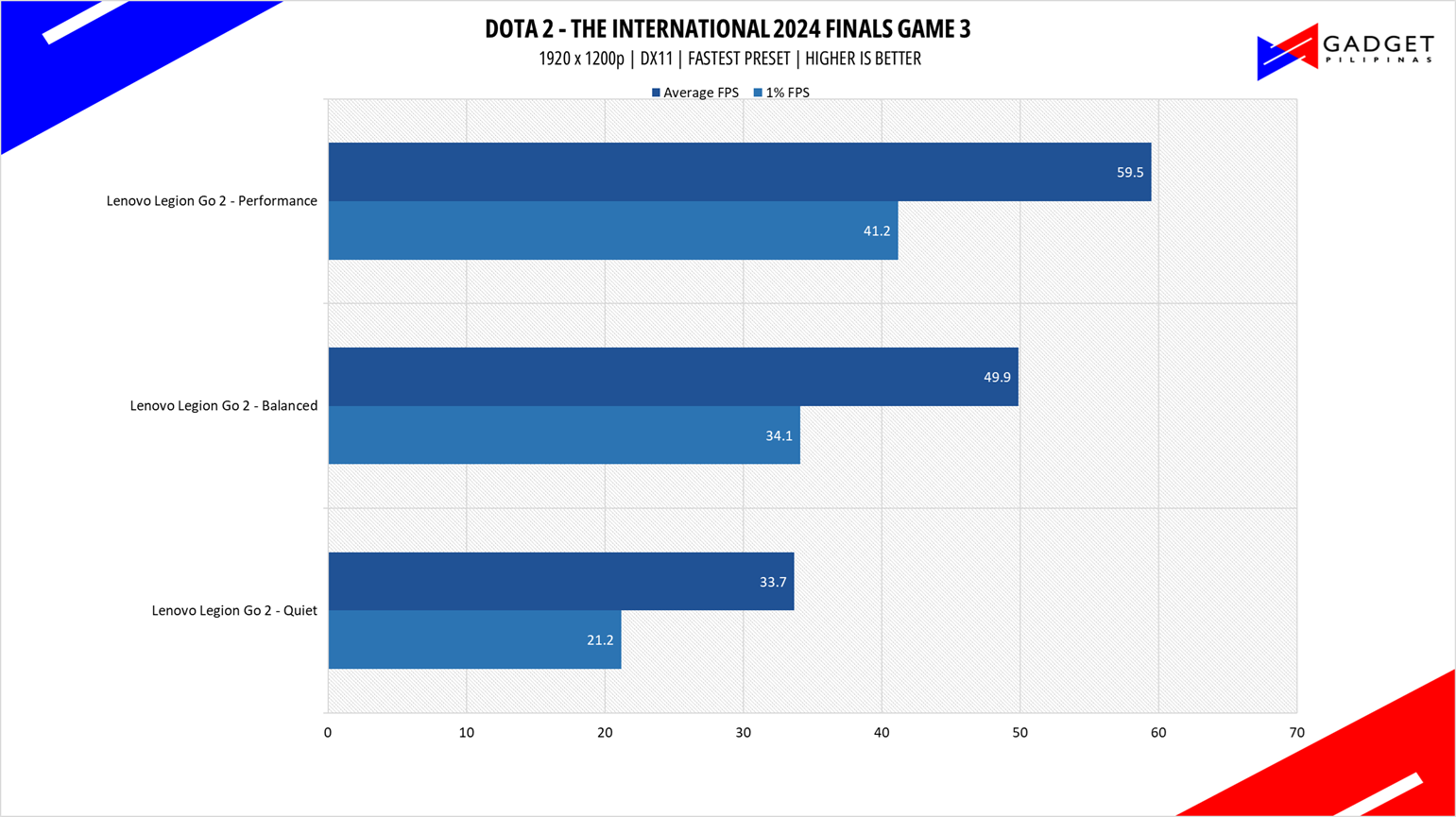
Dota 2 is a good repesentation among F2P titles especially MOBAs and RTS as it lands on the demanding side of the spectrum. Its gameplay and quality of life updates are far more frequently than most F2P titles thanks to its vast popularity. Our benchmark sequence is based on a replay of OG vs. Gaimin Gladiators in the ESL ONE Berlin Major Finals Game 4 from the team fight that happened from 23:00 to 24:00.
SPIDER-MAN: MILES MORALES
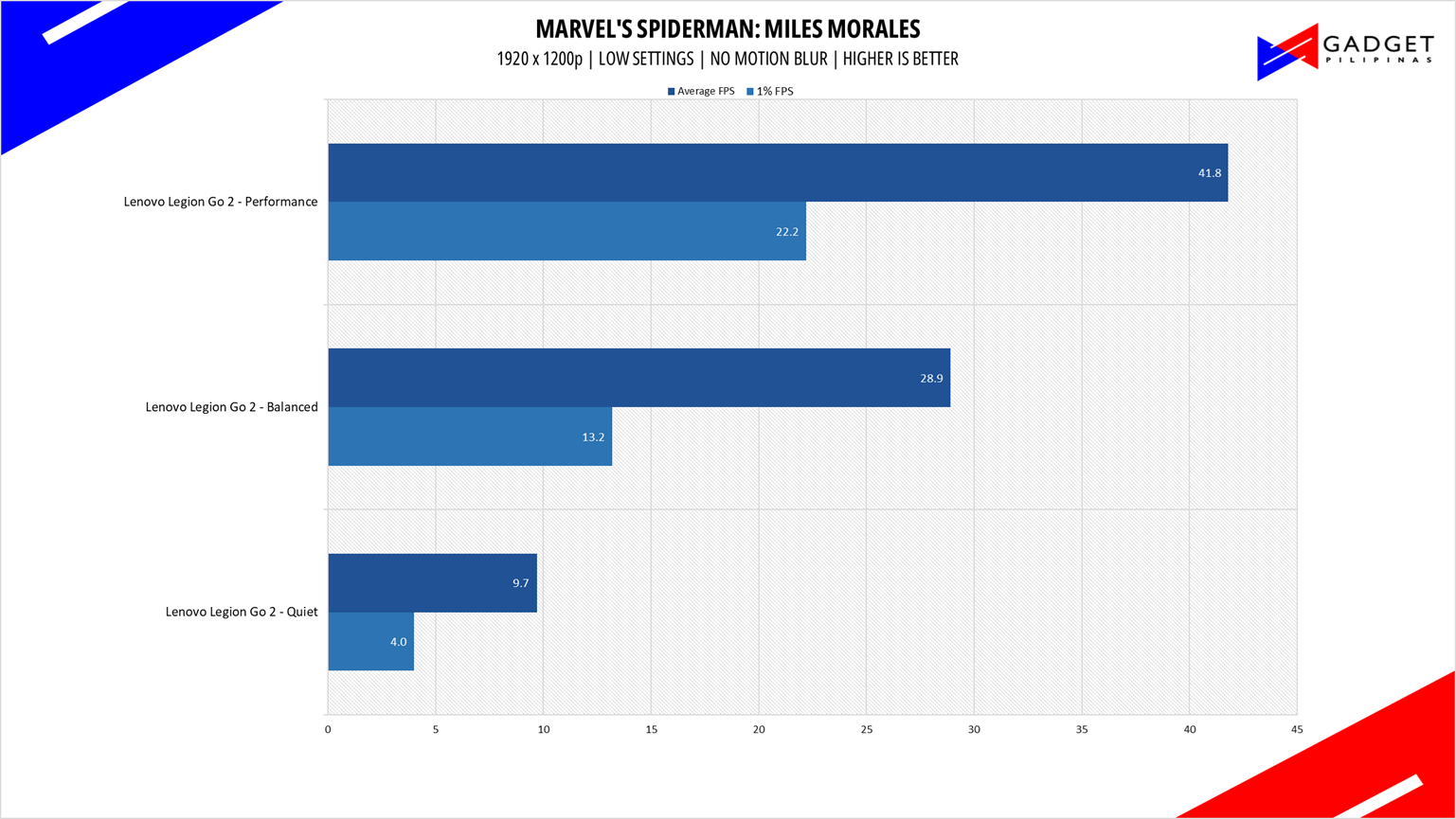
Marvel’s Spider-Man: Miles Morales is developed by Insomniac Games and published by Sony is one of the most popular PC port titles last 2022. It’s one of the few modern game titles that support upscaling technologies FSR, DLSS, and XeSS making it a great title to use for benchmarks.
F1 23
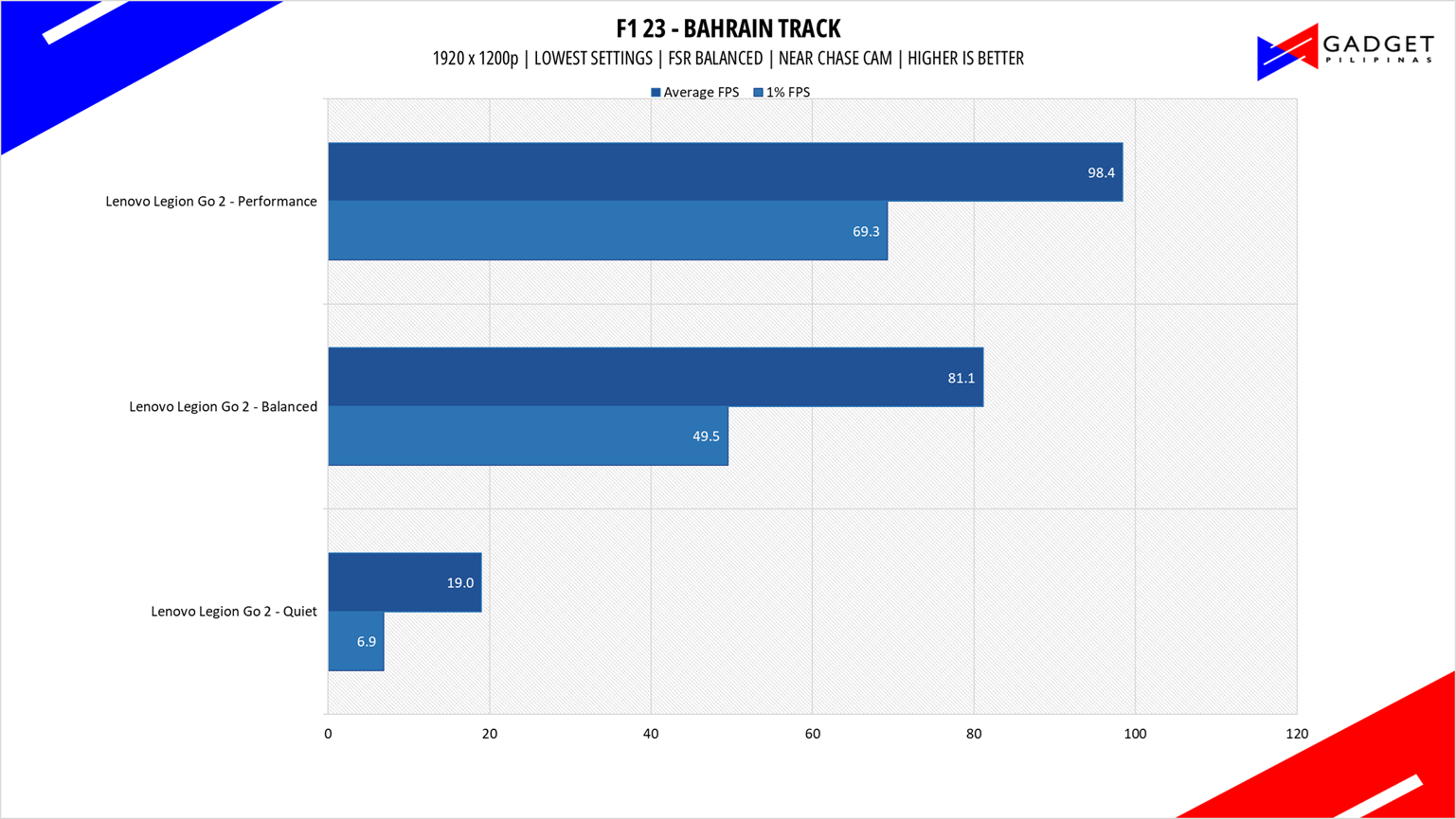
F1 23 is the official video game of the 2023 Formula One and Formula 2 championships, developed by Codemasters. F1 2023 is the sixteenth installment in the franchise and uses the Ego Engine 4.0. F1 233 is a good representation of racing games thanks to its realistic graphics and fairly demanding spec requirements, as well as support for Ray Tracing and the latest upscaling technologies such as DLSS, XeSS, and FSR.
GHOST OF TSUSHIMA
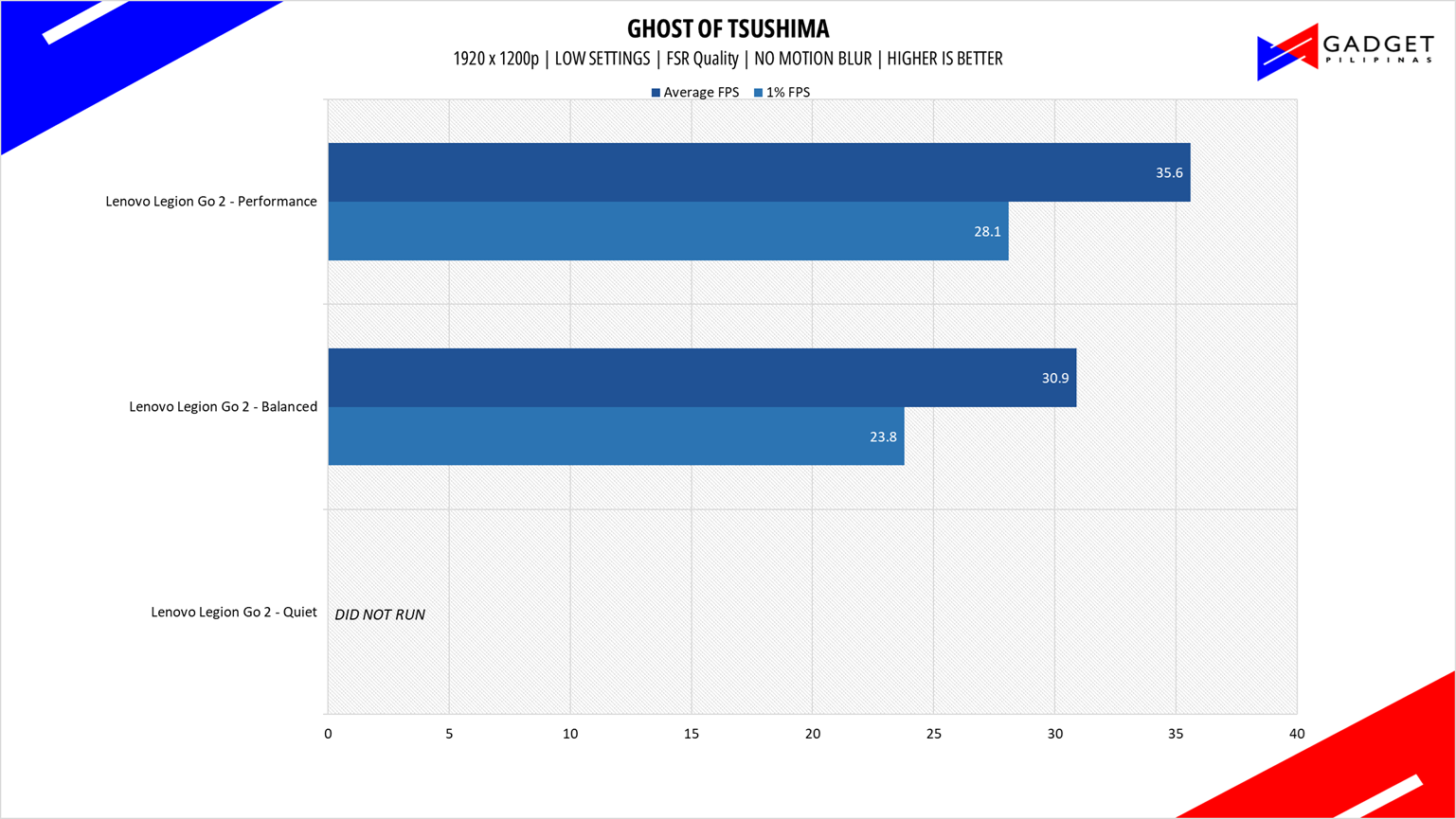
Ghost of Tsushima is an action-adventure game developed by Sucker Punch Productions and published by Sony Interactive Entertainment. It was initially released for the PlayStation 4 in July 2020 and later for PlayStation 5 and Windows. Ghost of Tsushima runs on a modified and optimized version of Sucker Punch’s in-house engine, originally built for the PlayStation platforms.
RETURNAL
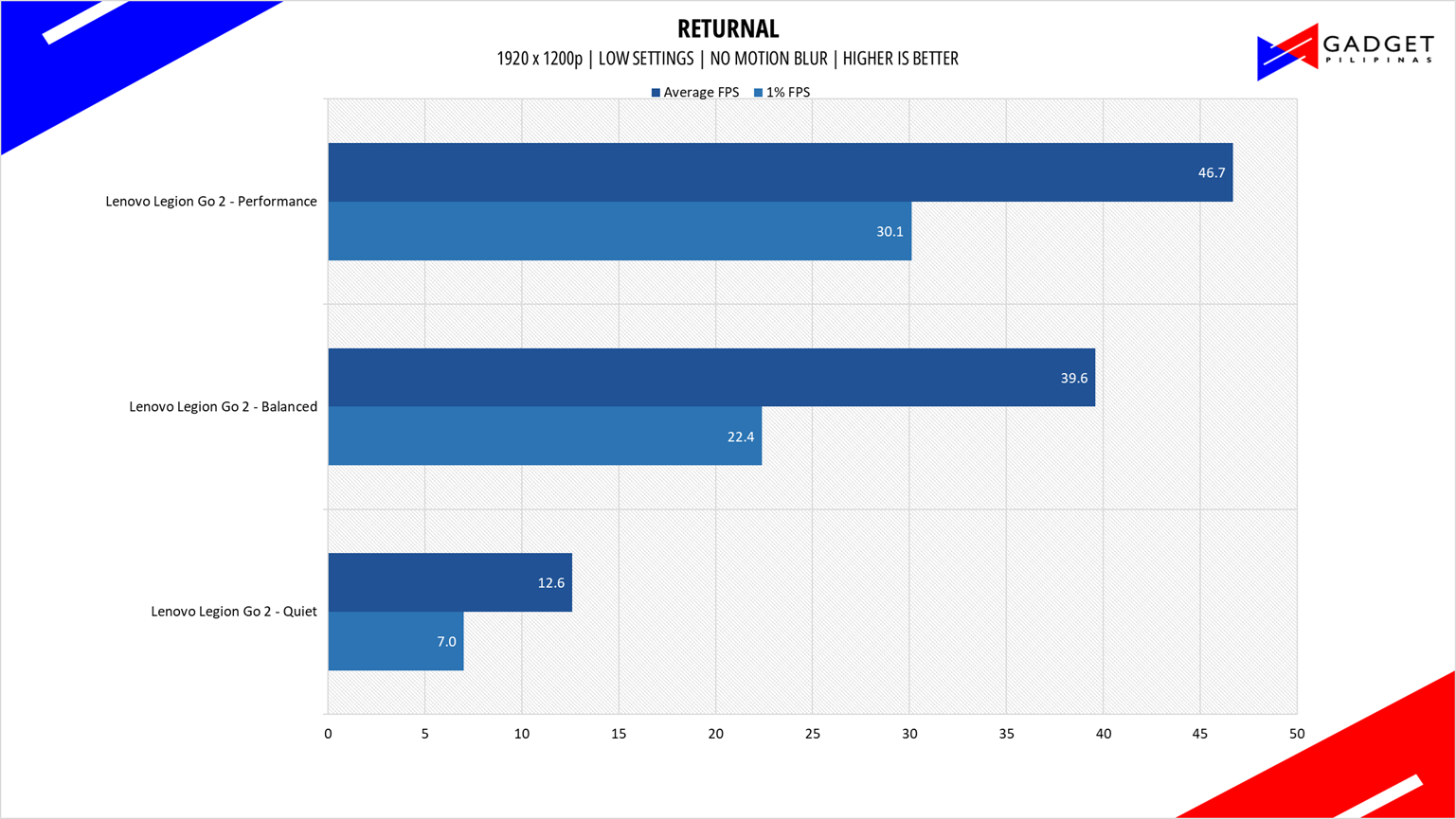
Returnal is one of the most technologically advanced games since the launch of Cyberpunk 2077. Released last April 2021 on PS5 and February 2023 on PC, it uses Unreal Engine 4 and supports multiple technologies such as Ray Tracing, DLSS, VSR, and FSR.
Temps and Battery Life
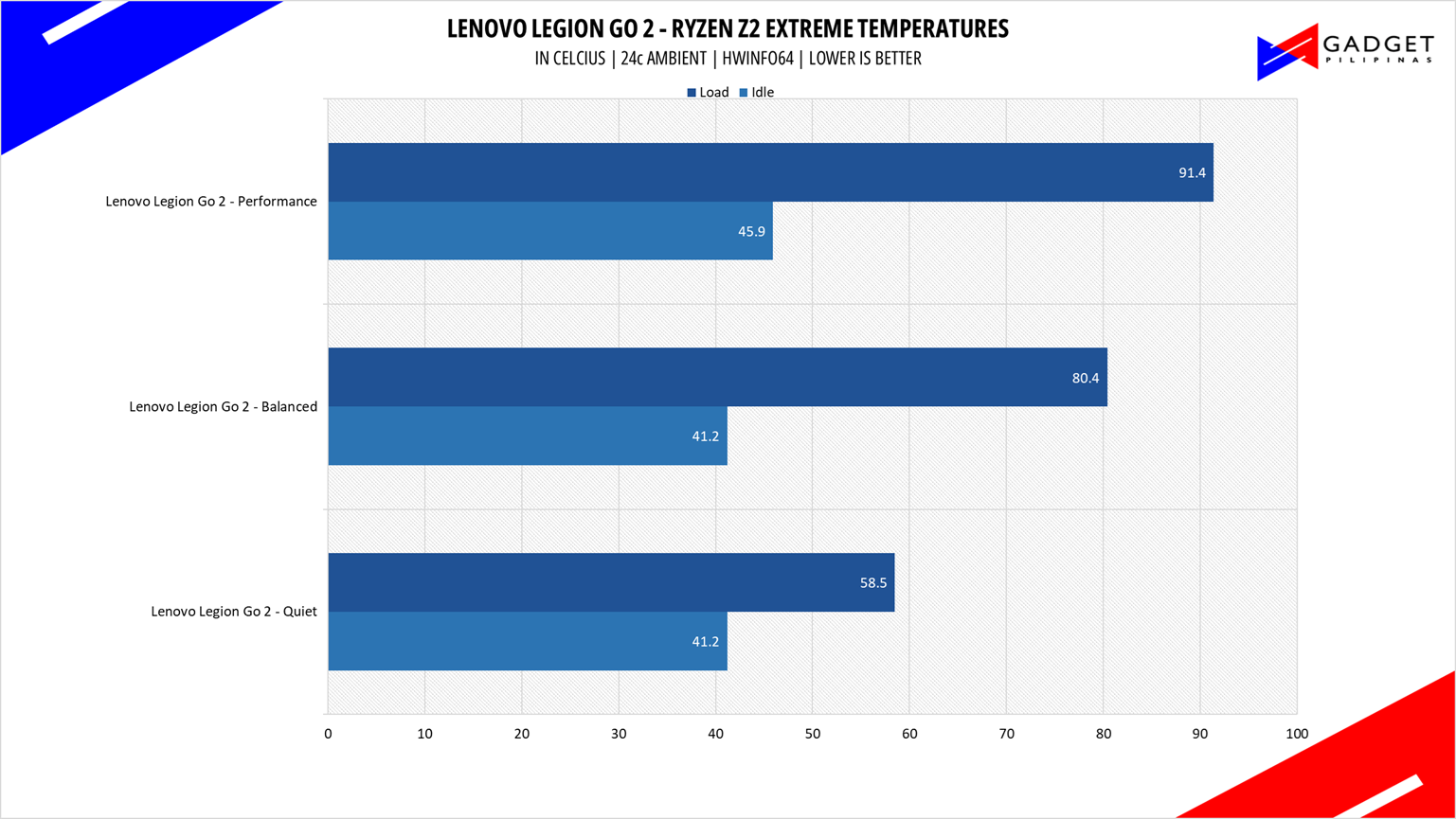
The Legion Coldfront cooling system does a great job cooling the AMD Ryzen Z2 Extreme. Seeing that the Performance profile using the smart fan profile recorded a peak temperature of only 91.4°C, there is room to squeeze more performance out of the Legion Go 2.
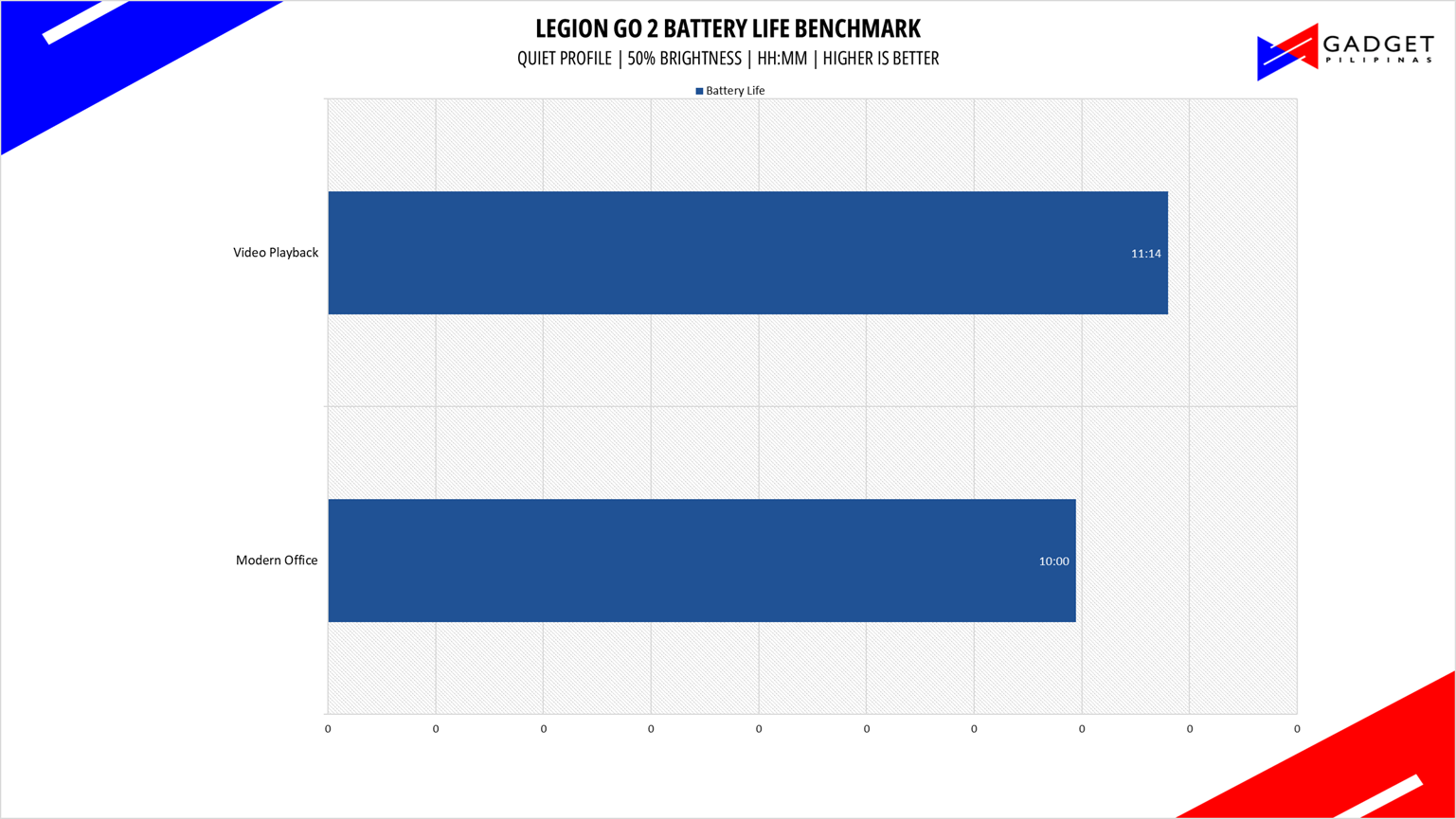
To address the notorious power draw of an OLED display, Lenovo equipped the Legion Go 2 with a 74wHr battery, up from the original Go’s 49.2wHr – roughly a 50% increase. Paired with the power efficiency of the Z2 Extreme and its better performance profiles, the Legion Go 2 offsets the drawback of the OLED display upgrade, resulting in a 10hr battery life if you were to use the Legion Go 2 like a normal laptop or tablet.
That said, when it comes to gaming, especially at full 25-35W TDP, the Legion Go 2 will only last you about 2-3 hours, mostly depending on the OLED’s brightness. With proper tweaking, you can get 3-4hour gameplay time using the balanced profile.
Conclusion
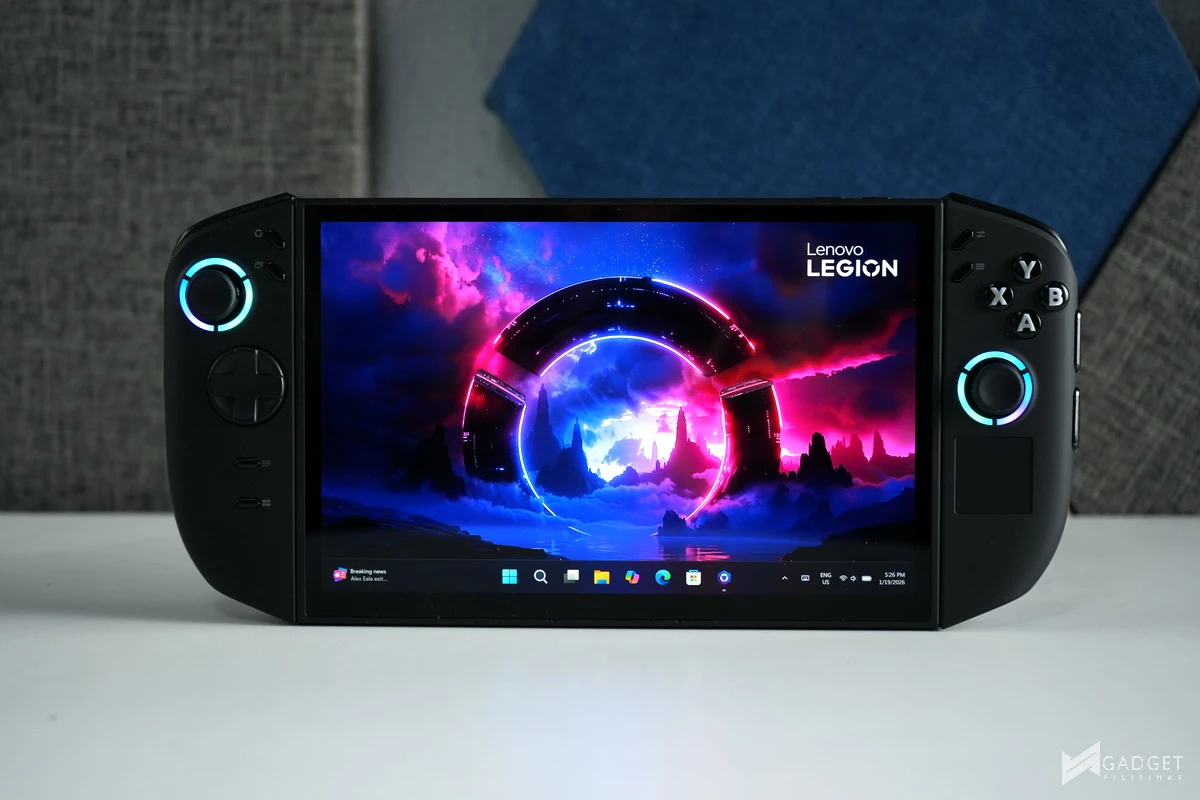
The Lenovo Legion Go 2 is more than a handheld. It almost perfects the art of handheld gaming in terms of performance, customizability, and arguably productivity. It’s arguably a laptop without a dedicated keyboard, yet it can do so much more than laptops in the same price range. The Lenovo Legion Go 2 sports an upgrade in every department over its predecessor. This only makes us excited for further refinements on the future Legion Go 3, but that’s for another article.
Its performance, thanks to the combination of the Z2 Extreme, Coldfront cooling, and scalable performance profile,s won’t make you think that it’s already using a one-generation-old CPU. That said, given its capabilities, Lenovo missed out on the chance to equip the Legion Go 2 with a Ryzen AI 300 series CPU, particularly the AMD Ryzen AI MAX+ 395 CPU, which would’ve made it more powerful for high settings, triple-A gameplay that would’ve complemented the stunning OLED display.
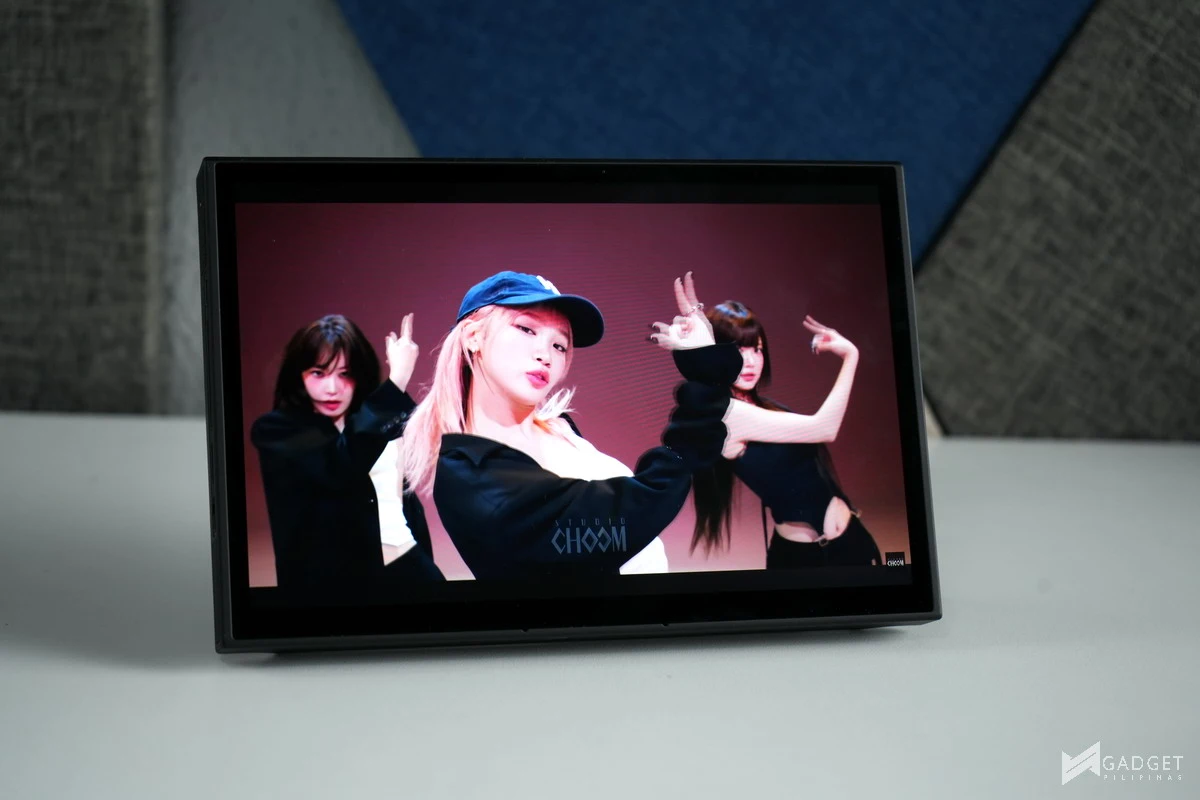
Speaking of OLED display, this change alone makes it closer to a laptop than any other handheld. The kickstand is a cherry on top to transform your gaming handheld into a tiny workstation where you can do any type of office-related workload. These combinations will make you use the Legion Go 2 outside of gaming, specifically, more like a tablet, especially when you detach the controllers.
It’s the most expensive gaming handheld with almost a 50% mark up over the first-generation Go. And even taking the AMD Ryzen Z2 Extreme processor into account, it’s still Php 20,000 more expensive than the closest competitor, the ROG Xbox Ally X, which has arguably a faster Ryzen AI Z2 Extreme CPU. That said, to Lenovo’s credit, the Legion Go 2 sports more features than any handheld in the market. The OLED display alone is enough to justify its premium, but you can also take into account the large 32GB LPDDR5X memory, detachable controllers, and USB 4 ports that make the Legion Go 2 more than just a handheld.
That said, the Lenovo Legion Go 2 is not for everyone; its price alone acts like its garlic for the vampire budget gamers who want a more portable and cheaper alternative to a console. Its weight is an immediate turn-off for those who are aiming for portability. So, who is this for and why should you get the Legion Go 2? If the saying “It’s better to have it but not need it, than to need it and not have it” resonates with you, then you qualify.
Quote aside, OLED will be the main decision maker on this purchase, as most of the premium price tag is attributed to the display itself – whether you’ll consume content other than gaming is an added factor for weighing the importance of an OLED display. The next one is if you want basically a more powerful Nintendo Switch that would allow you to play even triple-A games at a reasonable gaming experience. And lastly, if you simply want the best handheld gaming experience there is at the expense of some inconvenience in the form of portability.

Grant Soriano
Grant is a Financial Management graduate from UST. His passion for gadgets and tech crossed him over in the industry where he could apply his knowledge as an enthusiast and in-depth analytic skills as a Finance Major. His passion allows him to earn at the same time help Gadget Pilipinas' readers in making smart, value-based decisions and purchases with his reviews and guides.
View all articles →Related Reviews
 MacBook Neo Long-Term Review: My Bedside Mac
 Sony 1000X The Collexion Review: Three Months Later
 ASUS ProArt P16 (H7607BA) Review: the RTX Spark platform, tested in the work creators actually do
 HONOR 600S Review: Bits of What’s Loved on the HONOR 600 Series in a More Accessible Package
 Keychron C75 HE 8K TMR Keyboard Review
 Samsung Galaxy S26 FE: Great Functional Elegance