










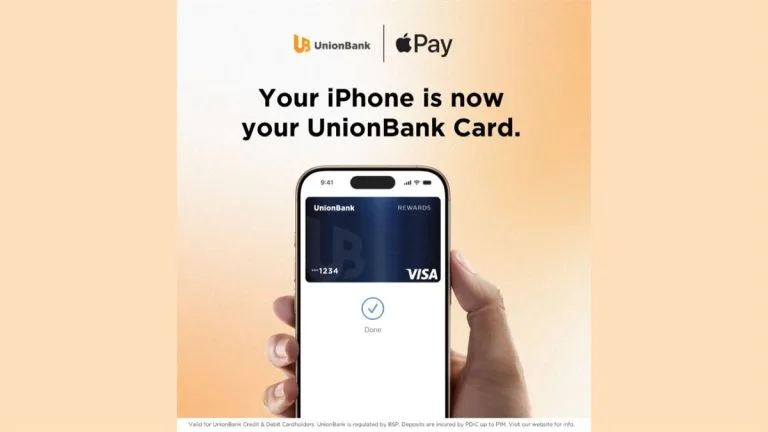
UnionBank has introduced Apple Pay for its cardholders in the Philippines as a new way to pay in-store, in-app, and online. The service presents an easier, more secure, and more private payment option for everyday transactions.
In-store payments with Apple Pay are meant to be fast and contactless. Customers just need to double-click the side button, authenticate, and hold an iPhone or Apple Watch near a payment terminal to complete a purchase. Apple Pay is accepted in grocery stores, pharmacies, restaurants, coffee shops, retail stores, and other places that support contactless payments.
“As we continue building a next-generation bank, we’re focused on making everyday banking and payments simpler, safer, and more intuitive. Bringing Apple Pay to UnionBank cardholders enhances the payment experience by allowing customers to pay quickly and securely with the devices they use every day. Whether they’re shopping in-store, online, or in-app, customers can enjoy a more seamless way to pay, with the security and convenience they expect from UnionBank.”
– UnionBank President and CEO Ana Aboitiz Delgado
The service also covers digital purchases on iPhone, iPad, and Mac. Customers can use Apple Pay in apps or on the web without creating accounts or repeatedly entering contact information, card details, or shipping and billing information. That makes the checkout process more convenient while keeping the experience consistent across devices.
For security, actual card numbers aren’t stored on the device or on Apple servers. Instead, a unique Device Account Number is created, encrypted, and stored in the Secure Element, an industry-standard, certified chip designed to protect payment information on the device.
Setting up Apple Pay is straightforward. On iPhone, customers can open the Wallet app, tap the plus sign, and follow the steps to add their UnionBank cards.
Once added, the card can be used right away on iPhone, Apple Watch, iPad, and Mac. Customers will also continue receiving the rewards and benefits tied to their UnionBank cards.
For more information on UnionBank and Apple Pay, visit their respective websites.
Frequently Asked Questions (FAQ)
Q: What is the main announcement from UnionBank?
A: UnionBank has brought Apple Pay to its cardholders in the Philippines.
Q: Where can Apple Pay be used?
A: It can be used in-store, in-app, and online, including places that accept contactless payments.
Q: What devices support Apple Pay in this rollout?
A: Apple Pay can be used with iPhone, Apple Watch, iPad, and Mac.
Q: How does Apple Pay protect card information?
A: It uses a Device Account Number instead of storing the actual card number on the device or on Apple servers.
Q: How do customers add UnionBank cards to Apple Pay?
A: They open the Wallet app on iPhone, tap the plus sign, and follow the setup steps.

Emman Tortoza
Emman has been writing technical and feature articles since 2010. Prior to this, he became one of the instructors at Asia Pacific College in 2008, and eventually landed a job as Business Analyst and Technical Writer at Integrated Open Source Solutions for almost 3 years.
View all articles →