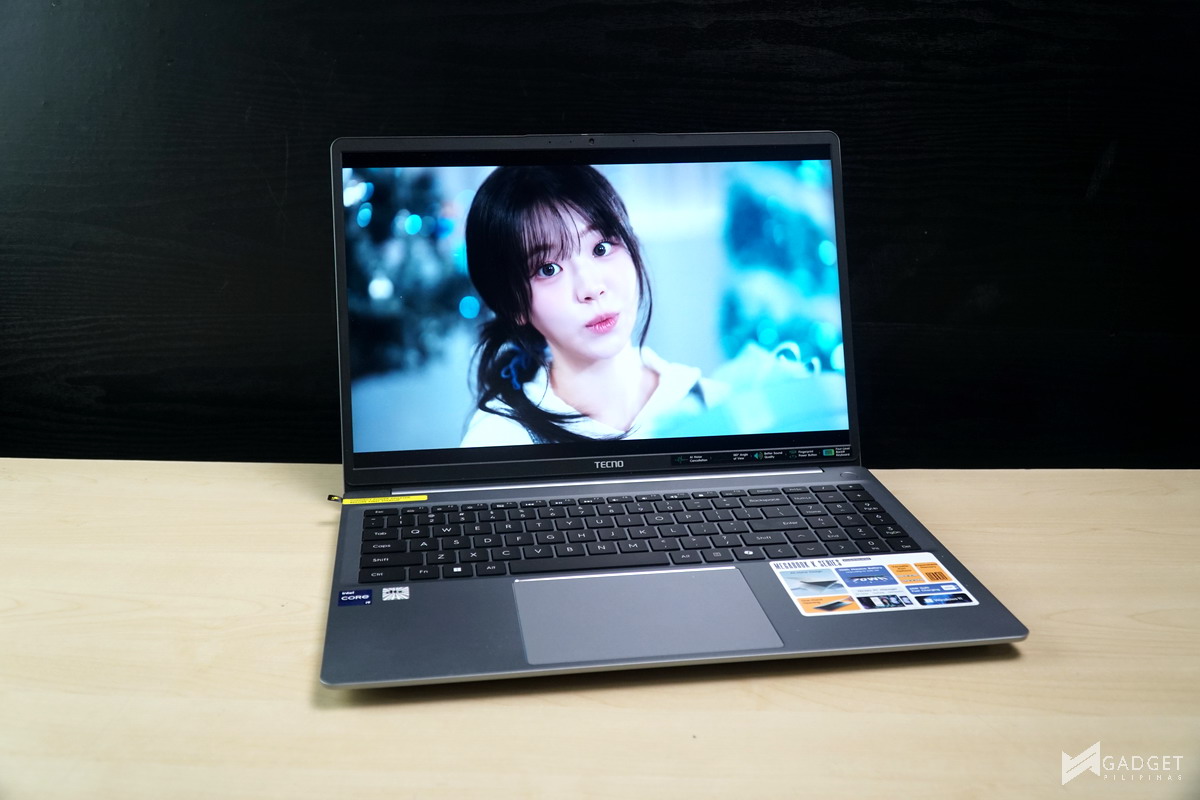
TECNO is a known mobile brand, particularly with its budget smartphones. Like most mobile brands, TECNO has launched its laptop offerings to complement its smartphone, tablet, and accessories for its existing users to further invest in the TECNO ecosystem of devices. Today, we have the TECNO MEGABOOK K16s 13th laptop, a 16-inch laptop equipped with an Intel Core i9-13900HK CPU. It’s a relatively old-generation CPU considering the upcoming Intel Panther Lake release, but its Php 46,999 price tag may be appealing, granted that it has decent performance.
TECNO MEGABOOK Laptop Lineup
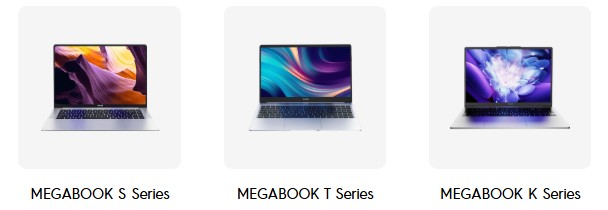
TECNO currently has three active product tiers: S Series, T Series, and K Series. The S Series contains TECNO’s premium flagship thin and light laptop models, the T Series is aimed at the midrange segment, and the K Series is TECNO’s performance-oriented, budget offerings. The TECNO MEGABOOK K16s 13th and the K15S are the laptops that just launched in the Philippines, with both models sporting the same spec configuration: Intel Core i9 13900HK, 16GB DDR4, and 1TB SSD.
TECNO MEGABOOK K16s 13th – A Closer Look
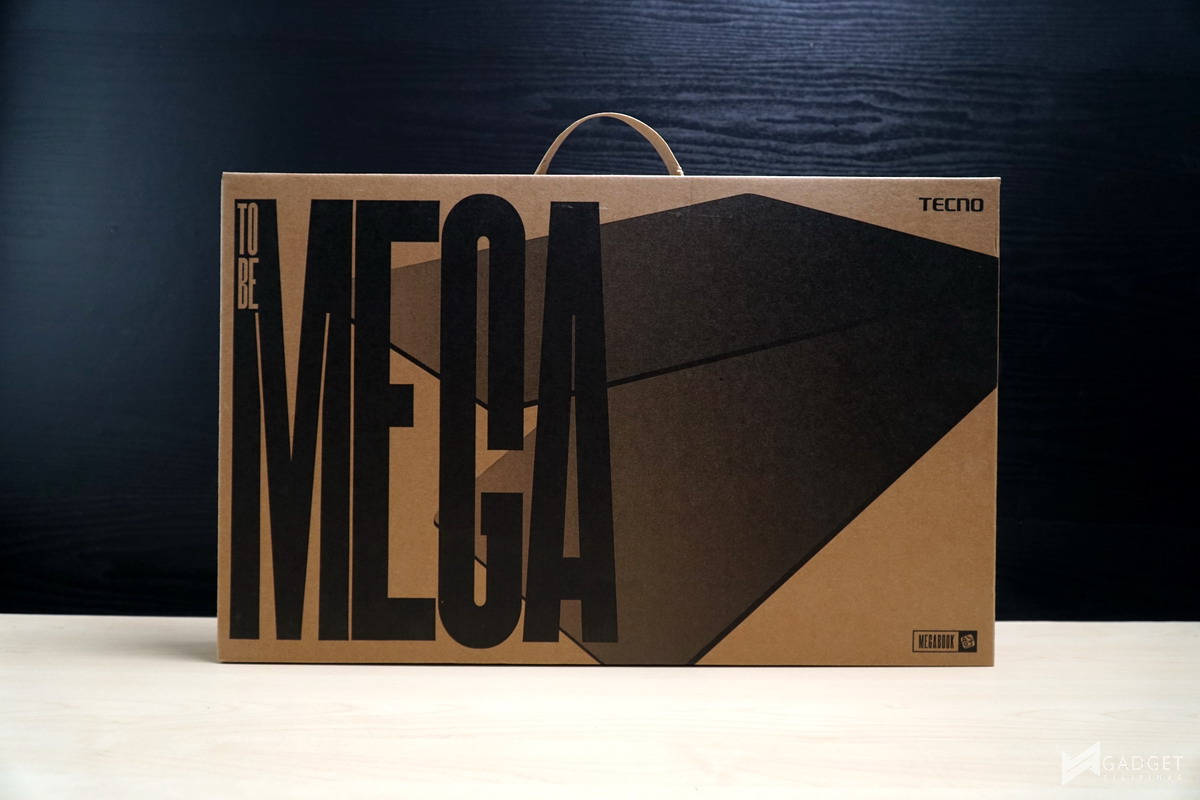
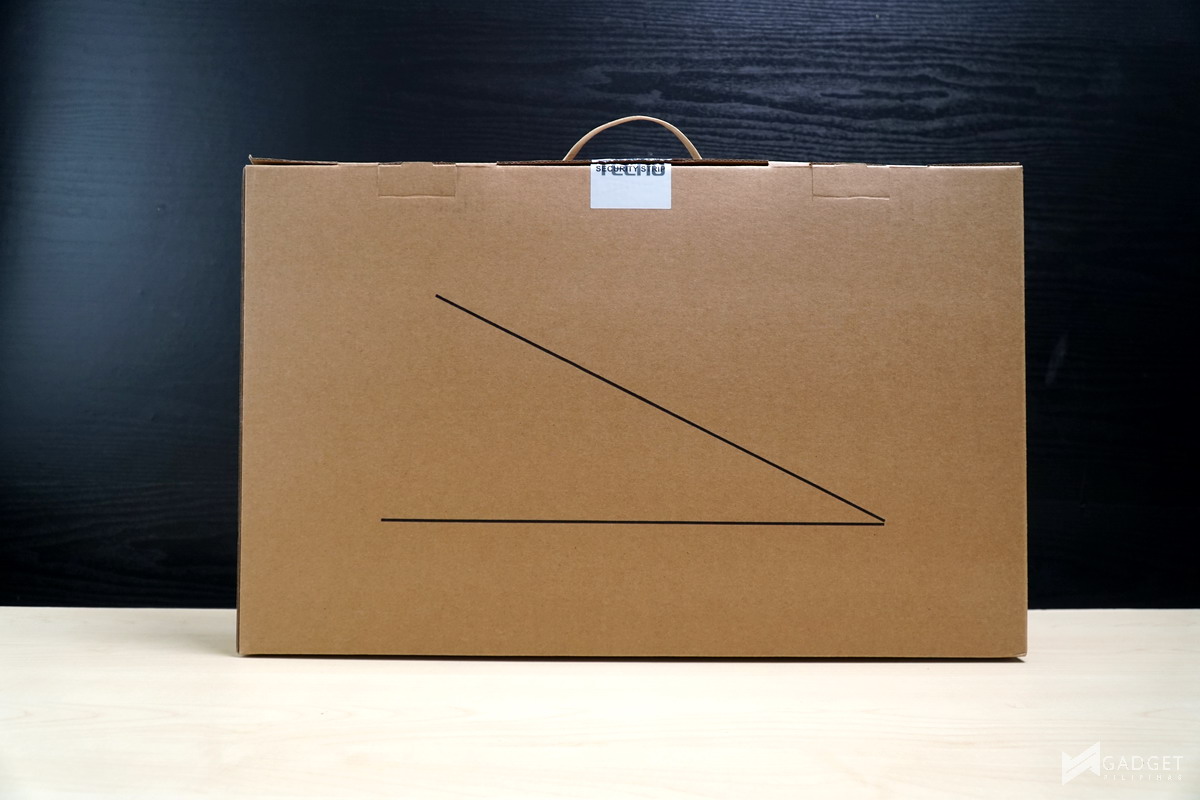
Packaging of the TECNO MEGABOOK K16s 13th is fairly simple and common among laptop brands. You have large printed MEGA text on the front as well as a render of the laptop at an angle. The back shows an acute angle render showcasing the thin profile of the MEGABOOK K16s 13th.
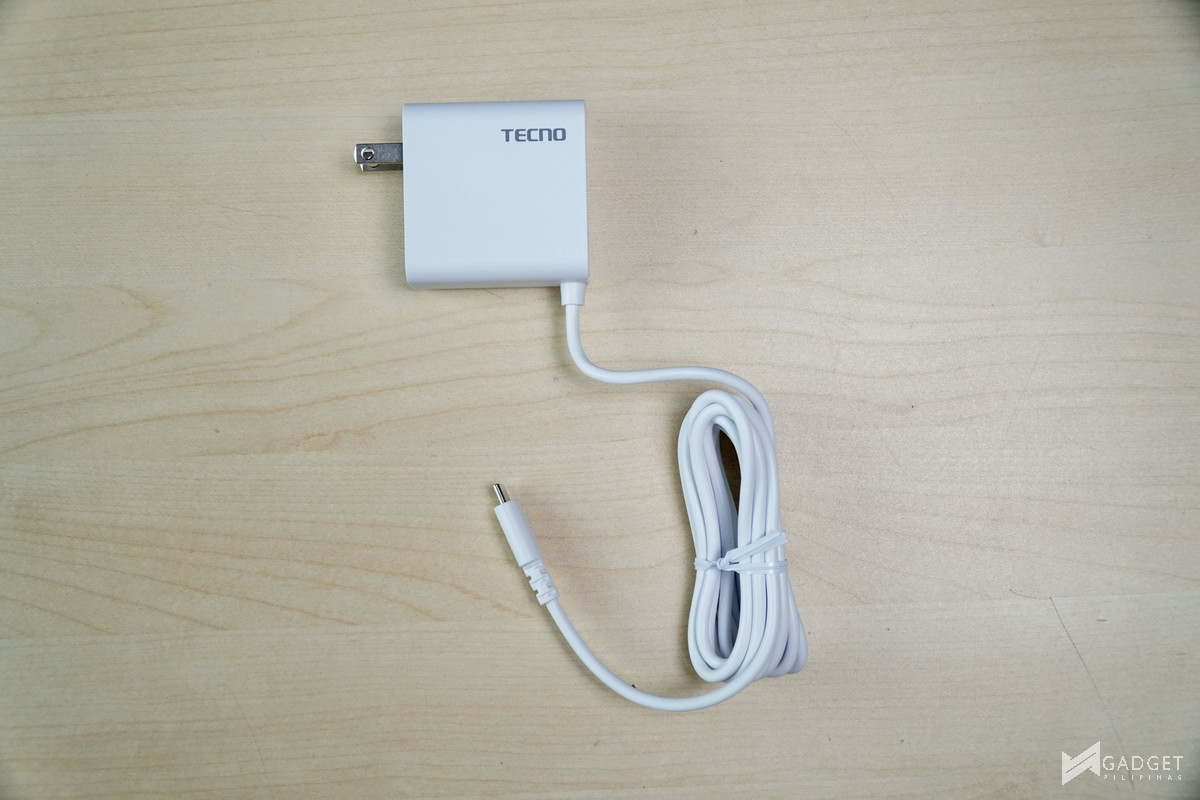
TECNO provides a 65W Type-C Charging Adapter for the MEGABOOK K16s 13th to charge the 70wHr battery.
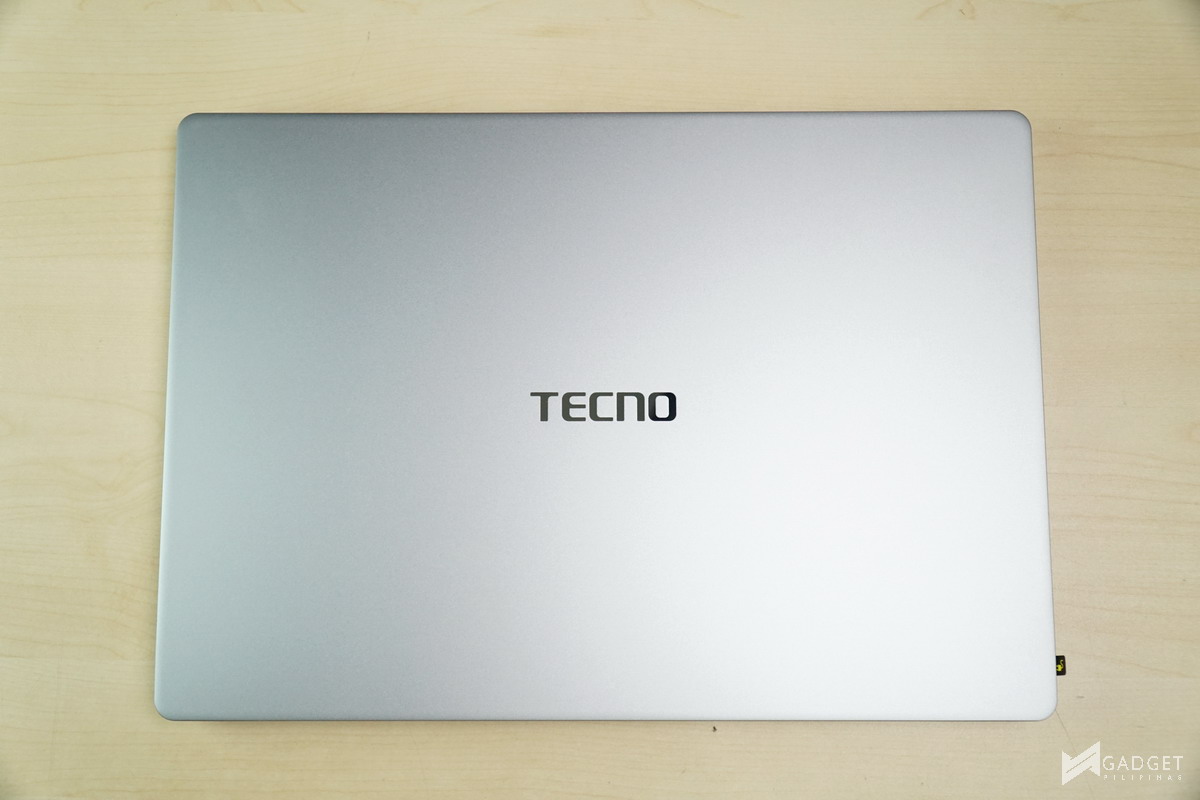
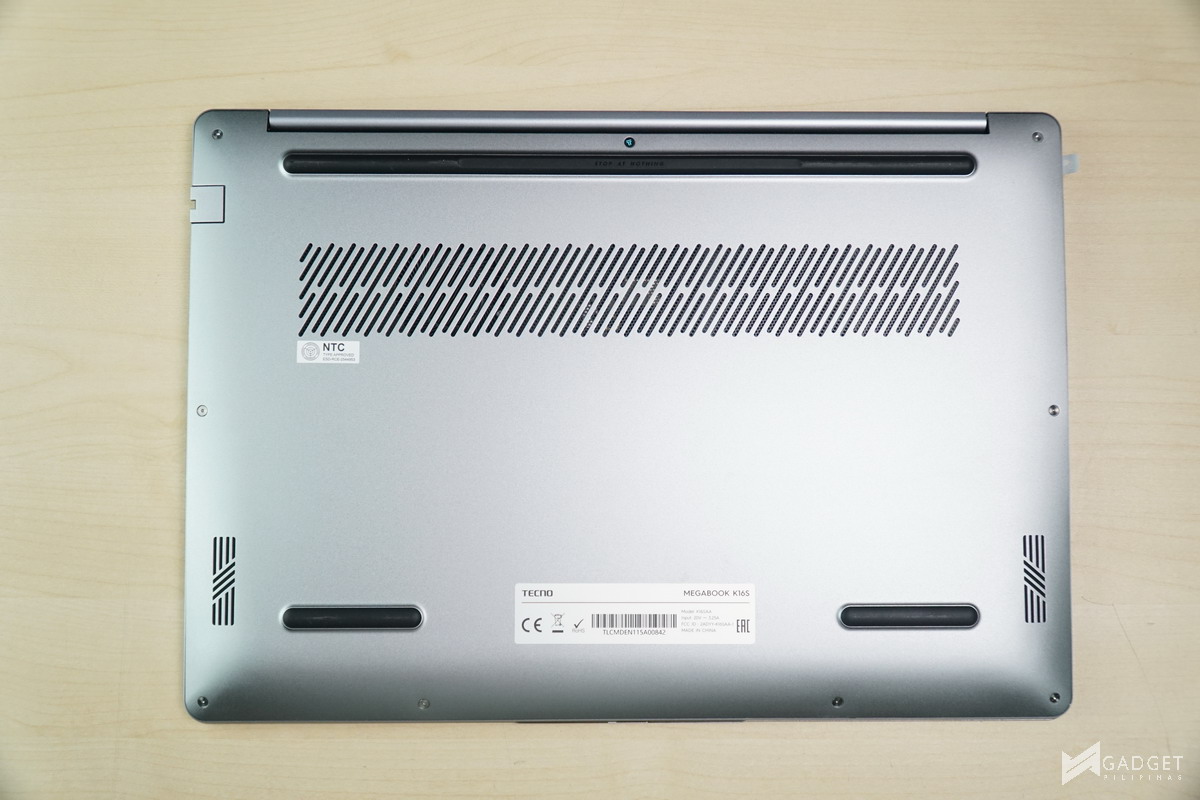
Design-wise, TECNO follows a clean, minimalist silver look similar to MacBooks. The logo is cleanly positioned in the middle with a reflective finish. The Bottom showcases the intake grill for the “smart hinge pipe system,” as well as a decent amount of
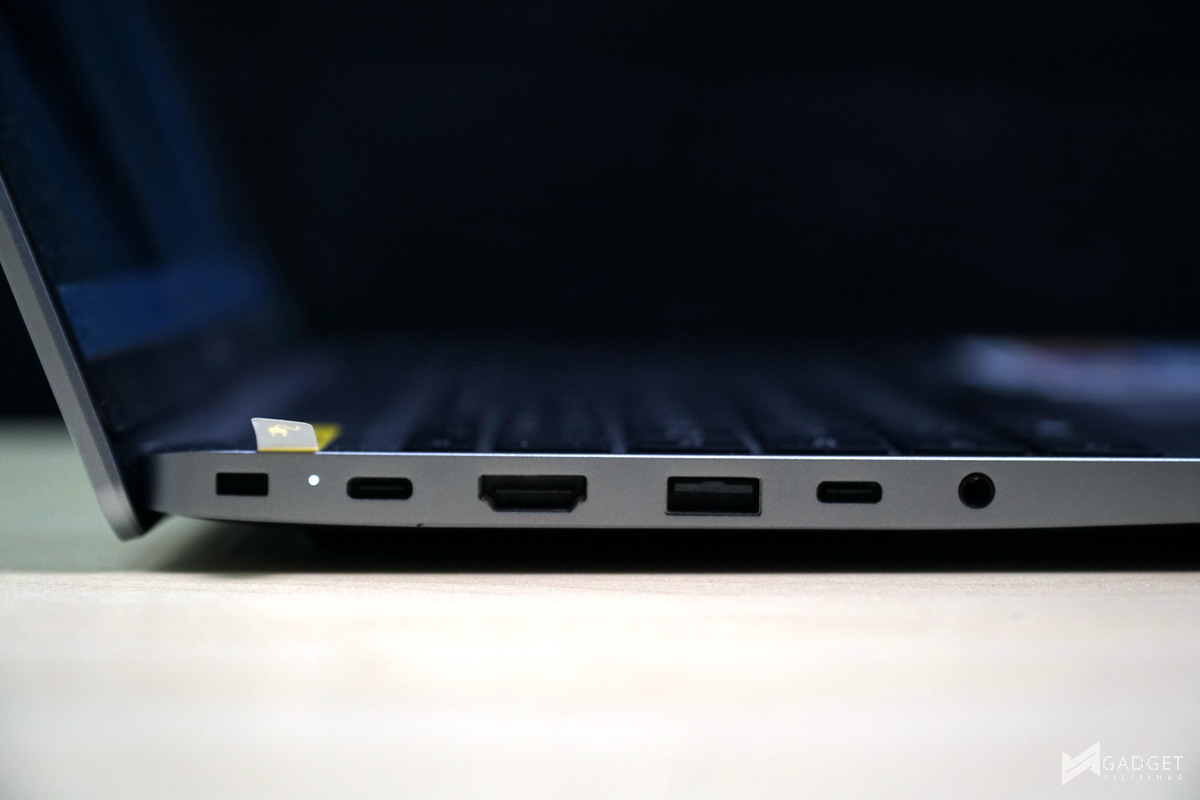
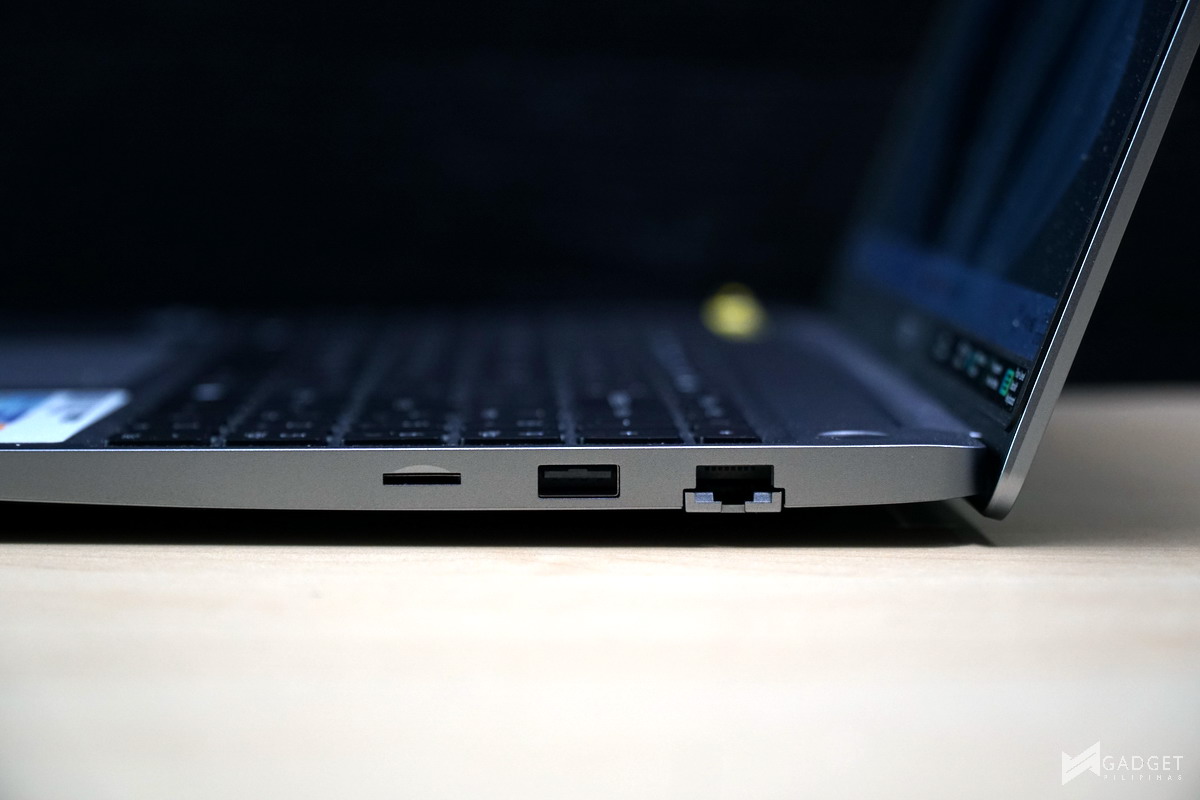
Port selection on the TECNO MEGABOOK K16s is barely above average for a 16-inch laptop. On the left you have a Kensington lock, one USB 3.1 Gen 2 Type-C cable, one HDMI 1.4 port, one USB 3.1 Gen 1 Type-A port, one USB 3.1 Gen 1 Type-C port, and one 3.5mm jack. The left side houses one Ethernet port, one USB 3.1 Gen 1 Type-A port, and one microSD card slot. Its port configuration could’ve been considered generous; however, you are losing one USB Type-C port for charging, and it’s unfortunately the fastest port in the laptop.
Ports aside, you are limited to only a 10Gbps speeds as the fastest, so using a high-speed external SSD will likely leave you with bottlenecked speeds. Moreover, despite the MEGABOOK K16s using an Intel Core i9 13900HK CPU, the USB Type-C ports don’t support Thunderbolt 3 or 4.
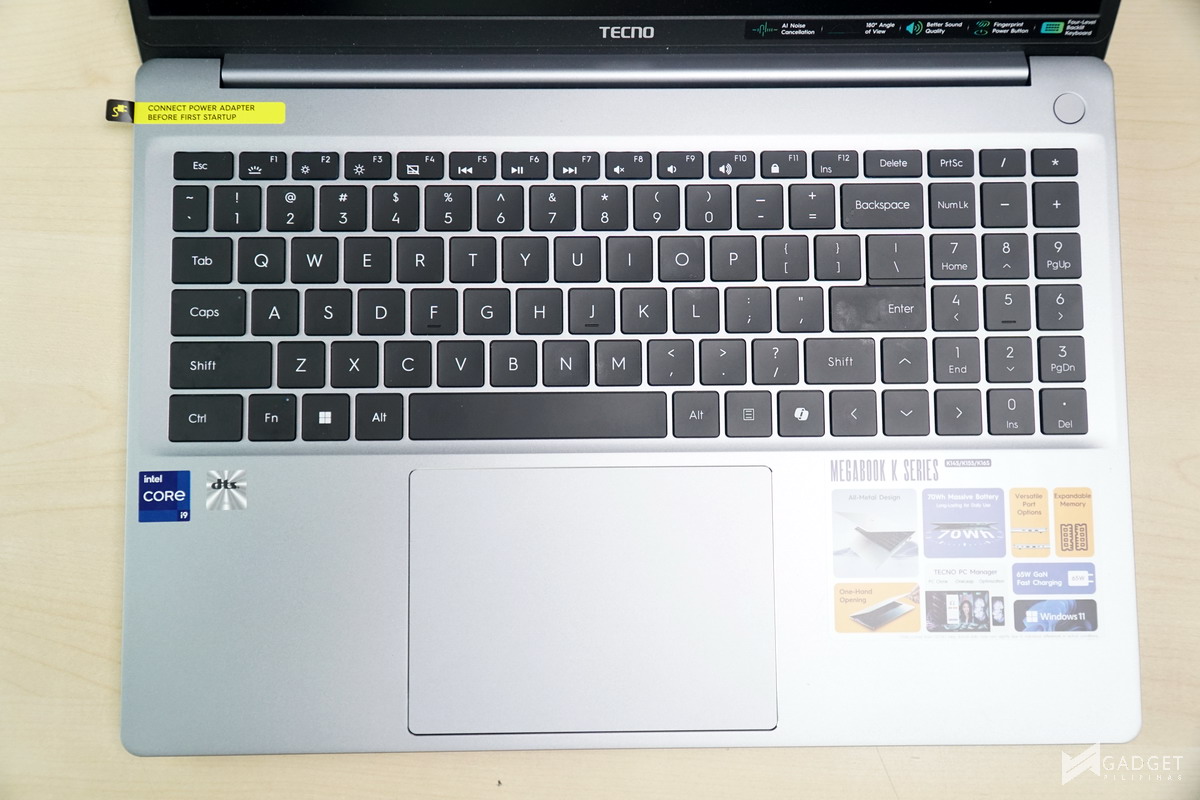
Being a 16-inch laptop, you have a full-sized keyboard on the TECNO MEGABOOK K16s, albeit slightly cramped as the arrow keys replace some of the usual keys in favor of a uniform keyboard deck. That said, I personally prefer this choice as opposed to half-sized arrow keys.
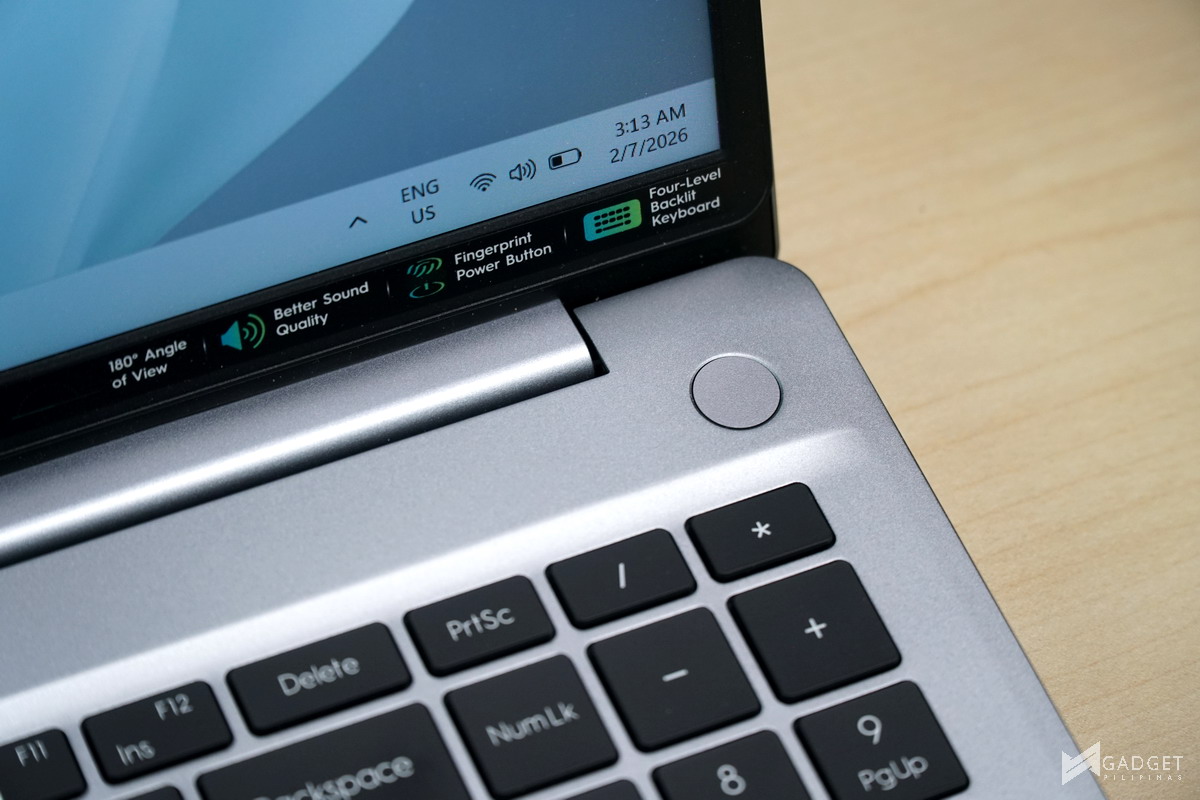
Props to TECNO for separating the power button from the keyboard deck to avoid accidental presses. The power button also acts as a fingerprint sensor for Windows Hello logins.
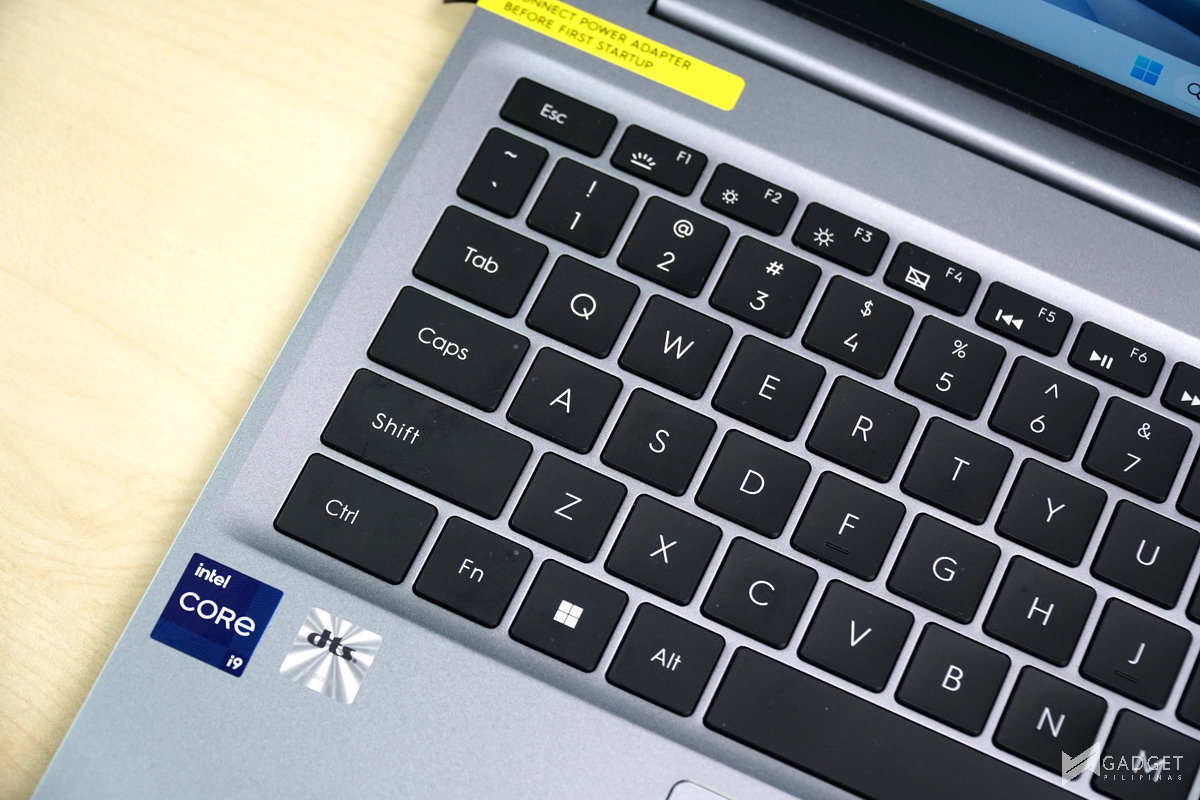
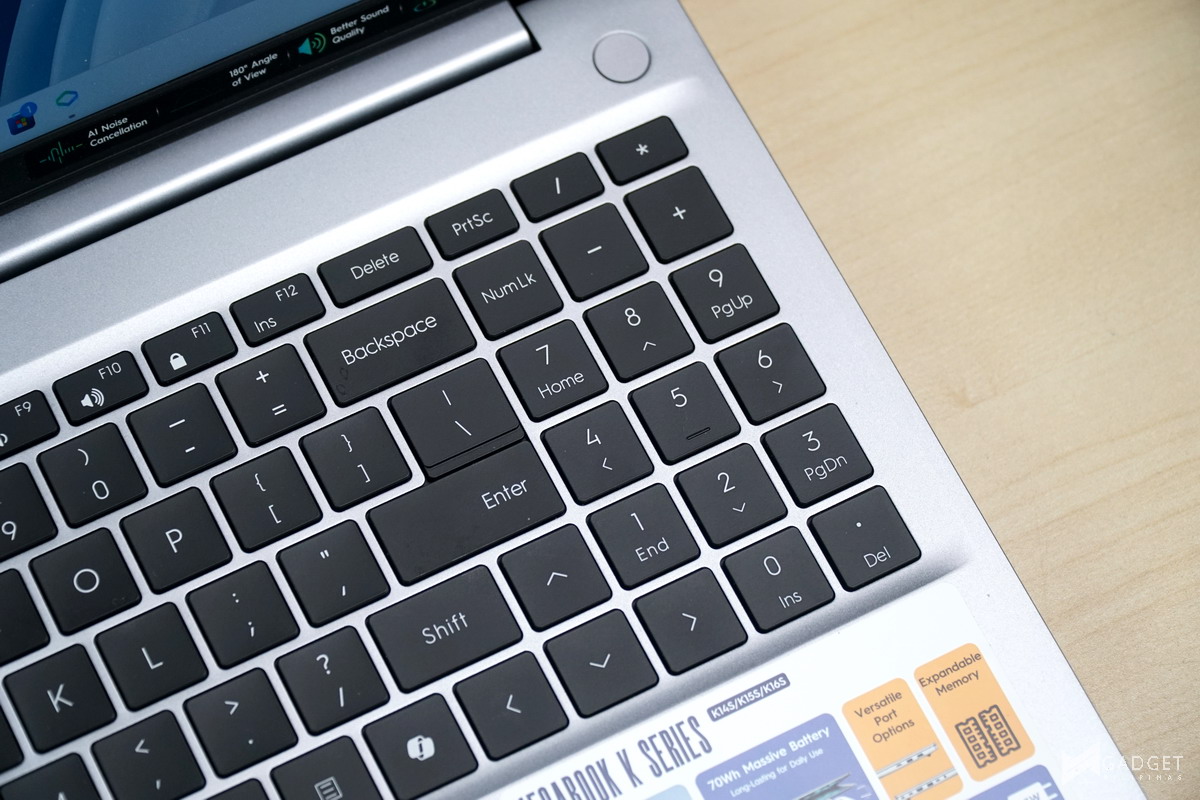
The keyboard is usually one of the common compromises for budget-oriented laptops, but the TECNO Megabook K16s 13th is a surprising exception. They have consistent and crisp tactile feedback with little key wobble. That said, pressing the keys on the edges feels “bouncy” before you bottom out which may throw you off your keystrokes.
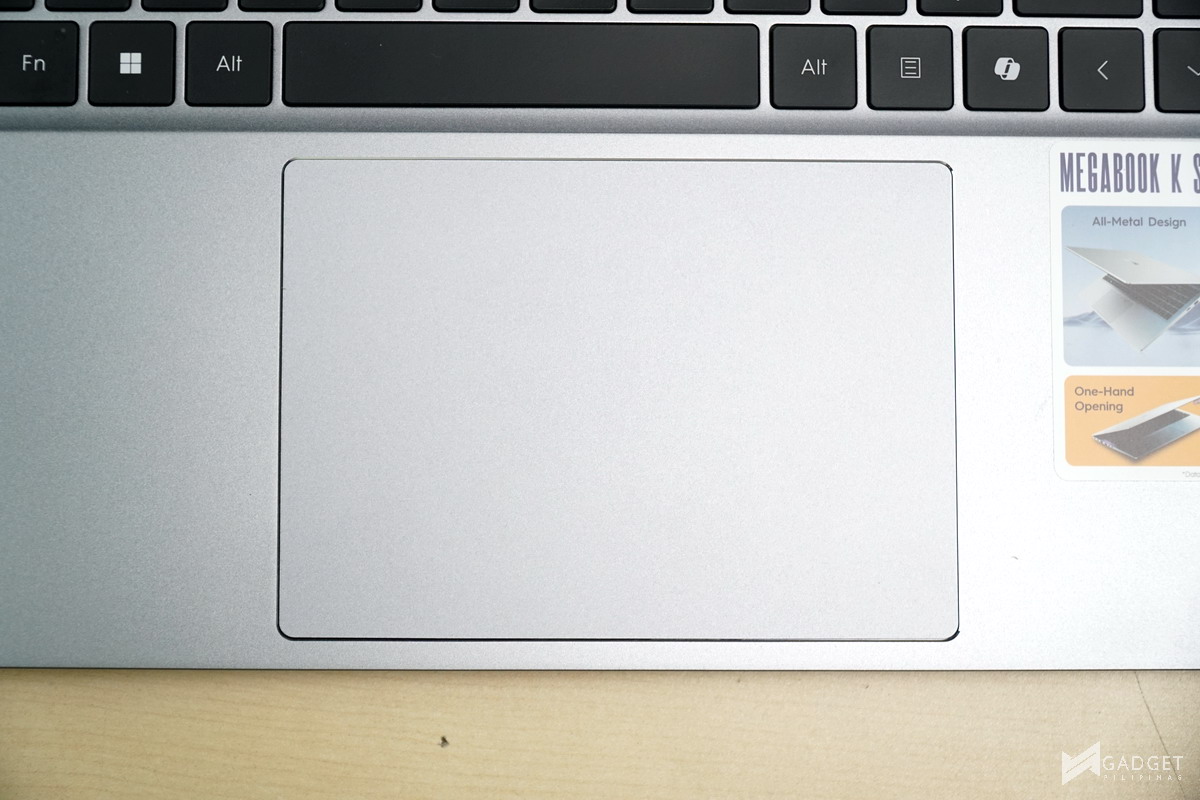
TECNO MEGABOOK K16s 13th passes the trackpad size, especially for its size. The trackpad clicks are on the stiffer side, which means you may need more force to register a click compared to most laptops.
TECNO MEGABOOK K16s 13th Display

The TECNO MEGABOOK K16s has a 16-inch 1920x1200p 16:10 IPS Display running at 60Hz. While 60Hz and the 1920x1200p resolution are on the lower end, especially for its 16-inch size, it does at least have a decent 16:10 aspect ratio ideal for productivity.
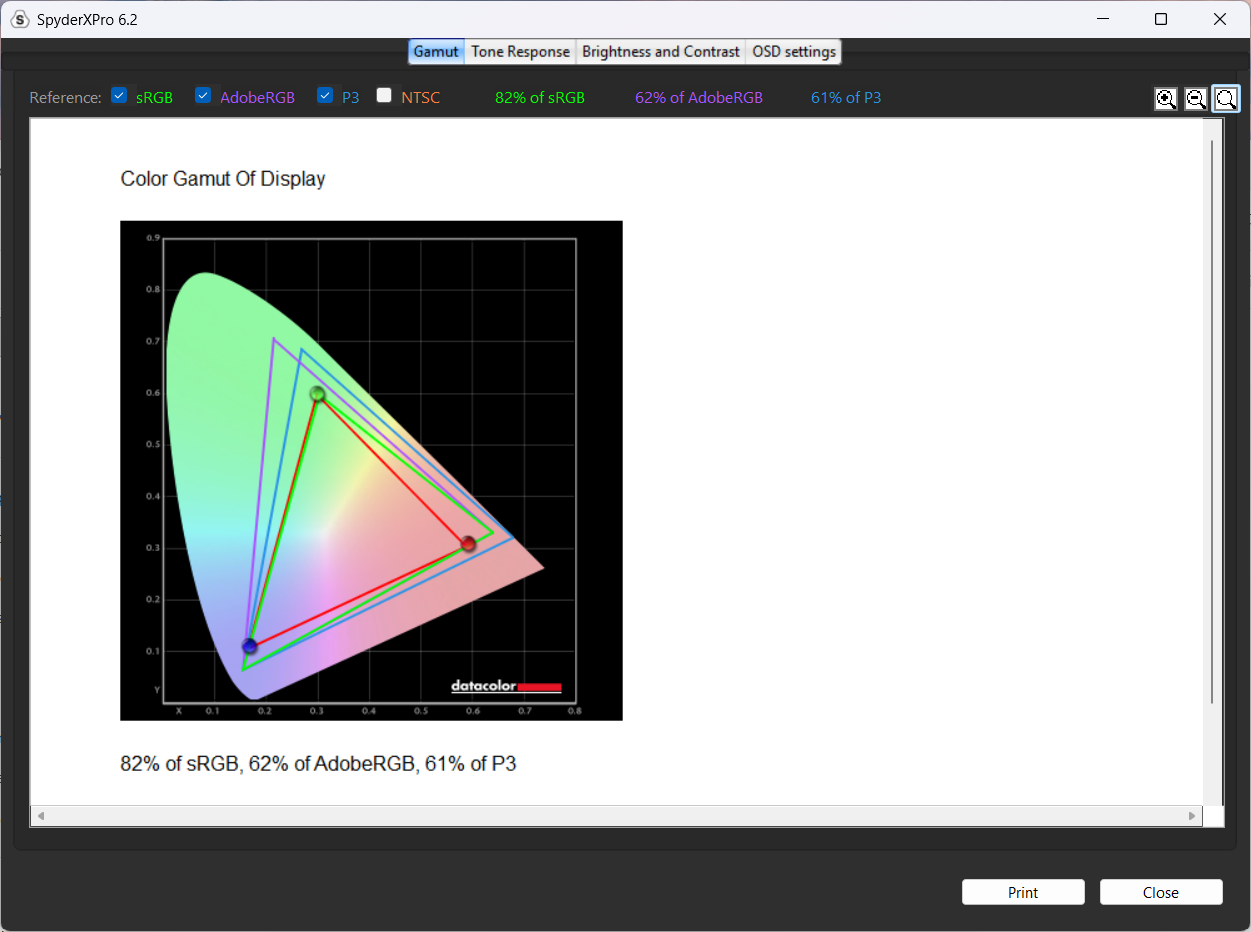
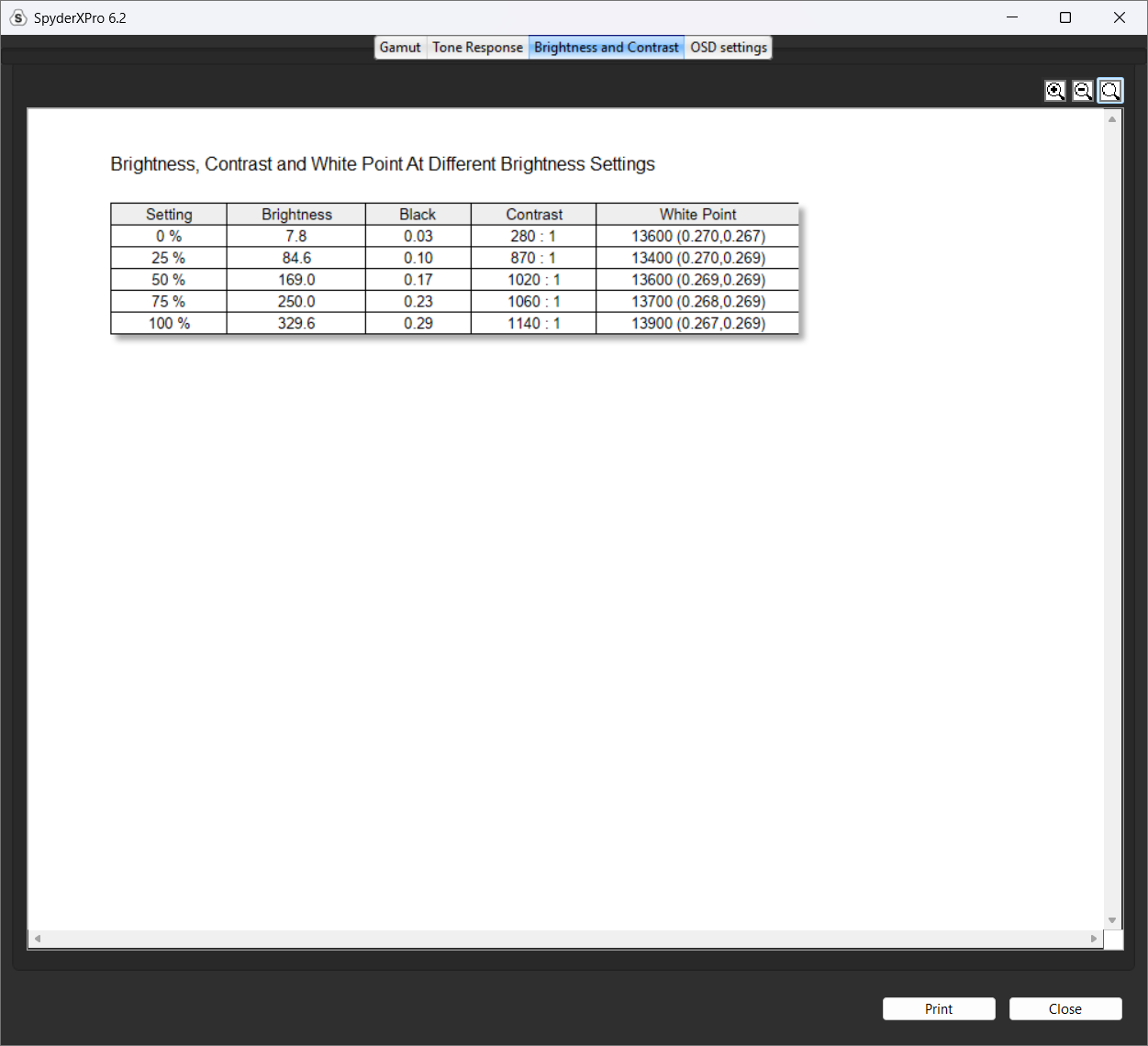
Using our SpyderX Pro Coloromiter, we measured 82% sRGB, 62% AdobeRGB, and 61% DCI-P3. The display on the TECNO MEGABOOK K16s 13th is passable for normal usage like watching movies and videos, but not for professional photo and video editing due to its considerably low color accuracy. That said, among budget laptops, it’s more color accurate than most, albeit still insufficient for color-related workloads
TECNO PC Manager
TECNO PC Manager lets you manage the settings and customize the TECNO MEGABOOK K16s 13th. The software houses most of its AI features, such as microphone effects and managing device interconnection with TECNO devices. TECNO PC Manager also lets you update the device drivers. The UI doesn’t immediately show the more important settings, such as the profile settings and driver update status, the latter of which is tucked in under PC Optimization.
Benchmark Setup and Test Methodology
Gadget Pilipinas’ testing philosophy is to provide detail-oriented results as accurately as possible so that our readers can replicate our tests, given that these conditions are met. Different benchmarking apps and sequences are used depending on the tested component or device.
We use CapFrameX 1.7.8 Beta as our primary FPS capture and analysis tool for all our gaming benchmarks. The latest build version of Windows 11 Pro and WHQL-certified drivers are used for our benchmarks. Readings such as temperatures and power draws are recorded using HWINFO64 and OCCT Enterprise.
We benchmarked the TECNO MEGABOOK K16s 13th together with its different power settings found in the TECNO PC Manager Software – Power Saver, Balanced, and Performance. The main purpose of benchmarking power profiles is to show how aggressive or conservative the manufacturer is in terms of thermal management. These profiles will affect the CPU and GPUs’ boosting behavior in terms of duration and max clock speed, which will translate to higher scores and stable framerates.
As part of our 2024 laptop benchmark methodology revamp, we’ve changed how these profiles are tested. Synthetic and Productivity benchmarks include all of the power profiles. We decided to drop the silent or power-saving profile for gaming benchmarks as these lowest profiles generally produce unplayable framerates, especially at 1440p and above resolutions. Moreover, games are tested at the laptop’s native resolution(in the G14’s case, 1800p) as we expect most, if not al gamers to game on the laptop’s native resolution.
For more information, read our Benchmark Methodology article.
TECNO MEGABOOK K16s 13th Synthetic and Productivity Benchmarks
CINEBENCH 2024
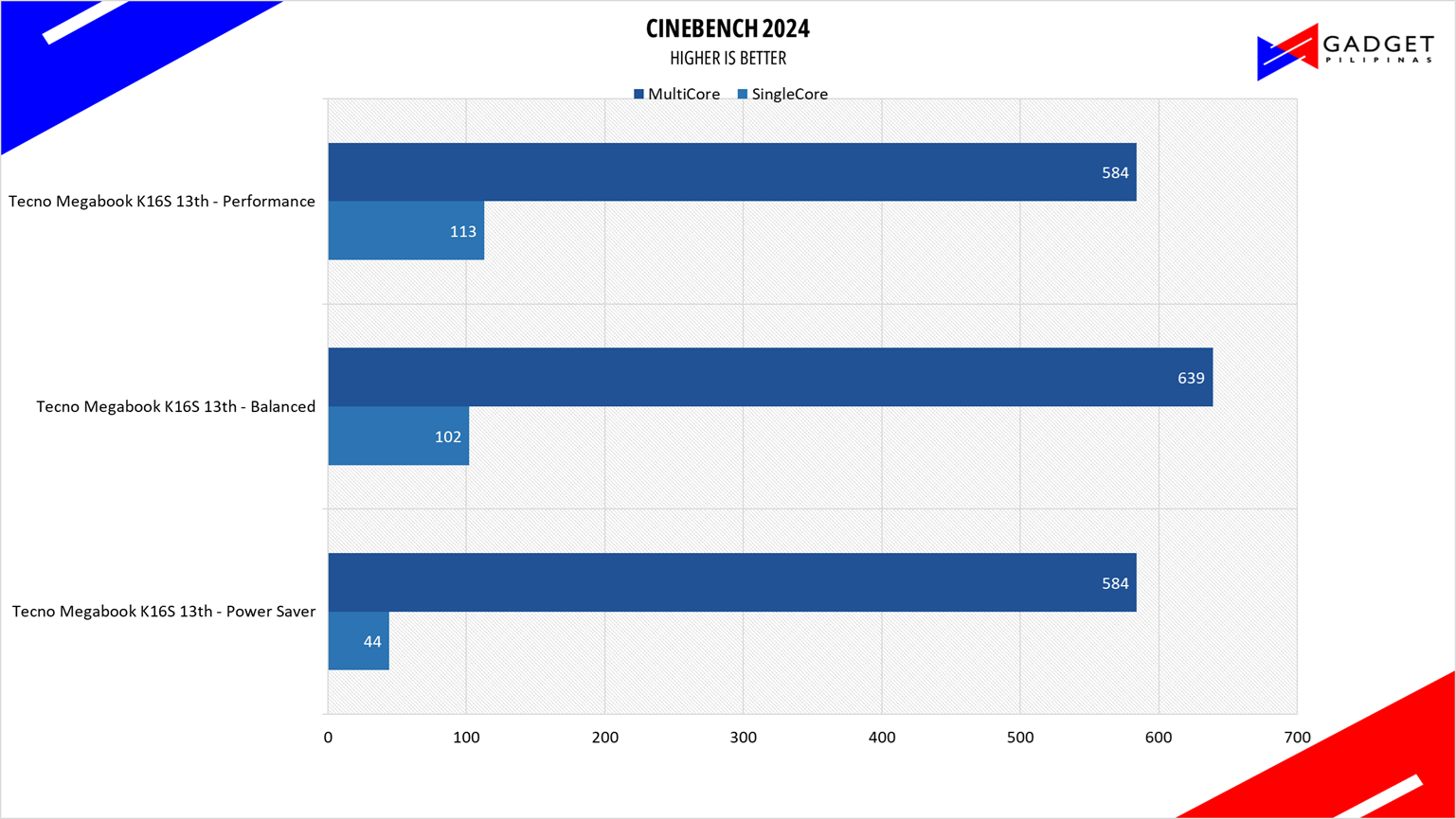
Maxon’s Cinebench benchmark is one of the most iconic benchmark applications used by reviewers and enthusiasts. The latest Cinebench 2024 uses the latest rendering architectures, including Intel’s Embree ray tracing technology and other advanced features from AMD and Intel that allow users to render the same scene on the same hardware.
ADOBE PREMIERE PRO 26 VIDEO EDITING – PROCYON
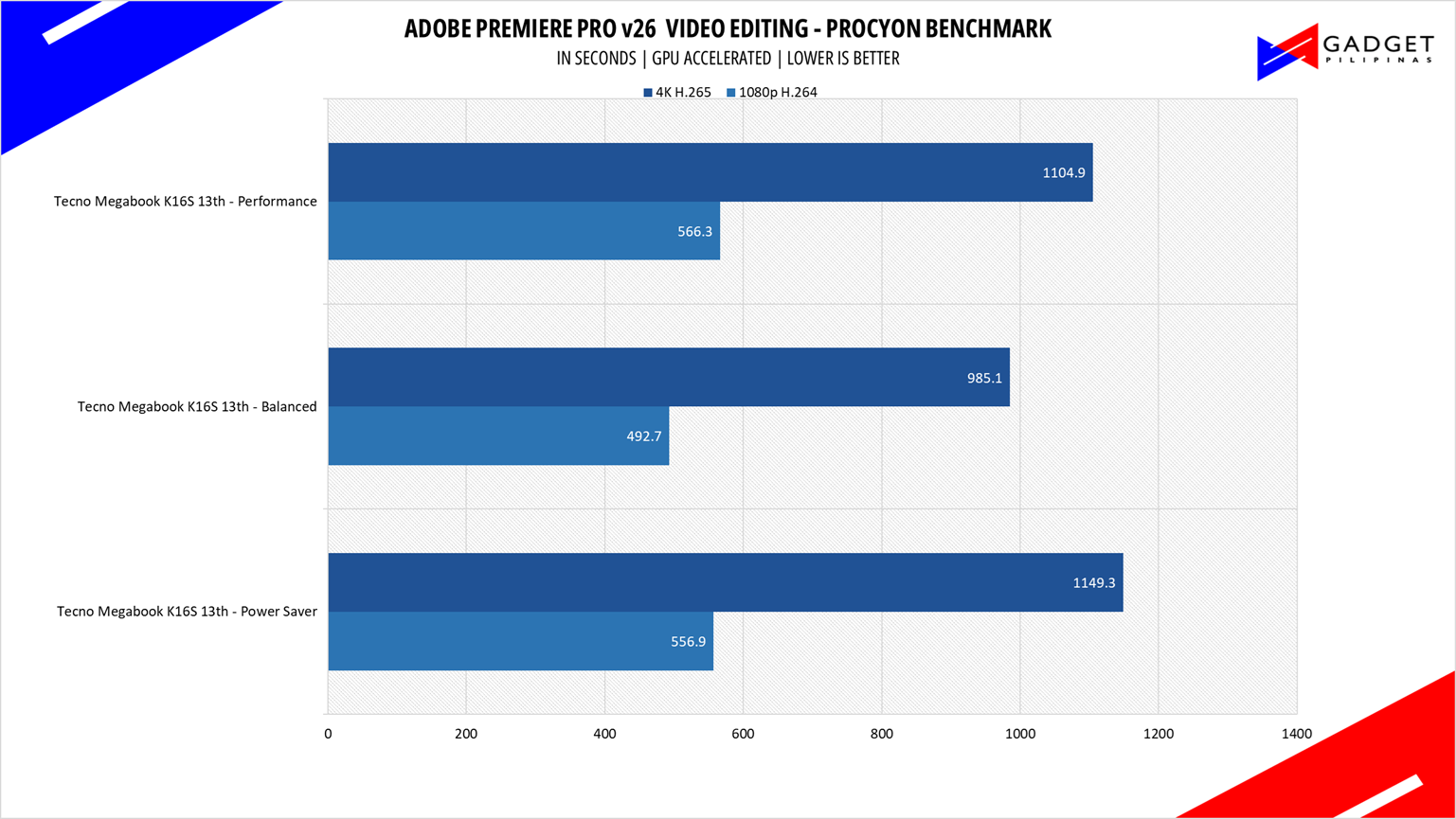
Procyon benchmark suite is developed by the UL, the same team behind 3DMark and PCMark benchmarks. The UL Procycon video editing benchmark uses Adobe Premiere in a typical video editing workflow. The benchmark starts by importing two video project files with various edits, adjustments, and effects – the second project uses several GPU-accelerated effects. Each project is exported in 1080p with H.264 encoding and again in 4K with HEVC H.265. The reported score is based on the time taken to export all four videos.
PCMark10
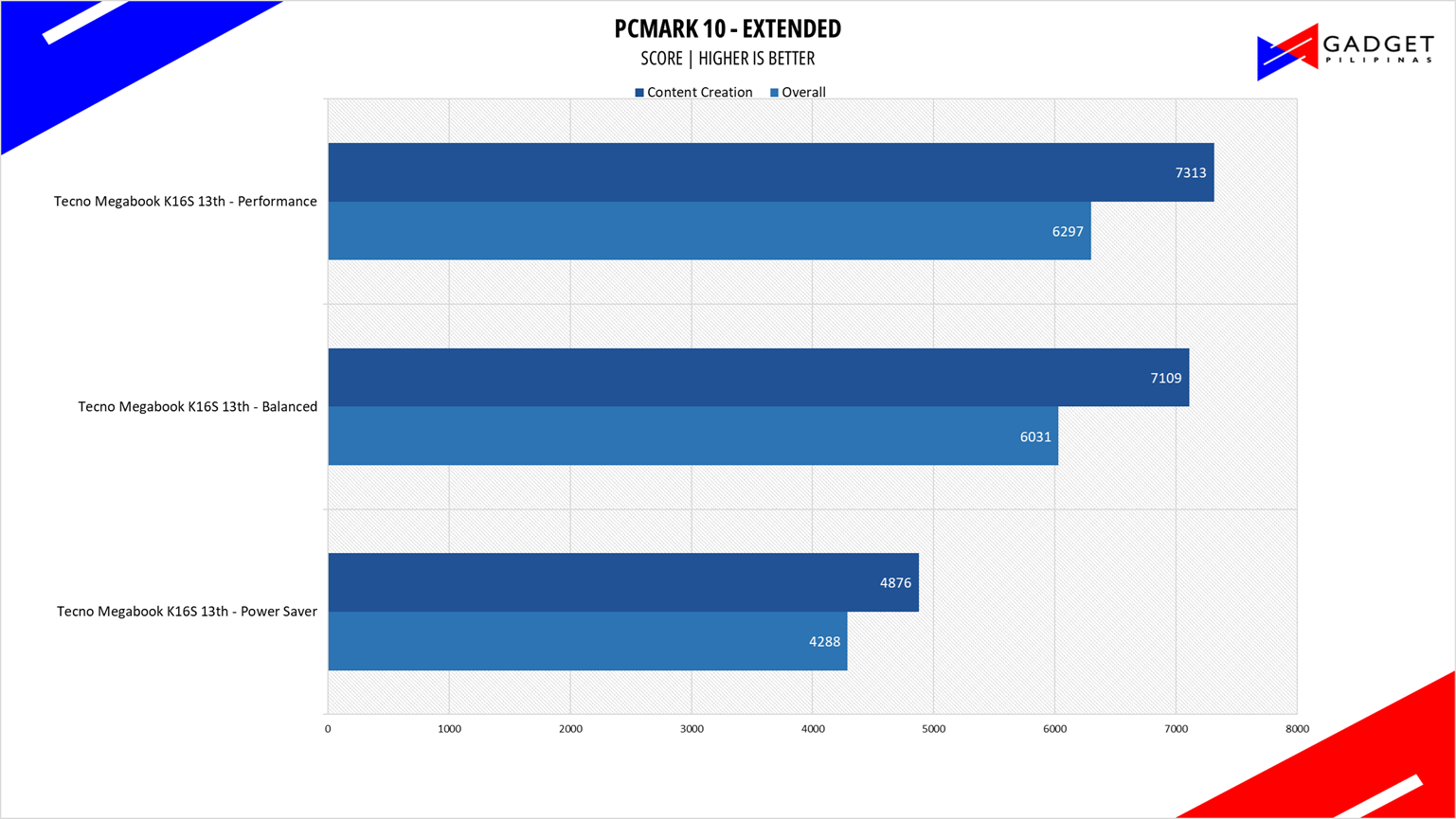
From the same developers of the popular game benchmarking tool 3DMark, PCMark 10 is a benchmarking app for measuring a whole PC’s performance. It covers a wide variety of tests to reflect common tasks performed in a modern workplace. We selected PCMark 10’s extended benchmark and reported both the overall score and Digital Content Creation Score.
V-RAY 6
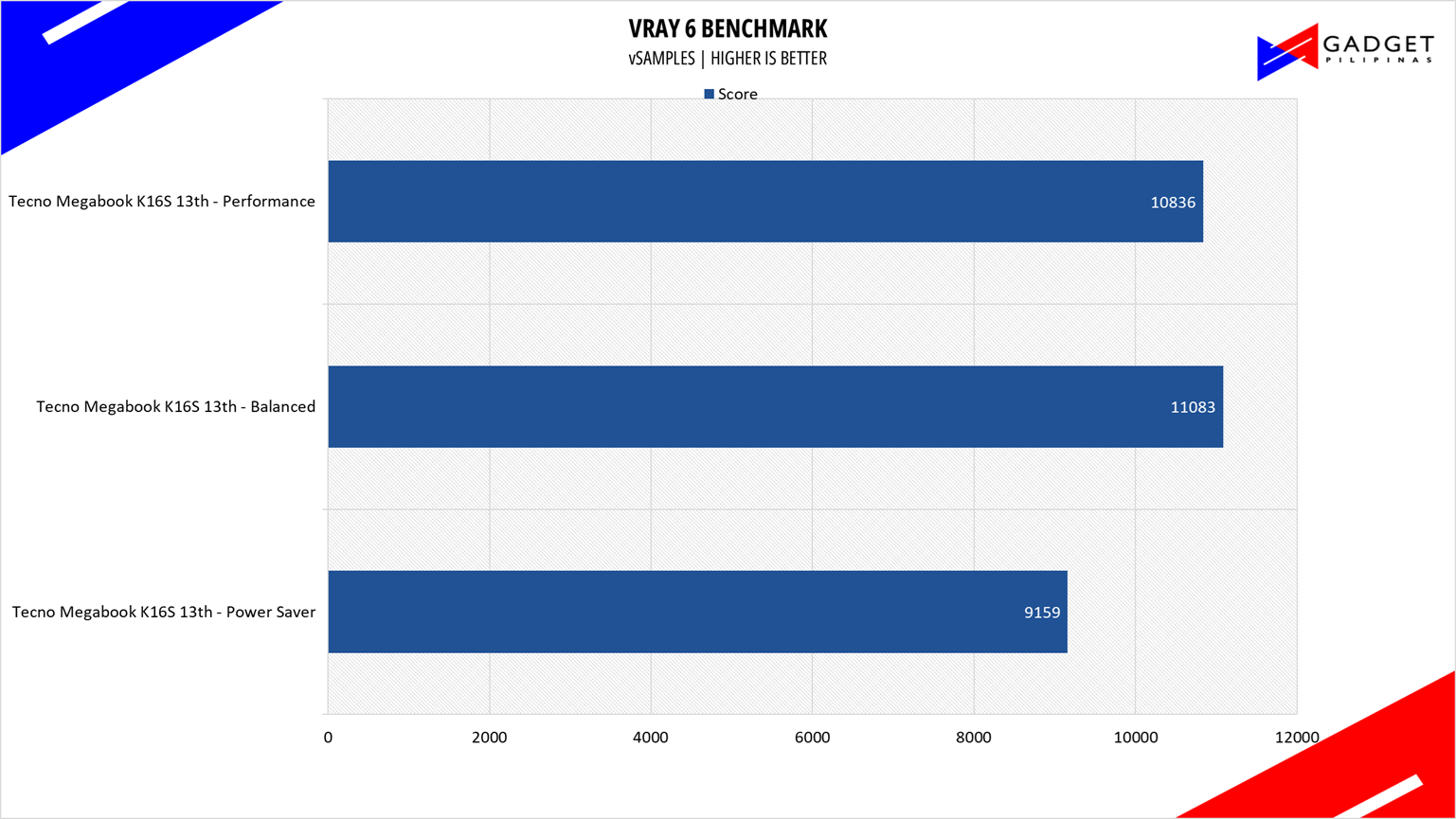
V-Ray Benchmark is a stand-alone version of V-Ray developed by Chaos Group. It is designed to test the CPU and GPU by rendering sample scenes within a fixed amount of time. V-Ray is a plug-in mostly utilized by 3D computer graphics software applications, mainly for industrial design, product design, architecture, film, and video game production. V-Ray is not limited to 64-threads as it supports multi- and mega-threading.
BLENDER
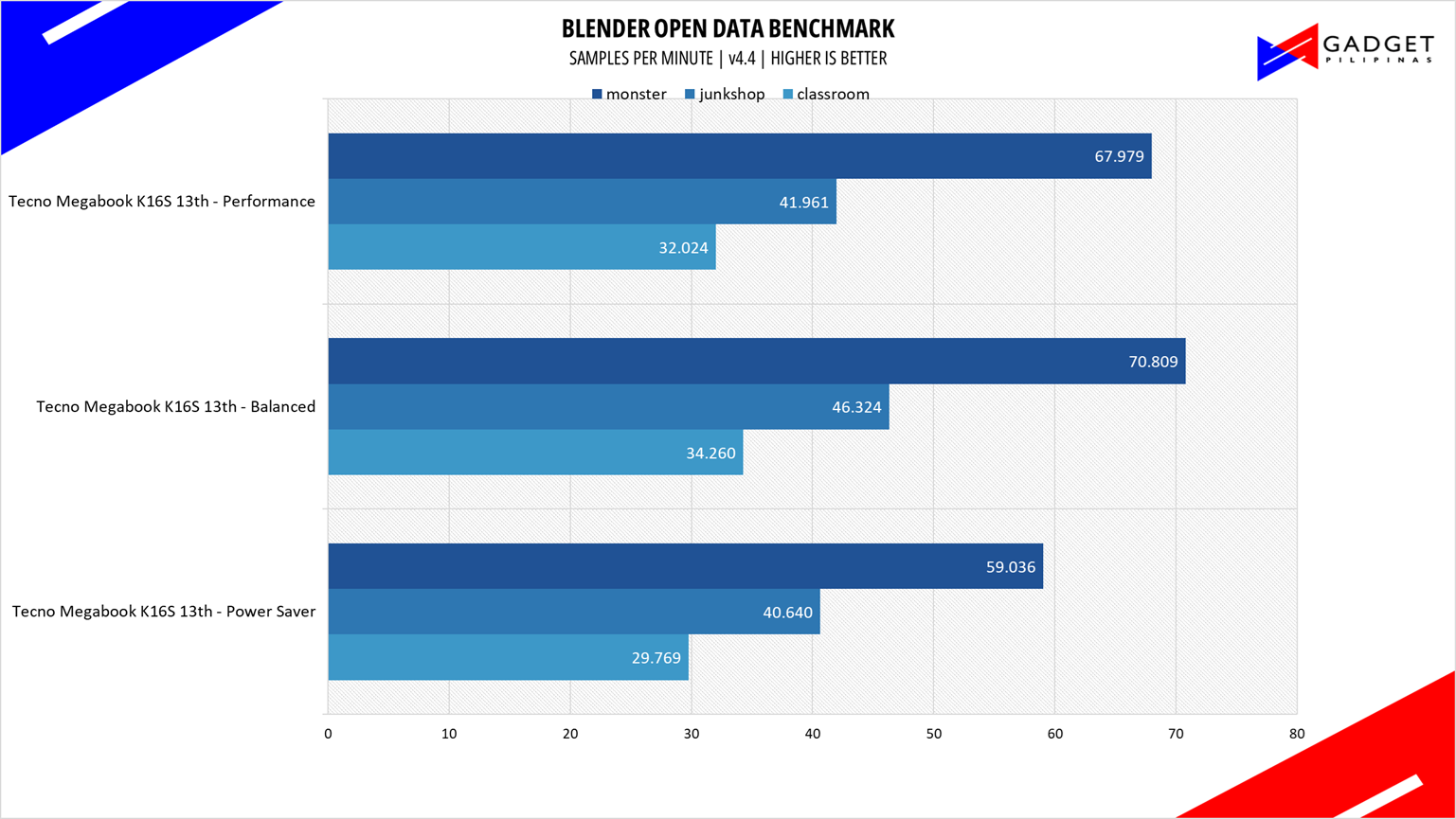
Blender is a widely used, free, open-source 3D creation suite. It supports the whole 3D pipeline process from modeling, rigging, animation, simulation, rendering, and even motion tracking. Blender has become a standard for CPU benchmarks, with the BMW27 and Classroom Scene most used. This prompted the company to release Blender Open Data Benchmark in 2018, a benchmark-specific version allowing users to run a preset benchmark and share the results online like 3DMark.
SuperPI 32M
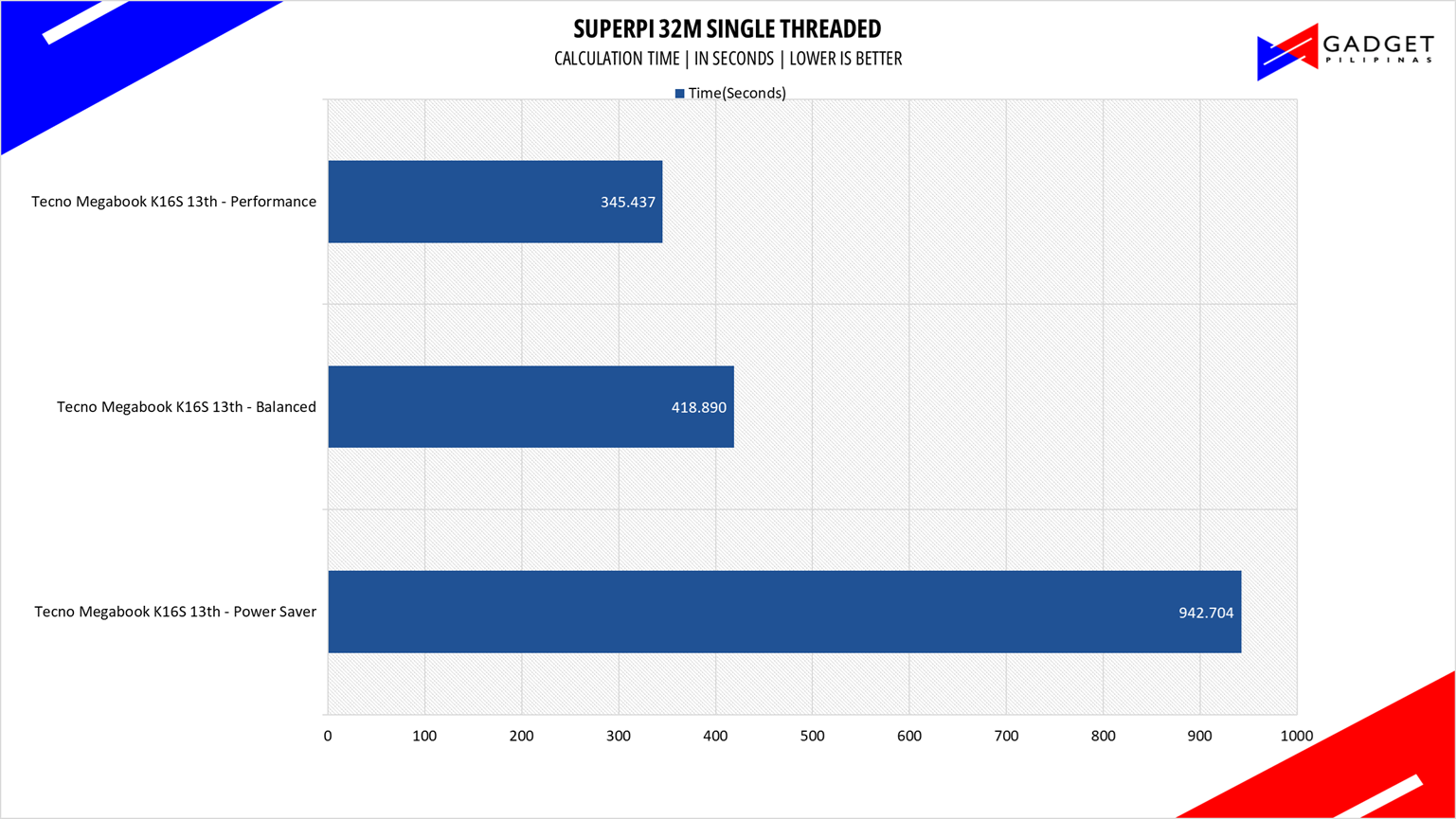
SuperPI is a single-threaded benchmark application that lets the CPU calculate Pi(π) to the nth digit. In this benchmark, we selected the Pi calculation to 32M, the highest available for the app.
wPrime 1024M
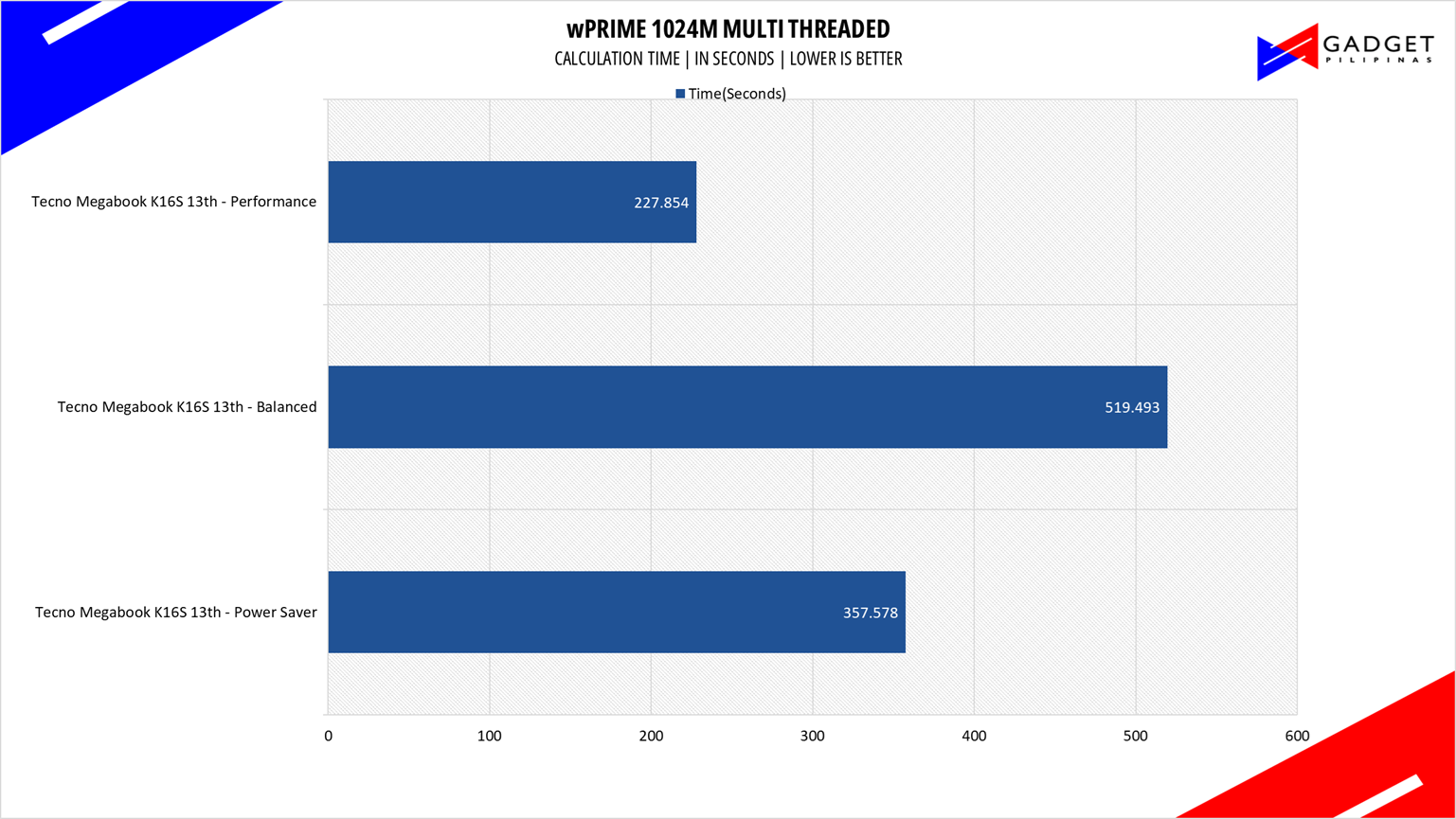
wPrime is a benchmark tool similar to SuperPI, but the former takes on finding prime numbers using Newton’s Method. The benchmark is set to calculate 1024 million prime numbers, and the performance is measured according to calculation time.
GeekBench 6.5
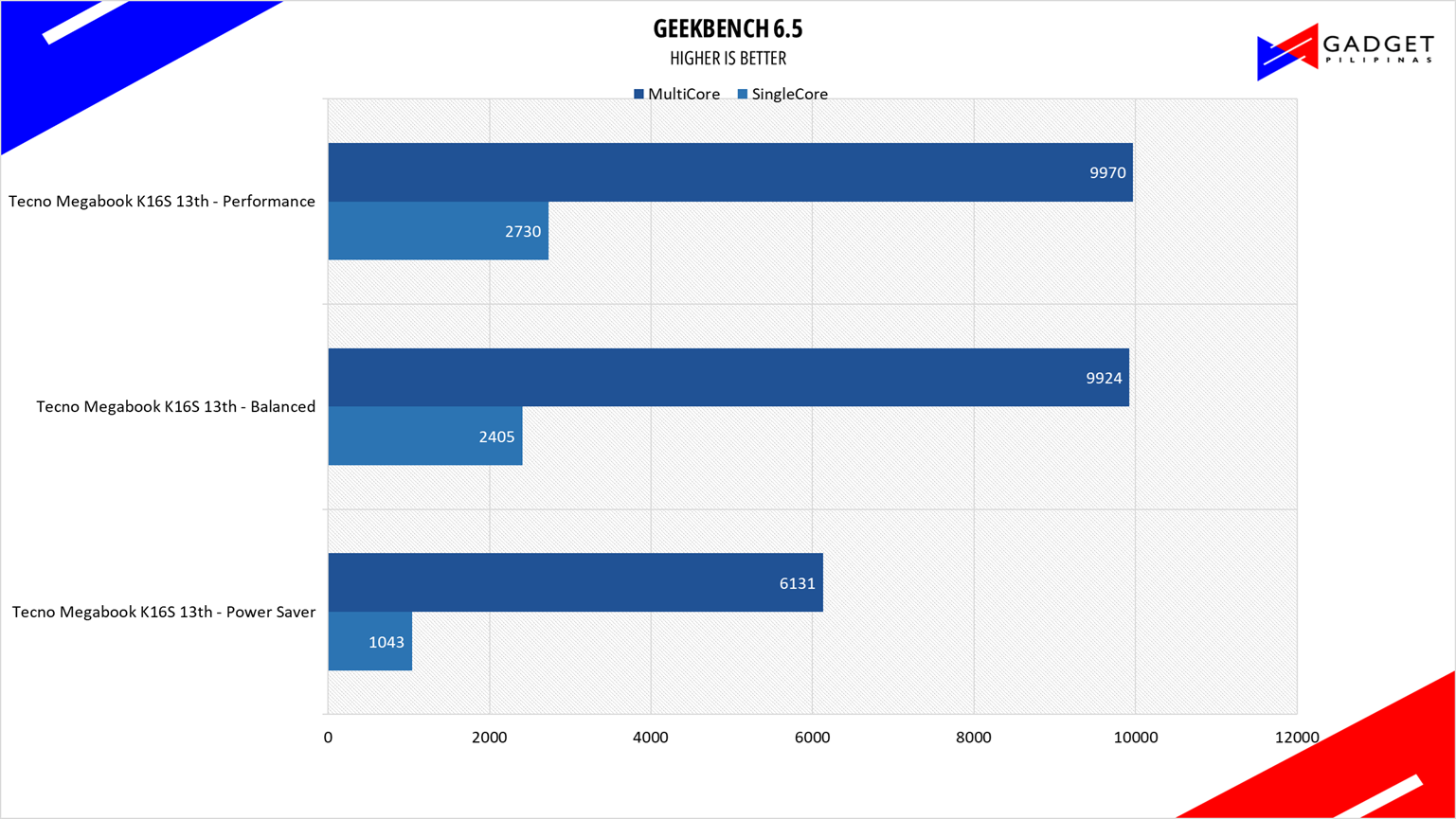
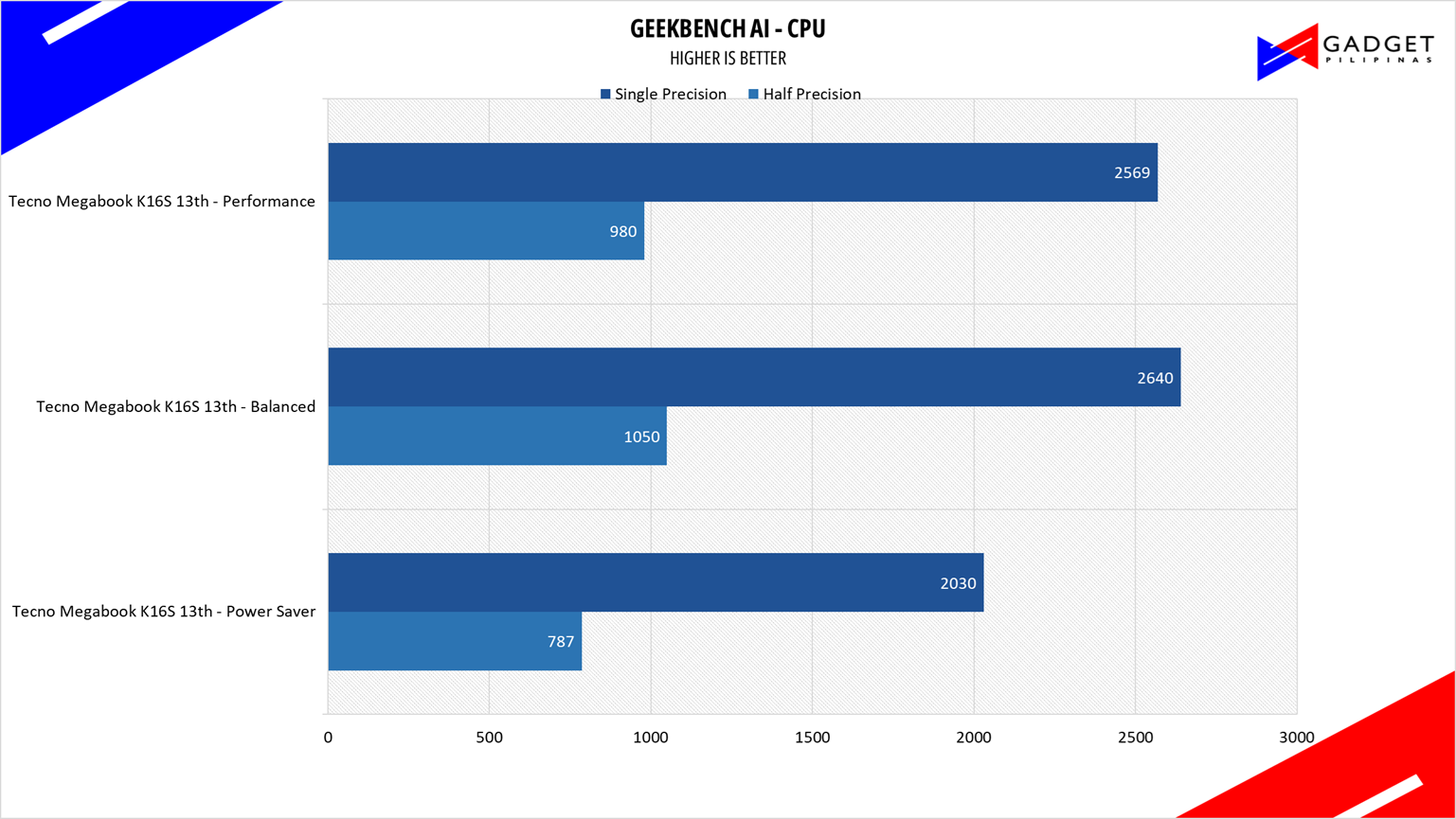
Geekbench is a multi-platform benchmark used to gauge CPU performance and compare it across Windows, Mac, and Mobile. Geekbench 6 is the latest version and doesn’t rely on memory as much as the previous Geekbench 4, making it a great tool to measure both single-core and multi-core CPU performance.
CORONA RENDERER
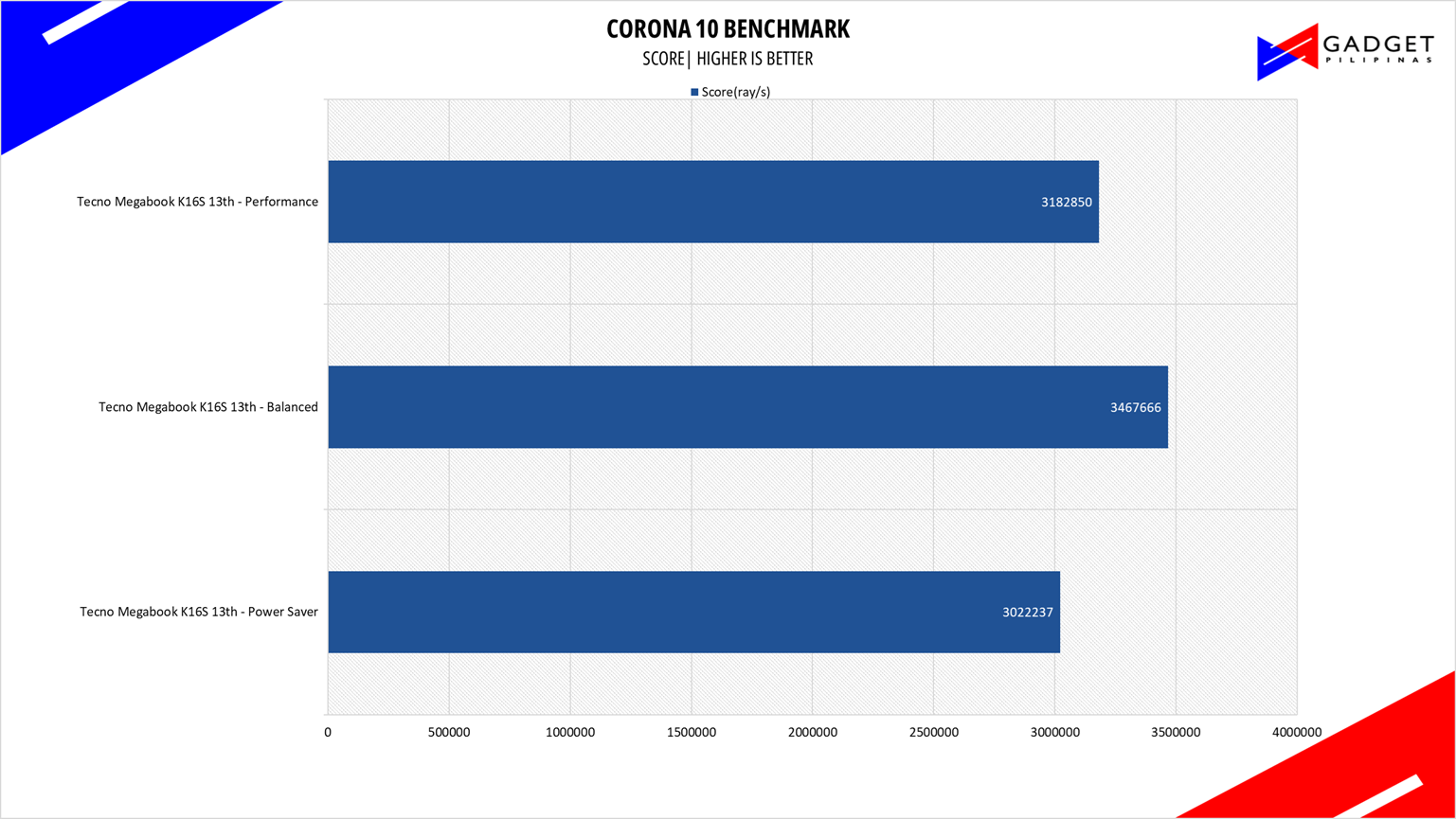
Corona Renderer is an unbiased photorealistic render available for Autodesk 3Ds Max, Maxon Cinema 4D, and as a stand-alone application. Its popularity, similar to Blender, led Chaos Group to develop a benchmark version of the app, which runs using Corona Renderer 1.3. Workstation systems, especially CPUs, can utilize Corona Benchmark as up to 72 threads can be used in the benchmark, making it very suitable for CPUs across various price segments.
BapCo CROSSMARK
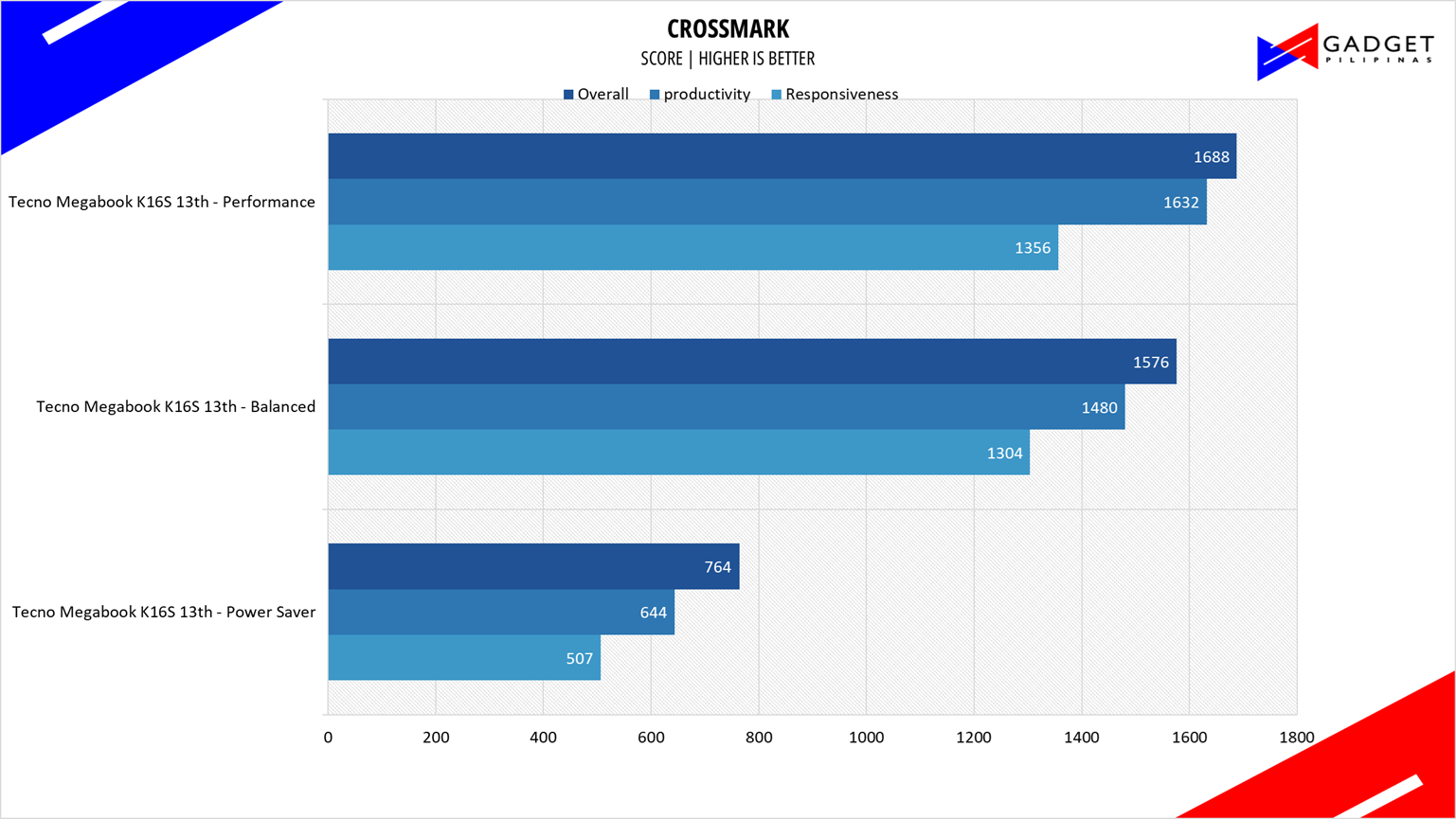
Crossmark is one of the few native cross-platform benchmark tools available for Windows, Android, Linux, ChromeOS, iOS, and macOS. It measures overall system performance and system responsiveness using models of real-world applications, making it a great comparison point across multiple platforms.
OCTANE 2.0 PLUS
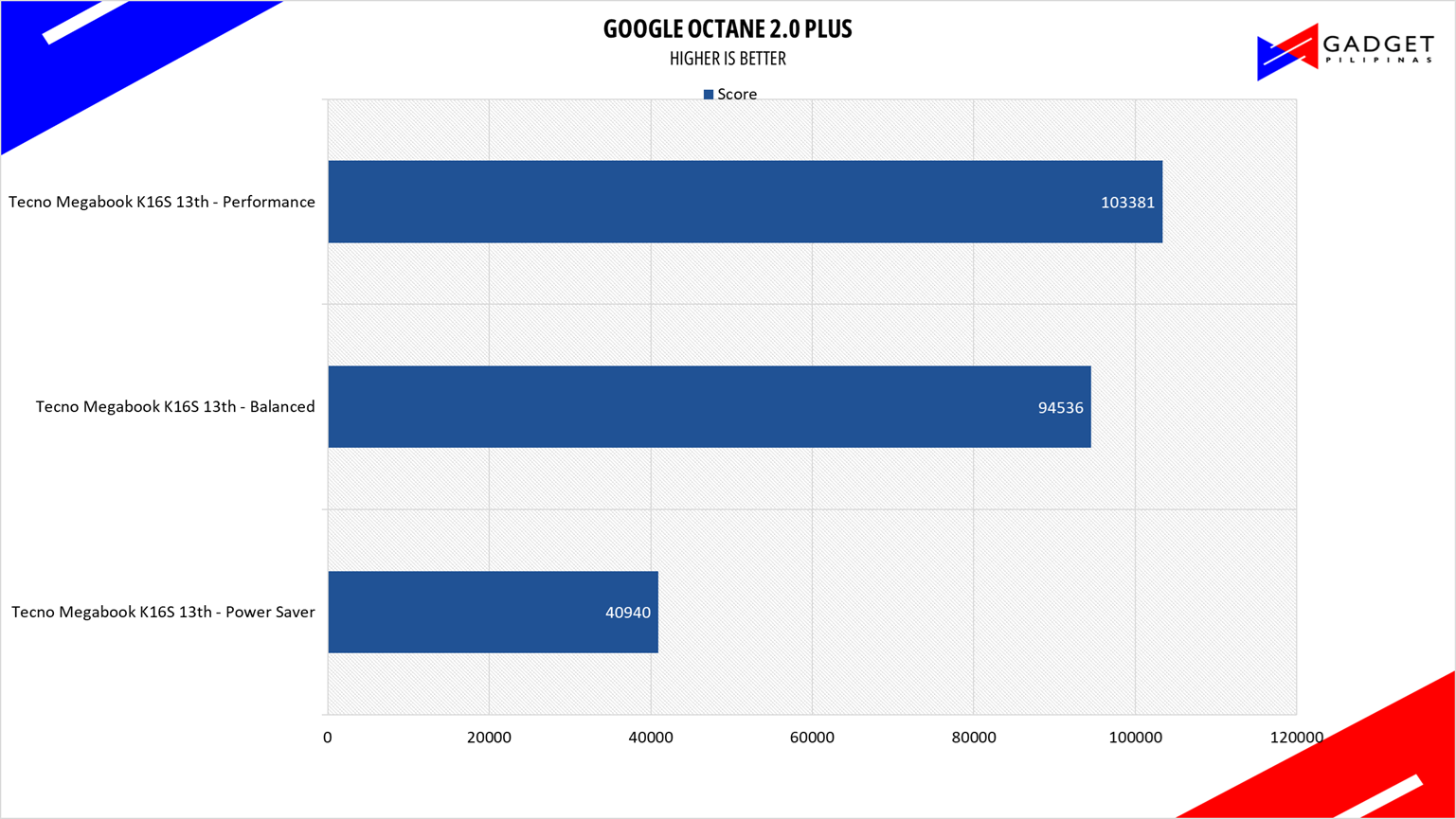
Octane 2.0 is a benchmark that measures a JavaScript engine’s performance by running multiple tests representing different use cases of JavaScript applications. While Google Octane is retired and no longer maintained, it is still a good representation of today’s dynamic, interactive web applications. Our Octane 2.0 benchmark is run on Microsoft’s latest Chromium-based Edge browser.
TECNO MEGABOOK K16s 13th SSD Benchmark
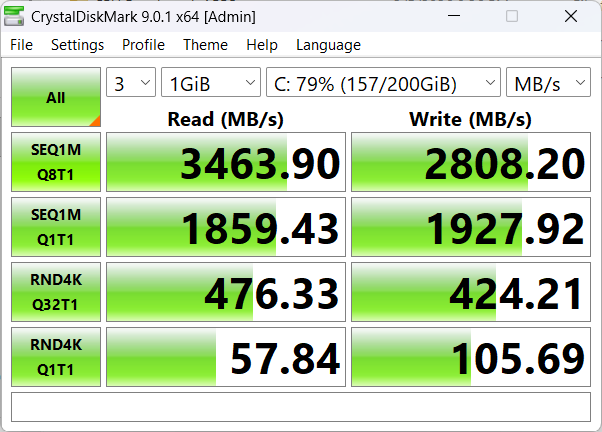
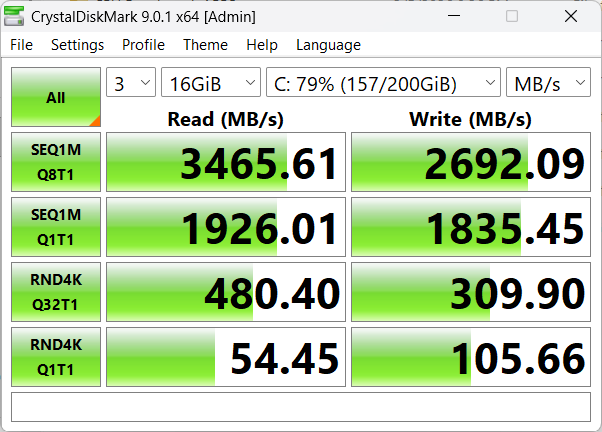
The TECNO MEGABOOK K16s uses a WODPOSIT WPBSNM8-512GMP 512GB PCIE Gen3 NVMe SSD, an SSD commonly used by Chinese laptop brands. Rated at 3500 MB/s read and 3000MB/s write, we measured around 3400 MB/s read and 2800 MB/s write speeds. Surprisingly, TECNO decided to partition the 512GB drive into a 200GB OS drive and a 275GB secondary drive.
TECNO MEGABOOK K16s 13th Battery Life
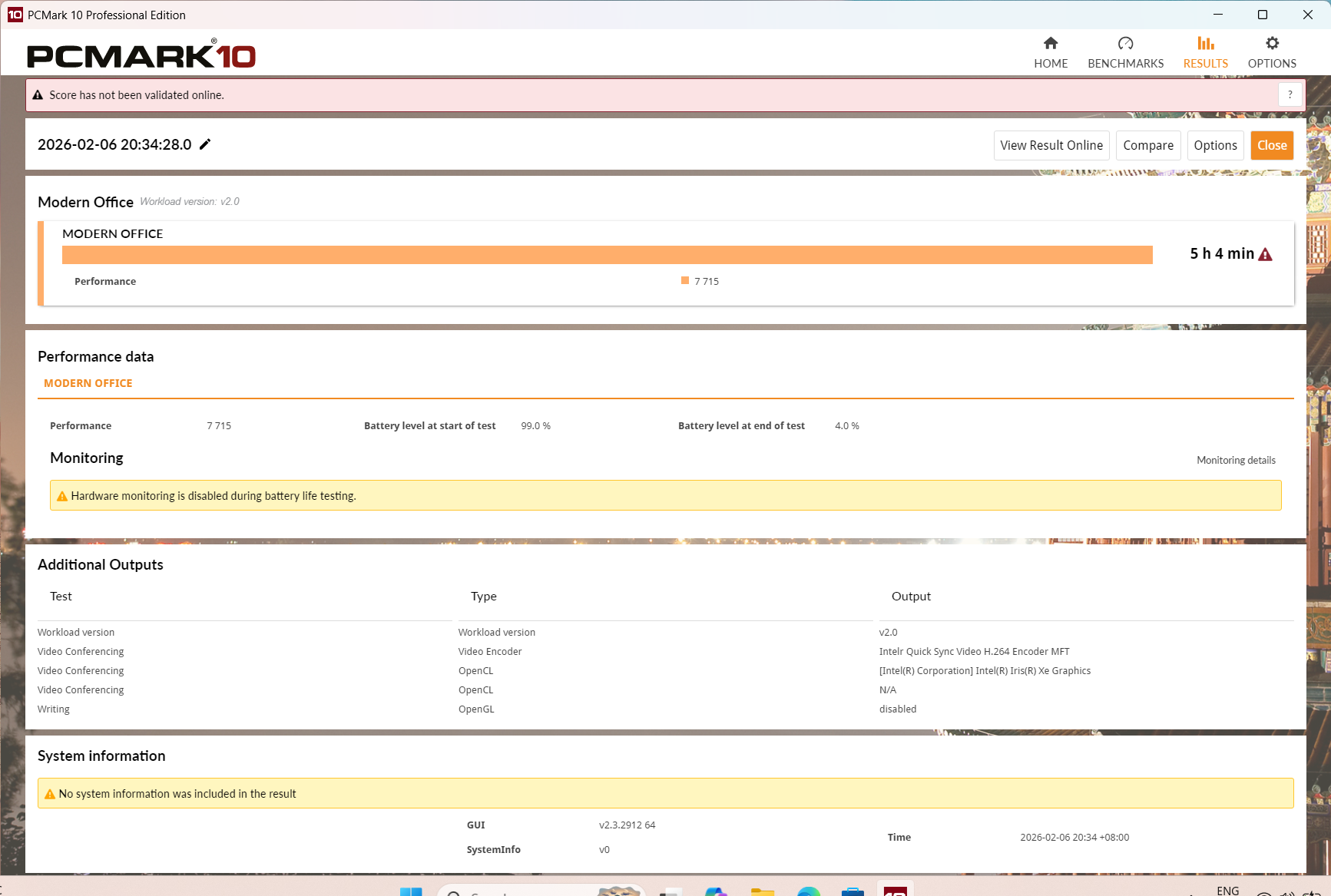
While the TECNO MEGABOOK K16s sports a relatively large 70wHr battery, it is powering a notoriously power-hungry Intel Core i9 13900HK. Testing the battery life at 50% brightness and the power saving profile using PCMark10’s Modern Office benchmark yields 5 hours and 4 minutes. It’s about what’s expected for this spec configuration.
TECNO MEGABOOK K16s 13th Temperatures
Based on the benchmark results and the temperature readings, it’s clear that the TECNO didn’t pay much attention to optimizing the Intel Core i9 13900HK, not to mention the lack of a custom fan speed control and overclocking options despite using a “K” series CPU. Based on both the benchmarks and temperatures, it’s best to use the Balanced profile, as the performance cooling profile doesn’t sync well with the turbo boost behavior.
Conclusion – Barebones Performance-Oriented Laptop
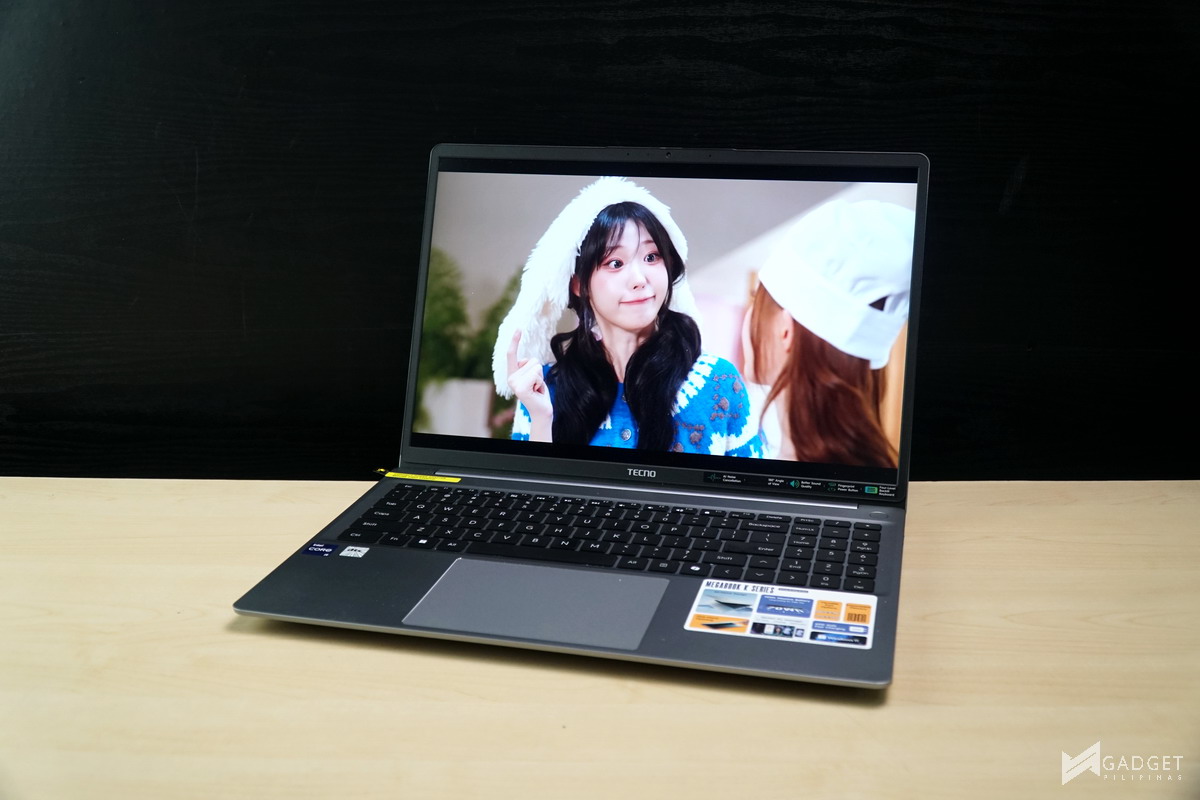
In 2026, the market is flooded with laptops that have each of their own gimmicks, which would then add to their exorbitant pricing. If we scrap these ultrabooks and laptops of their unique features and have a laptop that only has the barebones configuration that people need to work, then that would be the TECNO MEGABOOK 16s 13th. Apart from the TECNO ecosystem features that are essentially software-based, the TECNO MEGABOOK 16s 13th is your base, vanilla laptop that’s just primed to work and do your office-related workloads without any lags whatsoever.
Performance-wise, the Intel Core i9 13900HK can easily handle every office-related task you throw at it, with even some heavy workloads such as rendering. However, it’s not one of the fastest Core i9 13900HK laptops due to its cooling and the use of a 16GB DDR4 3600MHz memory. Not to mention it’s using a dated CPU, which means you are losing out on generational improvements such as PCIE Gen 5, WIFI 7, Thunderbolt 5, etc. But a great silver lining is it’s still probably the fastest thin and light laptop you could get at under Php 46,999.
The easiest way to describe the TECNO MEGABOOK K16s 13th in terms of the mobile phone language is that it’s a close mirror of what a “flagship killer” looks like in the laptop segment. Like a flagship killer, it can compete with higher-priced, premium laptops in terms of performance. But it clearly lacks in some department that could be a deal breaker for some, especially those who want a more “all-rounder” device – a device that could do some light gaming or video editing. That said, at Php 46,999, especially considering the current 2026 RAM and SSD AI boom, its pricing is considerably decent.
So, if you’re a student looking for a reliable laptop that could do your schoolwork without any lags or hitches, or if you’re simply on a budget and are looking for a performance-oriented laptop without any unnecessary premium or quality of life features, then the TECNO MEGABOOK 16s 13th is a solid option.
Where to Buy the TECNO MEGABOOK K16s 13th
The TECNO MEGABOOK K16s 13th and MEGABOOK K15s are exclusively available in the Philippines at Laptop Factory. From February 7-8, 2026, buyers will receive a free TECNO CAMON 40 Pro 5G for every purchase, while purchases made from February 9-14, 2026, will come with a free TECNO POVA 7 or SPARK SLIM.

Grant is a Financial Management graduate from UST. His passion for gadgets and tech crossed him over in the industry where he could apply his knowledge as an enthusiast and in-depth analytic skills as a Finance Major. His passion allows him to earn at the same time help Gadget Pilipinas' readers in making smart, value-based decisions and purchases with his reviews and guides.