The ROG Falcata is a premium 75% split gaming keyboard that leans hard into customization, magnetic switches, and competitive features, while charging a price that clearly targets serious enthusiasts. It delivers excellent performance and build quality, but some design quirks and software friction keep it from being universally appealing.
Introduction
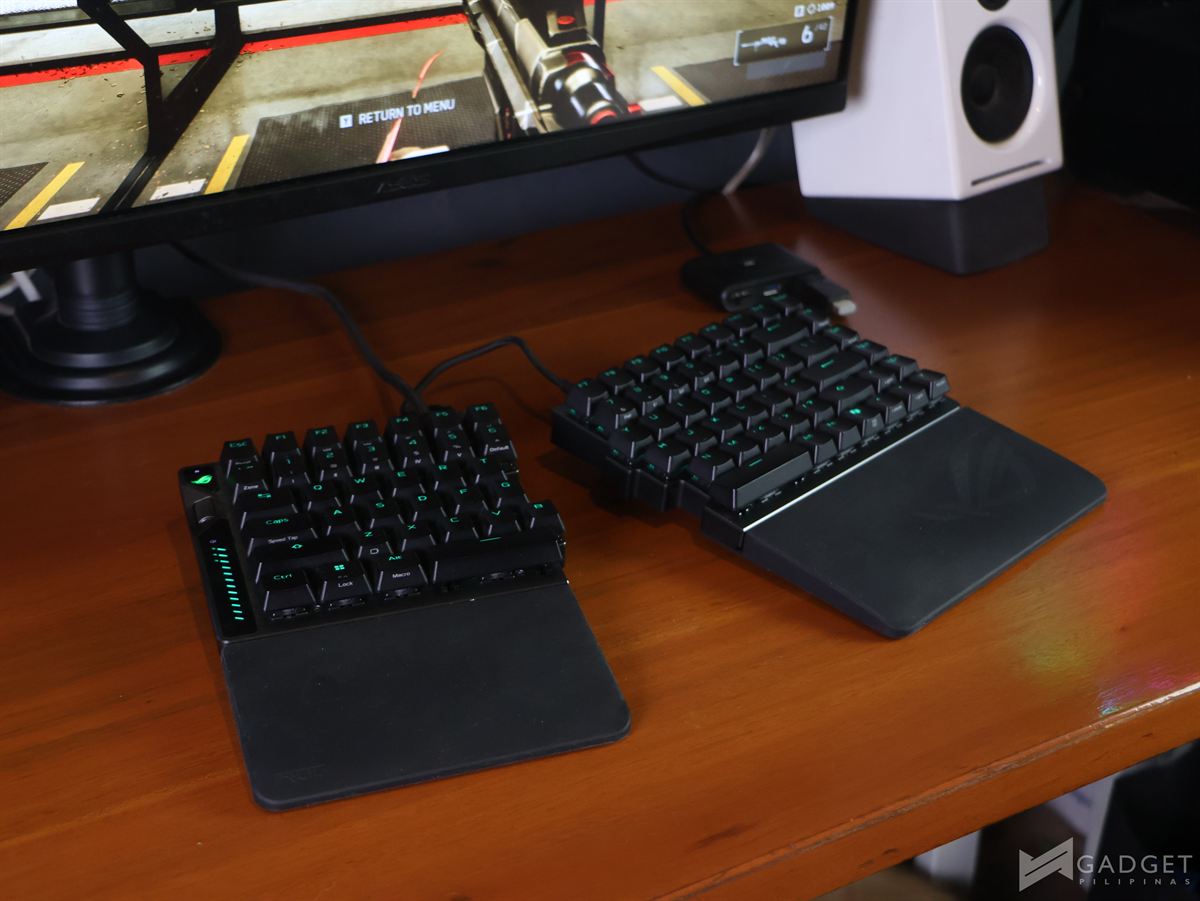
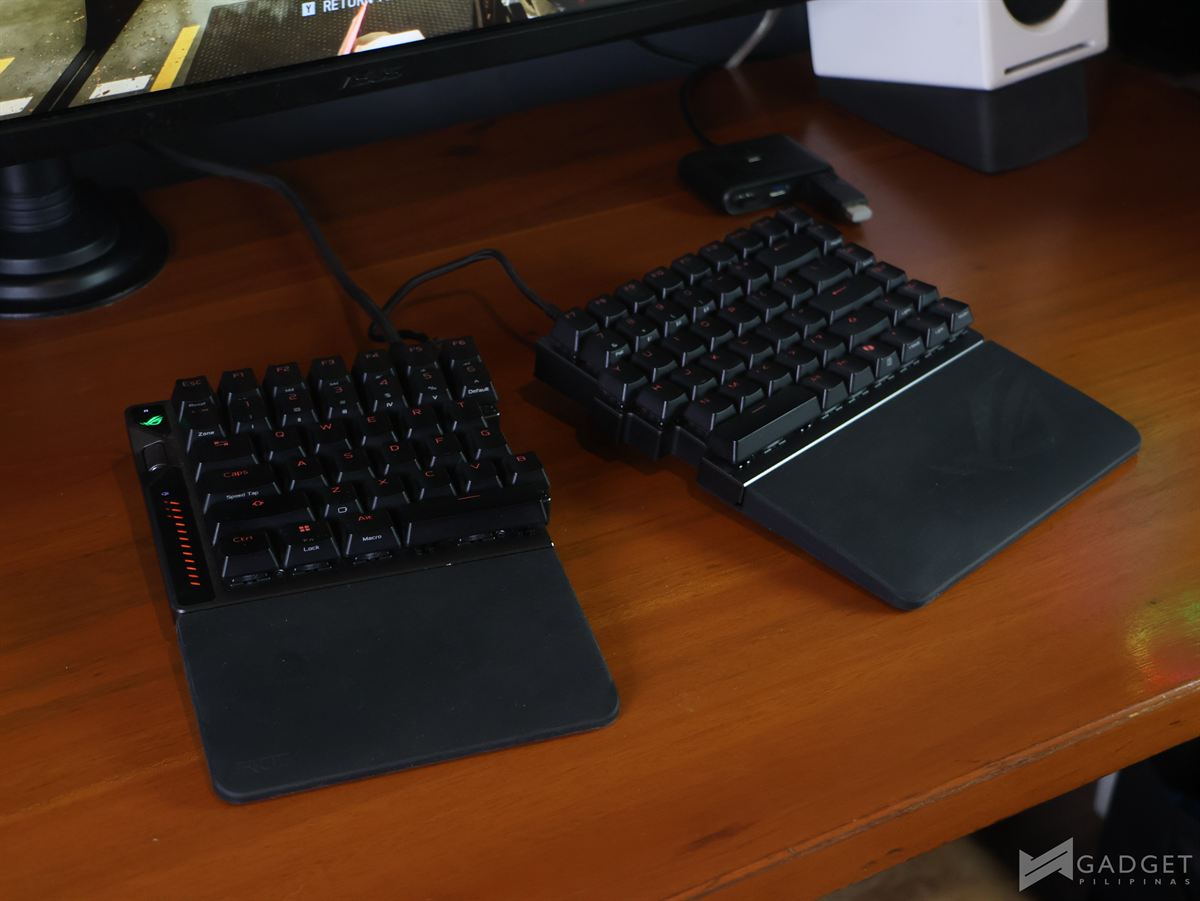
The ROG Falcata is a 75% split gaming keyboard fitted with ROG HFX V2 Magnetic Switches paired with a ROG Hall Sensor. This keyboard enables highly adjustable actuation for competitive play and features a Rapid Trigger toggle, an intuitive multi-function wheel and button, tri-mode connectivity, ROG SpeedNova 8K wireless technology, and a four-layer dampening system topped off with detachable silicone wrist rests. Priced at PHP 19,590, it clearly aims at players who want a flexible high-end keyboard that can adapt to different games and desk setups.
Design and Build Quality
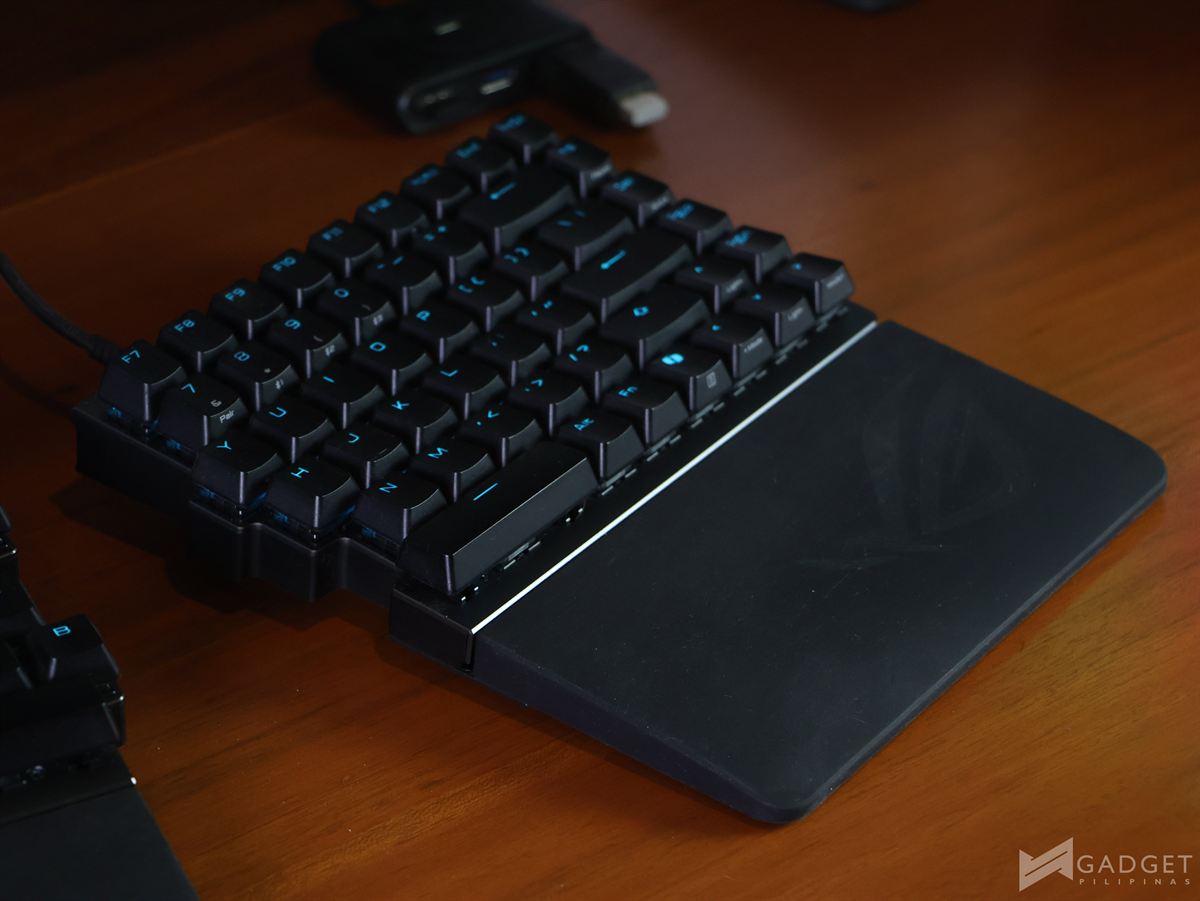
The ROG Falcata uses a compact 75% split layout, allowing for more mouse space and unconventional hand positioning, especially when using only one half of the board. The two halves connect via included USB-C cables—one short and one slightly longer—though the split setup is ultimately limited by the cable length, which somewhat caps how “ergonomic” or wide you can go.
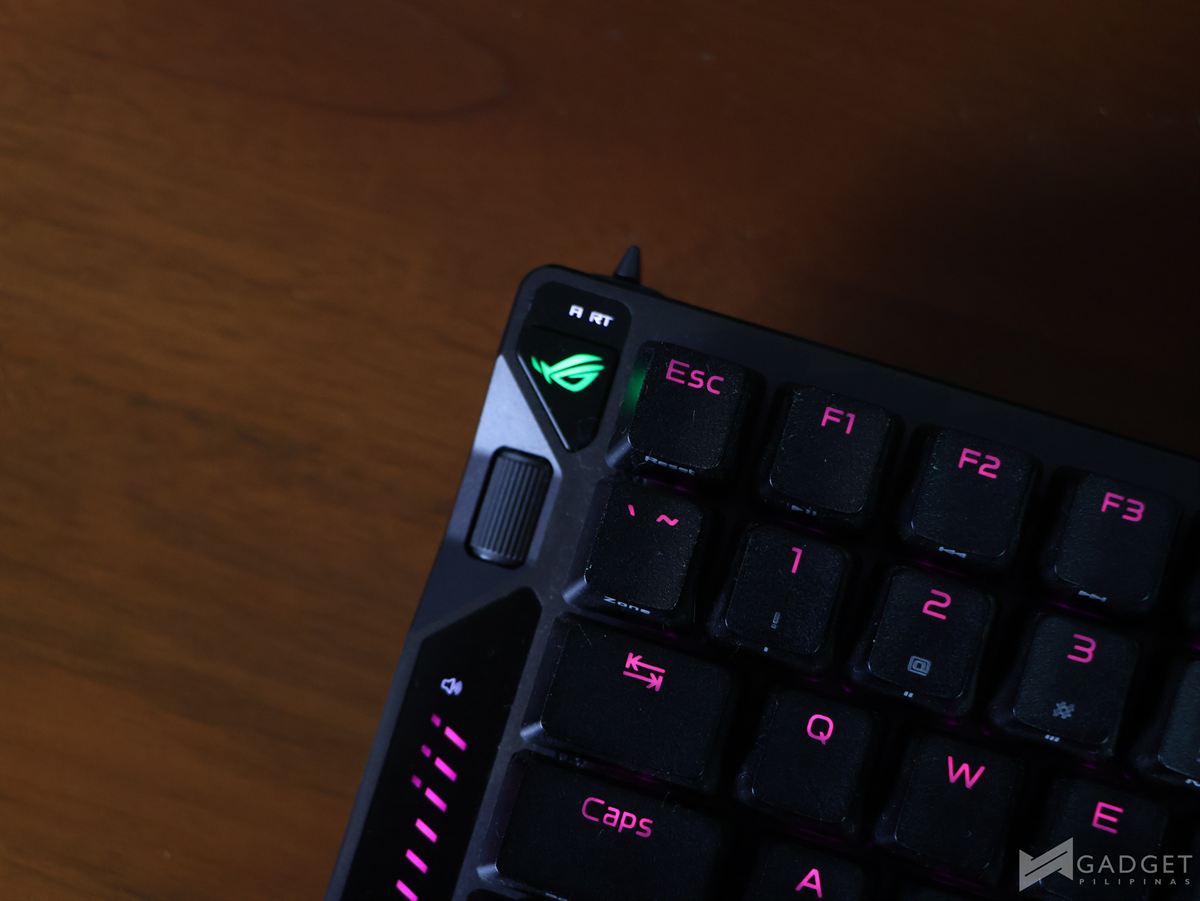
The left side houses the multi-function wheel and button, along with a Rapid Trigger switch, consolidating most of the keyboard’s advanced controls into one area.
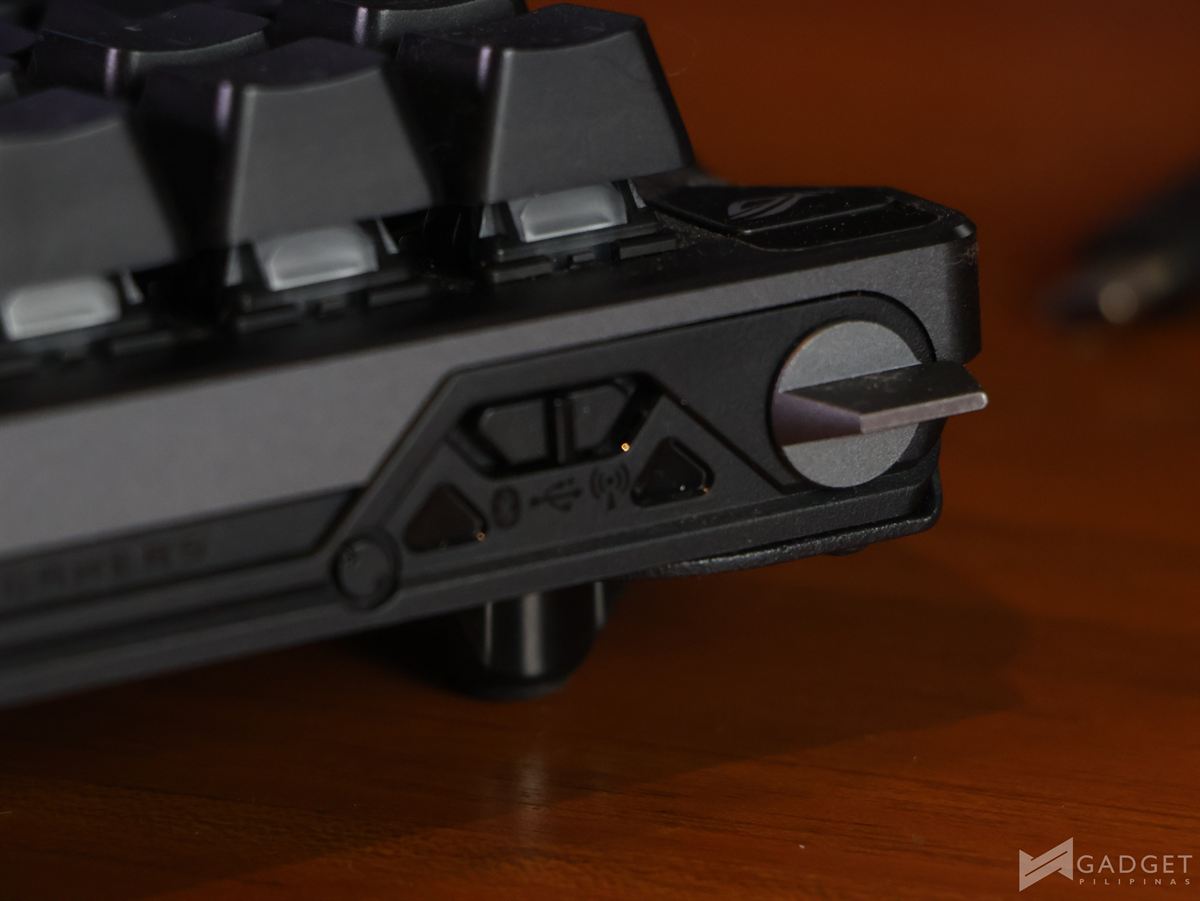
The wheel allows for several functions – adjusting volume, media playback, keyboard brightness, and even the actuation point, with changes reflected in real time through an LED sidebar, which is both practical and visually informative.
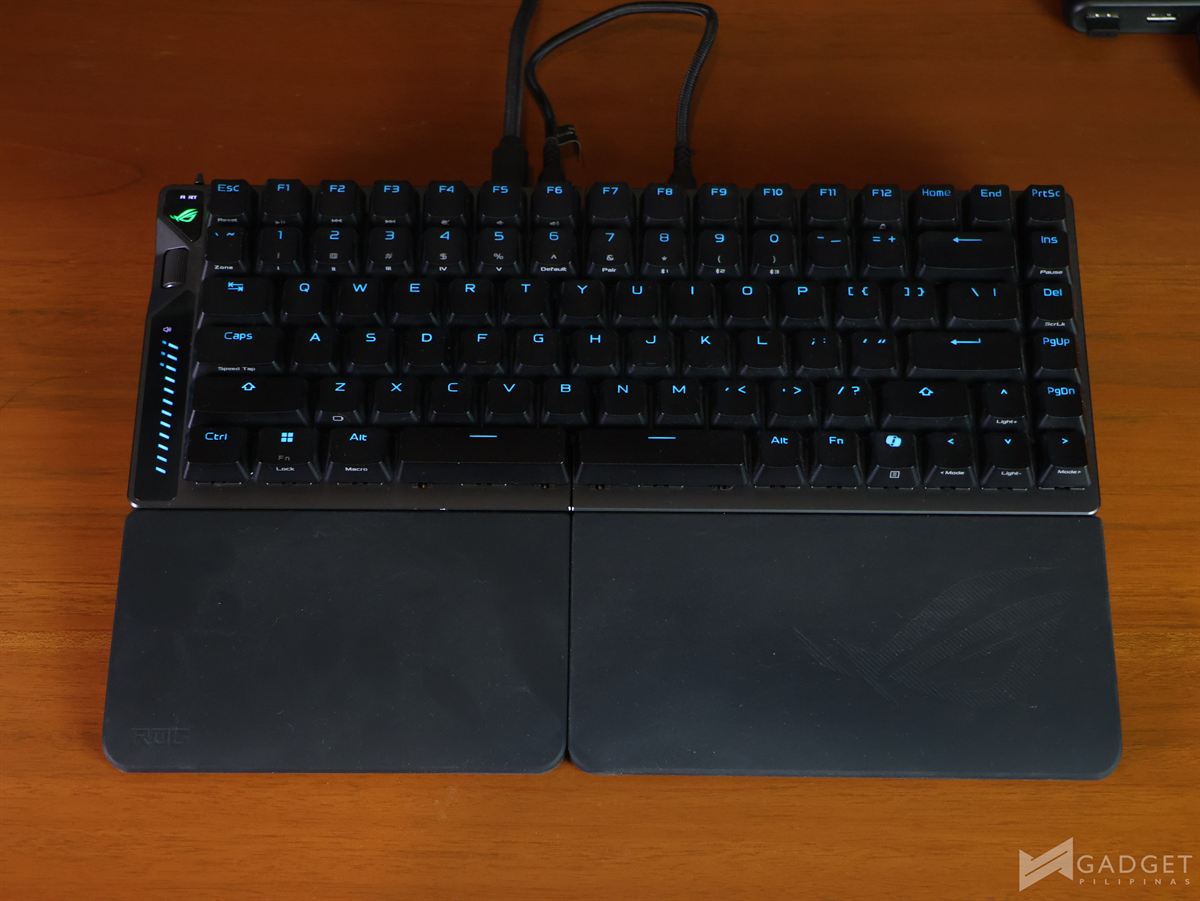
Build-wise, the board leans heavy at 968g without wrist rests or cable, and only gets heavier fully dressed, which helps stability but hurts portability. The wrist rest is screwed onto the keyboard, making it secure but inconvenient to remove if you prefer a bare front edge or plan to travel with the board.
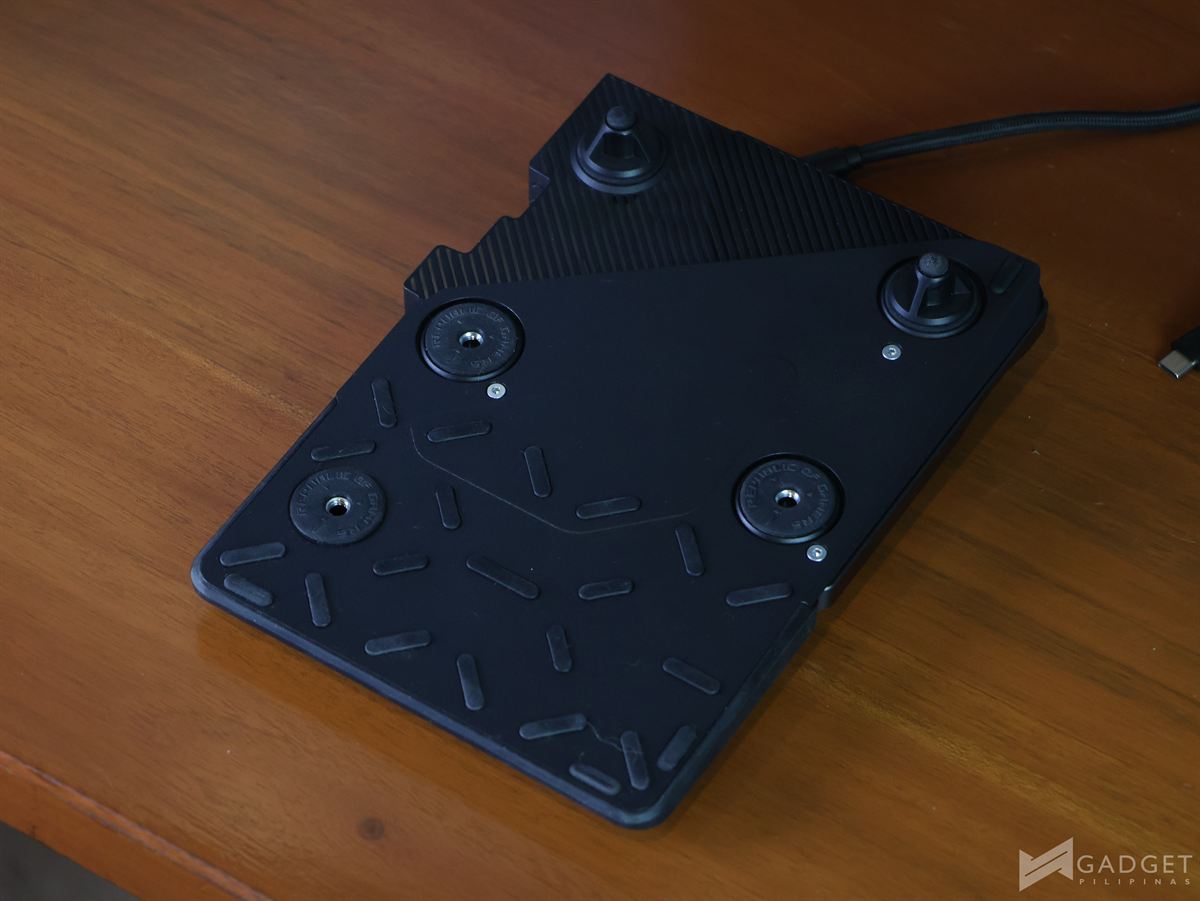
You get adjustable screw-in stands for two height levels, and the internals use layered dampening: silicone foam to absorb ping, PORON switch and dampening foams for impact and vibration control, and a silicone pad to reduce internal echoes. The ROG PBT doubleshot keycaps offer mid-height profiles as well as shorter stems to reduce wobble while giving a premium, durable feel.
Performance
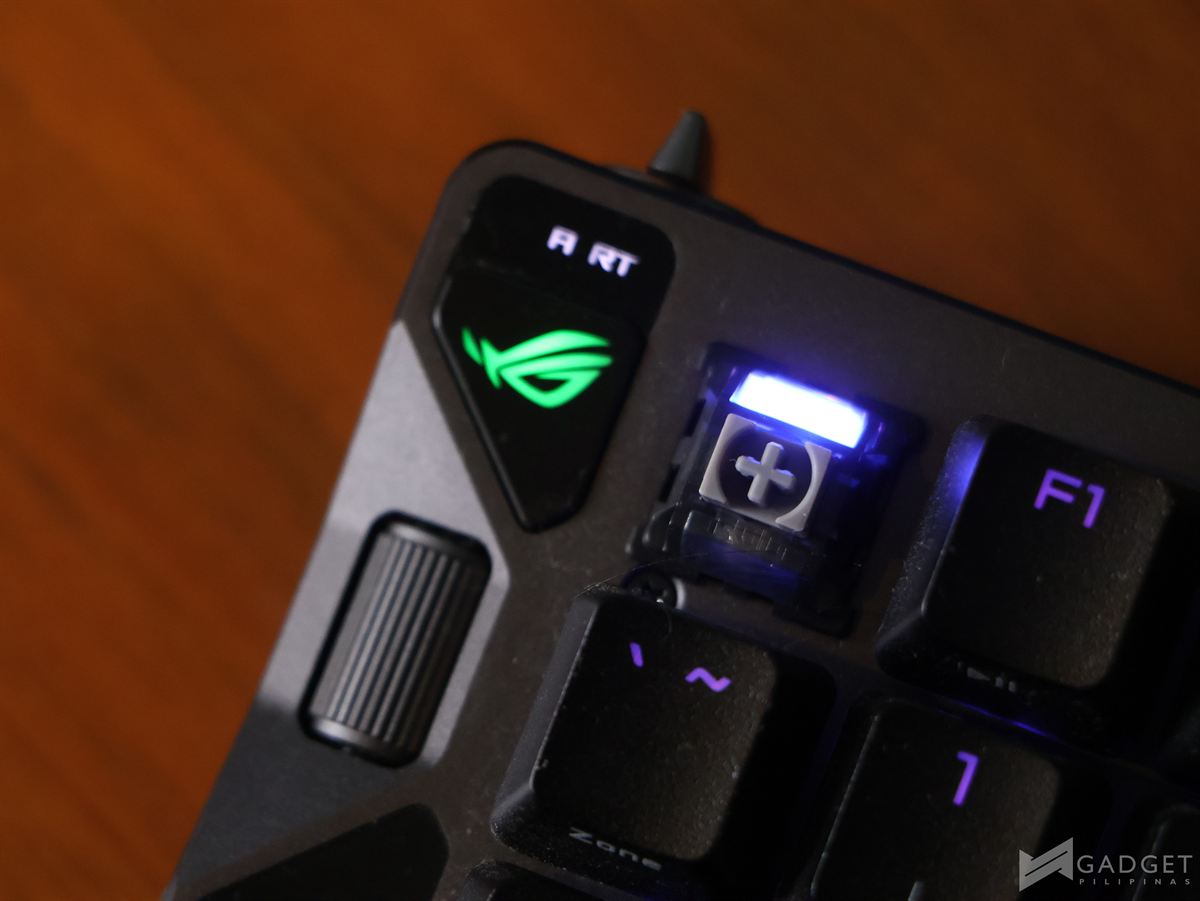
The ROG HFX V2 Magnetic Switches are pre-lubed and deliver 3.5mm of total travel distance, tuned to feel light and smooth without the harsh click many traditional mechanical switches produce. Stabilizers are also pre-lubed and tuned for long keys like Spacebar, Shift, and Enter so they stay true to the original switch feel with reduced friction.
The main performance feature of the ROG Falcata is the granular control over actuation: with the ROG Hall Sensor and HFX V2 Magnetic Switch, the actuation range from 0.1 to 3.5 mm can be set in precise 0.01 mm increments via the multi-function wheel or through the Gear Link web interface, allowing users to dial in the responsiveness to match their playstyle, whether they want ultra-light hair-trigger inputs or a more deliberate feel.
ROG further optimizes sensing by mounting the IC directly on the PCB, which lets it sit closer to the magnet and improves magnetic sensing accuracy without being impacted by board thickness. The dedicated toggle on the top-left rear corner for Rapid Trigger changes how the switches reset: instead of waiting for the full reset point like traditional mechanical switches, these reset instantly as they move upward. By default, this applies to WASD, but additional keys can be enabled via Gear Link.
In case you want to know how typing sounds on the ROG Falcata, here’s a sample.
Speed Tap mode is another performance-focused feature of the ROG Falcata. If two opposing direction keys (like A and D) are pressed, the system prioritizes the latest input and automatically releases the previous one. This prevents the character from stopping when both keys are hit and instead allows immediate directional changes, reducing any time gap for counter-strafing and helping keep aim more consistent.
Actual Gaming Experience
Using half of the ROG Falcata turns out to be surprisingly practical for certain titles, especially FPS games where WASD, number keys, and a few function keys are all you need.
Running a single half creates significantly more room for mouse movement, and using both halves split still works well if you want to type in proximity chat or assume a more relaxed hand position while maintaining access to the full layout.
In games like Resident Evil 4 Remake and Battlefield 6, this split design proves flexible, not gimmicky. The main compromise appears when the right side is absent—you lose convenient access to full text chat, which can be a noticeable drawback in team-based shooters or social games.
Battery Life
The ROG Falcata supports wired USB, Bluetooth, and ROG SpeedNova 8K wireless connectivity, with the latter pushing polling rates up to 8000 Hz and reducing delay from 1 ms to 0.125 ms.
ROG claims up to 200 hours of battery life in normal mode with RGB lighting off, which is generous for a high-performance wireless board but will realistically drop once you enable lighting and higher polling rates are enabled. I was running the keyboard for about a week in 2.4GHz mode and it only dropped to around 50% battery.
Zone Mode is a feature that contributes into both performance and power management by activating a battle-focused configuration that disables RGB and pushes gaming-critical keys to 8000 Hz polling while reducing less important keys to 250 Hz.
This approach balances response and efficiency, and users can fine-tune the polling rate per key, which is a level of control rarely seen in mainstream keyboards.
Software
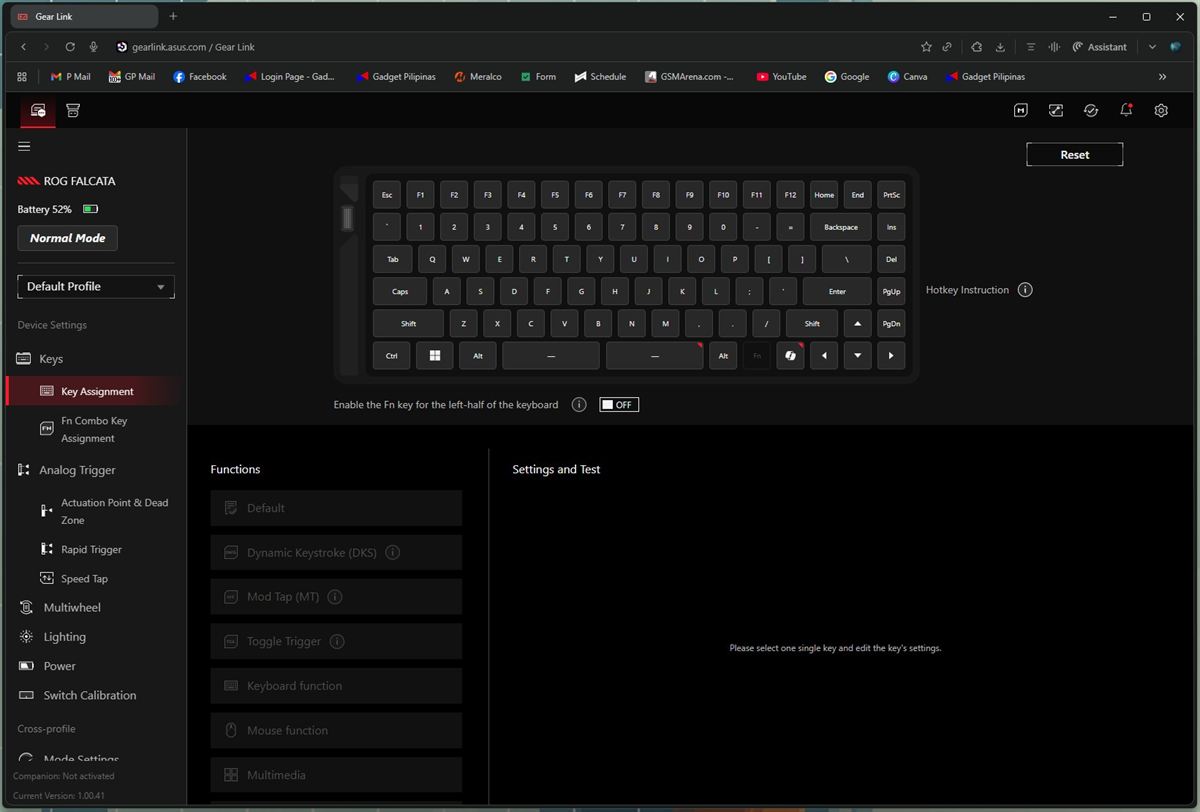
Most of the ROG Falcata’s granular customization is handled via Gear Link, a web-based interface accessed through a browser and launched from ROG Armoury Crate.
This is an unusual setup compared to other ROG devices such as the Harpe Ace Mini, which is configured directly within Armoury Crate itself, and it adds a slightly awkward extra layer to the user experience.
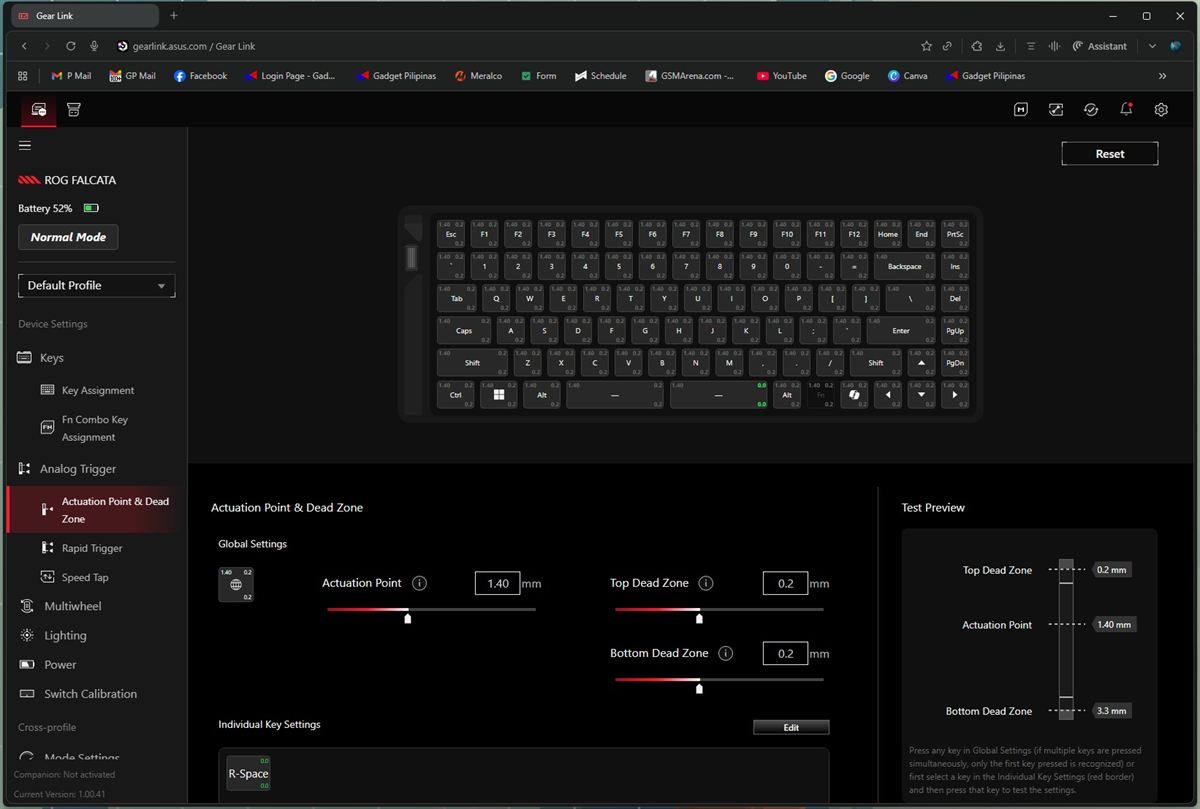
Within Gear Link, users can switch between Normal, Zone, and Power Saving modes, remap keys, define Fn combos, and finely adjust actuation points and dead zones. Rapid Trigger and Speed Tap behavior can be customized, the scroll wheel can be reprogrammed, RGB lighting can be tuned, and power settings can be tailored to match usage patterns.
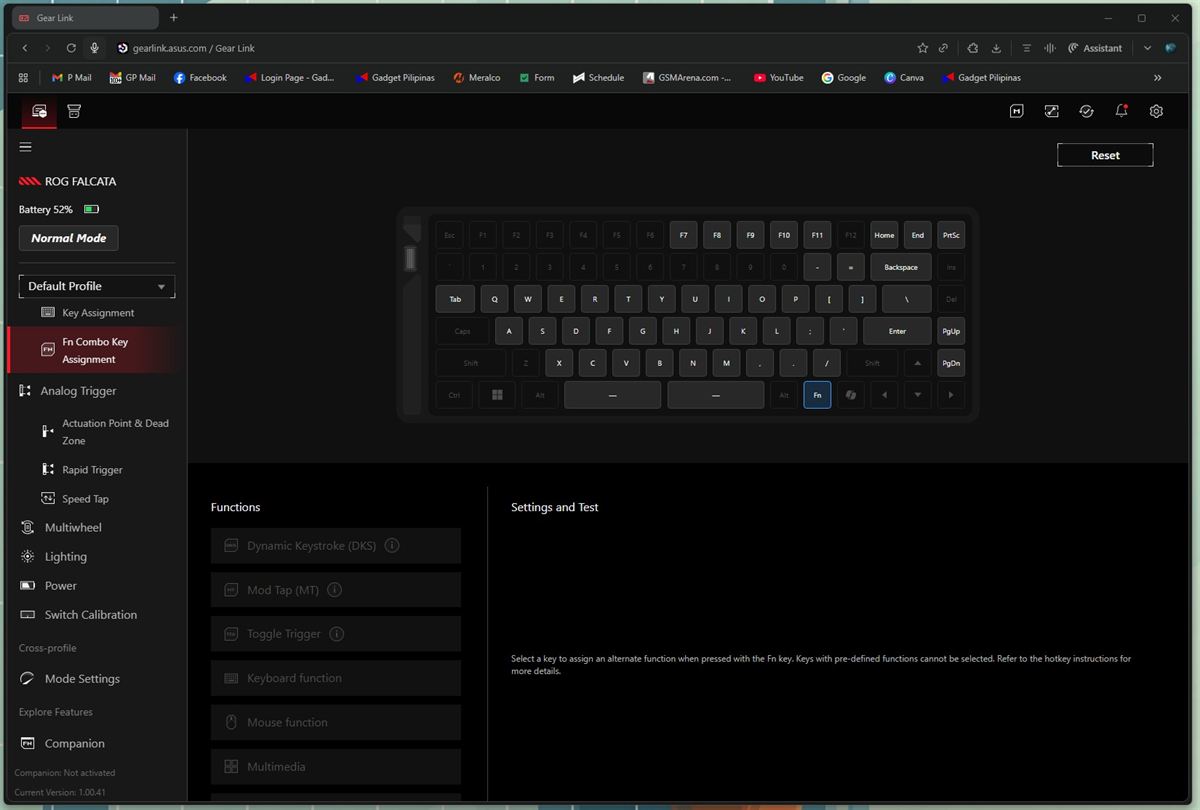
The depth of control is impressive, but relying on a web-based front-end for such core functionality may feel clunky to those who prefer a single unified desktop app.
ROG Falcata – Verdict
The ROG Falcata is clearly built for competitive and enthusiast gamers who want a split layout, advanced magnetic switch tech, and near-obsessive levels of customization. The typing feel is smooth and quiet, the build quality is solid with well-thought-out dampening, and the performance features like Rapid Trigger, Speed Tap, and ultra-fine actuation control translate into tangible in-game benefits, especially for FPS players
However, the heavy weight, screwed-on wrist rests, limited cable-based split distance, and multi-step Gear Link workflow introduce friction that will not suit everyone. For a PHP 19,590 price tag, it sits in a premium bracket where every compromise is magnified, and casual users may find the price difficult to justify.
If you care about competitive performance, love to tweak every parameter, and see value in a flexible split layout, the ROG Falcata deserves serious consideration—just be ready to pay for that flexibility.

Emman has been writing technical and feature articles since 2010. Prior to this, he became one of the instructors at Asia Pacific College in 2008, and eventually landed a job as Business Analyst and Technical Writer at Integrated Open Source Solutions for almost 3 years.