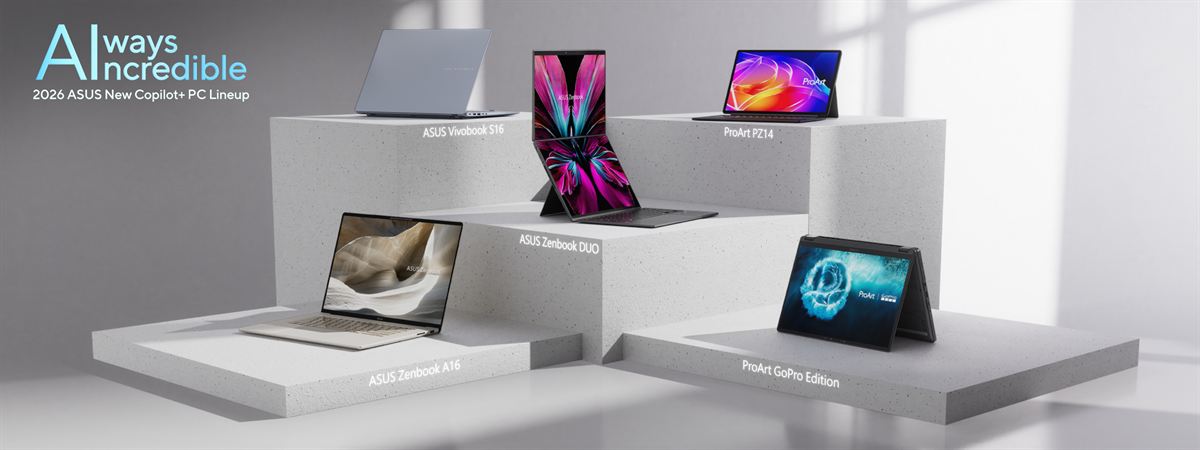
ASUS has launched its latest Copilot+ PC ecosystem at CES 2026, with new ProArt, Zenbook, Vivobook, and desktop systems built on the latest AMD, Intel, and Qualcomm platforms. The range targets both creators and mainstream users with refreshed designs, OLED displays, and higher on-device AI performance across form factors.
ProArt Devices for Creators
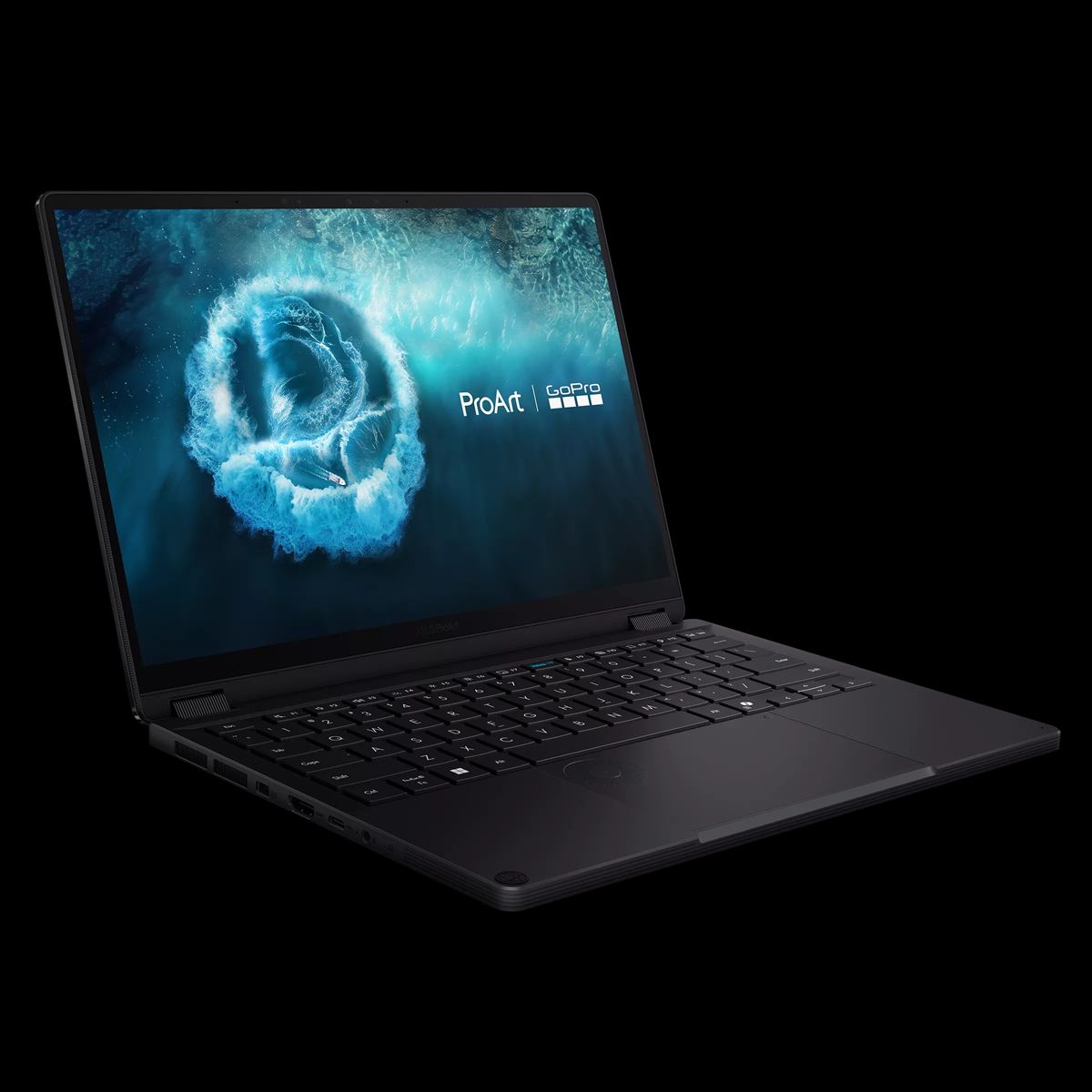
The ProArt GoPro Edition (PX13) is a 13-inch convertible co-designed with GoPro. As such, it boasts GoPro Cloud access, a dedicated GoPro hotkey, and the StoryCube app that integrates 360° video and AI-based scene categorization for action footage. It packs an AMD Ryzen AI Max+ 395 processor with a 50 TOPS NPU and up to 128 GB unified memory, paired with a 3K Lumina OLED touchscreen with stylus support and the ASUS DialPad in a 1.39 kg chassis.
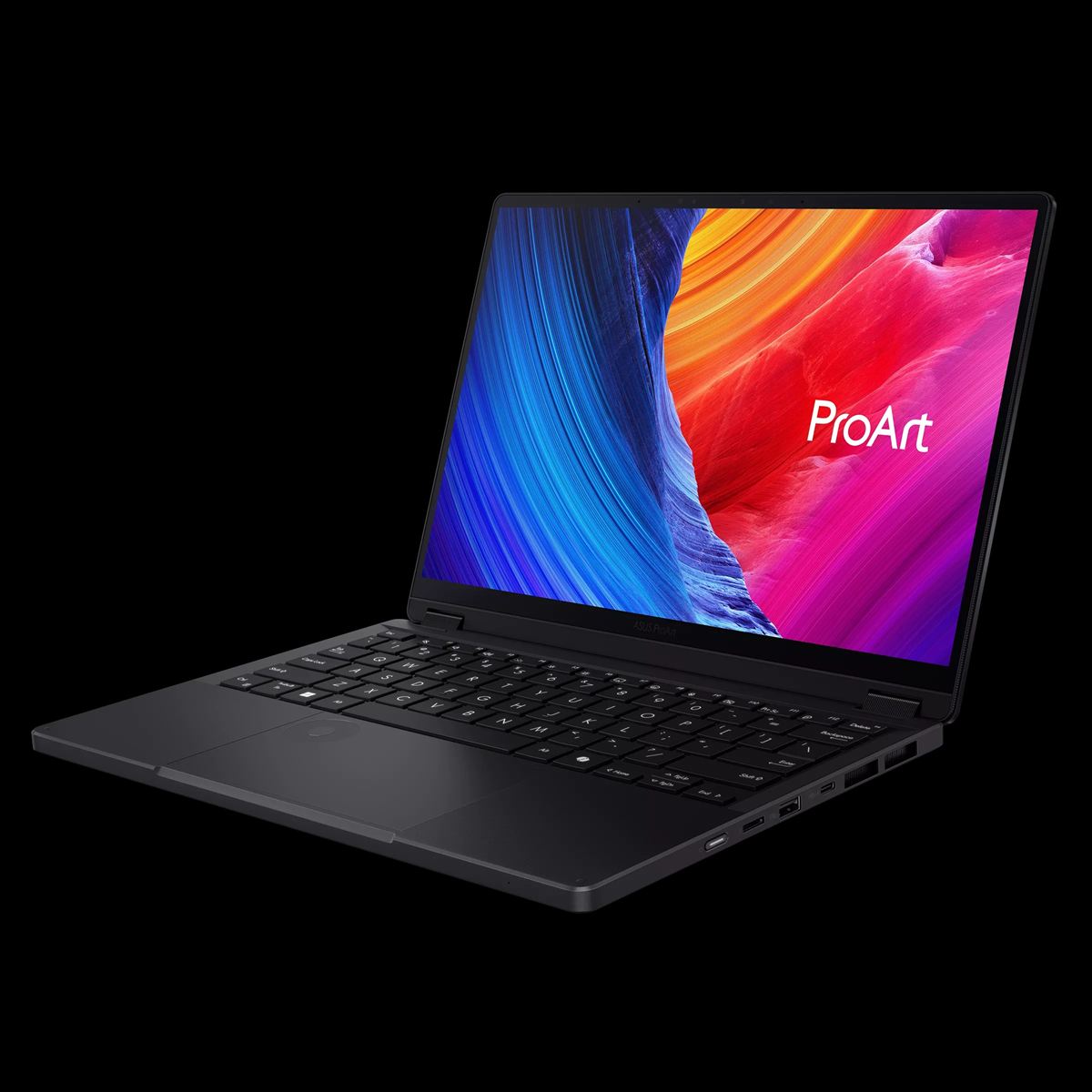
The standard ProArt PX13 keeps the AMD Ryzen AI Max+ 395 platform and up to 128 GB unified memory but is focused on AI-accelerated editing and local LLM workloads, including optimized 120B-parameter models. It adds MuseTree for text-to-video generation alongside StoryCube and Creator Hub, plus a 3K Lumina OLED touchscreen with stylus and DialPad for finer creative control.
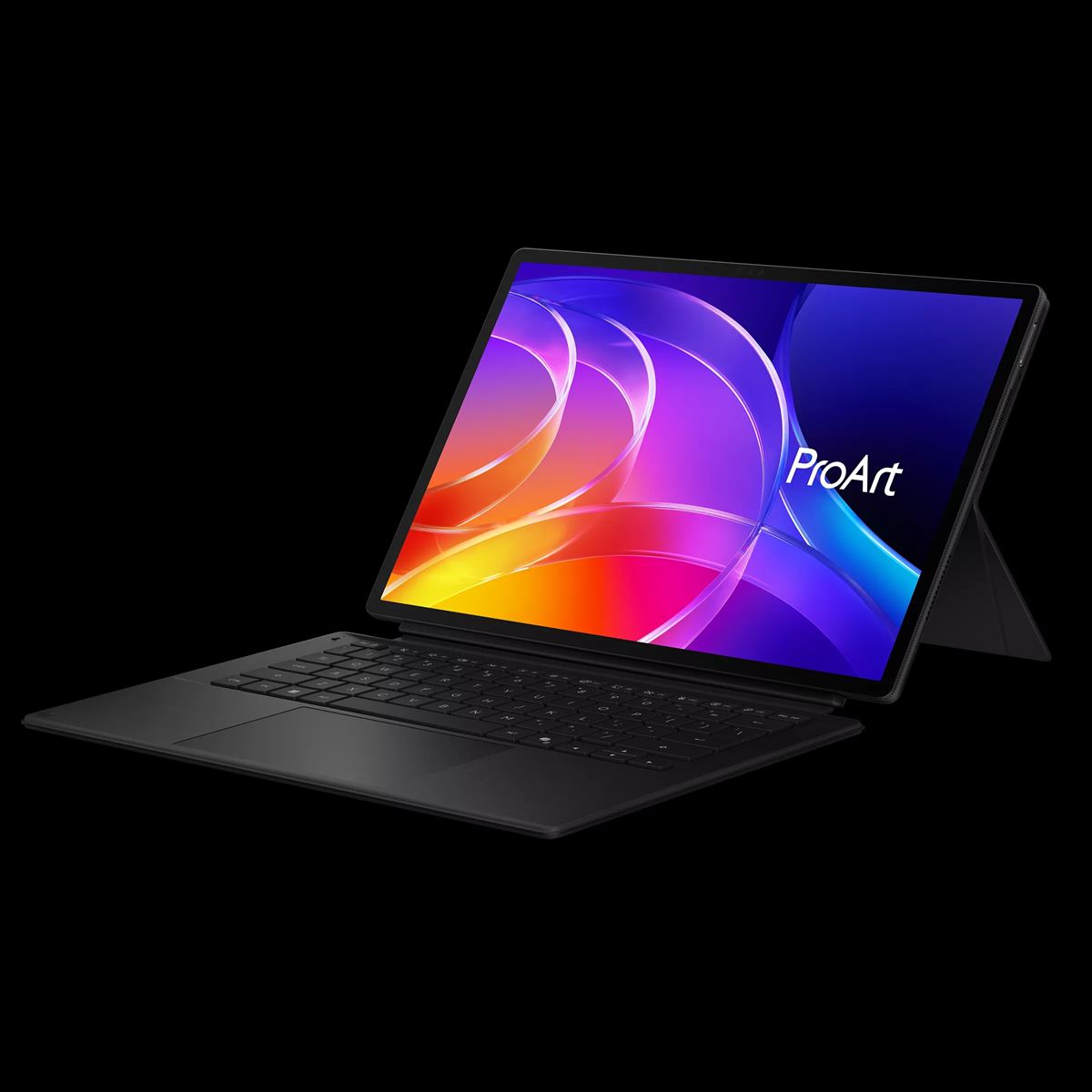
The ProArt PZ14 caters to creator workflows into a 0.79 kg, 9 mm-thin detachable tablet powered by an 18-core Snapdragon X2 Elite with up to 80 TOPS NPU and Adreno GPU. The 14-inch Lumina Pro OLED display is Pantone Validated, VESA DisplayHDR True Black certified, boasts up to 1000 nits of brightness, and a 144 Hz VRR. It also ships with the ASUS Pen 3.0, a Bluetooth keyboard, and MuseTree, StoryCube, and Creator Hub preloaded.
Zenbook and Vivobook Refresh
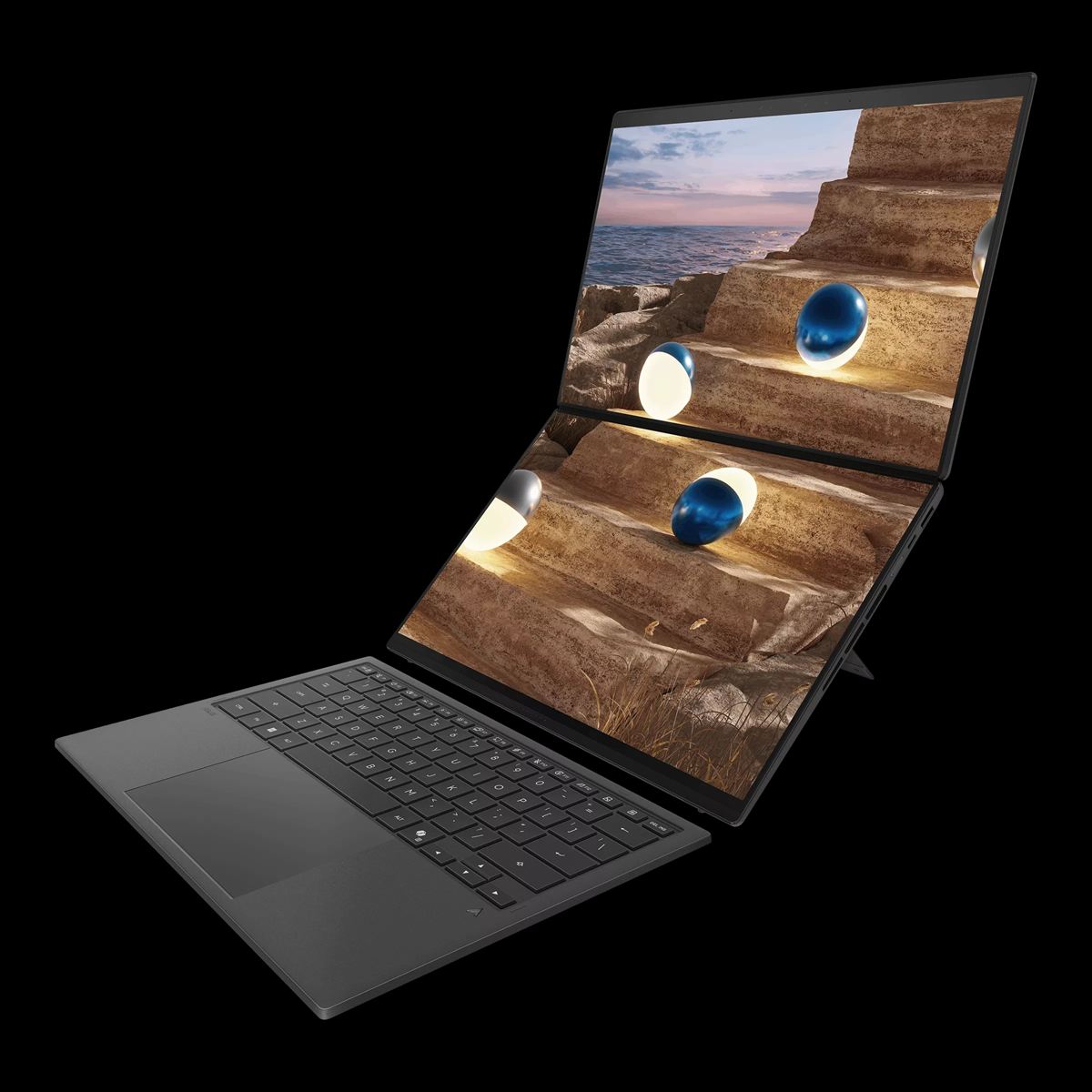
The 2026 Zenbook DUO boasts a Ceraluminum chassis, dual 14-inch 3K Lumina Pro OLED panels, and up to Intel Core Ultra X9 Series 3, backed by a 99Wh dual-battery layout and upgraded dual-fan cooling for up to 45W TDP. It’s equipped with a new hideaway hinge that narrows the gap between the two screpens, plus a reinforced Bluetooth keyboard with MagLatch docking and revised ScreenXpert software for improved dual-screen sharing and annotation when the device is laid flat.
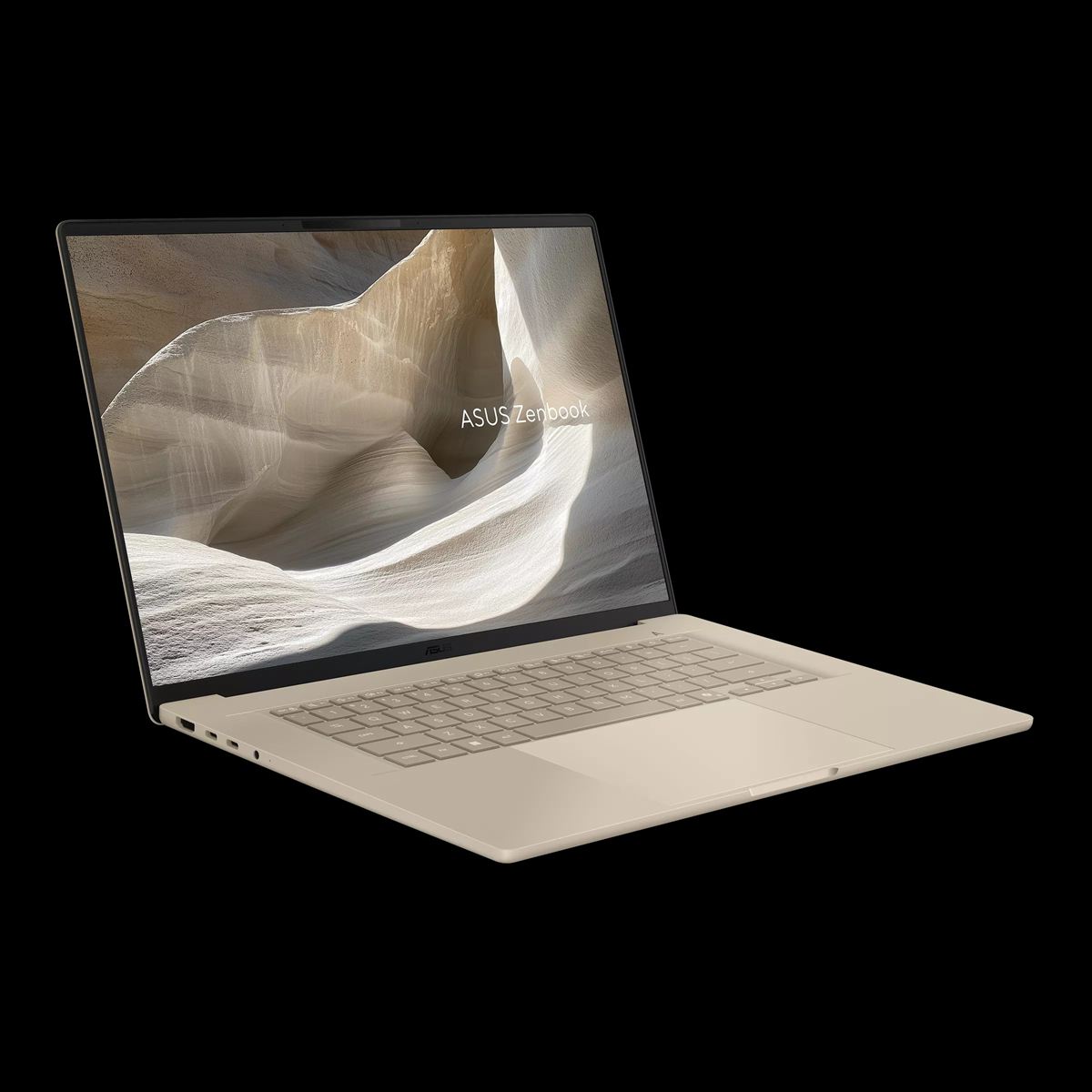
The Zenbook A16 has a 16-inch 3K OLED screen in a 1.2 kg Ceraluminum body with six speakers, full I/O, and an SD card reader, powered by an 18-core Snapdragon X2 Elite Extreme with 80 TOPS AI performance and over 21 hours of uptime.
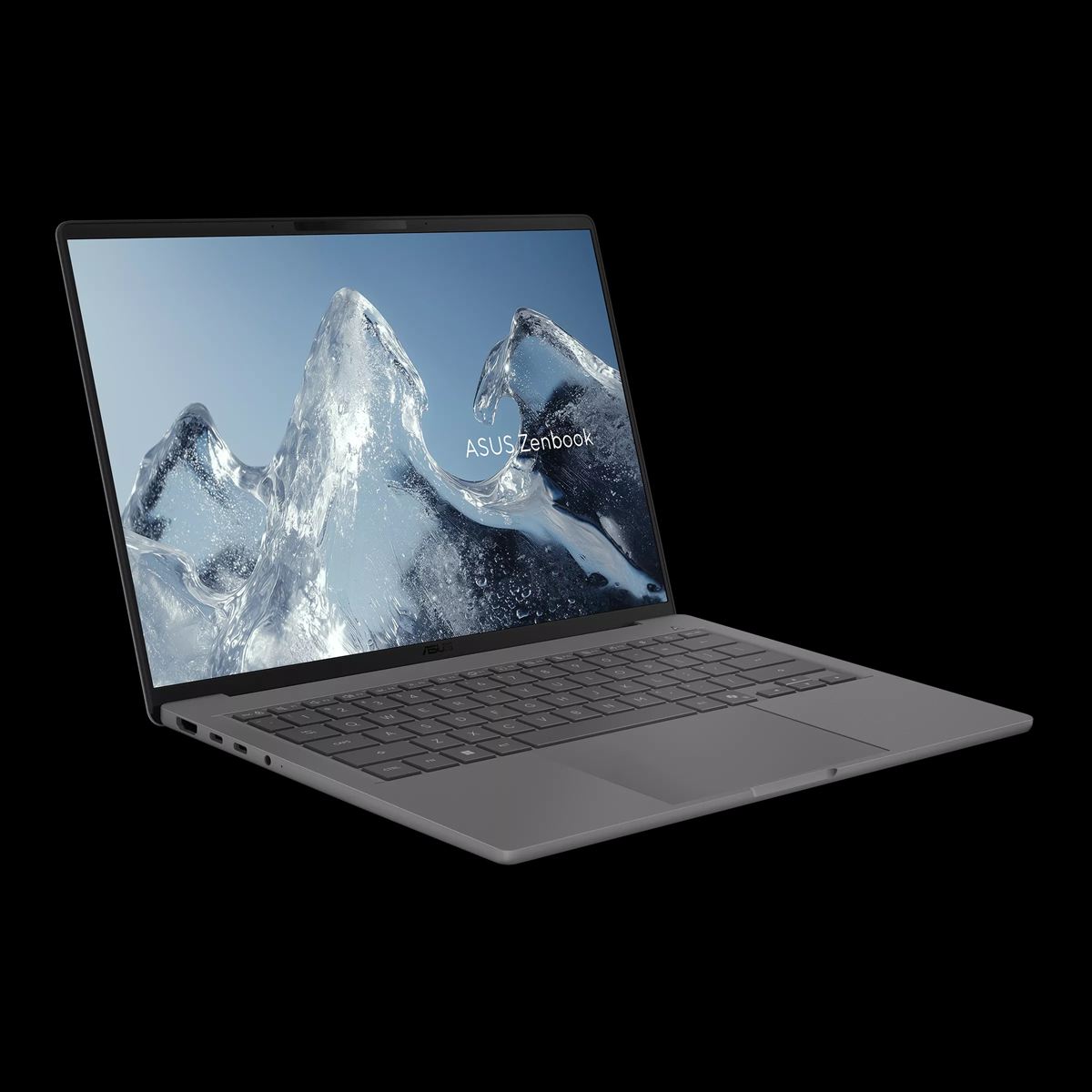
The Zenbook A14, on the other hand, stays under 1 kg with a full Ceraluminum chassis, runs an 18-core Snapdragon X2 Elite at up to 80 TOPS, and is rated for up to 35 hours of offline video playback.
The 2026 Zenbook S series has an ultra-thin 1.1 cm Ceraluminum design with a CNC-milled geometric grille design and a new Antrim Gray finish. An Intel Core Ultra 9 Series 3 powers the 14-inch model while AMD’s Ryzen AI 400 Series is on the 16-inch variant, plus up to a 3K 120Hz Lumina OLED panel along with four or six-speaker audio systems.
The Vivobook S14 and S16 target mobile, budget-conscious users with 14 and 16-inch variants powered by an Intel Core Ultra Series 3, AMD Ryzen AI 400 Series, or the Snapdragon X2 Elite with up to 80 TOPS AI performance. They have a 70Wh battery, comprehensive I/O, large touchpads, AI noise cancelation, ASUS 3DNR video enhancement, WUXGA OLED or 2.5K 144 Hz IPS displays, Dolby Atmos, and also boast an AI Camera with Windows Hello, a Microsoft Pluton security processor, and Voice Print Technology.
Accessories
New accessories include the ProArt Backpack (PP2600) with water-repellent, anti-scratch polyester, padded 14/16-inch laptop slot, and water-repellent zippers, plus the ProArt Mouse (MD301) mouse with swappable buttons, an 8000 DPI sensor, and multi-device USB/2.4 GHz/Bluetooth support.
Then there’s the ProArt Keyboard (KD300) – a 26.8mm, 65% low-profile board with an aluminum top cover, tri-mode connectivity, ASUS RX Red low-profile optical switches, multi-device pairing, two adjustable typing angles and a customizable touch panel via Gear Link software.
The ASUS ZenMouse (MD202) combines style and precision with a durable Ceraluminum build, along with quiet operation and glass-surface tracking. It boasts USB-C charging and dual mode connectivity, as well as customized shortcuts for improved productivity.
GlideX
ASUS GlideX extends the ecosystem by linking Windows PCs with iOS and Android devices for multi-screen mirroring, camera sharing in calls, and AI-organized photo browsing, with a concentric-ring showing all the devices at a glance for overview and control. The goal is to turn a mix of laptops, phones, and tablets into a single workspace with streamlined remote access and file transfer.
Desktops and AiOs
On the desktop side, the ASUS Mini Tower V700 (VM701MG) uses an AMD Ryzen AI 7 processor with over 50 TOPS NPU performance and NVIDIA GeForce RTX 5060 graphics inside a wood-grain, softly lit chassis cooled by copper heat pipes and a rear fan, while the Snapdragon X-based VM441QA AiO has a 23.8-inch FHD anti-glare display, 45 TOPS AI acceleration, Dolby Atmos audio, and AI noise cancelation in a compact, quiet all-in-one design.
Availability
For the latest news and updates on these #AlwaysIncredible devices, follow ASUS Philippines on Facebook, Instagram, and TikTok.
Frequently Asked Questions (FAQ)
Q: Which ASUS 2026 devices are most suitable for professional creators?
A: The ProArt GoPro Edition (PX13), ProArt PX13, and ProArt PZ14 are aimed at professional creators, combining high-end OLED displays, local AI acceleration, and creator-focused apps like StoryCube, MuseTree, and Creator Hub.
Q: How does the 2026 Zenbook DUO improve on previous dual-screen models?
A: The 2026 Zenbook DUO updates the design with a Ceraluminum chassis, dual 14-inch 3K OLED panels, a reduced gap between displays, a 99 Wh dual-battery system, improved cooling, and updated ScreenXpert software for smoother cross-screen collaboration.
Q: How does ASUS GlideX enhance multi-device workflows?
A: GlideX links Windows PCs with iOS and Android devices, enabling screen mirroring, camera sharing, and AI-assisted photo browsing in a unified interface, helping users manage content and communication across multiple screens more efficiently.

Emman has been writing technical and feature articles since 2010. Prior to this, he became one of the instructors at Asia Pacific College in 2008, and eventually landed a job as Business Analyst and Technical Writer at Integrated Open Source Solutions for almost 3 years.