It’s been about a month since Nothing introduced the Nothing Phone (3), its first-ever flagship device. This debuted alongside the Nothing Headphone (1) and was recently offered in the Philippines via Digital Walker.
The Nothing Phone (3) brought it with a lot of controversy and discussions, given its unique design and its not-quite-flagship specs. But how does it fare in the real world? Well, here’s our full review of the device after a month of using the device.
If you want to check out our First Impressions of the Nothing Phone (3), you can read that here.
Nothing Phone (3) Review
Full Specifications
| Display | 6.67-inch 1.5K AMOLED 120Hz refresh rate |
| Processor | Snapdragon 8s Gen 4 |
| GPU | Adreno 825 |
| RAM | 12/16GB LPDDR5X |
| Storage | 256/512GB UFS 4.0 |
| Rear Camera | 50MP main (f/1.68) 50MP periscope telephoto 50MP ultrawide |
| Front Camera | 50MP |
| Battery | 5150mAh 65W wired fast charging 15W wireless charging |
| OS | NothingOS 3.5 (Android 15) |
| Colors | Black White |
Build and Design
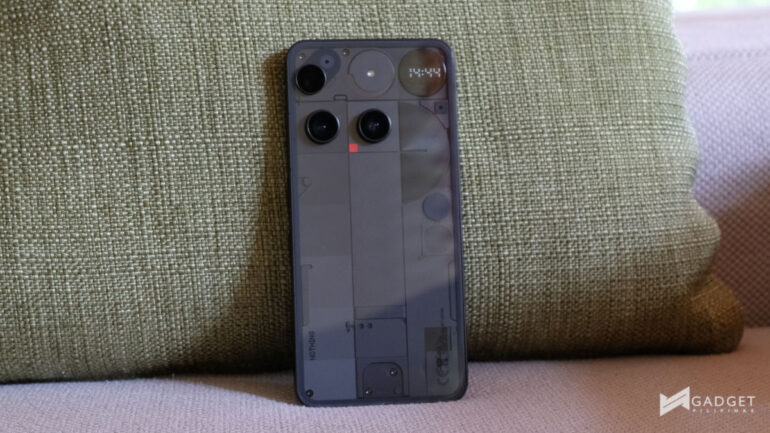
The design of the Nothing Phone (3) is perhaps among the most polarizing features of the device. It is the first device that replaces the iconic Glyph Interface with the Glyph Matrix.
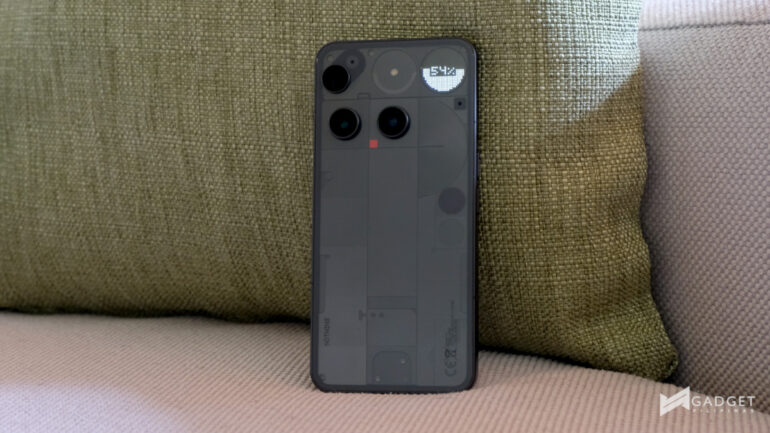
Rather than just having LED strips to join the transparent design, it now has a Dot Matrix-style circular display on the upper right of the back panel. I’ll get to the Glyph Matrix and its actual practicality and usability later in the review.
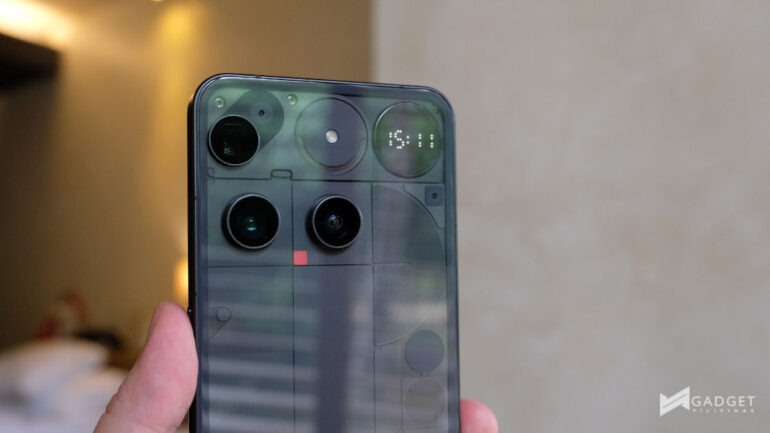
What’s more is that the camera design now features a triple camera that includes a 50MP periscope telephoto on the upper left. This, though, isn’t aligned with the other cameras. However, Nothing shares that doing so allowed the company to minimize the camera bump by punching a hole in the motherboard where the third camera slots in.
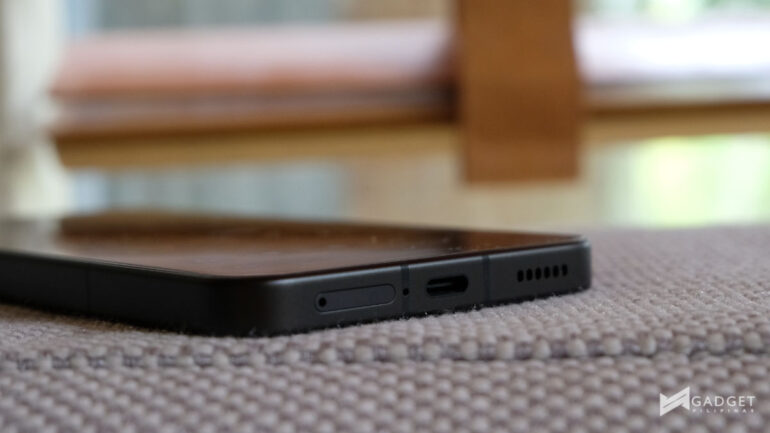
While this could be a massive turn-off to some, I have grown to appreciate the innovation and still see the symmetry in its design. The cameras may not have been aligned, but they live in their own squares hinted by the design.
The design, while seemingly drastically different, strangely feels very familiar.
Hands-on Experience and Performance
The Nothing Phone (3) is built around a 6.67-inch 1.5K 120Hz LTPS AMOLED panel. And this is where many question the status of the device as a “true flagship”. Flagships normally have LTPO OLED panels, which allow the display to go as low as 1Hz to help with battery usage.
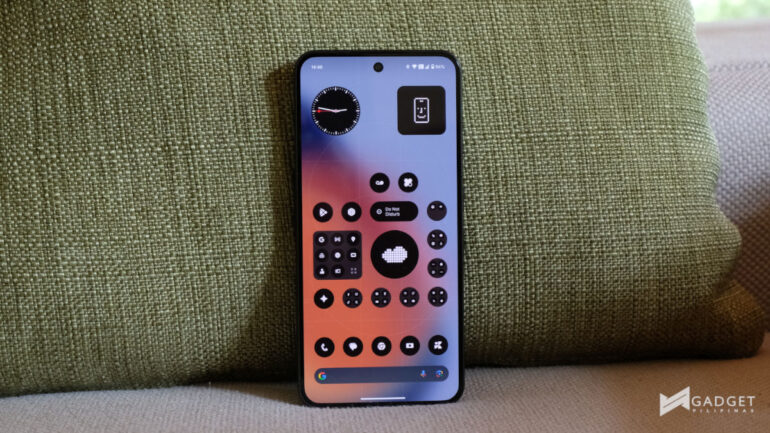
For protection, the Phone (3) is only protected by Corning Gorilla Glass 7i. It’s good enough to keep it safe, but not flagship-level protection with the Corning Gorilla Victus line.
However, does this really get in the way of day-to-day use? Probably not. At its price, there are options in the market with the best-of-the-best features.
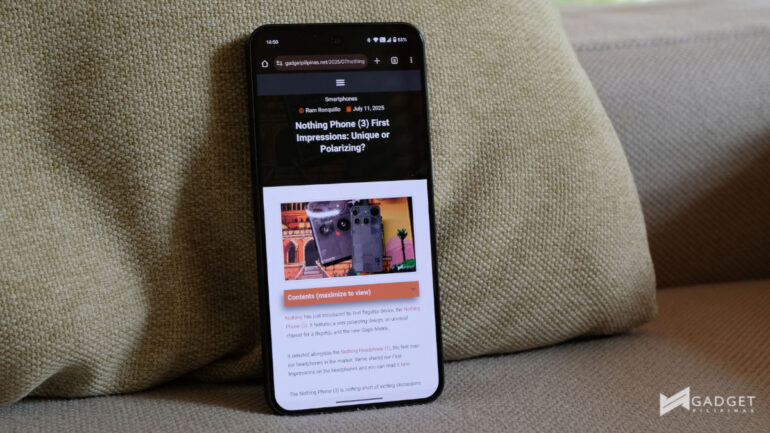
But I digress. The Nothing Phone (3) generally performs well despite the flagship-killer Snapdragon 8s Gen 4 chipset, coupled with up to 16GB RAM and up to 512GB storage. Yes, another controversial choice, the Snapdragon 8s Gen 4 rather than the flagship Snapdragon 8 Elite.
Before I get to my experience, here are the benchmark results when matched alongside other flagships:
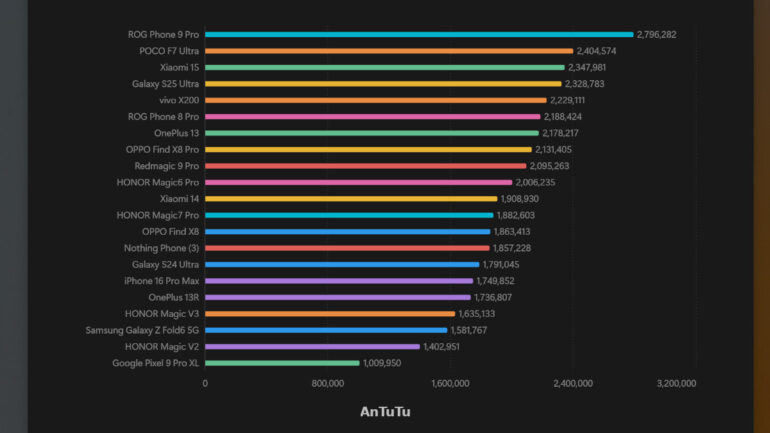
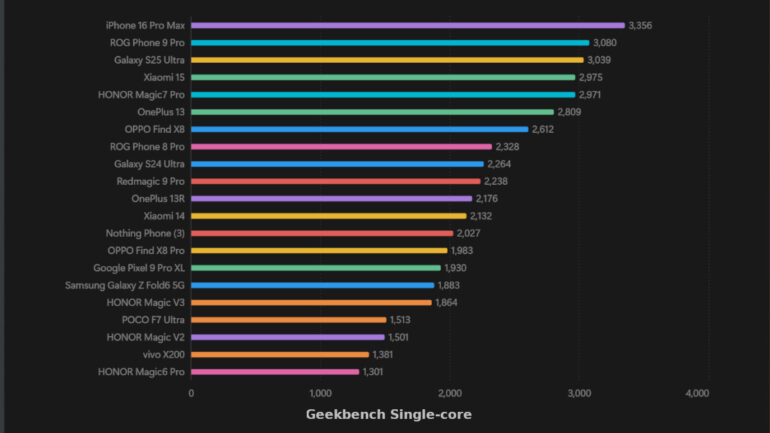
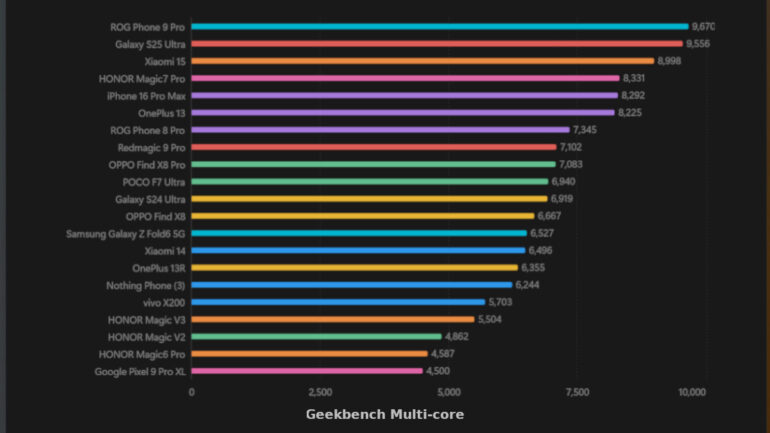
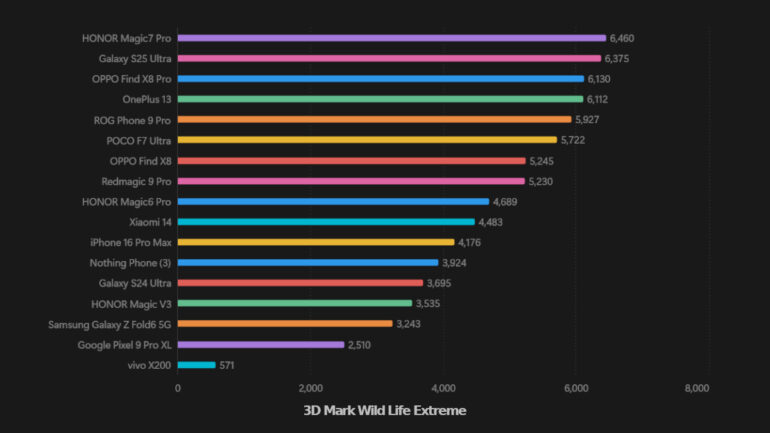
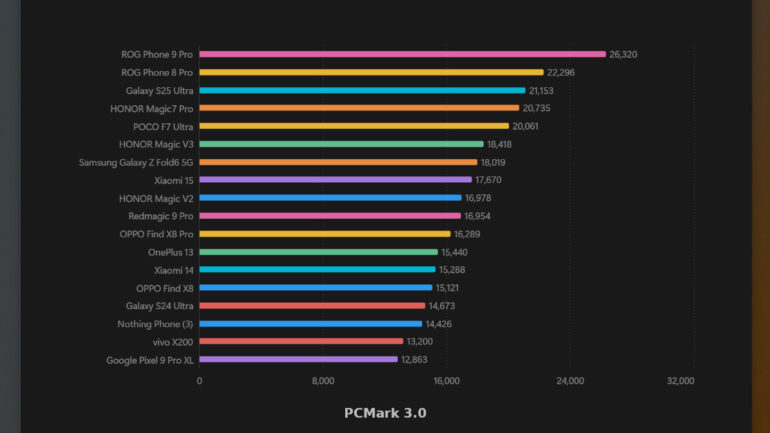
If you’re just an average user who doesn’t play heavy games or get into high-performance tasks, the Snapdragon 8s Gen 4 is more than enough. However, as you can see in the graphs above, the Nothing Phone (3) just barely keeps up with other flagships.
One of my favorite decisions of the Nothing Phone (3) is the speaker grille on the top of the device. Because it is a dedicated speaker, the audio quality is drastically better compared to when phones use the earpiece as the secondary speaker. Due to the higher quality, I enjoyed watching videos and playing games more.
While I’m on the topic of gaming, the Nothing Phone (3) can easily handle games like Mobile Legends: Bang Bang and Honor of Kings with ease at the highest settings.
However, with Diablo Immortal, you’ll be maxing out the device at High Resolution at 60 fps. I preferred to run it at Medium at 60 fps, so that I enjoyed longer sessions.
If you’re a Honkai Star Rail player, you can set it at Very High at 60 fps, but you will feel the device warm up even while watching your team wipe enemies while farming for materials. I’d suggest High or even Medium at 30 fps for a good balance.
Similarly, you can get away with the Highest settings in Genshin Impact, but you’re straining the device. If you want a good balance between graphics and gameplay, you can use High graphical settings at 30 fps. But for a purely smooth experience, go Medium at 30 fps is where it’s at.
Camera
The Nothing Phone (3) is equipped with four 50MP cameras. Three around the back led by a 50MP main camera and joined by 50MP ultrawide and 50MP 3x periscope telephoto lenses.
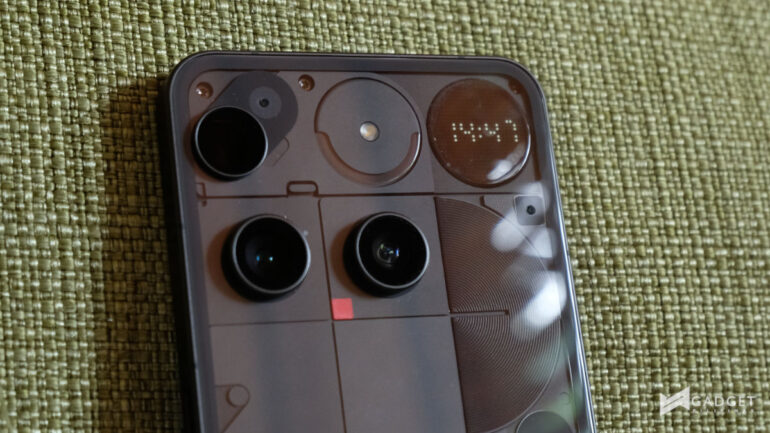
These are pretty good overall, and the trio delivers pretty close photos across the board, making it easy to take photos on the fly. However, the colors were a little inconsistent at times.
Here are some photos:

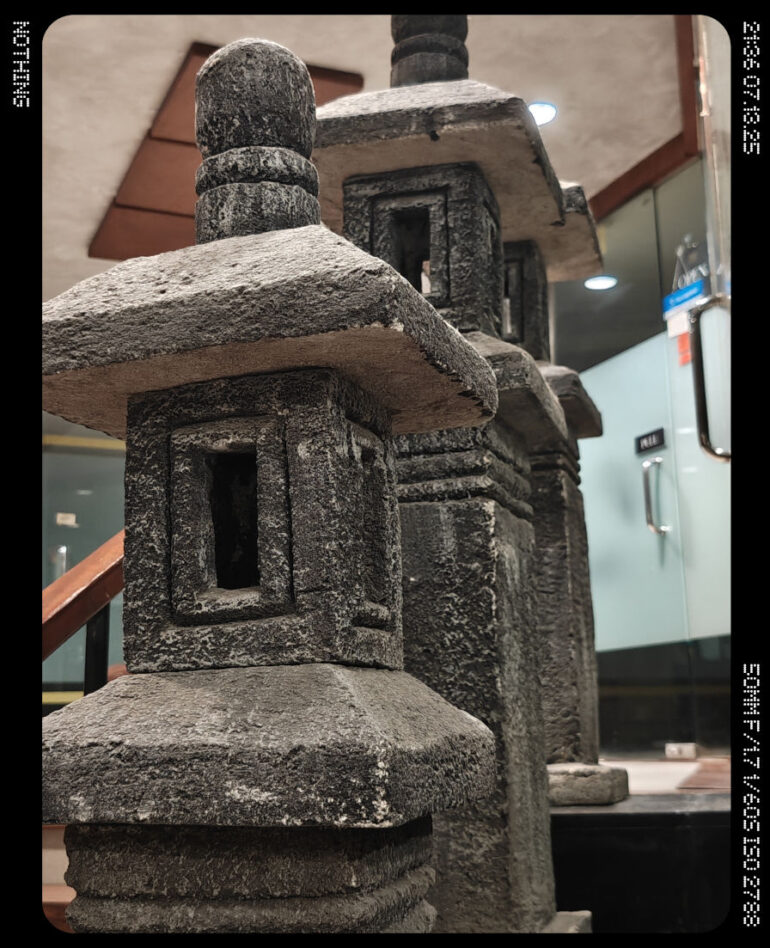
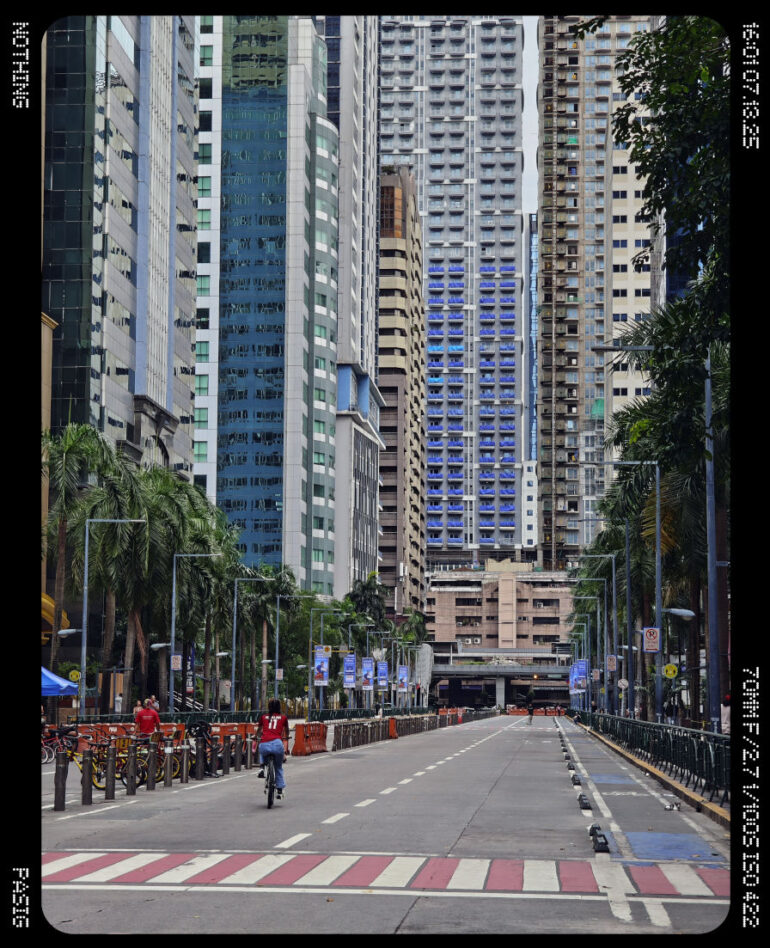


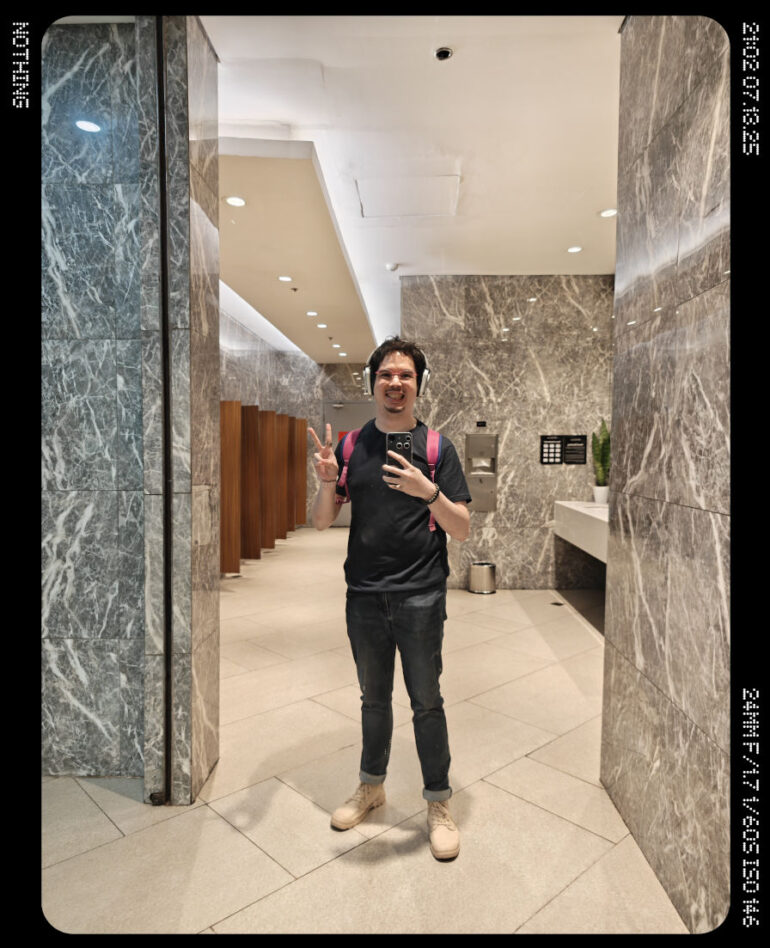
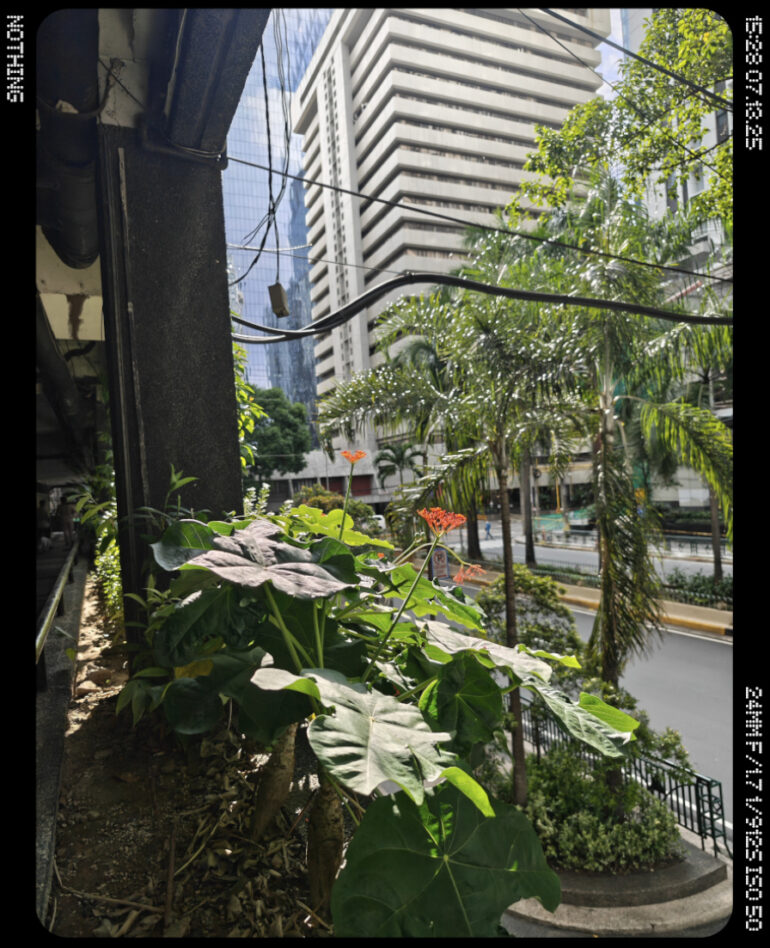
I welcome the 3x periscope telephoto with open arms. It’s definitely something I missed, having used the Phone (2) as my daily driver. However, it does struggle in low-light environments or if you’re looking to shoot a concert. It does a decent job, but don’t expect super high-resolution photos that devices like the Samsung Galaxy S25 Ultra or even the vivo X200 FE.
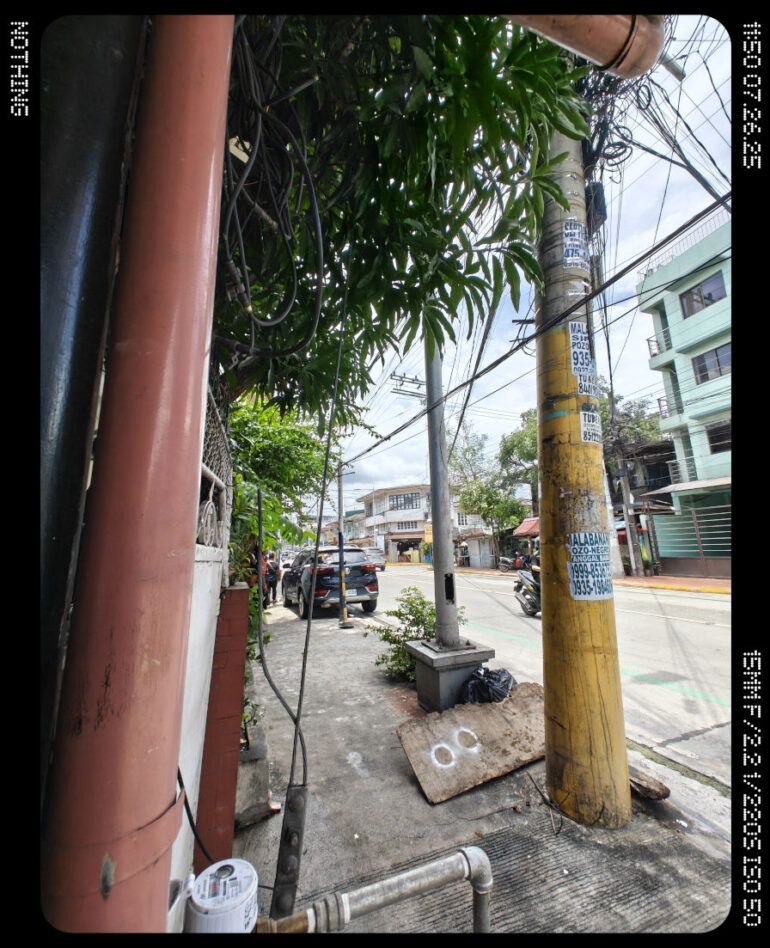
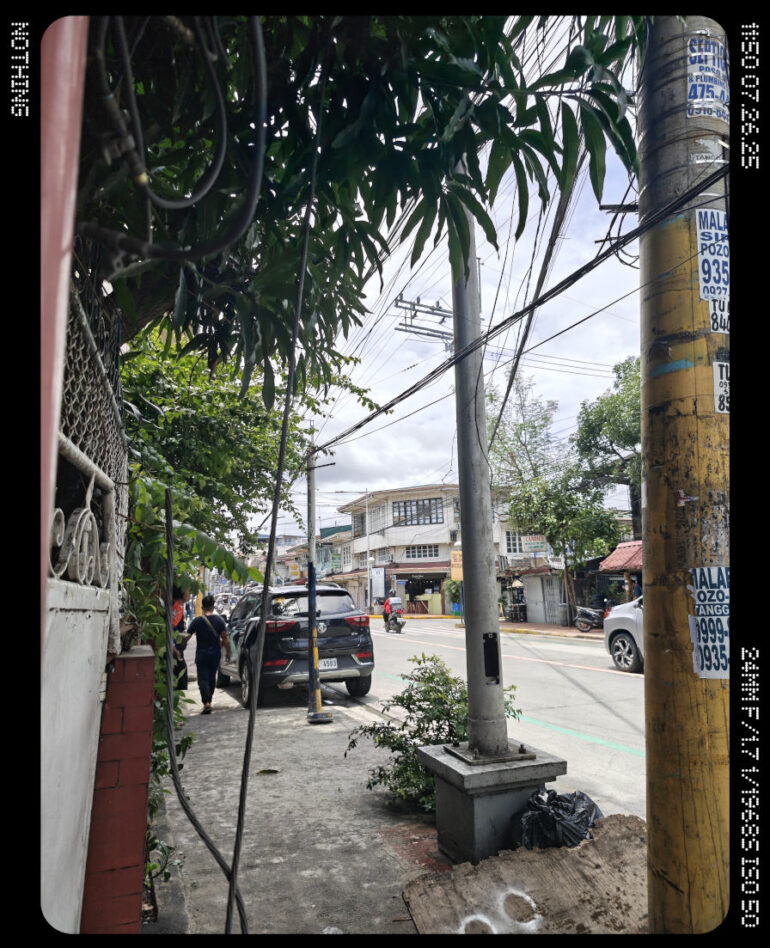




Nothing also uses the telephoto for macro shots, which is the best case scenario because this means you don’t need to get in the face of your subject in question.


The front camera is as decent as they come. Not the best, but not the worst. I think if you’re looking to take selfies with your friends for social media, it will hold up well.
Here are some samples:


If you want to see these photos in higher resolution, you can check them out here.
Battery
The 5150mAh battery is definitely not the largest in the market today, but it is up there in battery capacity for Nothing.
Before I share my experience with its battery, here are the results of the device through the battery test of PCMark. This test simulates everyday use of a device that includes video editing, scrolling through websites, and more until the device reaches 20% battery level.
I ran the test thrice, one for each refresh rate mode, namely Dynamic (adjusting refresh rate), High (120Hz), and Standard (60Hz). Here are the results:
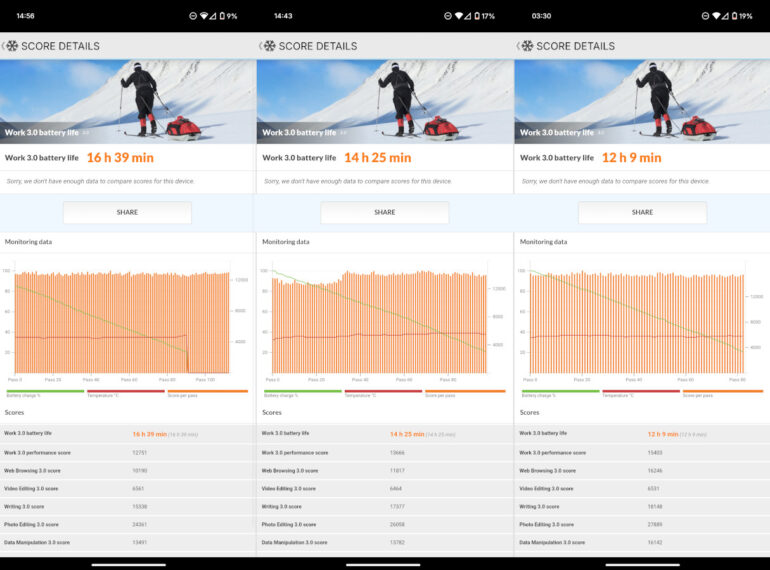
I mainly used the device throughout my time with it in Dynamic mode, and it offered pretty close to 14 hours of regular use. This drops, though, with gaming sessions and when I use it outside with mobile data.
While it is the largest battery on a Nothing Phone to date, it doesn’t quite feel like a massive upgrade, especially with other companies releasing smartphones that exceed a 5500mAh battery and more.
The Nothing Phone (3) also supports the fastest wired charging at 65W on a Nothing device, surpassing the 50W fast charging on the Phone (3a) Pro.
Keep in mind, though, that the Nothing Phone (3) doesn’t come with a 65W charger out of the box, which is why I was grateful I invested in a 65W GaN charger a while back. Based on my testing, you can get a full charge from 0% in about an hour, but you can get 20% in about 11 minutes with 65W fast charging.
This, while not entirely game-changing in the market, is pretty good, especially when you’re on the go a lot and use your mobile data like me.
Software
Out of the box, the Nothing Phone (3) runs on Nothing OS 3.5 on top of Android 15. Nothing has also committed support for up to 5 years of Android updates and up to 7 years of security patches.
This, like the battery capacity and fast charging support, is the most for any Nothing Phone to date.
Nothing OS is, by far, among my favorite UIs of Android available out of the box. It is pretty much the same case for Nothing OS 3.5 and that includes close to no pre-installed apps out of the box.
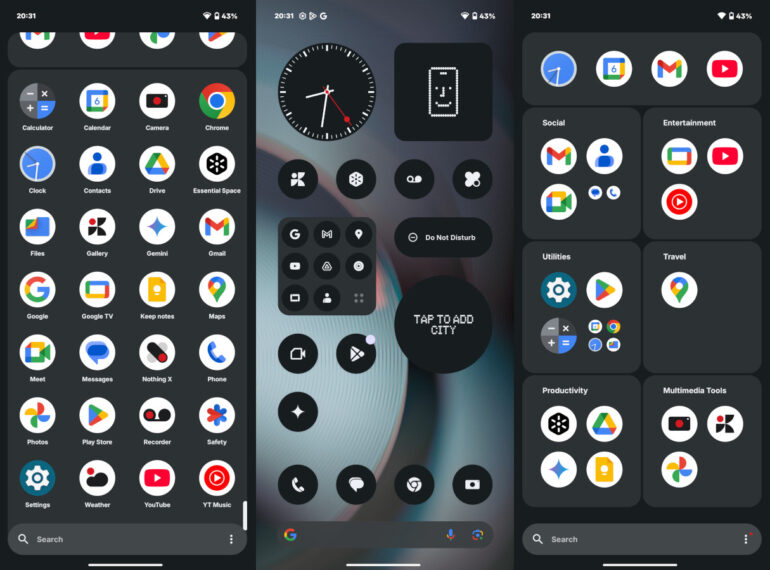
This version of Nothing OS is drastically polished compared to the first iterations. Nothing has since introduced its own Gallery app, which carries the same minimalist and iconic aesthetic from Nothing. Additionally, it has the company’s own icon pack already installed, which just adds to the black and white design.
I adore the simplicity and intentionality of Nothing OS. However, I do miss the AI-related features on other Android skins, especially ones for photo editing. While you do get AI features like Wallpaper Studio, which creates wallpapers for you, Essential News Widgets to keep yourself up to date, ChatGPT integration, and Essential Search, my specific use case just won’t be able to maximize these features.
Okay, maybe Essential Search, which allows you to search for apps or even directly search from Google, all from a single search bar.
Glyph Matrix
The Glyph Matrix looks to be the natural evolution of the Glyph Interface, and I’m quite mixed about the feature, especially with its first iteration on the Nothing Phone (3).
One of the biggest cons of the Nothing Phone (3)’s Glyph Matrix, like the Glyph Interface and the Essential Key/Space (which I’ll get to later), is that it is promising, but there just isn’t enough functionality for it to fully be a feature that everyone will be able to use.
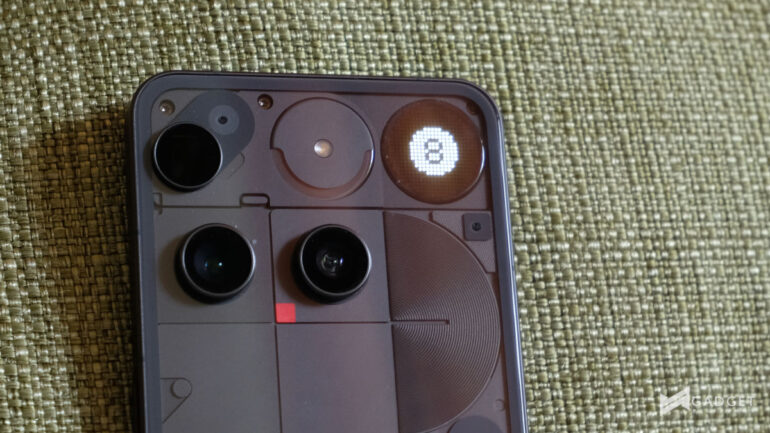
It does have Glyph Toys, which seems pretty cool, but that’s all they are, cool. Unless Nothing introduces more Toys, it will solely rely on the community to develop more. Which could be pretty sporadic or pretty hard to look for. Maybe it would help as well if Nothing introduced a Glyph Matrix store where we can find these community-made options.
However, one upside of the Glyph Matrix being a display rather than LED strips like the Glyph Interface is that there’s more information that you can set.
The evolved version of the Glyph system now allows you to set certain images or emojis to certain apps, contacts, and even keywords. This means you can get into really in-depth setups, like having a different icon for all your Messenger notifications and having a separate one for your family group chat when they mention you.
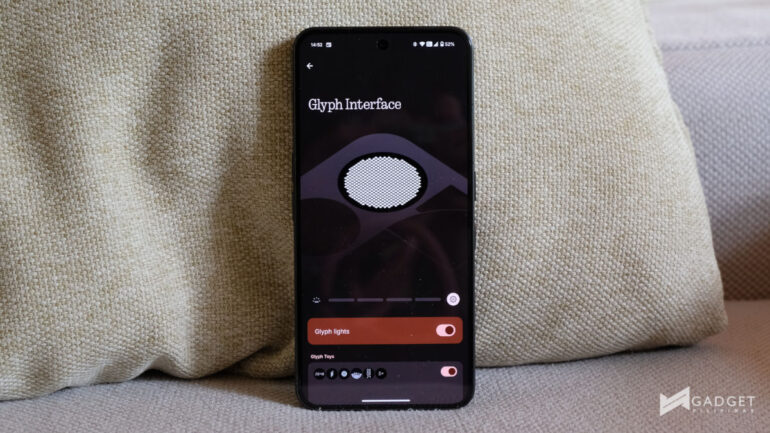
However, because it is fully customizable, I think Nothing has made it a bit too tedious to set up. I think an update that adds the current level as Advanced Settings, while adding a simplified setup screen, would go a long way.
I would also prefer that the Mirror Glyph Toy, which shows what the rear camera sees on the Glyph Matrix, be usable while using the camera app itself. Sure, you won’t exactly see what’s going on, but you can at least make out what’s in your frame, if you prefer to use the rear camera for your selfies.
Essential Key and Space
Now, for the Essential Key and Space, which initially seemed like such a gimmick for me. Up until recently, I really didn’t use it until I realized what I could do with it.
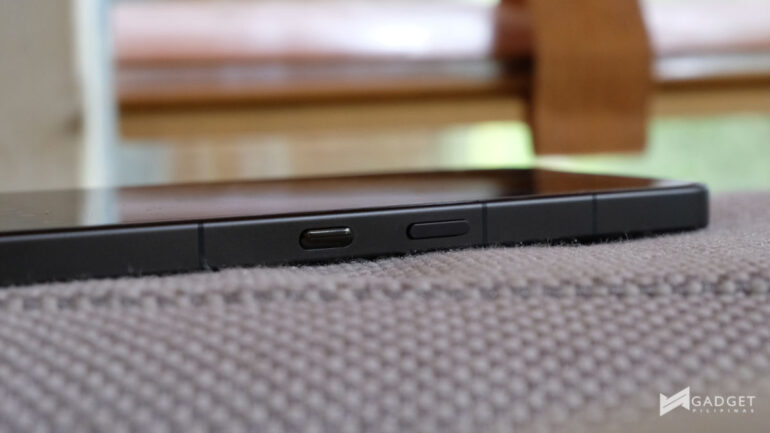
I now mainly use it to keep track of recommendations I find online, like new artists, cafes, or restaurants you find from content creators. Rather than opening Google Maps or similar apps, I just press the Essential Key so I can get back to all these things in one Essential Space.
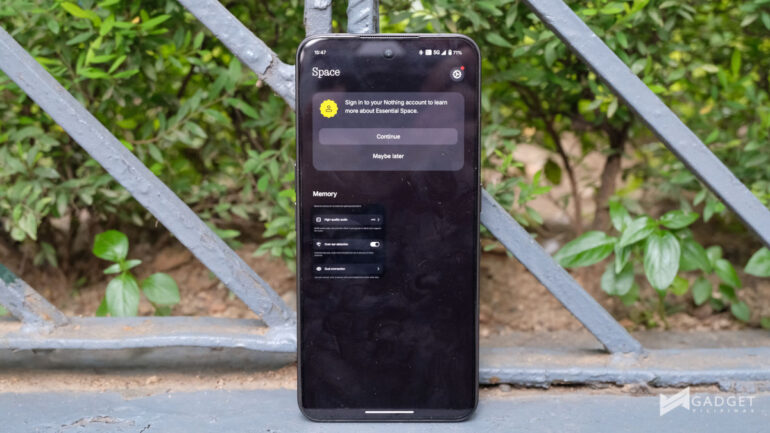
Would I say that this feature is actually… well… Essential? I don’t think so. I think it’s something that you would really need to find a purpose for, or at least form a habit of using. Otherwise, it could just be a nuisance as the button is right under the power button, and I have pressed it more times than I’d like to admit, thinking that it was the power button.
I think it would help if the company allowed the company to be remappable or at least and a press and hold feature so you can map another feature. I would’ve loved to have my camera shutter on that button instead.
Verdict
The Nothing Phone (3) starts at PHP 44,999 for 12GB RAM and 256GB storage and a pretty hefty PHP 50,999 for 16GB RAM and 512GB storage via Digital Walker. This is perhaps where a lot of the qualms of the device stem from, as its predecessor was introduced in the Philippines for PHP 38,990 and PHP 44,990 for the same storage, respectively, but with 12GB for both variants.
Would I recommend it? My answer would be it depends on what you’re looking for in a device.
If you’re looking for a flagship device that can offer just raw performance, this isn’t for you. You’re better off with devices like the POCO F7 Ultra. However, if you want to have a phone that’s unique and can perform across the board, then I think the Nothing Phone (3) is worth checking out.
If you’re simply put off by its design but you’re good with its specs, I suggest trying to visit Digital Walker or open_source by Beyond the Box to check one out for yourself. As someone skeptical about the renders, leaks, and photos, seeing it in person changed my view of it.
The Nothing Phone (3) is what Nothing considers its first-ever flagship device, and despite the controversy about this, given its specs, I think they simply mean it’s the best device that they offer today. However, that still means that it’s a flagship killer at best.
I think the Nothing Phone (3) isn’t for everyone, and that’s all right. But who is it for? For those who want more power from a Nothing device, those people who just want a unique device like myself, or who value design more than anything else.

Ram found his love and appreciation for writing in 2015 having started in the gaming and esports sphere for GG Network. He would then transition to focus more on the world of tech which has also began his journey into learning more about this world. That said though, he still has the mentality of "as long as it works" for his personal gadgets.