Kingston is one of the leading brands in the storage solutions segment, with their wide range of products from entry-level to high-end. When PCIe Gen 5 SSDs launched, Kingston was surprisingly not among the first brands to release a new Gen 5 SSD. Their first PCIe Gen 5 SSD, the Kingston FURY Renegade G5, was only launched last May, months after almost every brand had released their own. Kingston took their time with the G5, so we’ll take a look to see if the long wait is worth it.
Kingston FURY Renegade G5 NVMe SSD Specifications:
- Form factor: M.2 2280
- Interface: PCIe 4.0 x4 NVMe
- Capacities: 500GB, 1TB, 2TB, 4TB
- Sequential read/write:
- 500GB – 5,000/3,000MB/s
- 1TB – 6,000/4,000MB/s
- 2TB – 6,000/5,000MB/s
- 4TB – 6,000/5,000MB/s
- NAND: 3D
- Endurance (total bytes written)
- 500GB – 160TB
- 1TB – 320TB
- 2TB – 640TB
- 4TB – 1280TB
- Storage temperature: -40°C~85°C
- Operating temperature: 0°C~70°C
- Dimensions: 22mm x 80mm x 2.3mm
- Weight: 7g (All capacities)
- Vibration Non-operating: 20G (20-1000Hz)
- MTBF: 2,000,000 hours
- Warranty/support: Limited 3-year warranty with free technical support
Kingston FURY Renegade G5 Unboxing and Overview
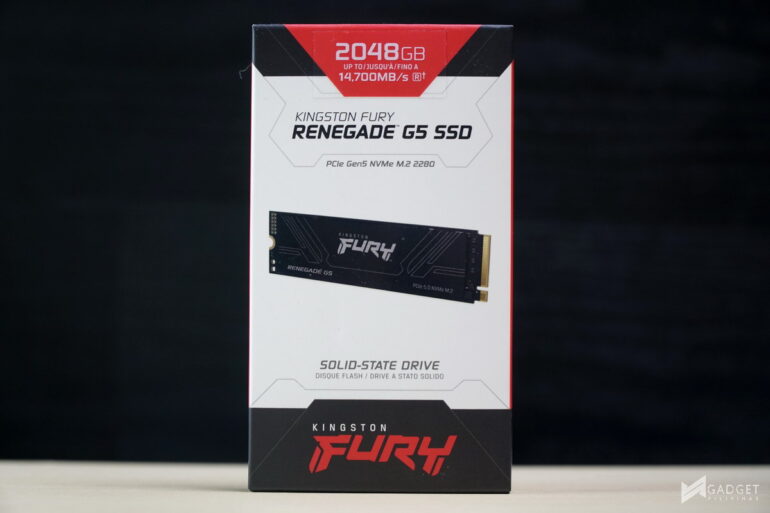
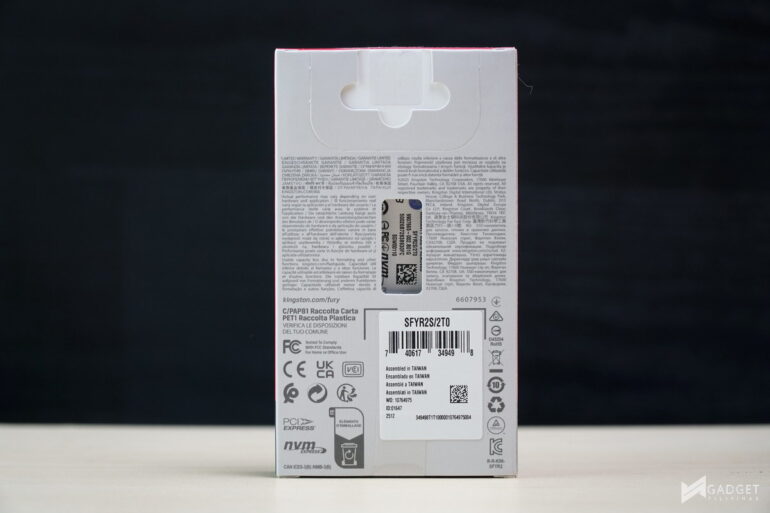
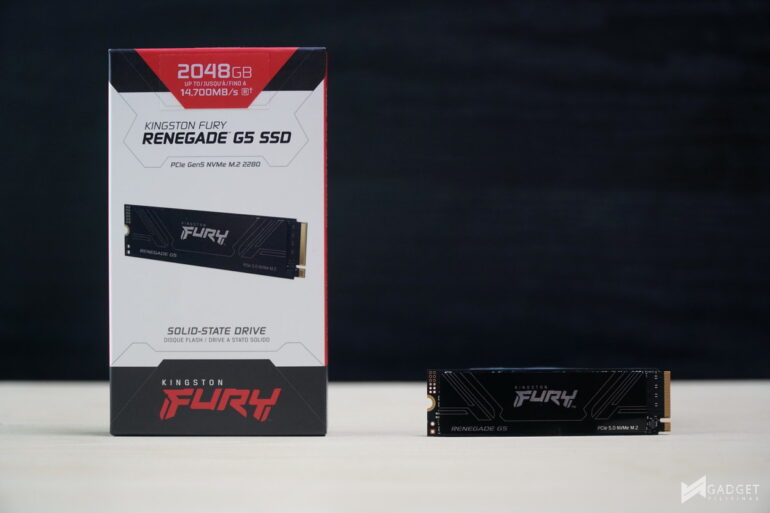
The Kingston FURY Renegade G5 SSD is currently the brand’s flagship SSD, replacing its previous Gen4 Renegade counterpart. The packaging is a bit more premium with an all-box cover compared to the thin paper with plastic enclosure found on its entry-level offerings, like the Kingston NV3 SSD.
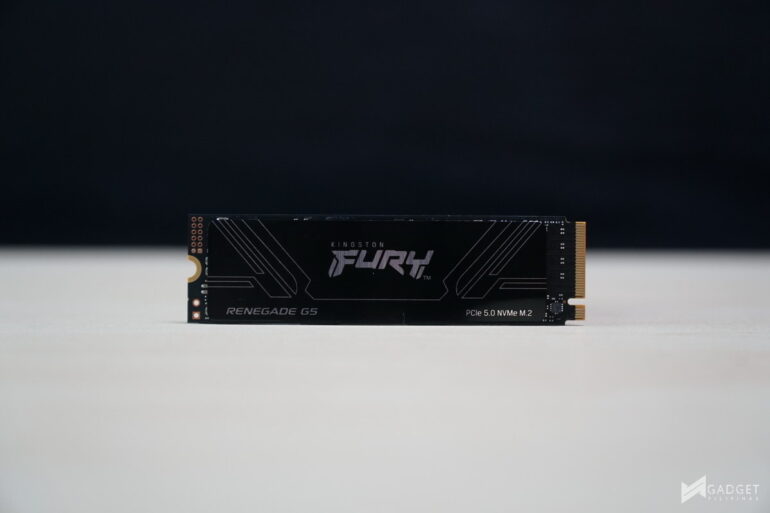
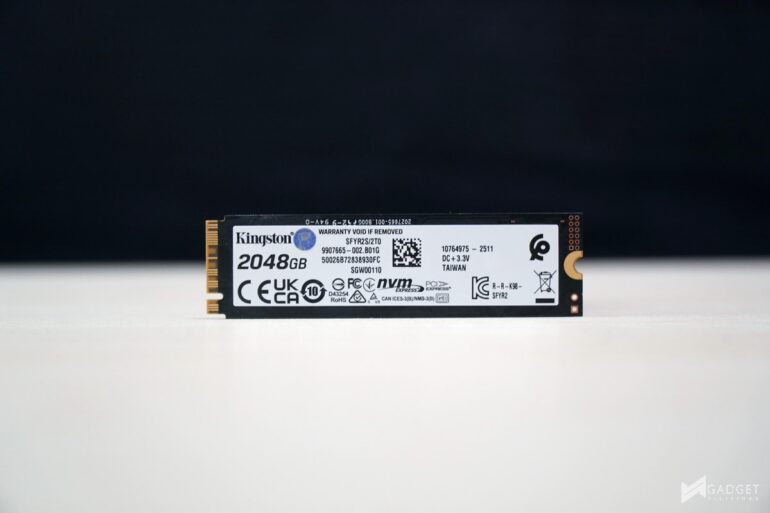
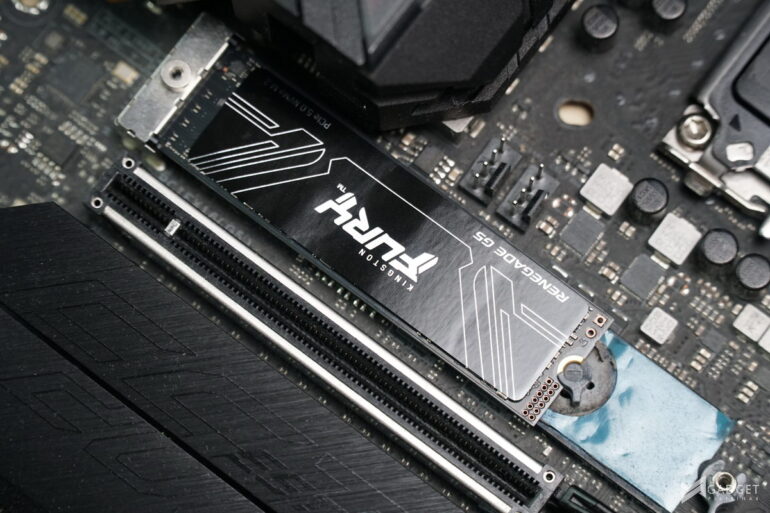
Unlike most Gen 5 SSDs, the Kingston FURY Renegade G5 doesn’t have an included heatsink. Instead, it has a metallic sticker that helps in heat transfer, albeit it’s limited due to its thickness.
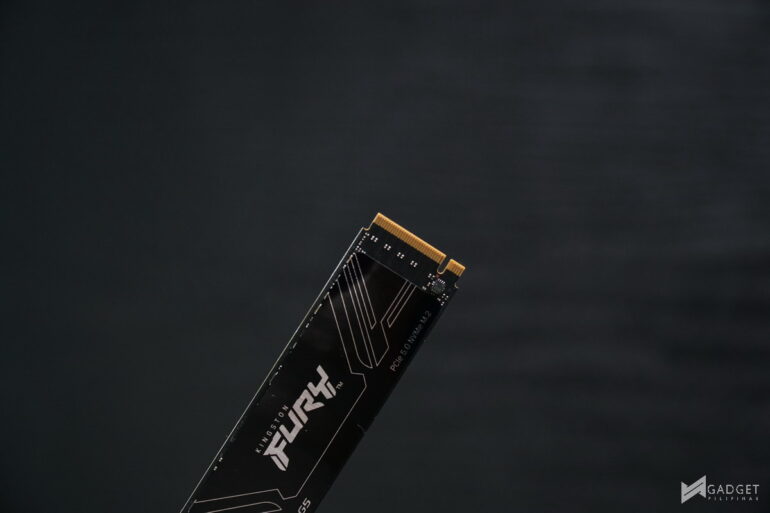
The Kingston FURY Renegade G5 2TB variant is rated at up to 14,700 MB/s read and 14,000 MB/s write. Among the three variants, the 2TB model offers a good balance in speed as it’s about 500/3,000 MB/s faster than the 1TB model but only 100MB/s slower than the 4TB model.
Kingston used a Silicon Motion SM2508 controller paired with a Micron LPDDR4-4266 cache chip to achieve better thermal management compared to other PCIe Gen 5 SSDs. The Renegade G5 also uses two 1TB Kioxia BiCS8 218-layer 3D TLC NAND,
Benchmark Setup and Test Methodology
Gadget Pilipinas’ testing philosophy is to provide detail-oriented results as accurately as possible so that our readers can replicate our tests, given that these conditions are met. Different benchmarking apps and sequences are used depending on the tested component or device.
| CPU | AMD Ryzen 7 9800X3D |
| COOLER | ASUS ROG RYUJIN II 360mm V2 – Noctua NT-H2 Thermal Paste |
| MOTHERBOARD | Gigabyte X870E Aorus Master |
| MEMORY | GSkill Trident Z Neo 32GB(2x16GB) DDR5-6000 CL28 |
| GPUs | Nvidia RTX 5090 Founders Edition |
| STORAGE | Kingston Renegade 2TB NVME SSD |
| POWER SUPPLY | FSP VITA GM1000W Gold ATX 3.1 |
| OPERATING SYSTEM | Windows 11 Pro Build 24H2, VBS off |
| CASE | Open Benchtable V2 |
We use CapFrameX 1.7.5 as our primary FPS capture and analysis tool for all our gaming benchmarks. The latest build version of Windows 11 Pro and WHQL-certified drivers are used for our benchmarks. Readings such as temperatures and power draws are recorded using HWINFO64, and other relevant software for cross-checking.
For more info, read our Review and Benchmark methodology article.
Kingston FURY Renegade G5 2TB Benchmarks
THROUGHPUT Performance
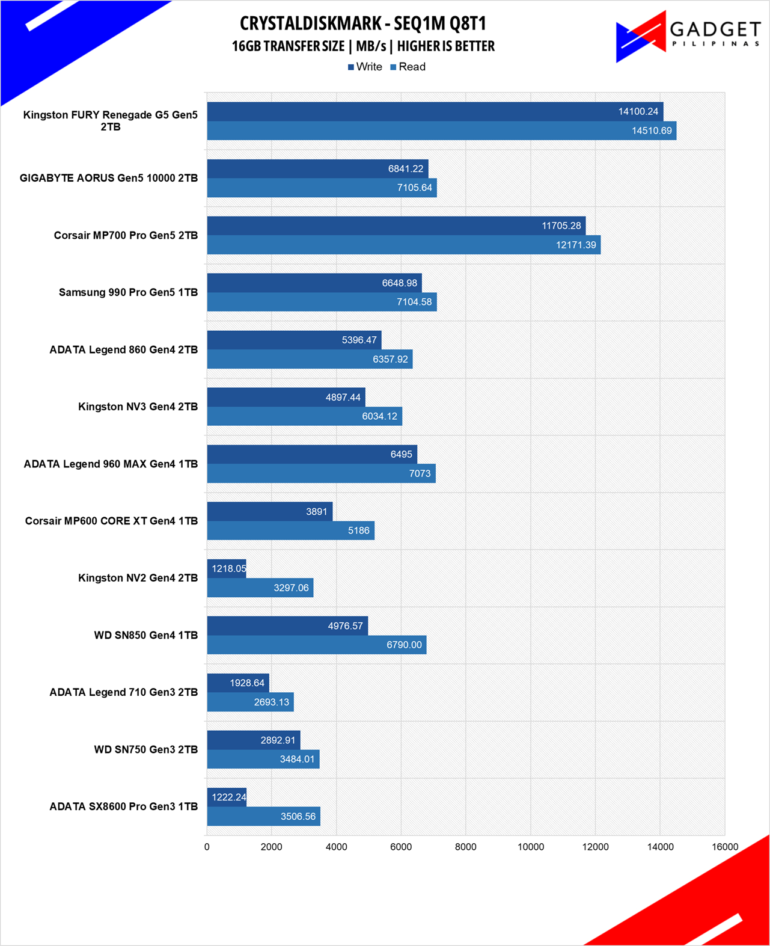
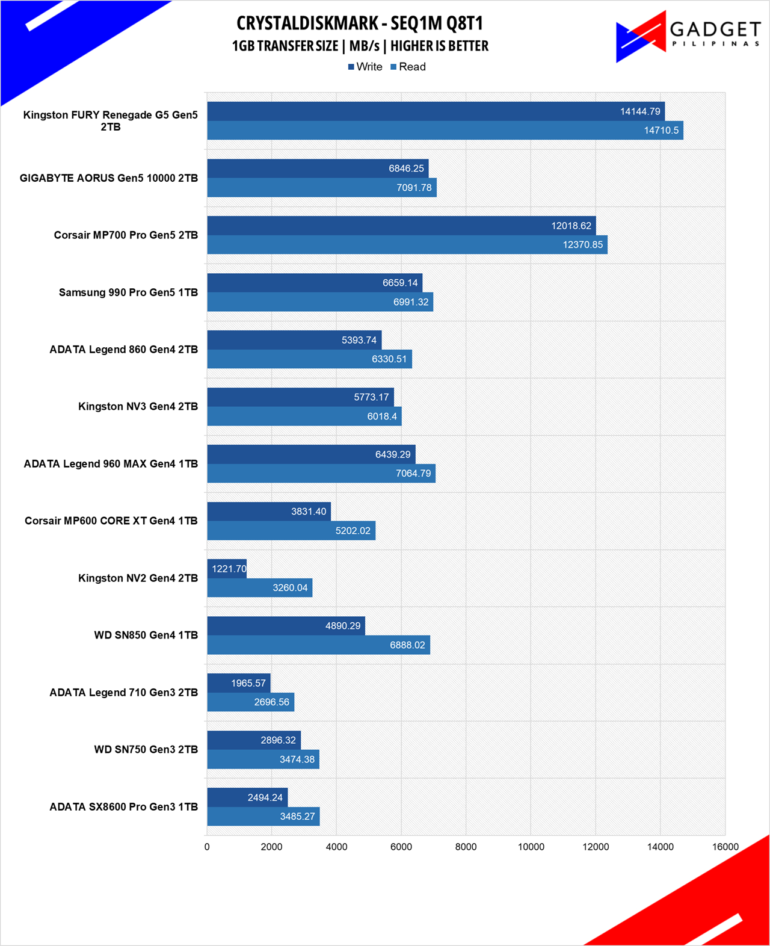
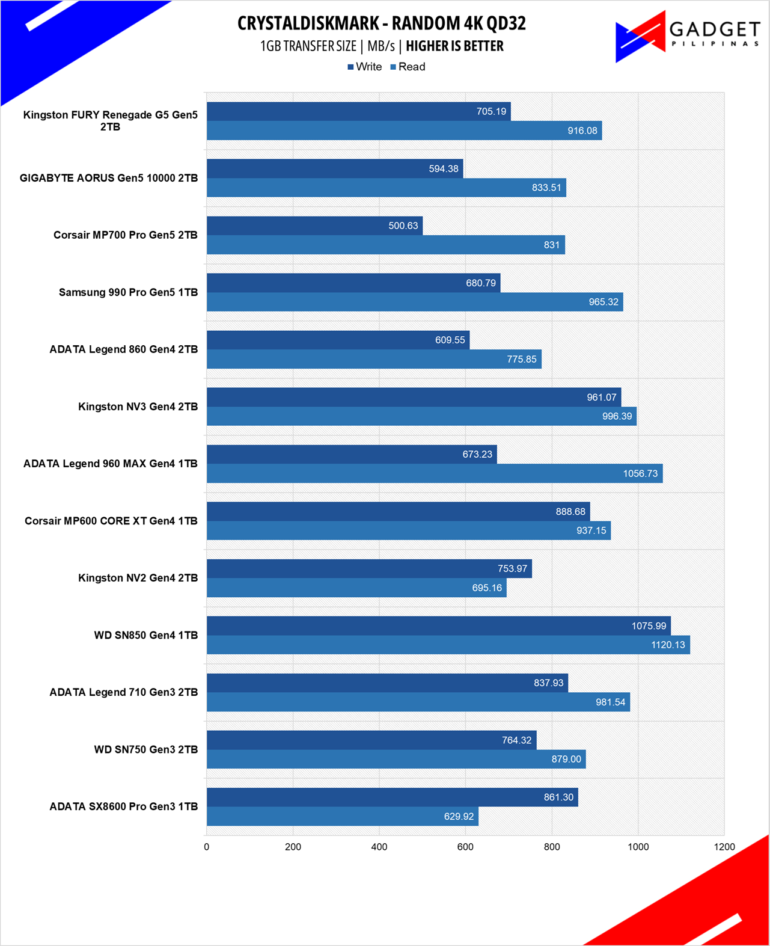
Developed by Noriyuki Miyazaki, CrytalDiskMark is a free benchmark tool that is being used by thousands of experts. This tool measures SSDs’ sequential read and write speeds. That means how fast files can be read from and written to the drive, usually measured in MB/s.
IOPS Performance
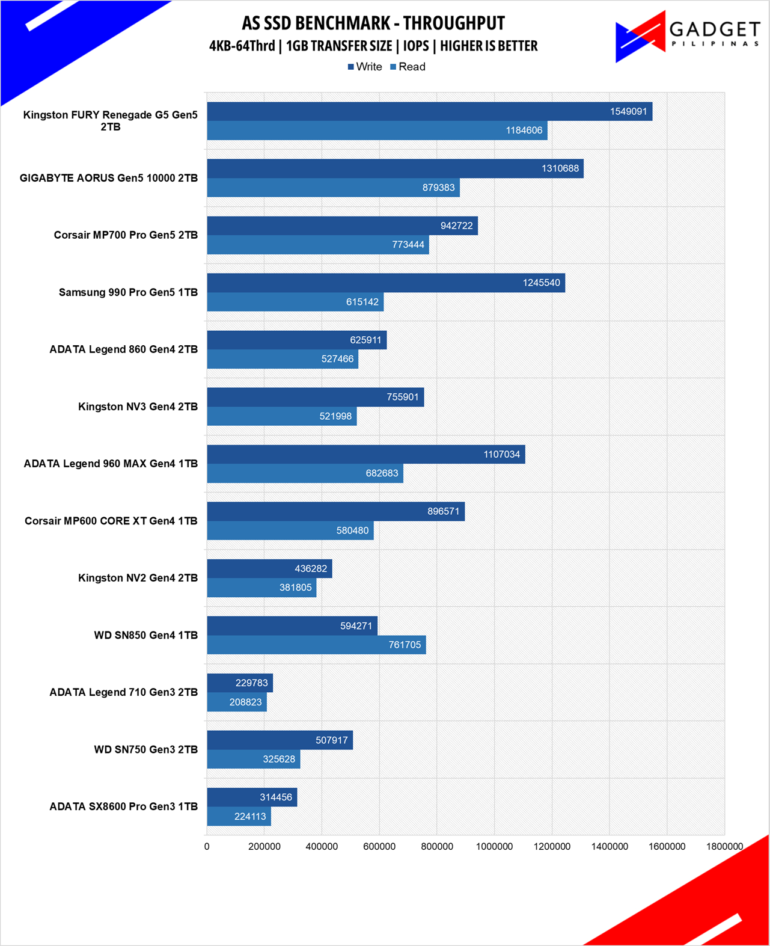
IOPS or Input/Output Operations Per Second is a measure of how many inputs or outputs an SSD can perform in a short period. IOPS is a useful parameter to measure how fast it can process small amounts of workload that are similar to real-world usages, such as loading a webpage and launching apps.
ACCESS TIME
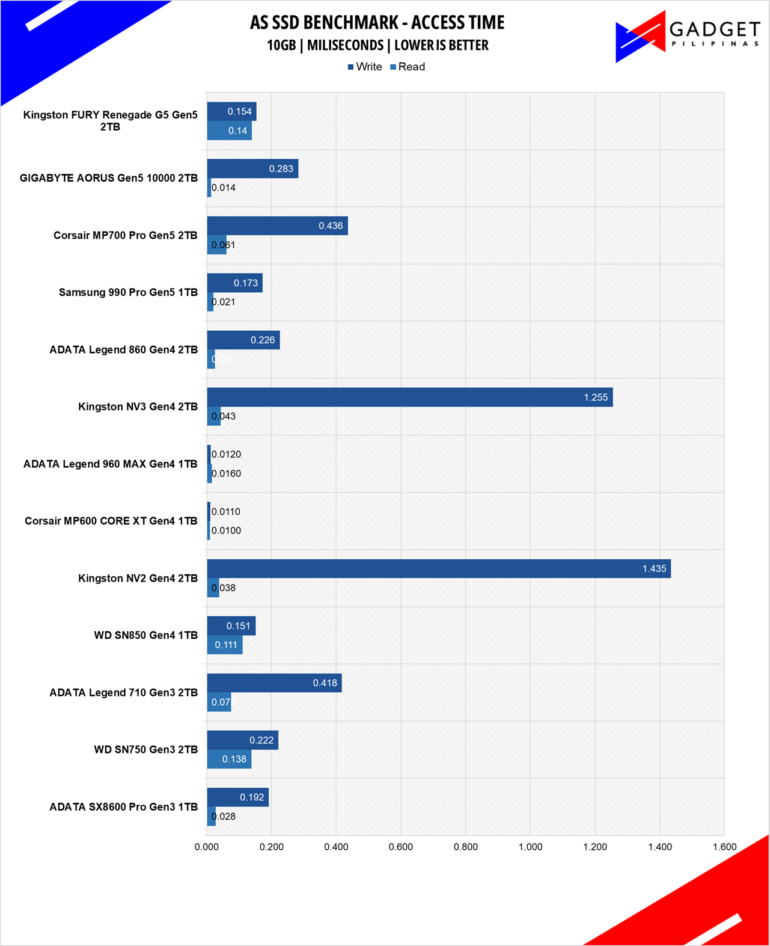
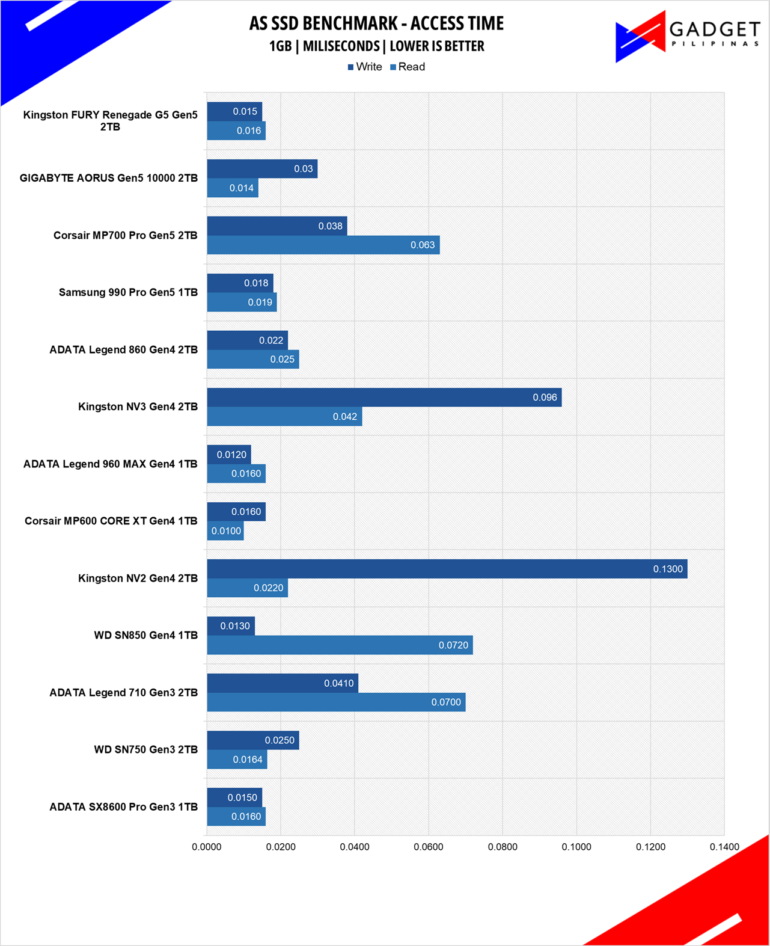
Access time or latency is just as crucial as sequential, random, and IOPS for an SSD. It wraps up all the values from the previous performance and shows the SSD’s responsiveness, whether it be small or heavy workloads.
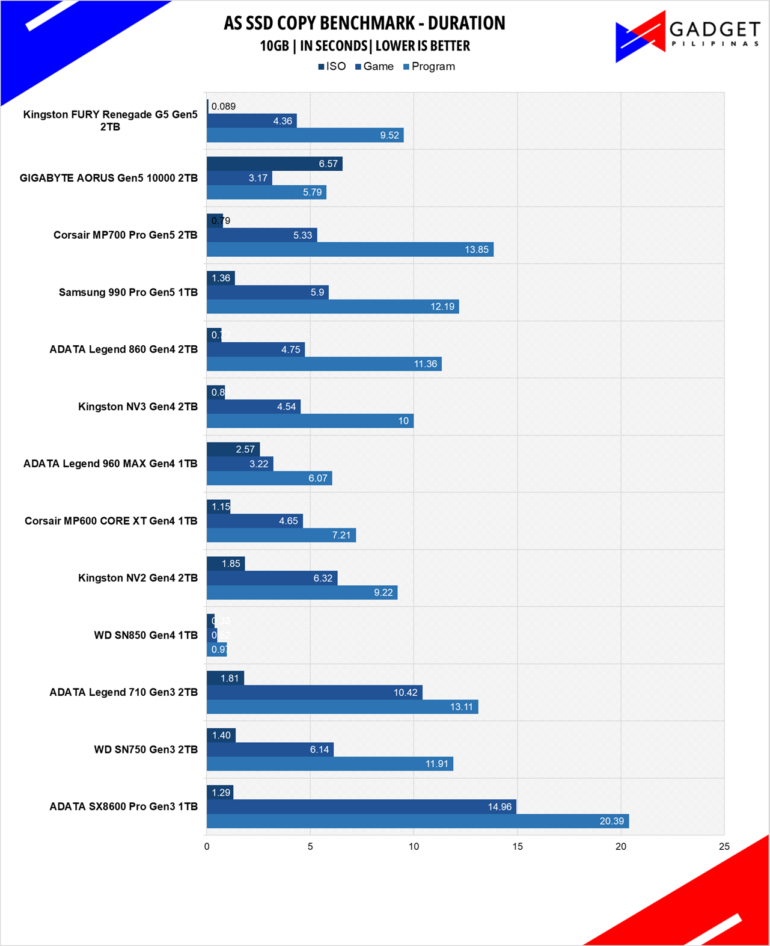
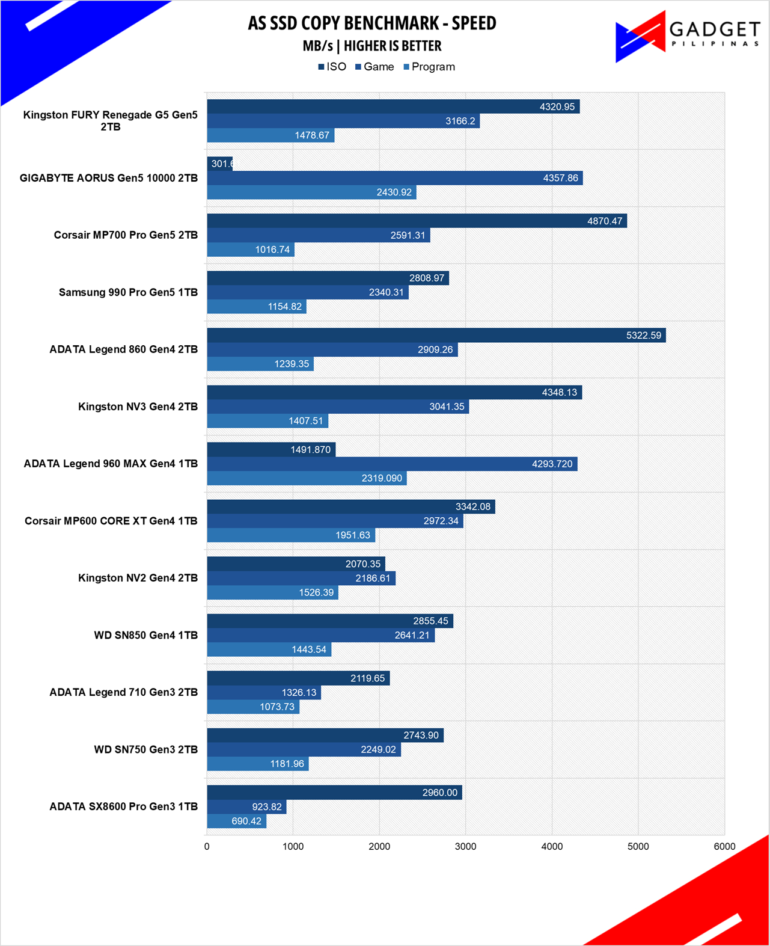
AS SSD’s Copy benchmark simulates copying various file types namely, ISOs, Games, and applications. Different file types result in different transfer speeds.
Kingston FURY Renegade G5 SSD Temperatures
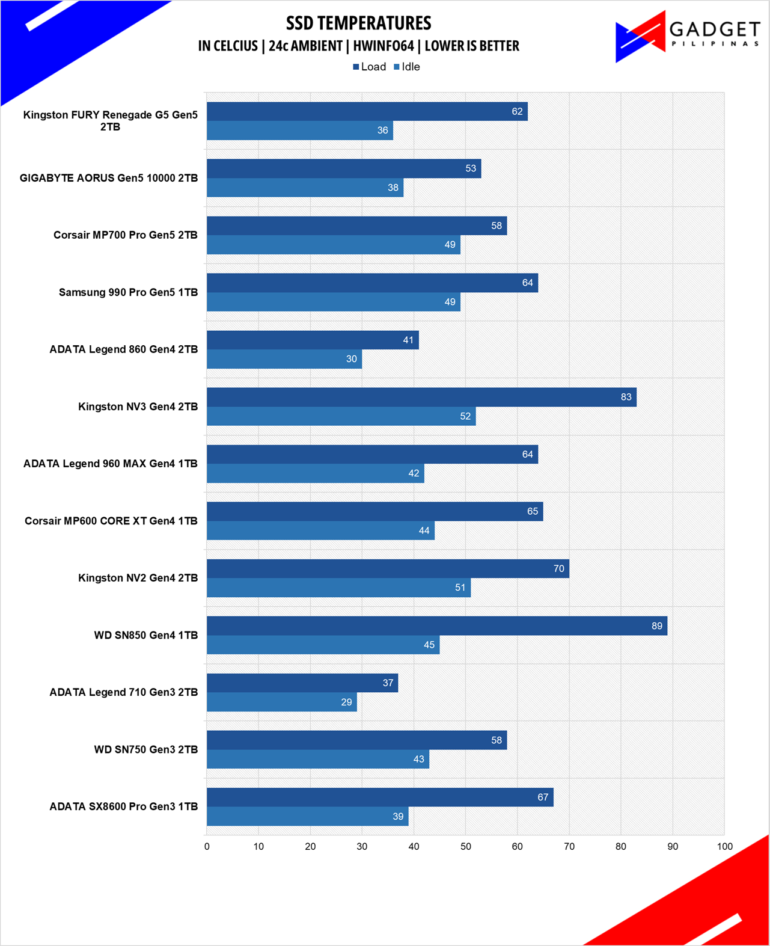
Kingston’s choice to go for the Silicon Motion SM2508 controller pays of with its incredibly low temperatures of 62°C without a dedicated heatsink or a specialized graphene sheet that most Gen 5 SSDs in our testbench suite have.
Conclusion
Kingston surely took their time in releasing their own PCIe Gen 5 SSD. The brand’s decision to play the long game definitely paid off with the FURY Renegade G5’s excellent performance and superb temperatures. While most PCIe Gen 5 SSDs hover around 14,000MB/s read and write, the FURY Renegade G5 gives you a little bit more speed, especially on the sequential writes.
While Gen 5 SSDs haven’t gone down in price since their launch, the value you get with your purchase, especially in terms of speed and temperatures, makes it a little more worth it, especially with the Kingston FURY Renegade G5. Maxed-out 2TB Gen 4 SSDs generally sit at around Php 12,000 to Php 15,000 and paying only half more gets you more than double the speed and endurance, is a relatively good deal as long as you’re leaning towards speed rather than capacity.
Unlike most SSD variants, the Kingston FURY Renegade G5 2TB offers more sensible and balanced scaling of the rated speeds in each storage variant, with the 2TB model providing the best value and balance in terms of capacity and speed. That said, the PHP 19,535 2TB price tag is still on the expensive side for a Gen 5 SSDs. So, if you’re in the market for a Gen 5 SSD, the Kingston FURY Renegade G5 2TB offers unparalleled performance and temperatures without the bulkiness of a dedicated heatsink, making it easily slotted into various motherboards, especially if you’re also concerned with height clearance.

Grant is a Financial Management graduate from UST. His passion for gadgets and tech crossed him over in the industry where he could apply his knowledge as an enthusiast and in-depth analytic skills as a Finance Major. His passion allows him to earn at the same time help Gadget Pilipinas' readers in making smart, value-based decisions and purchases with his reviews and guides.