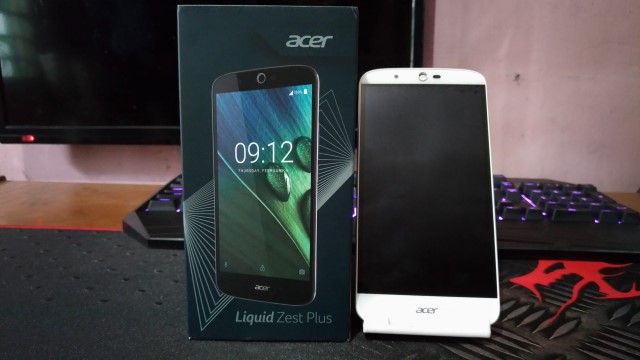
Acer is more known for their PC and Laptop business, but their lineup of smartphones actually looks good and properly priced. We got our hands on the Acer Liquid Zest Plus, and on paper, it seems to be a pretty well made device especially for a little less than PhP8,000. But can this phone walk the talk? Let’s find out in this full review.
Packaging
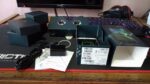
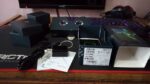
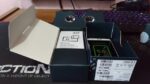
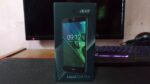
Normally, I wouldn’t include this as part of the review but, It’s just that the way this phone was packaged is special.
-

- lzp unit7
-
- lzp unit6
-
- lzp unit5
-
- lzp unit4
-

- lzp unit3
-
- lzp unit2
-

- lzp unit1
Aside from the usual charger, data cable, and earbuds, it turns out that the box itself can be used as a VR headset in a few easy steps! Now that is how you present a product! Props to Acer for this.x
Design and Build Quality
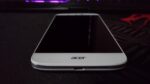
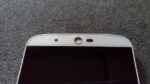
While primarily made of plastic, the phone doesn’t feel like it’ll easily break when you’re holding it. The back panel has a matte finish and when combined with the soft rounded corners gives you a good grip. Looking at the device, it resembles a combination of the Nexus 5 and LG G Pro 2, which I really like.Up front are the usual suspects: The 5MP front facing camera, a slew of other sensors, some branding, and a front firing speaker, which is always a welcome addition.
-

- lzp unit9
-

- lzp unit10
-

- lzp unit11
-

- lzp unit12
-
- lzp unit13
-

- lzp unit15
-

- lzp unit16
-
- lzp unit17
-

- lzp unit18
-

- lzp unit19
-
- lzp unit20
-

- lzp unit8
The absence of a physical home button means that much of your navigation will be done on-screen. Looking at the right side of the device, you’ll find the power button and volume rocker. The buttons are made of plastic, wobble a bit which makes them feel cheap. They also take a little more effort than usual to press.
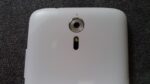
On top is a 3.5mm headphone jack, at the bottom is a MicroUSB port, and finally at the back is a 13MP camera with the laser auto-focus module, and a single speaker with an Acer and DTS-HD branding.
Display
The 5.5-inch 720p display of the Liquid Zest Plus has a color temperature which tends to lean on the cooler side. Text is sharp, brightness is good even at 50%, as well as viewing angles. In general, the display should be more than satisfactory for most users, though I think it would’ve been nice if they slashed off a little more of the bezels around the display.

Performance
Here are the specs of the Acer Liquid Zest Plus.
| Processor | MediaTek MTK6735 Quad-core 1.3GHz |
| Graphics | Mali-T720 MP2 |
| RAM | 2GB |
| Storage | 16GB Expandable via MicroSD Card |
| Display | 5.5-inches 720 x 1280 pixels |
| Battery | 5000mAh |
| Camera | 13MP/5MP |
| Dual SIM | Yes |
| Interface | MicroUSB |
| LTE | Yes |
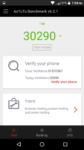
Benchmarks
-
- lzp antutu2
-
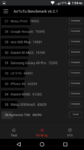
- lzp antutu3
-
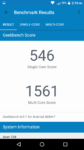
- lzp gb4 1
-
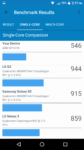
- lzp gb4 2
-
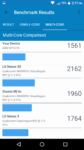
- lzp gb4 3
General Use
Though UI navigation was for the most part, smooth, I did encounter a little lag when attempting to add a Google Account, and installing the Facebook app took 5 minutes after download. Other tasks such as watching Youtube videos, browsing social media, and reading emails were handled with no issues.
Gaming
Overall, I had a satisfying experience playing games on the Liquid Zest Plus as casual games like DJ Max Technika Q ran without any problems. Moving on to heavy games, Implosion and Asphalt 8 ran just fine. Though I had to turn the setting for Asphalt 8 to medium for smoother gameplay. High setting is still playable, but you’ll really notice some lag. The device also tends to heat up very fast, though not to the point wherein it’s uncomfortable to hold.
Audio
The single speaker at the back is positioned in such a way that it might get covered by your hand when using the phone in landscape mode which might affect the overall experience. In terms of sound quality, it falls a bit short on loudness, and while clarity is sufficient on normal volume, it gets a little distorted when maxed regardless of whether DTS Premium Sound is on or off. Unless you are in a very quiet environment, you’ll have to turn up the volume to at least 80%. Of course, you can always just plug in a good set of earphones.
Camera
The phone’s 13MP rear shooter focuses quite fast thanks to the dedicated laser auto-focus module. And while colors are represented accurately and overall brightness is good, the photos tend to lack sharpness even with ample lighting. In low light conditions, things just seem to get worse as photos came out with a lot of noise even with flash enabled. The 5MP front-facing camera however, produces selfies with good amount of detail and sharpness.
-

- lzp cam1
-

- lzp cam2
-

- lzp cam3
-

- lzp cam4
-

- lzp cam5
-

- lzp cam6
-

- lzp cam7
-

- lzp cam8
-

- lzp cam9
-

- lzp cam10
-

- lzp cam11
-

- lzp cam12
-

- lzp cam13
-

- lzp cam14
-

- lzp cam15
-

- lzp cam16
-

- lzp cam17
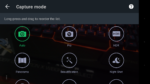
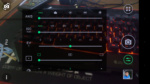
The camera interface offers several shooting modes for you to play with. There’s also an Expert mode which gives you more control over your captures by adjusting white balance, ISO, etc. The nice thing about it is that this mode is also available when taking selfies, which is a big plus, provided that even on auto, they already look great.
-

- lzp os14
-
- lzp os15
-
- lzp os16
Software
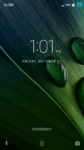
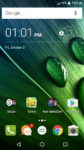
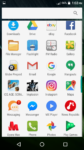
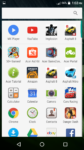
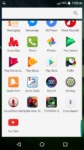
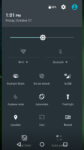
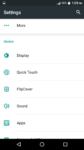
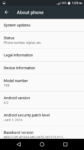
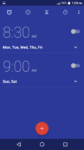
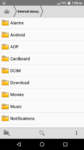
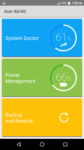
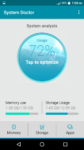
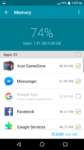
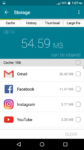
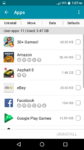
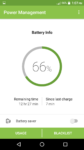
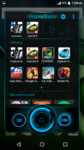
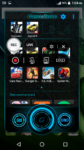
The phone runs on Android Marshmallow, and retains most of the stock elements of the Operating System. Thus, general navigation is buttery smooth. Acer has added a few apps of their own. Such as Aid Kit, which is basically your command center with options for optimizing system performance, monitoring battery usage, and managing apps. There’s also GameZone which supposedly boosts game performance and allows you to record your gameplay and it’s good to note that the overall experience was still smooth even when recording. Good job there for Acer.
-
- lzp os1
-
- lzp os2
-

- lzp os3
-
- lzp os10
-
- lzp os9
-
- lzp os11
-
- lzp os5
-
- lzp os4
-
- lzp os21
-
- lzp os22
-
- lzp os23
-
- lzp os24
-
- lzp os25
-
- lzp os26
-
- lzp os27
-
- lzp os28
-
- lzp os29
-
- lzp os30
-
- lzp os31
-
- lzp os32
-
- lzp os33
-

- lzp os7
-
- lzp os13
-
- lzp os17
-
- lzp os18
-
- lzp os19
-
- lzp os20
Battery
The 5000mAh battery of the Liquid Zest Plus really put on a show on my tests. The phone lasted for almost two days with light to moderate usage. This includes browsing email, a few hours of youtube, Facebook, and app installation. To test heavy usage, I tested the phone by playing a movie on loop at about 50% brightness and 80% volume. Under these circumstances, the phone managed to last for 11 hours, which is very good.

When Acer says fast charging, they mean it. Using the supplied charger, the phone was able to achieve full charge from 27% in less than an hour and a half.
Verdict
The Acer Liquid Zest is a good option for anyone looking for a daily driver. It looks beautiful (except for the big bezels on the display), performs well in daily tasks, and has excellent battery life. On the downside, the camera performance is a little disappointing. Also, an extra 1GB of RAM could’ve made it so much better, considering that a lot of the competition have embraced putting 3GB or even 4GB of RAM even on their more budget oriented devices.
The Good
- Packaging
- Easy to get a good grip on
- Runs on mostly stock elements
- Excellent Battery Life
- Fast Charging
The Not So Good
- Thick bezels on the display hinders the overall look
- Physical buttons feel cheap
- Rear camera could use some improvement
- 2GB of RAM
- The Price

Emman has been writing technical and feature articles since 2010. Prior to this, he became one of the instructors at Asia Pacific College in 2008, and eventually landed a job as Business Analyst and Technical Writer at Integrated Open Source Solutions for almost 3 years.