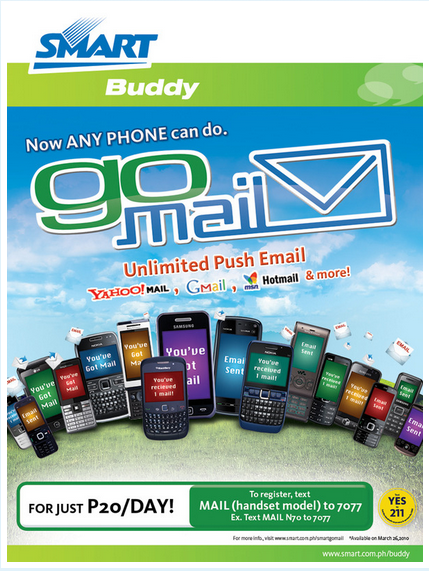
So you’re carrying a phone with push email feature but you do not even use it? Never let that feature rot with Smart’s GoMail, the FIRST FLAT RATE Mobile Mail.
Click Continue Reading for further details.
With GoMail, you can register up to 2 email accounts (like Yahoo!, Gmail, Hotmail, and more!), enjoy flat rate for push mail and outbound mail & read RSS feeds. GoMail also features the following:
- Mobile back up feature – Soon! for Postpaid monthly package only
- Data compression
- Available for Symbian and Java handsets
- No client download needed
- Compatible with the most popular email providers such as Gmail, Windows Live!, Hotmail, and Facebook via RSS Feeds
- Attachments of up to 1MB
- Yahoo! available by end March 2010
To register, simply text MAIL <HANDSET MODEL> send to 7077 to trigger set-up instructions
(e.g. MAIL N900 send to 7077).
Further instructions from GoMail website:
HOW TO REGISTER GPRS / 3G PHONE (via WEB):
Step 1:
via WEB: ( https://smartmobileemail.smart.com.ph)
via SMS: START<space> email address<space>password and send to 7077Step 2: Enter your email address and password and click on ‘Register’
Step 3: Set your mobile phone features and click on ‘Continue’
Step 4: Text alert will be sent to your mobile phone. Accept the configuration message and enter the PIN found in your registration screen. Click ‘Finish’
Step 5: On your mobile phone, click on messages. If you see your mailbox, it means you have successfully installed the service.
Note:
Yahoo email accounts will be supported by end March 2010HOW TO DE REGISTER – GPRS / 3G PHONE (via WEB):
1. Log on to https://smartmobileemail.smart.com.ph
2. Enter your enrolled email account and password
3. On Account page, click on ‘Delete’
4. Subscription has already been de-registered.MANAGING PHONE SETTINGS – GPRS / 3G PHONE (via WEB):
1. On account page, click on ‘Manage Phone’
2. There are different tabs:
Device Selection – to change enrolled handset type
Advanced Settings – to choose type of email notification (by SMS or IMAP)
Phone Settings – to (re) send configuration to your mobile phone
3. To add second email account, click on ‘New Email Account’ then enter your email address and password. Then click on ‘Register’
4. To subscribe to web feeds, click on ‘New Web Feed’ then enter the URLHOW TO SUBSCRIBE TO A PACKAGE:
After registering to an email account, text BUY<space>PACKAGE and send to 7077
Example: BUY MONTHLYSMS notification will be sent for successful subscription
Servicee Packages include Monthly (for P199/30 days) and Daily (for P20/day). Go Mail is also available for postpaid plans.
Will this make me switch to Smart though? Will this make you throw away your other SIM? Hit comments. We’re itching to read all of them.

Giancarlo Viterbo is a Filipino Technology Journalist, blogger and Editor of gadgetpilipinas.net, He is also a Geek, Dad and a Husband. He knows a lot about washing the dishes, doing some errands and following instructions from his boss on his day job. Follow him on twitter: @gianviterbo and @gadgetpilipinas.