Archive for the ‘HowTos’ Category

Watch Manny Pacquiao vs Juan Manuel Marquez Live On Your PC Like A Ninja *UPDATE

SopCast

I know you guys are quite desperate in looking for a legit live streaming link or solution to watch Manny Pacquiao vs Juan Manuel Marquez III. I’ve tested the solution below and I can guarantee you that you don’t need to answer any survey-whatevers to get the link.

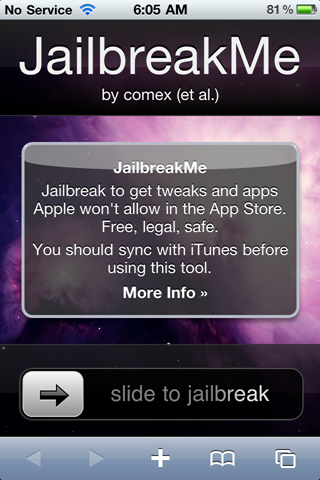
Jailbreak your iPhone 4 like a Ninja

1

You finally got your iPhone 4 (you rich b$#@ard), and you’re itching to jailbreak and unlock it? Don’t fret, because the easiest way to Jailbreak your iDevice has arrived.

[HowTo] Dual Boot Maemo 5 and Android 2.1 Eclair on N900

DJ_Steve and E-Yes of Maemo.org forums managed to install and dualboot Android 2.1 and Maemo 5 OS on their N900. I was able to do it myself on my Nokia N900 and I’m here to share you the steps I followed.

How to Initially Setup Your New N900

Extra

Congratulations on your new Nokia N900. I assume that you’re a geek and you know a bit about unix and networking that’s why you bought that phone. If you want to learn how to maximize the purpose and value of your phone then I guess you need to learn some N900 basics. I also assume that you have already updated your N900 firmware to Nokia N900 Firmware Updated to 2.2009.51-1.

How to Integrate Google Calendar with Facebook

Here’s how you can integrate Google Calendar with Facebook? There are basically 4 easy steps.

Add Your Name on Taskbar Clock [Windows 7/Vista]

customize AM PM

Okay, so you just got your new laptop pre-loaded with Windows Vista or 7? Here’s a way to easily personalize it by adding your name beside the taskbar clock.

Content Protected Using Blog Protector By: PcDrome.